

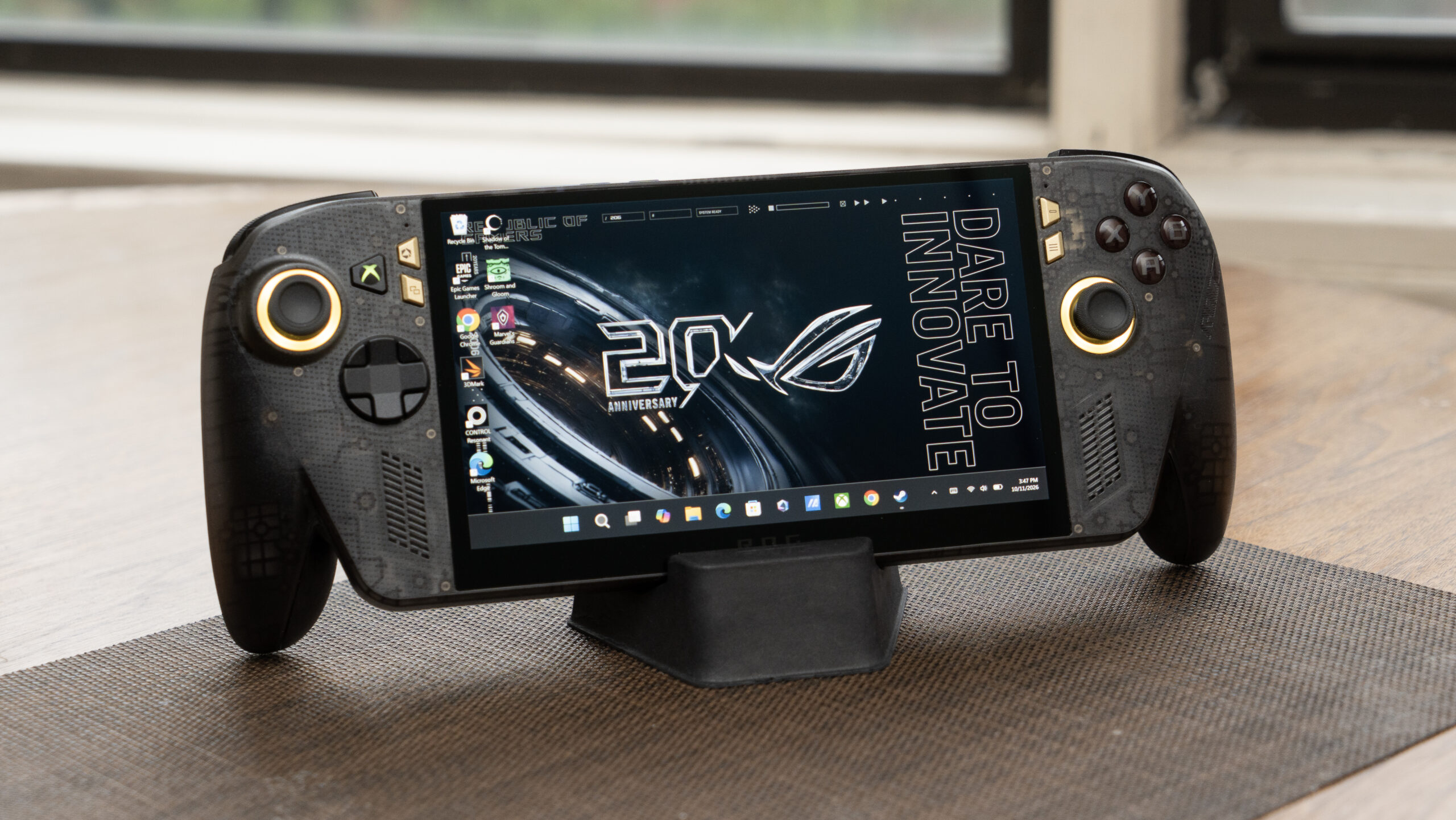
Asus ROG Xbox Ally X20
Pros & Cons
- Excellent HDR OLED display
- Excellent performance for its components on lightweight games
- Bumpers and buttons feel clicky and responsive, joysticks have good tension
- Substantial grips can be more comfortable than the typical design found on these devices
- Expensive
- Interface is still inconsistent and frustrating
- Doesn’t include a case
- Performance doesn’t match newer chips
The updated version of the OG Microsoft-sanctioned Windows gaming handheld, the Asus ROG Xbox Ally X, hits a lot of high points for the category, combining the comfortable controls and layout of the original with a great new OLED display. But while I really like it, the ROG Xbox Ally X20 falls short of having it all — just like all the Windows handhelds.
There’s only one configuration of the X20, identical to the top-end X — with 24GB RAM and 1TB storage — though you can get it in a bundle with custom Xreal R1 glasses and a couple of cases (one protective enclosure with a kickstand, like a phone case, and a Pelican carrying case). That will run you an ouchworthy $2,500.
The standalone model is still expensive at $1,300, still with no case, but if you can’t stomach the expenditure, you can still get the older models. I’m astonished that the price of the Xbox Ally X hasn’t gone up. While it’s been high at $1,000 since its launch in <a href="https://comicvibe.com/prehistoric-farm-codes-october-2026/” title=”Prehistoric Farm codes October 2026″>October 2025, the price hasn’t been RAMageddoned – at least not yet.
And this model addresses one key issue I had with the first Xbox Ally X: It has an OLED screen rather than an IPS screen. It’s a huge improvement, since it adds HDR — bright DisplayHDR 1400, no less — plus OLED’s wide gamut and high contrast, which delivers a much better visual experience. If you can afford it, I think the extra $300 is worth it for the OLED screen; in addition to being slightly larger, colors really pop and highlights glow. (Note: I haven’t completed my display testing but will update when ready.)
Though Microsoft backed down a little on its huge price hikes for Game Pass, the company is still thrashing a bit in its gaming business, so who knows what its related service prices will be like in the future. If you already subscribe, you can’t take advantage of the free month that comes with the X20. I tried. (“IneligibleToStackEntitlementAlreadyOwned”)
Design
The X20 is just slightly larger and heavier than the original to accommodate the extra 0.4 inch that’s been added to the screen. Compared to typical designs like the MSI Claw 8 EX AI Plus‘, the handgrips are more pronounced. I find them equally as comfortable, but if you have large hands, it may make a difference. The rubberized texture on the backs still makes my hands sweat after about 5 minutes, though I still like the feel more than I would without it.
This model comes with a stand, but it’s one of those cheapie versions designed to be just-better-than-nothing. It has a rubber pad stuck to the inside protect the bottom of the device, but that peeled half off the first day I began using it. Annoying given the price.
Like Asus’ other ROG 20th anniversary offerings, the X20 has a novel aesthetic, with gold accents and a dark, translucent plastic shell — because seeing the innards is the tech industry’s way of proclaiming to us geeks that it’s “special!” One odd change for the new model is the incorporation of a transforming D-pad. It’s a four-way-slash-eight-way control you can switch on the fly. Microsoft introduced it in 2010 for the Xbox 360, and it died out about 10 years ago.
It also features newer TMR joysticks rather than Hall Effect; TMR is supposed to be more precise, but my awkward paws can’t tell the difference.
I didn’t get much out of the transforming D-pad. You can lift and rotate to change it from a four-way to eight-way on the fly, but there’s no indicator as to which way it’s set and it feels the same in both modes, so it’s kind of hit and miss — literally — to know when it’s configured the way you want.
Since the X20 has the same layout as the original, I have some of the same complaints. I’ve gotten used to the location of the back buttons which initially felt awkward. The triggers, joysticks and bumpers all feel responsive, but I miss trigger stops. Not a deal-breaker for a lot of people, but it could be for some. The triggers don’t have an exceptionally deep pull, so it’s not a huge issue, but there are times it might have helped. Asus’ Armoury Crate control software lets you calibrate the sticks, triggers and gyro.
The Windows experience
Microsoft’s been chipping away at streamlining the gaming experience on these devices and performance in general, especially memory management, which the company sadly neglected until it started to affect the business: RAM’s so expensive and in short supply that Microsoft basically had no choice.
Setup is still onerous compared to a dedicated gaming handheld like the Steam Deck or Nintendo Switch, with a huge number of updates that took about 30 minutes to complete before I could even start installing games. Plus the usual mishegas, such as:
- Troubleshooting stuck updates
- Periodically losing the on-screen keyboard while being forced to sign in
- Constantly trying to figure out whether I’m in Windows desktop mode or Xbox (full screen) mode. Not everything can run in Xbox mode, like the Epic Games launcher, and to make simple connections, like with my Bluetooth headset, you have to go through Windows keyboard-focused settings. You can look at thumbnails in the Xbox gallery, but if you want to zoom in or view them full screen it tosses you to Windows
So, it’s a little better, but it still feels like the gaming is grafted onto a general-purpose operating system. My frustration threshold’s a lot lower than most people’s, though, so your mileage may vary. But the song remains the same.
Given that it has the same components, it comes as no surprise that it performs the same, or at least within about 4%, so take a look at that review for more detail.
But the competition has changed a bit, and the Intel Arc G3 in the MSI completely blows away the older AMD Ryzen AI Z2 Extreme this device is equipped with.
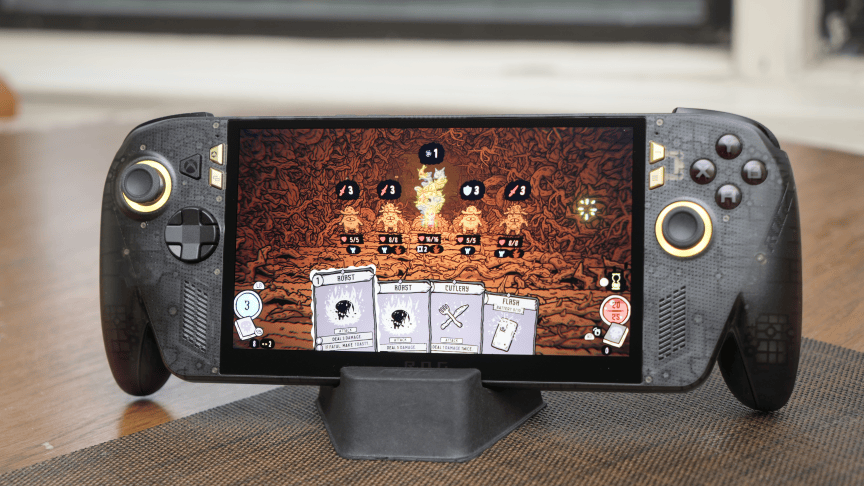
Still, a lot of games are surprisingly playable. Control Resonant, a AAA game which really makes the HDR shine, didn’t run terrifically, but was respectable for one of these handhelds around 40fps. But performance can be uneven — even a low-lift roguelike action game that didn’t really use more than 50% of the GPU got a little laggy at points. The X20 was perfect for my current addiction, though, a turn-based deckbuilder in early access, Shroom and Gloom, which does saturate the GPU but for which speed doesn’t really matter.
The battery life is just OK, about the same as the X at 3 or so hours — it’s not great on these devices in general. But you also want to turn the HDR off, which it does automatically as part of the power profile, because that will just suck the life out of the device.
Like the Xbox Ally X, whether you think the ROG Xbox Ally X20 is worth the money depends upon the games you play. If you’re mostly a Steam gamer, it might not be worth it. But if you have games scattered across multiple stores, you’ll likely appreciate the flexibility.
And don’t forget the great display.
