

Pros & Cons
-
- Competitive pricing
- Wide color range
- High SDR and HDR brightness
- Specialized esports mode can size down the image for competitive players
- Plenty of ports
-
- Lacks internal speakers
- Doesn’t support AI upscaling
Alienware 39 5K OLED Gaming Monitor (AW3926QW) Specs
| Adaptive Sync | AMD FreeSync Premium Pro, Nvidia G-Sync Compatible, VESA AdaptiveSync |
| Aspect Ratio | 21:9 |
| Dimensions (HWD) | 22.8 by 36.24 by 9.55 inches |
| Height-Adjustable Stand? | |
| Native Resolution | 5120 by 2160 |
| Panel Size (Corner-to-Corner) | 39 |
| Pixel Refresh Rate | 165 |
| Rated Screen Luminance | 300 |
| Screen Technology | QD-OLED |
| Swiveling Stand? | |
| Tilting Stand? | |
| USB Ports (Excluding Upstream) | 3 |
| VESA DisplayHDR Level | DisplayHDR True Black 500 |
| Video Inputs | HDMI |
| Warranty (Parts/Labor) | 3 |
| Weight | 22.6 |
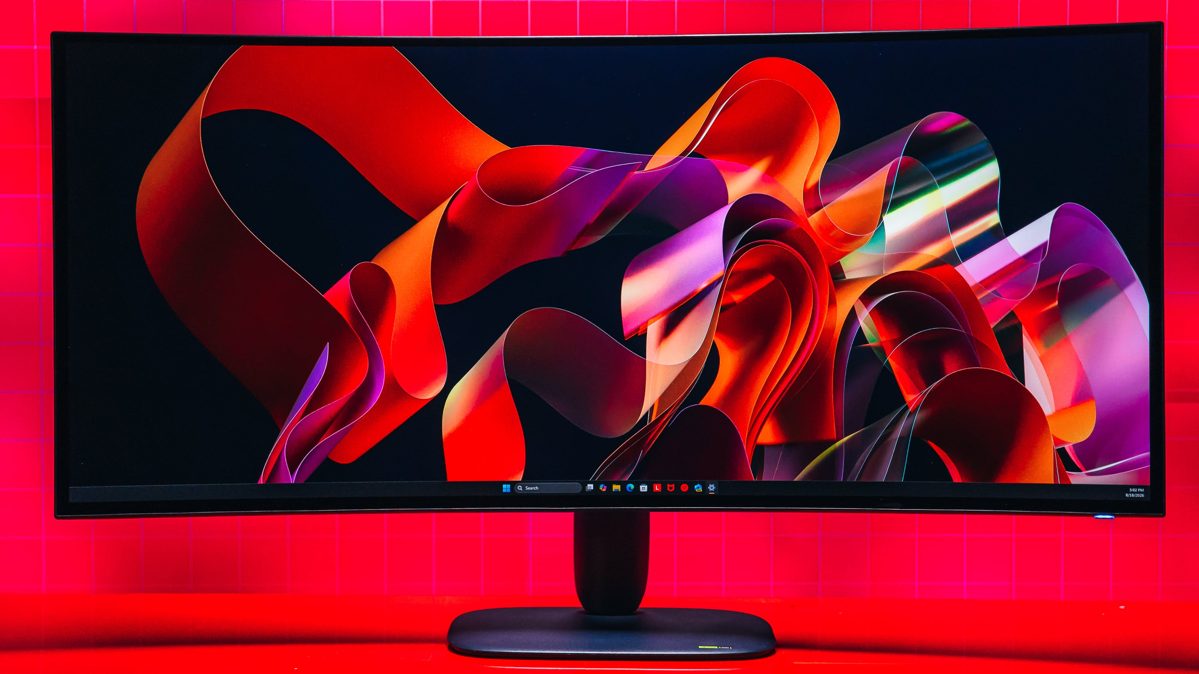
Just like the soon-to-be-reviewed LG UltraGear evo GX9, the Alienware 39 5K OLED Gaming Monitor (AW3926QW) is a 39-inch ultrawide curved “5K2K” (5,120-by-2,160-pixel) gaming monitor with a cutting-edge QD-OLED panel. On paper, these two monitors are matched in almost every category, from their dual-mode options to their DisplayHDR True Black 500 certifications. But Alienware’s latest is different from LG’s in two major ways. It lacks built-in AI upscaling, and it’s $1,099.99, still expensive but a whopping $700 less than the GX9. So, with a striking color range and a gamer-first feature set, the Alienware AW3926QW easily earns our Editors’ Choice nod for ultrawide gaming monitors.
The Panel: The ‘RGB Stripe Tandem OLED’ Difference
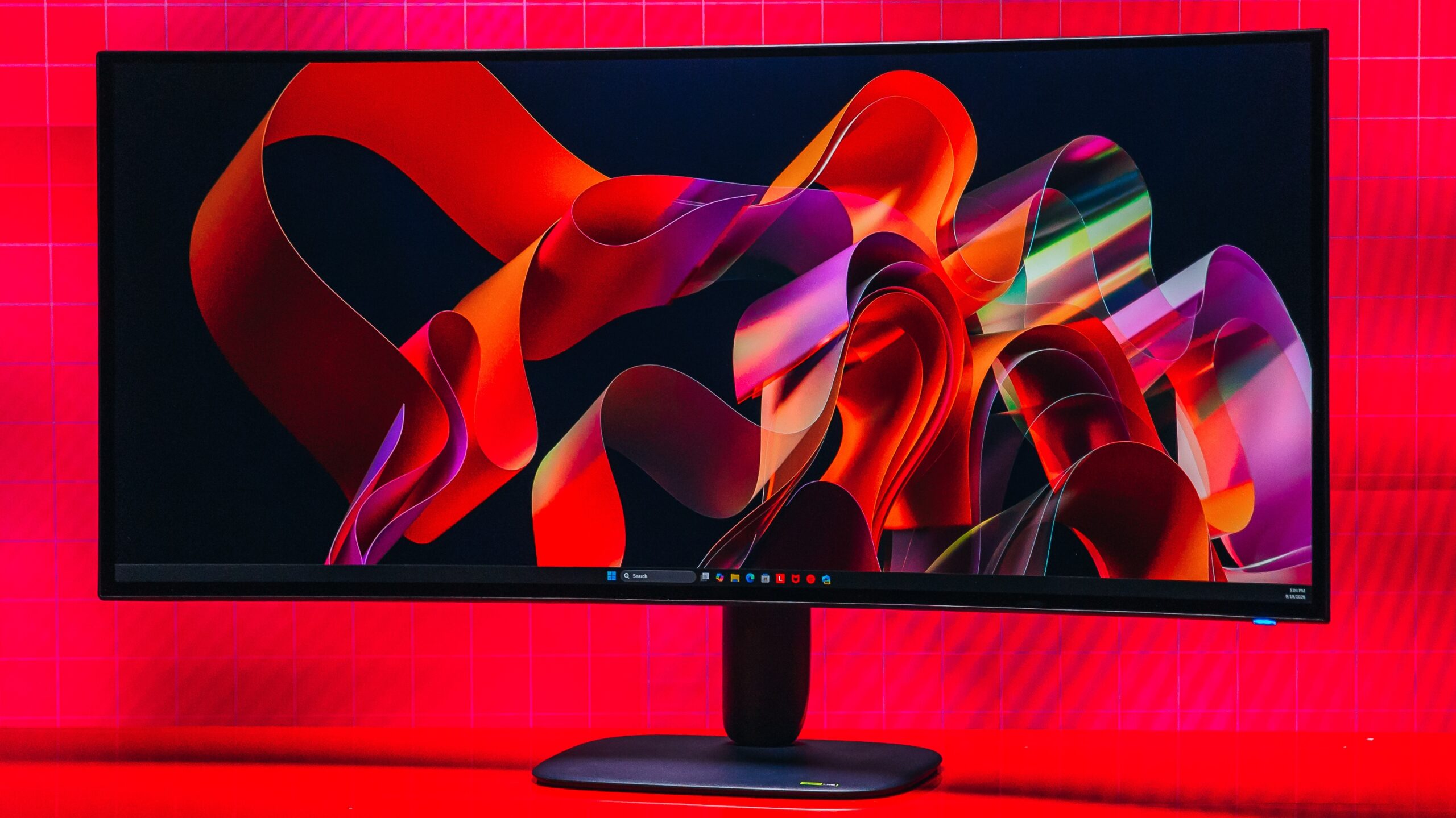
Unlike the Alienware 34 280Hz QD-OLED (AW3426DW), the AW3926QW doesn’t use a Penta Tandem OLED but rather an RGB Stripe Tandem OLED panel. According to Alienware, this makes the monitor the world’s first 39-inch 5K2K display using that tech. That’s an important, if esoteric, distinction, as Asus already claimed the first RGB OLED gaming monitor (the ROG Swift PG34WCDN), and LG called dibs on the world’s first 39-inch 5K2K OLED gaming monitor with the GX9.
Here’s where things get even more confusing. RGB Stripe Tandem OLED is not the same as the fourth-generation Primary RGB Tandem OLED the GX9 uses (though LG manufactures both panels). Primary RGB Tandem OLED stacks four emissive layers on top of each other, but despite the “primary” in its name, the panel still retains an extra white subpixel layer, resulting in a red/green/white/blue layout. Previous generations placed the white sub-pixel second, resulting in a red/white/green/blue layout.
(Credit: Joseph Maldonado)
RGB Stripe Tandem, on the other hand, stacks four emissive layers behind an RGB-stripe subpixel arrangement of red/blue/green/blue, delivering what LG says are notable improvements in brightness and color. LG splits the two panels into different use cases: Primary RGB Tandem stripe is focused on HDR gaming, emphasizing higher peak brightness, while RGB Stripe Tandem focuses on higher color luminance and readability for mixed use.
Despite the differences among Primary RGB Tandem OLED, RGB Stripe Tandem, and Penta Tandem, they share the same key specs, including a maximum HDR brightness of 1,300 nits, a maximum SDR brightness of 300 nits, and DisplayHDR True Black 500 certification.
Design: It’s Your Average Alienware Aesthetic
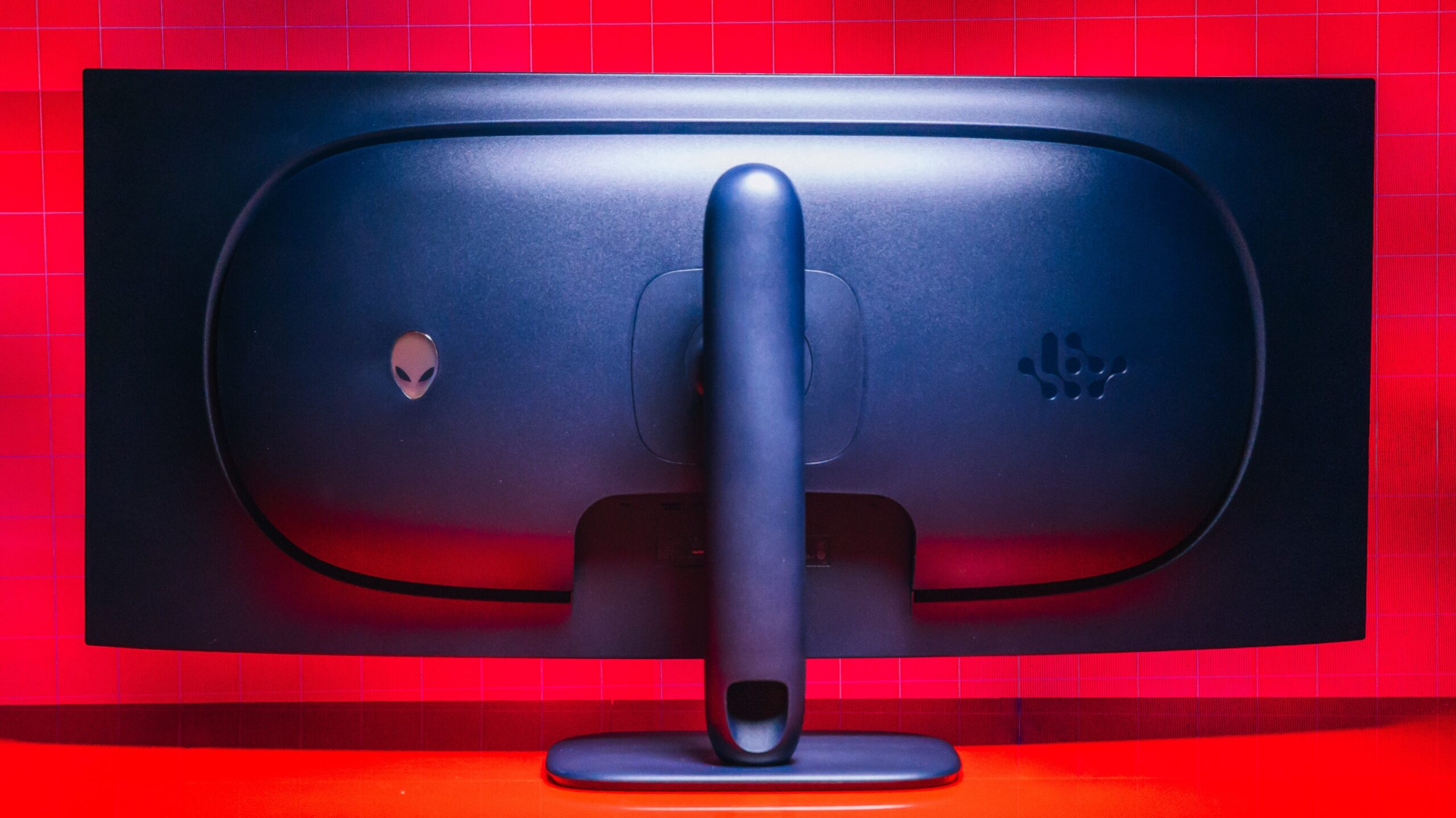
New QD-OLED panel tech aside, the Alienware AW3926QW will sound familiar to anyone in the market for an ultrawide gaming monitor, and as I said up top, it’s mostly the same as the GX9. That includes its 1500R curvature—1,500mm representing the radius of a circle formed by a hypothetical ring of these monitors, placed edge to edge.
(Credit: Joseph Maldonado)
The big, beautiful screen doesn’t skimp on pixel density. Higher pixel density tends to improve image quality, but it’s especially useful for text-heavy documents and writing. While it’s not as dense as the 166 pixels per inch (ppi) of the Alienware 27 4K QD-OLED (AW2725Q), the Alienware AW3926QW is rated at 143ppi, higher than other Alienware monitors we’ve reviewed, including the Alienware AW2725DF (111ppi) and the Alienware AW3225QF (140ppi). It also matches the GX9’s 143ppi.
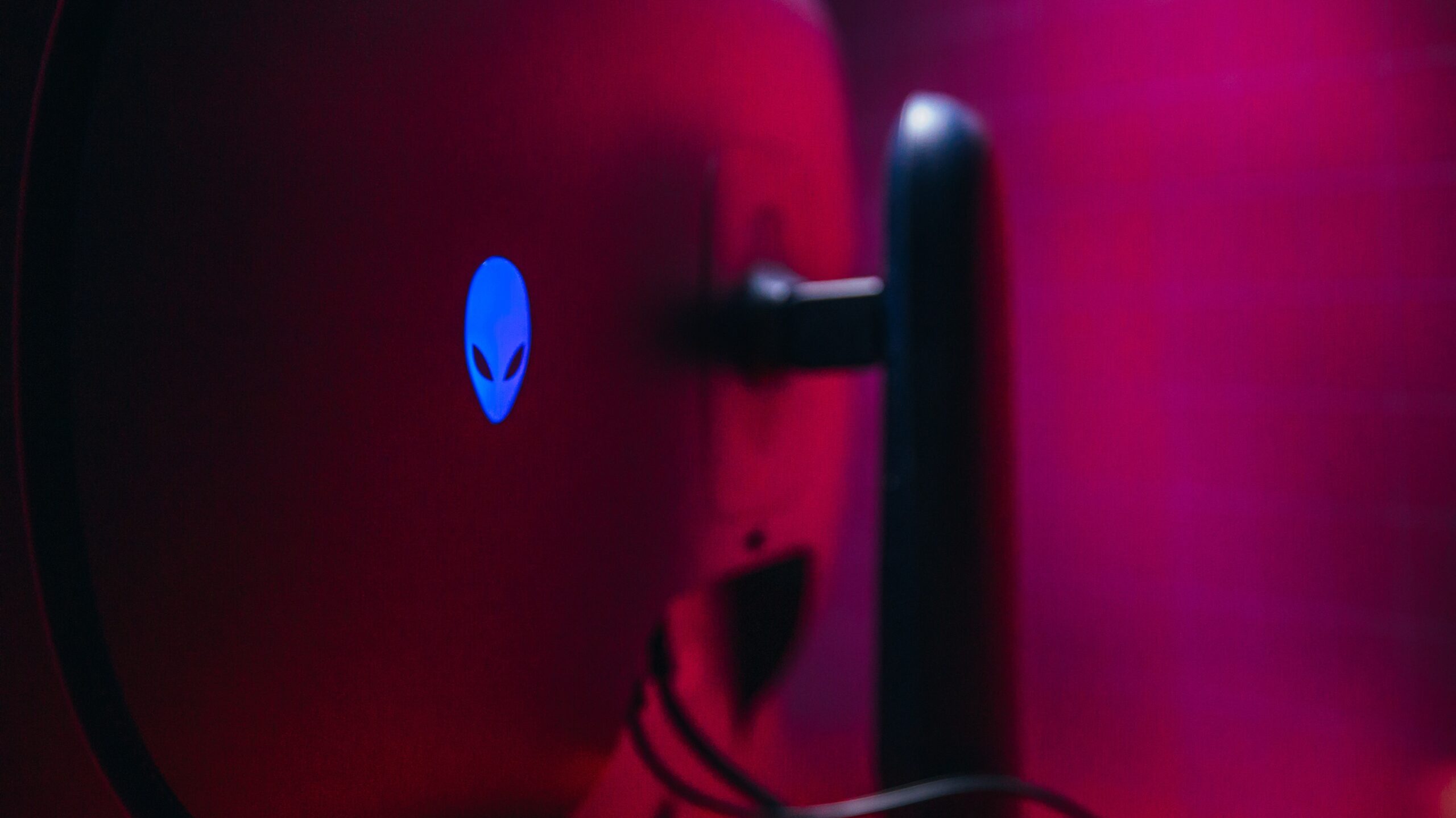
Moving on to the monitor’s back side, you’ll find the Alienware wrapped in a deep blue color, despite the color scheme being called “Nova Black.” Familiar Alienware iconography frames the monitor’s stand, offering a hint of style on an otherwise clean, almost plain, design. This is the same design language that Alienware has used for a while now. The stand, which is much slimmer than the large slab that holds the GX9, sits on a small, square base.
(Credit: Joseph Maldonado)
Taking a ruler to the monitor, you’ll find it measures 22.8 by 36.2 by 9.6 inches (HWD) when the stand’s fully extended. Compressed, 22.8 becomes 18.5 inches. On the scale, the monitor weighs 22.6 pounds. It’s slightly lighter than its competitor, but the GX9’s stand compresses and extends further.
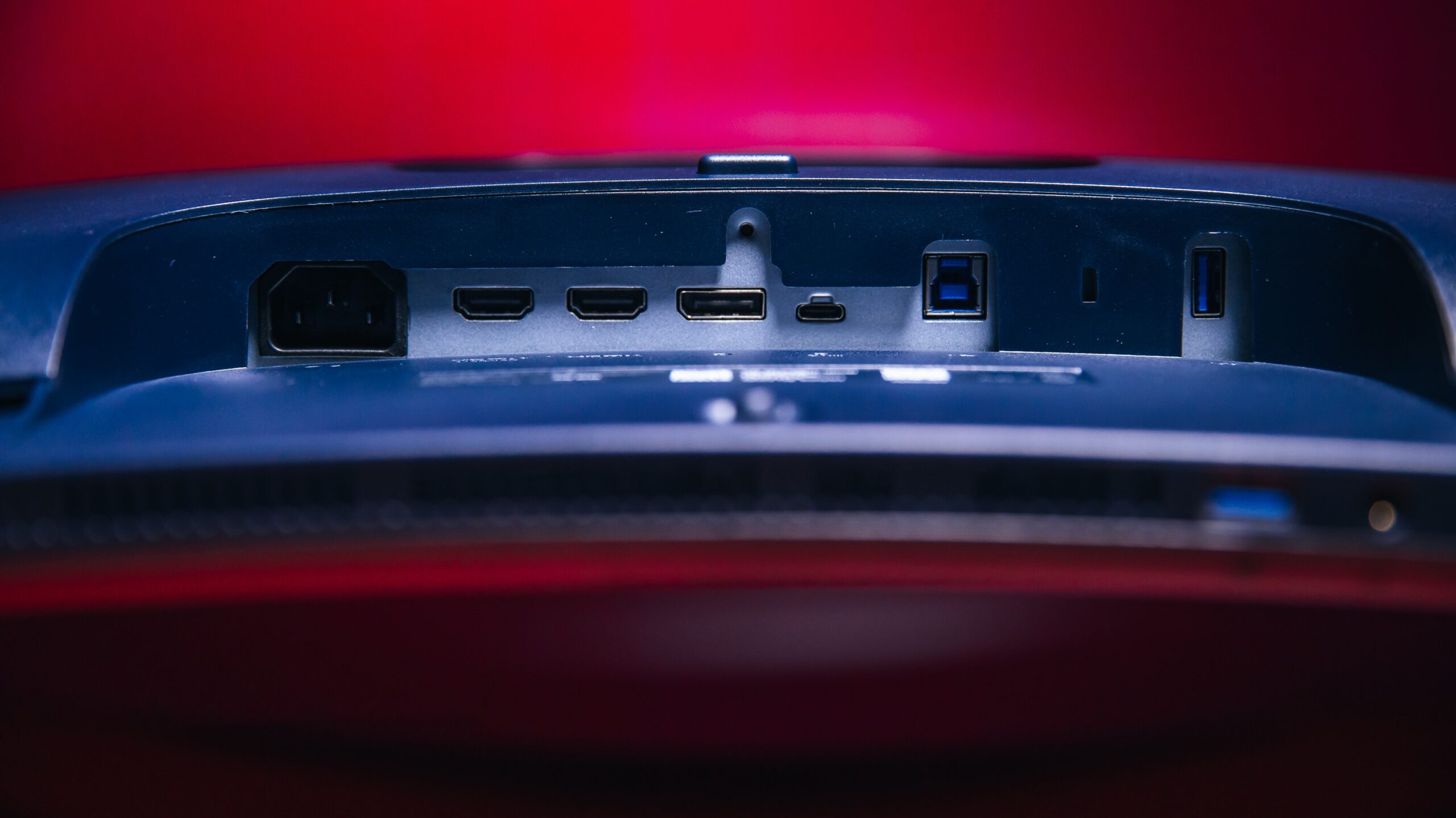
The port hub is tucked into the monitor’s backside. It contains two HDMI 2.1 ports, a DisplayPort 2.1 port, and USB Type-A, Type-B, and Type-C ports. The rear USB-C port also offers up to 90 watts of power delivery and supports DisplayPort 2.1 Alt Mode. Another pair of USB ports (Types A and C) is nestled at the front of the monitor. Both of these also provide power delivery, with the USB-C delivering 15 watts. You’ll find a headphone jack here, as well.
(Credit: Joseph Maldonado)
If you have a newer GPU, you can enjoy the DisplayPort 2.1 support. DisplayPort 2.1 doubles the bandwidth of DisplayPort 1.4 (80Gbps versus 32.4Gbps), enabling higher resolutions and refresh rates without compression.
Features: The Devil’s in All the Details
Up until this point, the Alienware AW3926QW has gone blow to blow with the LG UltraGear evo GX9 in its features and specs, but here’s where things start to diverge. First off, the AW3926QW has no internal speakers, though the HDMI 2.1 with eARC and the headphone jack do offer options for external speakers or soundbars. The GX9 not only has speakers but also uses AI to separate individual audio elements, creating a more controlled, immersive sound profile. (At least, that’s what LG claims.)
Perhaps the biggest difference between the AW3926QW and the GX9 is that the LG has a built-in processor that claims to use AI upscaling to enhance content to fit the display’s 5K2K resolution. The AW3926QW doesn’t have any AI-upscaling capabilities; instead, it offers what Alienware calls a “personalized algorithm”: machine-learning technology integrated into the panel that’s supposed to optimize image quality, increase brightness, and extend the monitor’s lifespan by predicting OLED degradation.
While the term “AI” isn’t used in any marketing materials, as far as I can tell, this concept is similar to the AI features on monitors like the MSI MPG 271QR QD-OLED X50. They’re subtle and automatic, but it’s hard to really say whether they make a meaningful difference or not. Perhaps the best I can say is that they don’t really get in the way of the monitor’s other features.
(Credit: Joseph Maldonado)
The Alienware AW3926QW offers two refresh rate/resolution combinations. One is the screen’s full 5K2K resolution at 165Hz, while the other is 330Hz at “WFHD” (2,560 by 1,080 pixels). The two configurations are meant to cater to all types of gamers and genres. If you’re playing a slower, big-budget AAA release, the full-fat resolution at 165Hz is for you, while multiplayer shooters will thrive at the higher 330Hz refresh rate.
One feature that might attract hard-core gamers is the built-in esports mode, which lets players reshape the display area into smaller, faster chunks tuned for competitive play. For example, you can configure the monitor to display a 24.5-inch or 27-inch 16:9 picture at 330Hz. You can then move this display area to the top, bottom, or center of the screen, with the rest of the panel masked off. While some might scoff at the idea of shrinking the display area of a giant ultrawide monitor, esports gamers will often trade resolution for faster performance, so this mode guarantees them the best of both worlds.
(Credit: Joseph Maldonado)
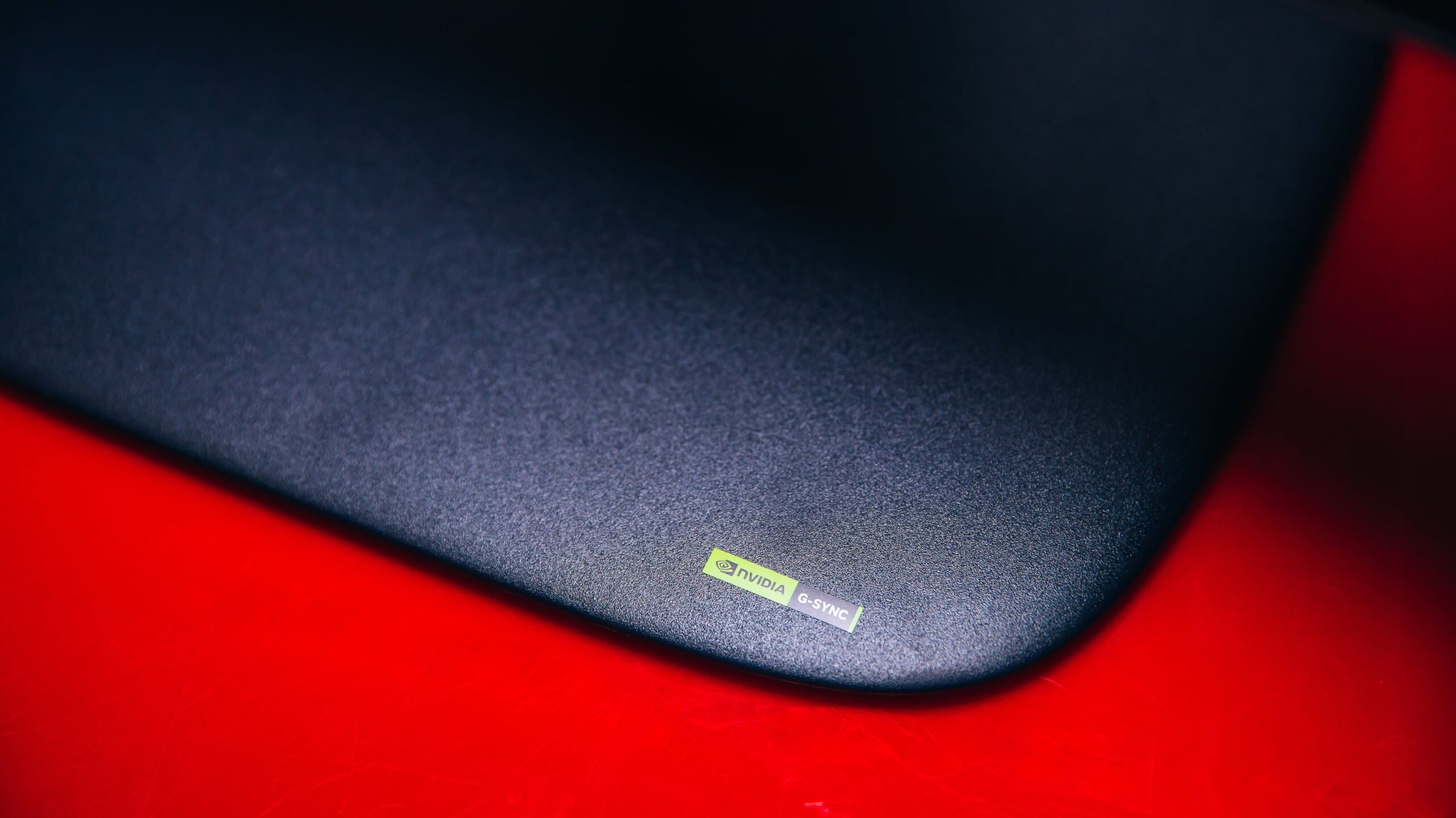
Like other Alienware monitors, the AW3926QW supports Dolby Vision, a mode that optimizes brightness, contrast, and color saturation for supported content. The monitor also supports AMD FreeSync Premium Pro and VESA AdaptiveSync, and it’s Nvidia G-Sync Compatible.
Picture Quality: Impressive, With Wide Color Range
I tested the AW3926QW with our standard benchmarks using Portrait Displays’ Calman calibration software and a Klein K-10A colorimeter. I also ran it through a gauntlet of games to measure input lag and judge its real-world performance. I took these readings with out-of-the-box settings, unless otherwise noted.
In the first test, I benchmarked the display brightness using the out-of-the-box SDR profile. Under these conditions, I measured a maximum brightness of 304 nits with a 10% window size, which is right on target for the monitor’s rated brightness of 300 nits. Moving on to HDR, the monitor promises a peak HDR brightness of 1,300 nits at a 3% average picture level (APL). Our peak HDR test is slightly different, using a 2% window size, but we registered 1,277 nits, which is right on target. The monitor also recorded 516 nits at a 10% window size, right in line with its VESA DisplayHDR True Black 500 rating.
(Credit: Portrait Displays)
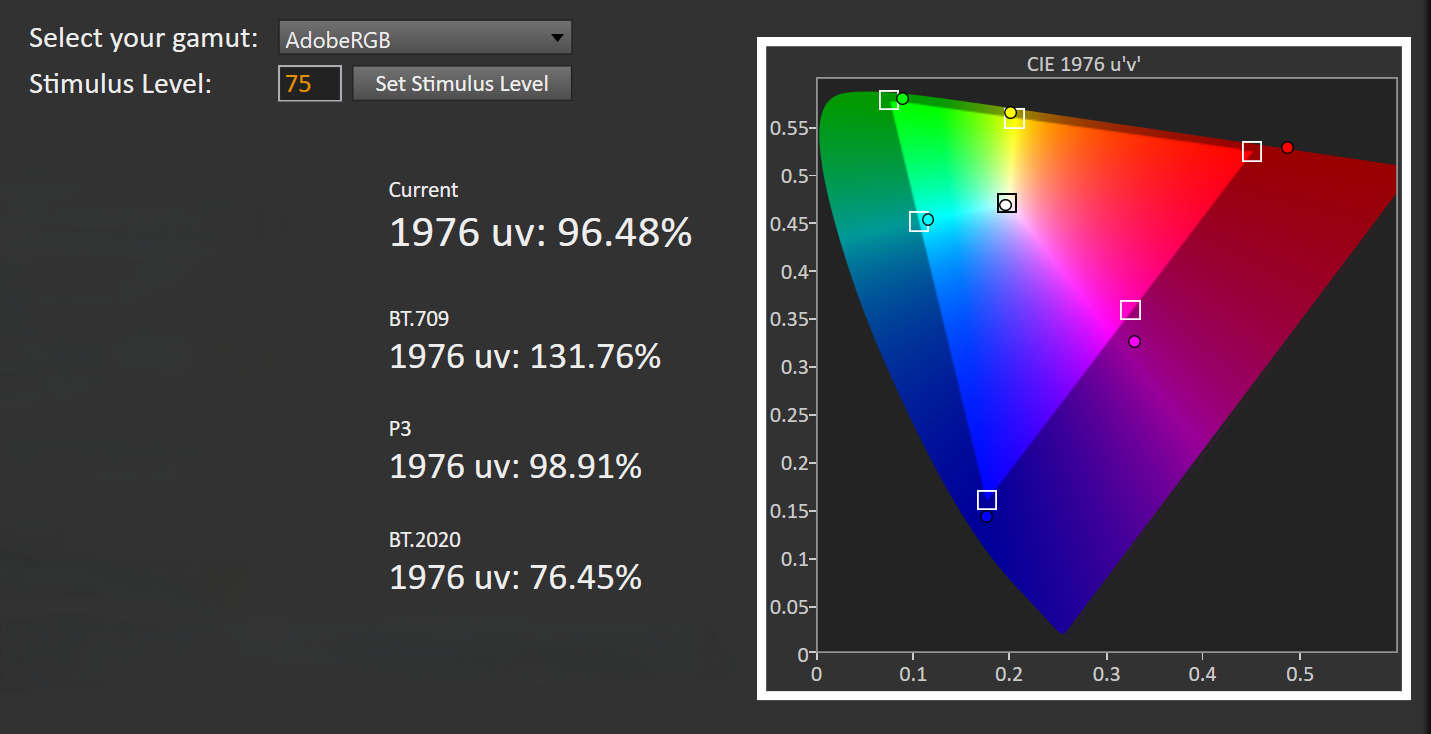
Finally, I tested the color gamut. My metering indicates that the AW3926QW covers 96.5% of the Adobe RGB color space (see the chart above), 131.76% of the sRGB color space, and 98.9% of the DCI-P3 color space (see the chart below). The squares in the charts represent target color reference points, and the circles represent the actual measured color. These are top-notch results overall, and the panel exceeds 100% sRGB as many OLED monitors do. While the wider sRGB coverage can produce richer colors, especially with HDR content, it can also sometimes lead to an overblown image.
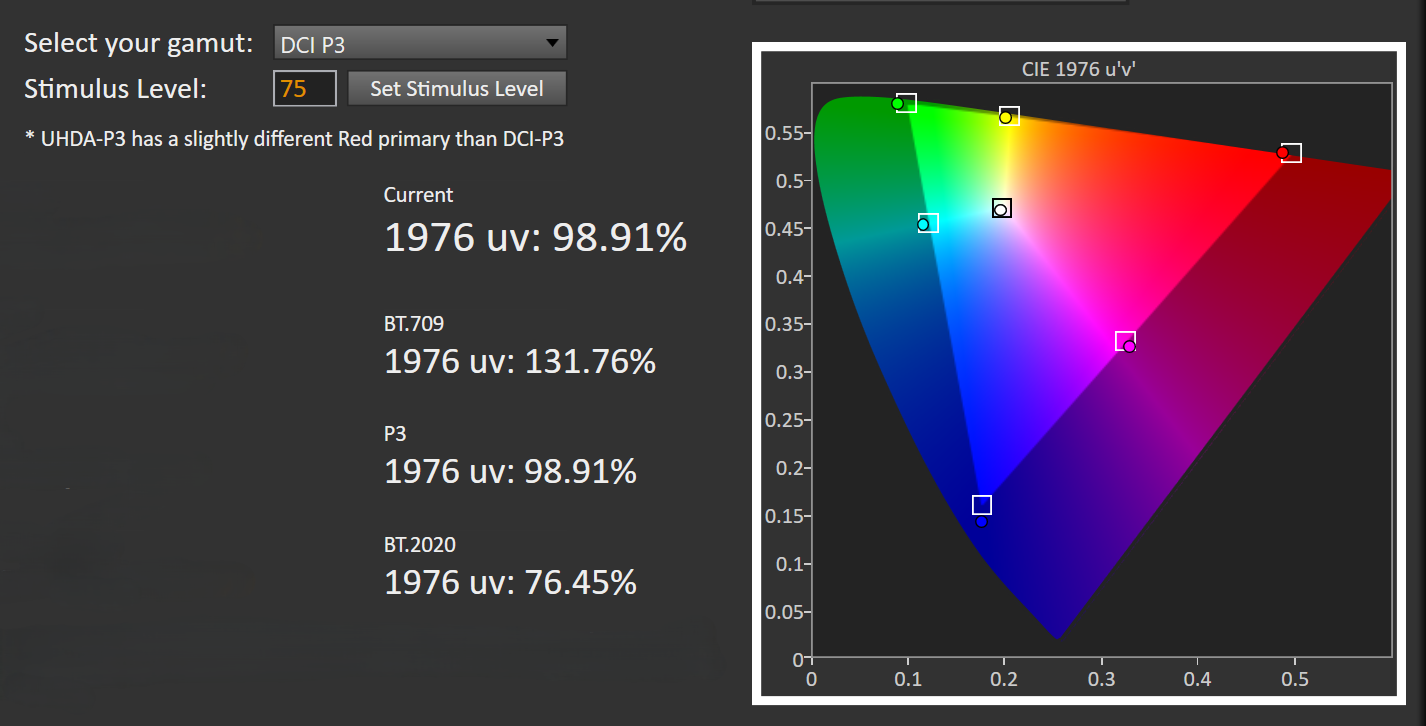
(Credit: Portrait Displays)
The AW3926QW is rated for a dynamic contrast ratio of 1,750,000:1, slightly below the LG GX9 but higher than other recent OLED monitors, including the Alienware AW3426DW and the Asus ROG PG34WCDN. The differences don’t really matter, though. Any contrast ratio in the millions indicates the display’s ability to produce deep blacks alongside bright whites, resulting in stellar image quality in both light and dark scenes.
Gaming Performance
Moving on to game testing, I used the Leo Bodnar 4K Input Lag Tester to measure the lag times across various combinations of refresh rate and resolution. Low input lag is critical for hard-core gaming and esports, but you can benefit from it even if you’re a casual gamer. For the most part, we consider 16 milliseconds (ms) to be totally acceptable for single-player experiences.
I started my input-lag tests at full HD (1080p). At 1080p/60Hz, I recorded 13.6ms of input lag, and 4.5ms at 1080p/120Hz. At 1080p/240Hz, the measurement was 7.4ms. At QHD (1440p) resolution, the monitor recorded 10ms of input lag at 60Hz; at 4K, it recorded 19.7ms. For some reason, the Bodnar would not properly read lag 120Hz at 1440p, likely due to a limitation with the device rather than the monitor. (The Bodnar also can’t measure above 240Hz at 1080p.) That’s some noticeable input lag at 4K, but for the most part, the results are acceptable.
My tested games include the usual suspects, including Marvel Rivals, Doom: The Dark Ages, and Cyberpunk 2077. It’s important to have a high-end GPU that can run these games at native resolution if you want to make the most of this monitor. The games looked gorgeous, and the HDR implementation was fantastic as well. I didn’t even have to adjust any settings to get the picture looking striking. Also, I didn’t see any noticeable edge bleeding, an issue that has plagued older ultrawide Alienware monitors.
Final Thoughts
Alienware 39 5K OLED (AW3926QW) Review: Next-Gen Panel Tech Takes the Crown for Ultrawides
The Alienware 39 5K OLED (AW3926QW) features a 5K2K OLED panel that delivers exceptional performance at a competitive price, making it the big ultrawide gaming monitor to beat.
