
Close Menu

    Subscribe to Updates

    Get the latest creative news from FooBar about art, design and business.

    What's Hot

    Marvel Knights: The World to Come #6 Preview: Family Feud

    August 30, 2026

    Gargoyles Live-Action Series “Not Happening”: Weisman Offers Update

    August 30, 2026

    Michelle Obama Makes Brutally Honest Confession About Daughters Malia and Sasha Moving Out

    August 30, 2026
    Facebook X (Twitter) Instagram
    Facebook X (Twitter) Instagram YouTube TikTok
    Comic Vibe
    Sunday, August 30
    • Home
    • Comics
      • Comic Vibe News
    • Gaming
    • Movies
    • TV
    • Anime
    • Toys & Collectibles
    • Cosplay
    • Tech
    • Digital Culture
      • Creators & Fan Culture
      • Creator Economy & Fan-Driven Platforms
      • Digital Fandom & Online Communities
      • Metaverse & Virtual Worlds
      • NFTs & Digital Collectibles
      • Virtual Events & Online Conventions
      • Virtual Identity & Avatars
    • Shop
    Comic Vibe
    • Home
    • Contact Us
    • Terms & Conditions
    • Advertise With Us
    • DMCA Policy
    • Privacy Policy
    • About Us
    Home»Gaming»When Should You Clear The Cache On Your Xbox Series X?
    Gaming

    When Should You Clear The Cache On Your Xbox Series X?

    JamesBy JamesAugust 30, 20263 Comments3 Mins Read
    Facebook Twitter
    When Should You Clear The Cache On Your Xbox Series X?
    Share
    Facebook Twitter

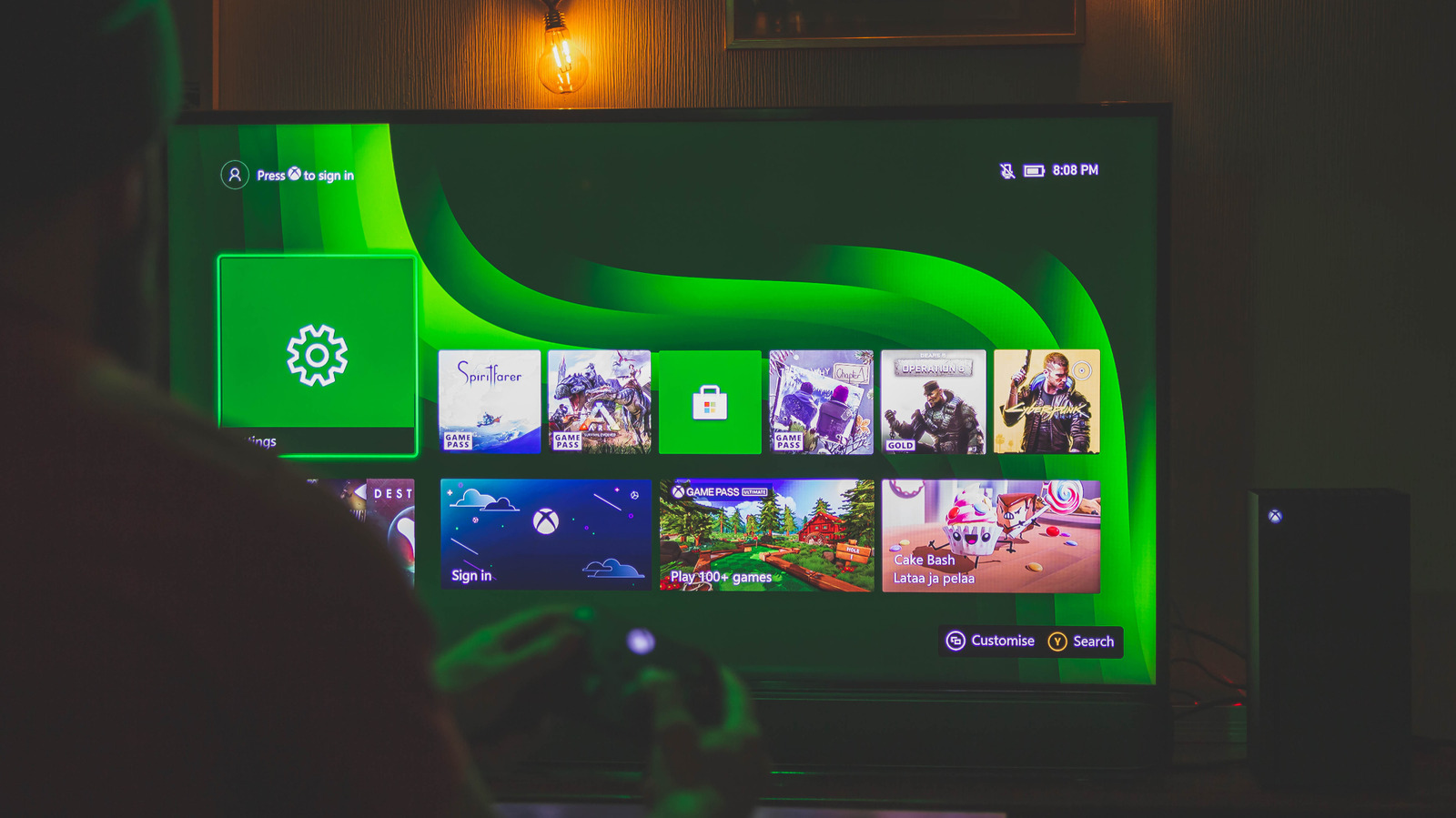
    When unexplained technical hiccups happen, like a game not loading as fast as it should or you’re seeing it lag or freeze, the old-school fix of restarting your game console or clearing the cache can sometimes be enough. Thankfully, Xbox Series X and S owners can clear the system cache without complication. Like clearing the cache on your Android phone, doing so routinely can fix software glitches, remove temporary files that take up precious storage space, and easily de-junk your gaming system. 

    For example, if your Xbox Series X is running slower than usual or struggling to play media, consider clearing the cache to improve performance. It’s one of those actions that has nearly zero consequences compared to other things that can brick your Xbox. You can also clear the cache for your Blu-ray discs instead — though that is separate from the system cache and is found under Devices and Connections and Blu-Ray. From there, you can select Persistent Storage > Clear Persistent Storage.

    Technically, you can clear the system cache in two ways: power-cycle the system by unplugging it, waiting two minutes, and reconnecting everything, or you can reset it. You can reset it through the console settings by going to System > Console Info, then selecting Reset Console > Keep my Games and Apps. This resets the operating system back to its factory state, though. Be warned that by utilizing the reset function, you are going to need to sign back into your accounts since this is almost treated like a fresh install or a factory reset (though it keeps your game and app data intact), thus losing some of your user data.

    What else can fix your Xbox Series X performance problems
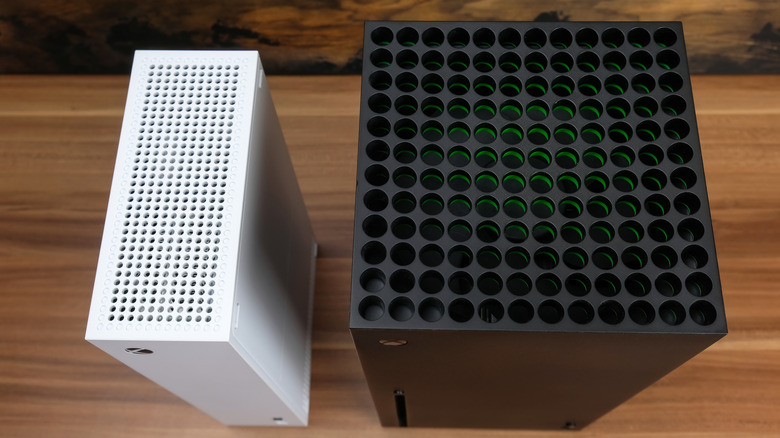
    the top view of vents for the xbox series s and xbox series x on a table

    Sometimes, even a software reset isn’t enough to fix all your Xbox Series X problems. These premium Microsoft gaming consoles are meant to last at least 10 years, considering that plenty of users are still powering up their Xbox 360 and Xbox One systems. So either your hardware starts to feel sluggish with age, or everything works well, but you want to optimize it by boosting performance to keep it in good condition. Luckily, there are a few tweaks you can do on your console.

    For example, changing the preferred mode when you load a game can stabilize the frame rate. If an in-game option allows it, set it to performance mode instead of graphics mode to ensure the system prioritizes FPS over visuals while playing. Otherwise, you can use FPS Boost for some legacy titles by navigating to your Compatibility options under Manage game & add-ons.

    Finally, heat management can go a long way toward maintaining physical hardware health, and it also depends on how well you take care of it. For example, properly cleaning the outside of the console by clearing out air vents can prevent dust buildup, which can cause thermal throttling or premature shutdowns. Also, placing your system where vents aren’t blocked is quite helpful for cooling it down.

    Cache Clear Should When your
    Share. Facebook Twitter
    Previous ArticleHayden Panettiere’s hit series days on Netflix are numbered
    Next Article Kesha Strips Down for First-Ever Lingerie Campaign as a ‘Free Woman’
    James

    Related Posts

    Anbernic RG 55G1: price and release date revealed for Switch Lite

    August 30, 2026

    Fire destroys 20,000-game collection built over 43 years in Sacramento

    August 30, 2026

    Nintendo Download Updates (W33) The Spark

    August 30, 2026

    DLSS 5: Modders Push Leaked Neural Rendering Into 10+ More PC Games

    August 30, 2026

    3 Comments

    1. Pingback: How Saudi Arabia is creating its own anime industry - Comic Vibe

    2. Pingback: Michelle Obama Makes Brutally Honest Confession About Daughters Malia and Sasha Moving Out - Comic Vibe

    3. Pingback: Marvel Knights: The World to Come #6 Preview: Family Feud - Comic Vibe

    Leave A Reply Cancel Reply

    Our Picks

    Marvel Knights: The World to Come #6 Preview: Family Feud

    August 30, 2026

    Gargoyles Live-Action Series “Not Happening”: Weisman Offers Update

    August 30, 2026

    Michelle Obama Makes Brutally Honest Confession About Daughters Malia and Sasha Moving Out

    August 30, 2026

    Tom Cruise announces a follow-up film to ‘Days of Thunder’ to hit theaters in 2028

    August 30, 2026
    • Facebook
    • Twitter
    • Instagram
    • YouTube
    • TikTok
    • Telegram
    Don't Miss
    Digital Culture

    $1 to $100: Paper Trail print fair showcases affordable San Antonio pop art

    By JamesJuly 9, 20260

    The Live Oak home of husband-and-wife artists Zane Thomas and Connie Chapa is like a pop culture menagerie of colorful, retro wonders. Halloween masks of the Ben Cooper variety line the hallway walls. Snap, Crackle, Pop and other mid-century mascot figures pack a glass cabinet. Movie posters reminiscent of an Alamo Drafthouse lobby share the walls with pop art prints…

    What Is The ‘We’ll Drive A Funky Ehh’ Meme? The Viral Memes Combining ‘Oliver Tree,’ ‘Fortnite’ And ‘Gumball Watterson’ Explained

    July 9, 2026

    Buckshot Roulette: The Viral Horror Phenomenon Joins XBOX Game Pass Today

    July 9, 2026

    Watch: Justin Baldoni breaks silence on legal battle with Blake Lively

    July 9, 2026

    Subscribe to Updates

    Get the latest creative news from SmartMag about art & design.

    About Us
    About Us

    Comic Vibe is a pop-culture destination created for fans who live and breathe comics, movies, anime, TV shows, gaming, tech, cosplay, and collectibles.

    Our mission is to deliver engaging news, reviews, features, guides, and opinions that celebrate geek culture in all its forms. From the latest comic releases and blockbuster films to anime trends, gaming updates, cutting-edge tech, and collector culture, Comic Vibe brings everything together in one vibrant hub.

    Our Picks

    Marvel Knights: The World to Come #6 Preview: Family Feud

    August 30, 2026

    Gargoyles Live-Action Series “Not Happening”: Weisman Offers Update

    August 30, 2026

    Michelle Obama Makes Brutally Honest Confession About Daughters Malia and Sasha Moving Out

    August 30, 2026

    Subscribe to Updates

    Get the latest comics, anime, movies, TV, gaming, cosplay, and pop culture news delivered directly to your inbox. No spam—just the stories every fan should know.

    Facebook X (Twitter) Instagram YouTube TikTok
    • Home
    • Contact Us
    • Terms & Conditions
    • Advertise With Us
    • DMCA Policy
    • Privacy Policy
    • About Us
    © 2026 Comic Vibe. Designed by Comic Vibe.

    Type above and press Enter to search. Press Esc to cancel.