

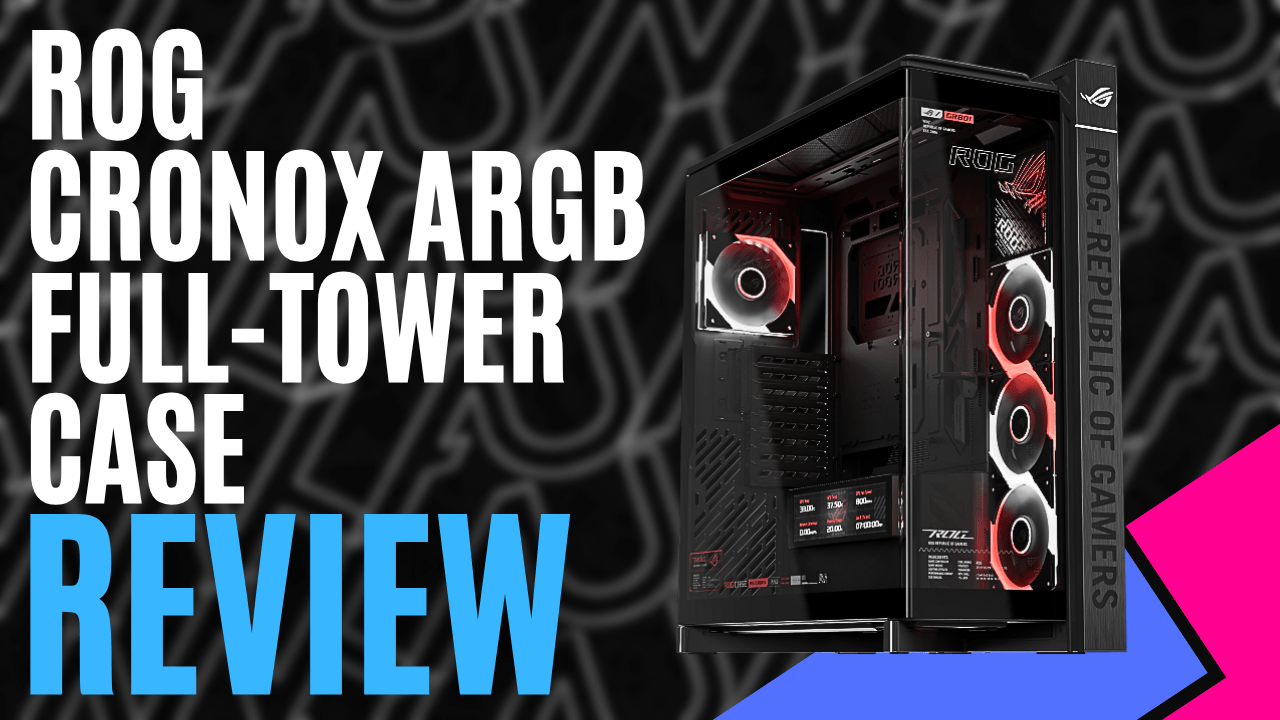
ASUS certainly isn’t afraid of making its ROG hardware stand out, and the ASUS ROG Cronox ARGB case takes that approach to a whole new level. These days, showing off your components and filling a gaming PC with RGB is almost expected, so simply adding a glass panel isn’t enough to make a case stand out anymore.
The ASUS ROG Cronox ARGB case takes a more stylish approach, turning the hardware inside into part of the presentation while still keeping cooling and ease of building firmly in mind.
The curved tempered-glass panel wraps around the front and side, with an aluminium-trimmed frame providing an almost uninterrupted view inside. There’s still plenty of aggressive ROG styling, including angular metal feet and subtle ambient lighting across the top, but ASUS has avoided covering every surface in RGB. Instead, most of the attention stays on the components.
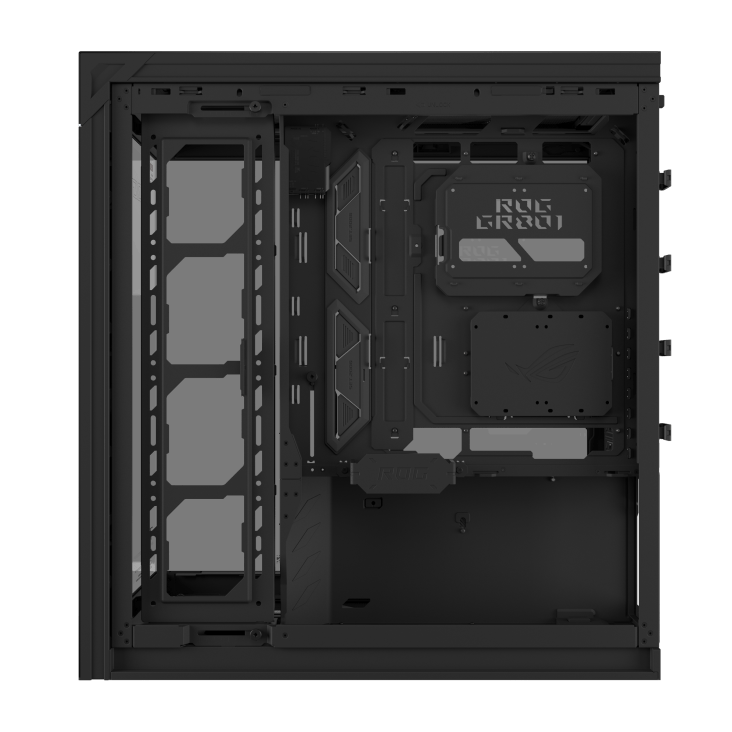
If you’re going to put that much hardware on display, keeping the interior clean becomes pretty important. It supports EATX, ATX, Micro-ATX, and Mini-ITX motherboards, including ASUS BTF models that move their connectors to the rear. Up to 40mm of cable-management space sits behind the motherboard tray, with two routing paths, cable grommets and rear clips helping keep everything organised.
There’s room for larger hardware too, with graphics cards up to 400mm long, CPU coolers up to 180mm tall and power supplies up to 200mm supported. Eight standard expansion slots are joined by another two for vertically mounting a graphics card, while an adjustable GPU holder works with either orientation.
ASUS has also put plenty of thought into making the building process easier. A tool-free graphics card slot clamp lets the GPU snap securely into place, a rear button releases the tempered-glass side panel, and a detachable PSU bracket allows the power supply to slide in from behind. Storage support consists of either one 3.5-inch and two 2.5-inch drives or up to four 2.5-inch drives.
Once you’ve filled all that space with high-end hardware, cooling becomes the next priority. Four ROG Eurux GR120 ARGB fans come pre-installed, with three reverse-blade intake fans along the side and a standard exhaust fan at the rear. Each features three independent lighting zones controlled through Armoury Crate, while daisy-chain connectors help reduce cabling. The reverse-blade design also keeps the cleaner-looking side of the intake fans facing into the case without compromising airflow.
The side fans are attached to one of the more interesting features: a patented rotatable fan bracket. Rather than locking them into one position, the bracket can be angled to direct airflow towards critical components or moved to open up the panoramic view through the glass. Cooling can be expanded to support up to 14 120mm fans and dual 360mm radiators, with elongated mounting holes providing extra flexibility when positioning everything.
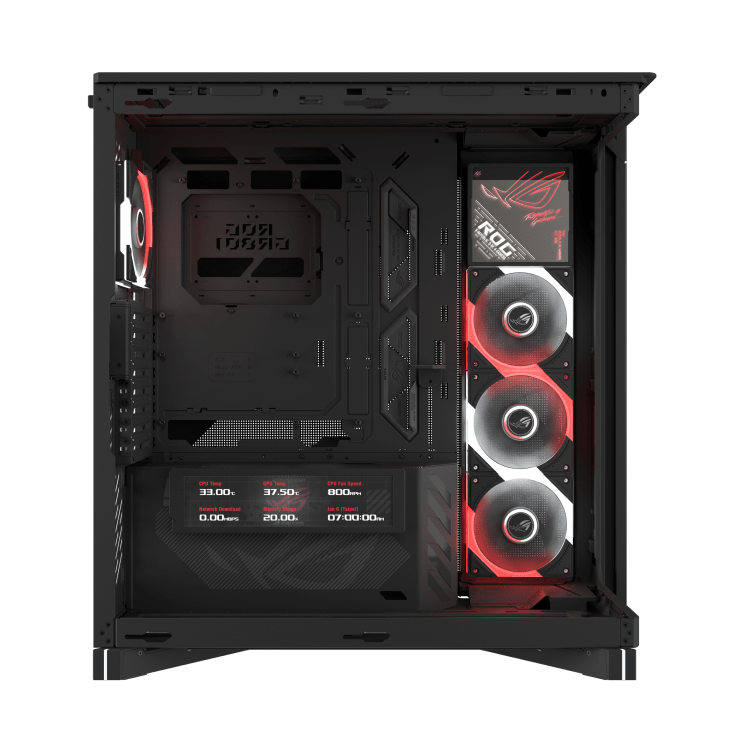
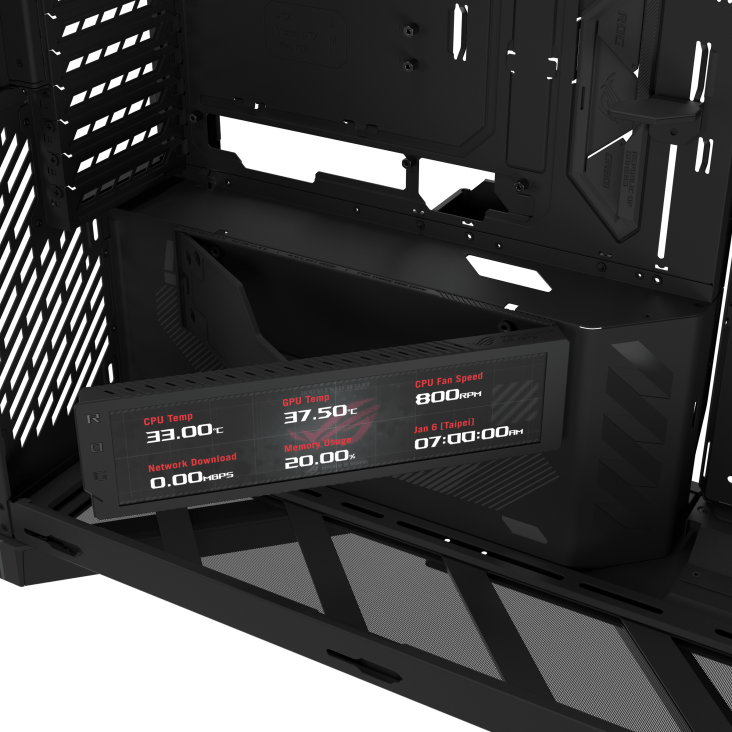
Then there’s the massive 9.2-inch LCD inside the case, with a resolution of 1920×462 and a 60Hz refresh rate. It can reach 400 nits of brightness, but more exciting is that it can be rotated on its hinge to suit your viewing angle.
Its customisable dashboard can display CPU and GPU temperatures, fan speed, memory usage, network activity and the time, giving you a dedicated place to keep an eye on your system. Notification Mode supports custom messages and scheduled reminders, while an Always-On Clock keeps the time and date visible even when the PC is switched off.
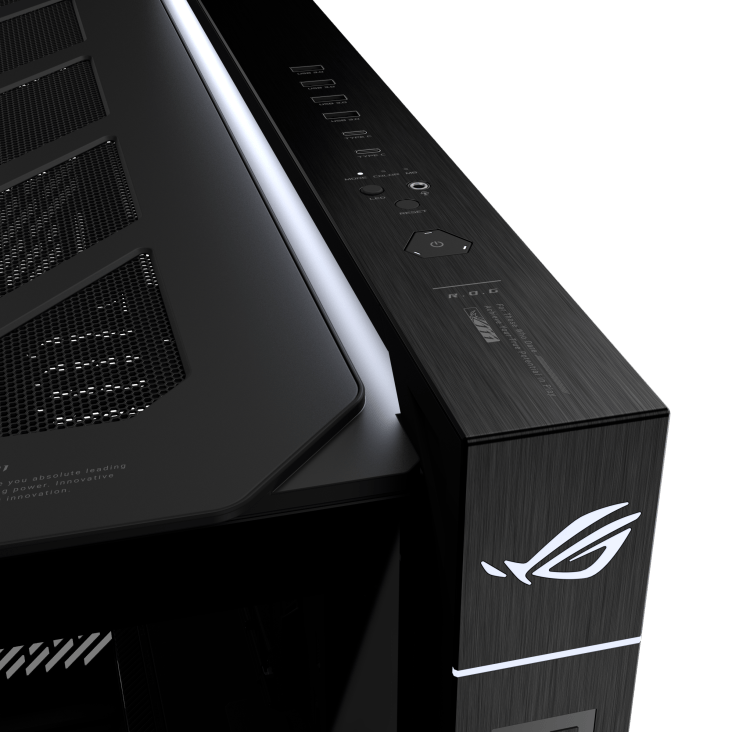
Rounding everything out is a generous selection of front I/O. Four USB 3.2 Gen 1 ports are joined by two USB 3.2 Gen 2×2 Type-C connections, a combined headphone and microphone jack, and a dedicated LED control button. The Type-C ports can also support up to 60W fast charging with compatible hardware.
The ASUS ROG Cronox ARGB case certainly isn’t subtle, but that feels entirely intentional. It gives your components and RGB somewhere to take centre stage properly. At the same time, the rotatable fan bracket, BTF support, generous cooling options, and tool-free features show that ASUS hasn’t forgotten about the practical side of building a PC.
Add the huge internal LCD and generous front I/O, and you have a case that’s as focused on making your hardware look good as it is on supporting it.
