

Roblox: List of ALL Commands and How to Use Them
Roblox: List of ALL Commands and How to Use Them
Here are all the valid emote and admin commands available in Roblox. Follow our simple step-by-step instructions to learn how to use them in your games.
Daniel González · 10 Jul 2026, 20:17
Roblox is a game with almost limitless possibilities, and it offers a number of special commands that players can enter to trigger emotes or special abilities. In this section of our guide, we’ll show you how to use commands in Roblox, which commands are available, and how admin commands work
List of animation commands (emotes)
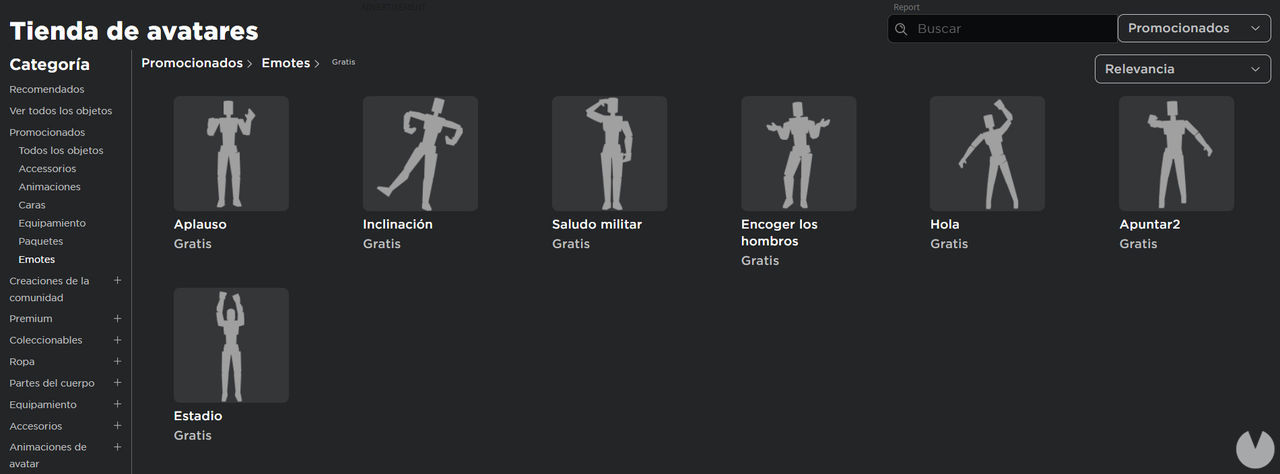
Roblox features several commands that trigger what are known as emotes, or character animations. These commands are free for all players, and you can also pick up some free emotes from the Avatar Shop (through this link)
These are the emote commands available in Roblox:
- /e dance
- /e dance2
- /e dance3
- /e sleep
- /e thumbsup
- /e beg
- /e blowkiss
- /e bow
- /e cell
- /e excited
- /e cheer
- /e chestpuff
- /e choke
- /e clap
- /e cry
- /e terminal
- /e confused
- /e flirt
- /e no
- /e drink
- /e head
- /e eat
- /e strong
- /e fistpound
- /e flex
- /e pose
- /e laugh
- /e evillaugh
- /e observe
- /e pickup
- /e picture
- /e point
- /e read
- /e rude
- /e salute
- /e search
- /e smokebomb
- /e bringit
- /e walkie
- /e wary
- /e watch
- /e wave
- /e rest
- /e shake
Roblox admin commands
In addition to the commands listed above, which are available to every user, Roblox also features a number of special commands that are exclusive to administrators and moderators. These commands grant certain privileges and unique abilities
This is the current list of valid admin commands:
- :invisible – makes the player invisible.
- :visible – makes the player visible.
- :explode – makes the player explode.
- :fire – sets the player on fire.
- :unfire – puts out the fire affecting the player.
- :smoke – adds a smoke effect to the player.
- :unsmoke – removes the smoke effect from the player.
- :sparkles – adds sparkles to the player.
- :unsparkles – removes the sparkles from the player.
- :kill – kills the player.
- :respawn – respawns the player.
- :trip – knocks the player over.
- :stun – stuns the player.
- :unstun – removes the stun effect from the player.
- :jump – makes the player jump.
- :sit – makes the player sit down.
- :removetools – removes all of the player’s tools.
- :btools – gives the player building tools.
- :give sword – gives the player a sword.
- :damage – damages the player.
- :grav – sets the player’s gravity to the normal level.
- :nograv – sets the player’s gravity to 0.
- :health – lets you change the player’s health.
- :speed – lets you change the player’s movement speed.
- :stopmusic – stops all music currently playing on the server.
- :teleport – lets you teleport the player.
- :kick – kicks a player from the game.
- :ff – adds a force field to the player.
- :unff – removes the player’s force field.
- :punish – punishes the player.
- :unpunish – removes the player’s punishment.
- :freeze – freezes the player.
- :thaw – unfreezes the player.
- :heal – heals the player.
- :god – gives the player infinite health.
- :ungod – resets the player’s health to 100.
- :blind – blinds the player.
- :unblind – removes the player’s blindness.
- :fling – flings the player through the air.
- :seizure – makes the player convulse.
- :music – plays audio using an ID.
- :lock – locks the player.
- :unlock – unlocks the player.
- :removelimbs – removes the player’s limbs.
- :jail – puts the player in jail.
- :unjail – releases the player from jail.
- :fly – allows the player to fly.
- :unfly – removes the player’s ability to fly.
- :noclip – enables noclip for the player.
- :infect – turns the player into a zombie.
- :rainbowify – gives the player a rainbow effect.
- :flashify – turns the player into a strobe light.
- :noobify – turns the player into a noob.
- :ghostify – turns the player into a ghost.
- :goldify – turns the player gold.
- :shiny – makes the player shine.
- :normal – returns the player to normal.
- :unstrobe – removes the strobe effect from the player.
- :clip – disables noclip for the player.
- :dog – turns the player into a dog.
- :undog – reverses the player’s dog transformation.
- :unspin – stops the player from spinning.
- :swagify – gives the player some swag.
- :clone – creates a clone of the player.
- :crash – crashes the player’s game.
- :ban – bans a player.
- :unban – removes a player’s ban.
- :loopkill – repeatedly kills the player.
- :unloopkill – stops the player from being repeatedly killed.
- :control – lets you control a player.
- :creeper – turns the player into a Creeper.
- :uncreeper – removes the Creeper effect from the player.
- :starttools – gives the player a set of starter tools.
- :bighead – makes the player’s head very large.
- :minihead – makes the player’s head very small.
- :uncape – removes the player’s cape.
- :loopheal – continuously heals the player.
- :loopfling – repeatedly flings the player through the air.
- :unloopheal – stops continuously healing the player.
- :unloopfling – stops repeatedly flinging the player.
Some of these commands may stop working over time, so don’t be surprised if you try one and nothing happens
How to enter basic commands in Roblox
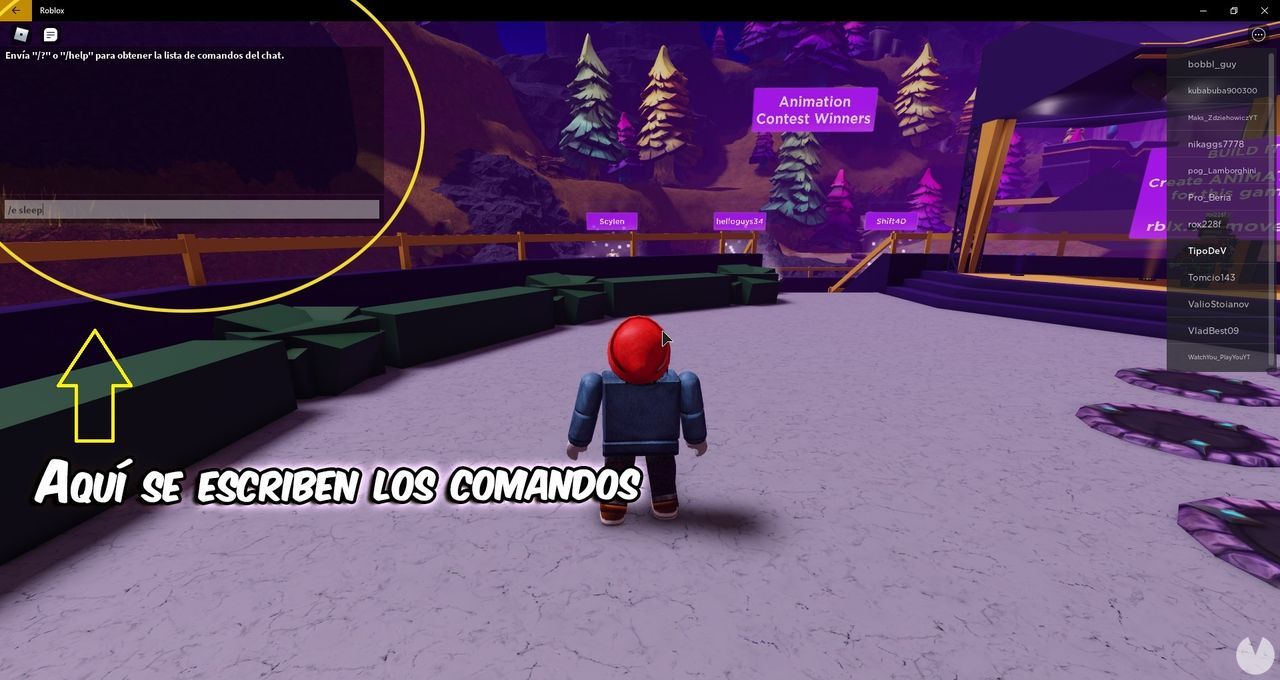
Basic Roblox commands are codes made up of letters and words that always follow the same structure:
- 1. The “/” symbol: this is the forward slash.
- 2. The letter “e”: this goes immediately after the / symbol.
- 3. The word or command: this is entered after a space, separating it from “/e”.
In other words, a Roblox command will always look like this: “/e examplecommand”. You need to follow this format and enter the command correctly for it to work. Bear in mind that this only applies to the regular commands available to everyone, not admin commands
Now that we’ve covered the basics, follow these steps to enter and use commands in Roblox:
- Log in to your Roblox account and launch whichever game you want to play.
- Once you’re in the game, press “Shift + /” to open the chat window. You can also click the message-shaped icon in the upper-left corner of the screen.
- Now simply type one of the commands into the chat.
- After entering the command, press “Enter”.
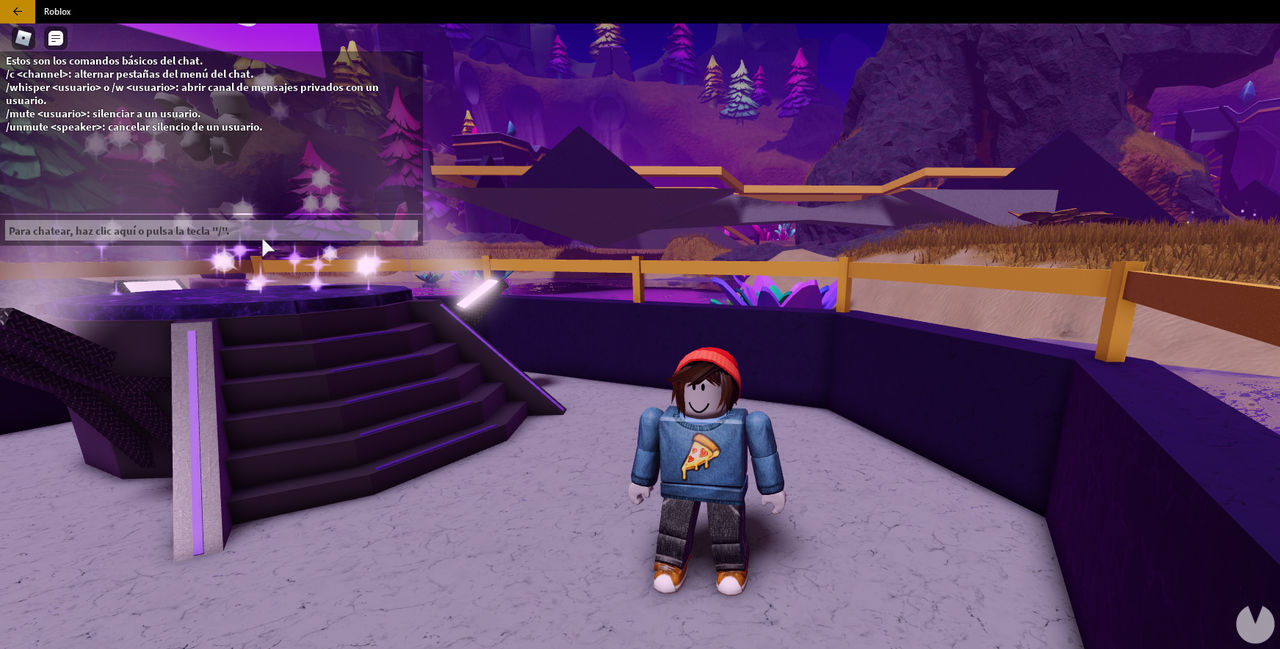
Pretty simple, right? Just keep in mind that commands won’t be available if the developer has disabled the in-game chat. You can also type “/help” or “/?” into the chat at any time to see a list of the commands currently enabled
How to get and use admin commands
Most Roblox admin commands are restricted to administrators or moderators, which means regular users can’t access them. There are several ways to gain access to these commands:
- Buying an Admin Pass with Robux: these passes can be purchased using Robux, the game’s virtual currency, and usually cost around 1,000 Robux, depending on the country where you live.
- Getting a free admin command package: some admin command packages are available for free, although this isn’t usually the case. One of the most popular packages is Kohl’s Admin Infinite.
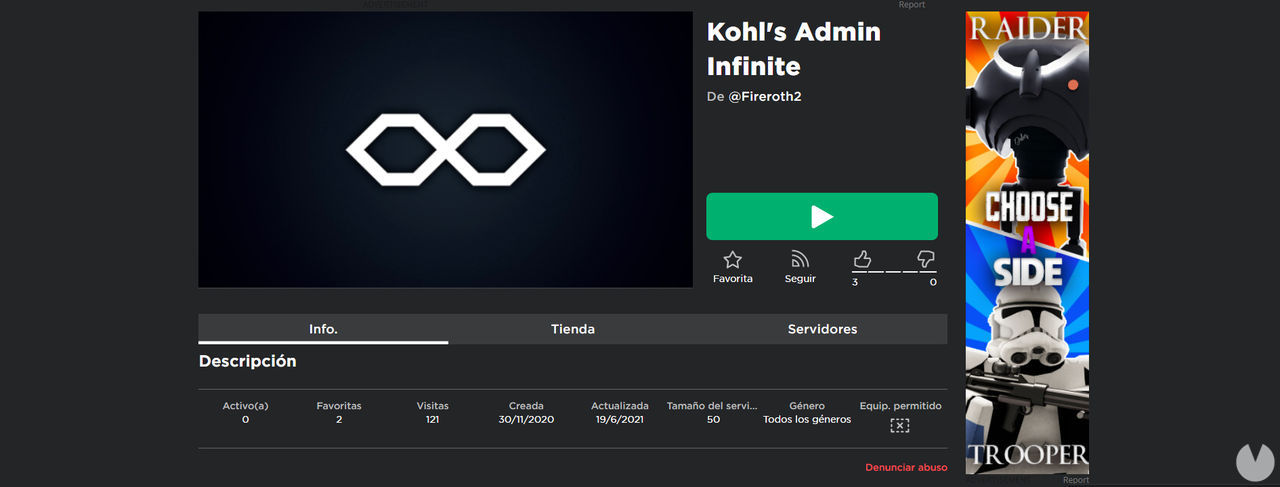
Naturally, if you run your own server, you’ll have access to these commands completely free of charge. To enter admin commands, you need to open the chat in a game and then type “: cmds”
After that, simply copy and paste or manually type one of the admin commands, then press “Enter” to run it
Latest updates about Roblox
ROBLOX | Promo Codes (July 2026): All Codes and Rewards
Roblox · 10 Jul 2026, 20:26
Discover all the official, free, and currently active Roblox codes and redeem them for a variety of rewards. Learn how to use them to unlock special items!

The BEST Roblox Games (2026)
Roblox · 10 Jul 2026, 20:23
Roblox is packed with so many games that finding a good one can be tricky. What are the best experiences in this universe of worlds? Weve rounded them up here by genre.
BEST Roblox Games by Category (2026)
Roblox · 10 Jul 2026, 20:20
(UPDATED!) Check out our list of the best Roblox games, as rated by the community across a wide range of categories and genres. Discover hidden gems and have more fun than ever!
Roblox: How to Get Free Robux – Legal Methods
Roblox · 10 Jul 2026, 19:46
These are all the legal ways to get free Robux in Roblox. Use them to earn the games currency without spending your own money, and watch out for scams!
Roblox: All Error Codes and How to Fix Them
Roblox · 10 Jul 2026, 19:36
Having problems with Roblox? Here are all the error codes and possible fixes if the game wont load, wont open, isnt working properly, and more.
<img src="https://comicvibe.com/wp-content/uploads/2026/07/202671019292364_1-1.jpg" alt="Roblox: How to Download for Free”>
Roblox: How to Download for Free on PC, Consoles, Android, and iOS
Roblox · 10 Jul 2026, 19:30
Heres how to download Roblox completely free and legally on PC, Xbox consoles, and Android and iOS mobile devices. Follow these simple steps and start creating your own worlds!
Roblox: How to Create Your Own Clothes and Sell Them to Earn Robux
Roblox · 10 Jul 2026, 19:21
Heres everything you need to know to create your own clothes in Roblox. Follow our guide to design clothing items and find out how to sell them to earn Robux.
More about Roblox
Roblox
Discover Robloxs origins, global success, key chronology, creator economy, and current state as one of todays leading online gaming platforms.
