

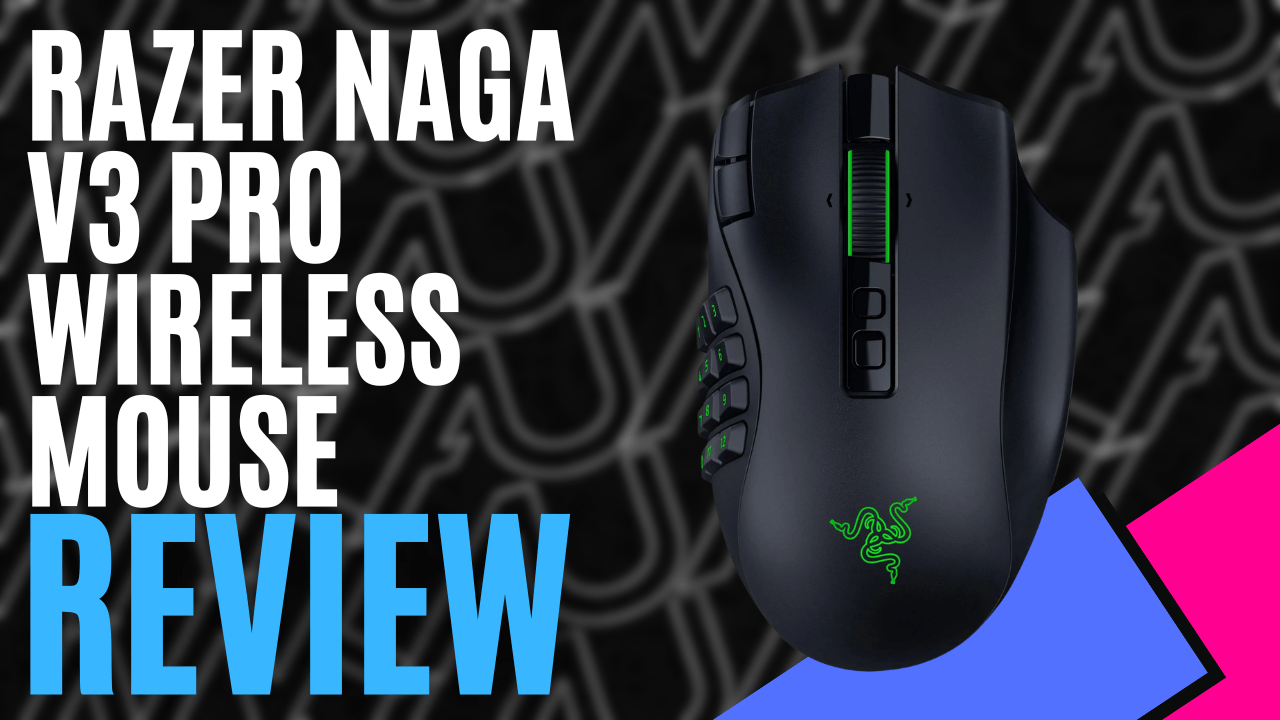
Razer Naga V3 Pro Mouse, beauty or beast? Listed on Razer’s page as “Ultimate wireless MMO gaming mouse; featuring three swappable side plates that adapt to any game you play. Currently, I use the Razer Viper V4 Pro gaming mouse (Razer Viper V4 Pro Gaming Mouse (Hardware) – Review | MKAU Gaming), which will be hard to give up permanently, so let’s see how the Razer Naga V3 Pro Mouse holds up.
Opening the box, you are greeted by a mouse, a quick reference guide, mandatory stickers, a USB-A to USB-C charging cable, and two extra side-button connections. At 11.9cm x 7.5cm x 4.3cm and weighing 117 grams, it can vary depending on which side plate you are running. The logo and the wheel come with RGB lighting to give you that gaming feel; it is subtle yet stylish.
Battery life is impressive, with 155 hours on Razer Hyperspeed wireless and 280 hours on Bluetooth. Charging isRazer Naga V3 Pro is also compatible with the Razer Hyperflux V2 wireless mouse pad and the Razer Mouse Dock Pro, which are additional items you can purchase from Razer and take the hassle out of charging
I have large hands, but it sits nicely in my palm. It feels very ergonomic and isn’t too heavy. Next to the second button, there is a finger rest for your third finger which is also a button; it feels very comfortable even after a few long gaming sessions. The texture isn’t polished smooth; it feels a little rough, but still smooth if you can make sense of that statement.
What is striking about this mouse is the twelve-button side plate, which gives you endless options in-game. I personally have always wanted more buttons on the mouse, but a lot of the options on the market are too large and bulky- not anymore!
What makes this mouse stand out is that you get two additional plates on top of the twelve-button side plate: one with six buttons and one with two buttons, both quick-change and catering to every play style, from MMO to basic gaming.
You lift the mouse, remove the side plate that is connectedool-free. When you add this to the existing buttons, you have 23 programmable buttons with the first plate, seventeen with the second, and 13 with the third plate- some crazy numbers
You can also instantly control your DPI with the two mouse buttons up top next to the primary mouse button using Razer’s one-step DPI adjustment, which is perfect for on-the-fly adjustments without removing your hand from the button or using third-party software.
While we are on buttons, the Razer Naga V3 Pro Mouse uses Razer’s latest optical Gen-4 mouse switches and the Focus Pro 500K Optical sensor V3. Together, these deliver amazing numbers: 50,000 DPI, 930 IPS (max tracking speed: 930 inches per second), and 90G acceleration, which minimises latency and improves accuracy with every click and movement during long gaming sessions.
The Gen-4 mouse switches give you a 12% lighter click force, 0.25 mm actuation distance, and zero debounce delay for crisper clicks and a sharper feel. The Focus Pro 500K Optical sensor V3 uses smart tracking and auto-calibrates across different surfaces to maintain a consistent lift-off distance regardless of the surface.
The mouse wheel is the Razer Hyperscroll Tilt Wheel Gen-2, once again, multi-generation technology that has been perfected. This is perfect for RPG and action gaming with fast, adaptive 4-way scrolling. The four modes are: Precision tactical mode, which gives you twice the steps of tactical mode for finer, more distinct scrolling.
Tactical mode for high-precision notched scrolling, free spin scrolling mode for smooth, high-speed scrolling, and finally Smart-Reel mode, which switches between tactical mode and smart-reel mode based on your usage. The wheel is a good thickness and has small rubber fins for perfect control under your finger, especially in high-stress gaming situations.
For me, Smart-Reel mode worked best because I was playing FPS games and needed quick, accurate control. Then, at the end of the night when I wind down on Farm Simulator, I could keep the same setting, and the mouse would detect lower speed and improve accuracy; it’s a handy feature.
The final piece of the puzzle: customisation to suit your playing style, not just a one-size-fits-all approach like many gaming products on the market. There are a few, so hang in there; here we go! Rotation tool: adjust your mouse to match your preferred grip style and swipe angle, especially if you like to play with the mouse in an unorthodox position. Spent a long time setting up your previous mouse?
Never fear, you can port your settings over with Razer’s Sensitivity Match tool. Asymmetric cut-off, set a lift-off and landing distance up to twenty-six different levels, and finally smart tracking to auto-calibrate consistent lift-off distances on all surfaces built in. Macros can be set up, and you can store up to five profiles in the mouse’s memory to swap between games and face plates seamlessly and quickly.
Now, to answer the question at the beginning, has the Razer Naga V3 Pro Mouse replaced my Razer Viper V4 Pro gaming mouse? Absolutely, there is just too much technology, flexibility, and customisation not to. Razer continues to impress the gaming community with their multi-generation technology, not resting on their previous models, but continually pushing the boundaries of technology, giving the gamer and casual player alike that small edge, which in today’s competitive gaming scene means a lot.
Compared to the Razer Naga V2, you do have lower battery life, but the trade-off is the newer Optical sensor, Generation 4 switches, and two additional buttons. When paired with the Razer Hyperflux V2 wireless mouse pad, which I was provided for the review, recharging is a thing of the past, as it charges while you use it.
The mouse fits my hand perfectly, and all the technology aside, it’s ergonomically comfortable. If you are in the market to upgrade or looking for a mouse to take you to the next level, the Razer Naga V3 Pro Mouse is for you! My first 10/10 given at MKAU.
