

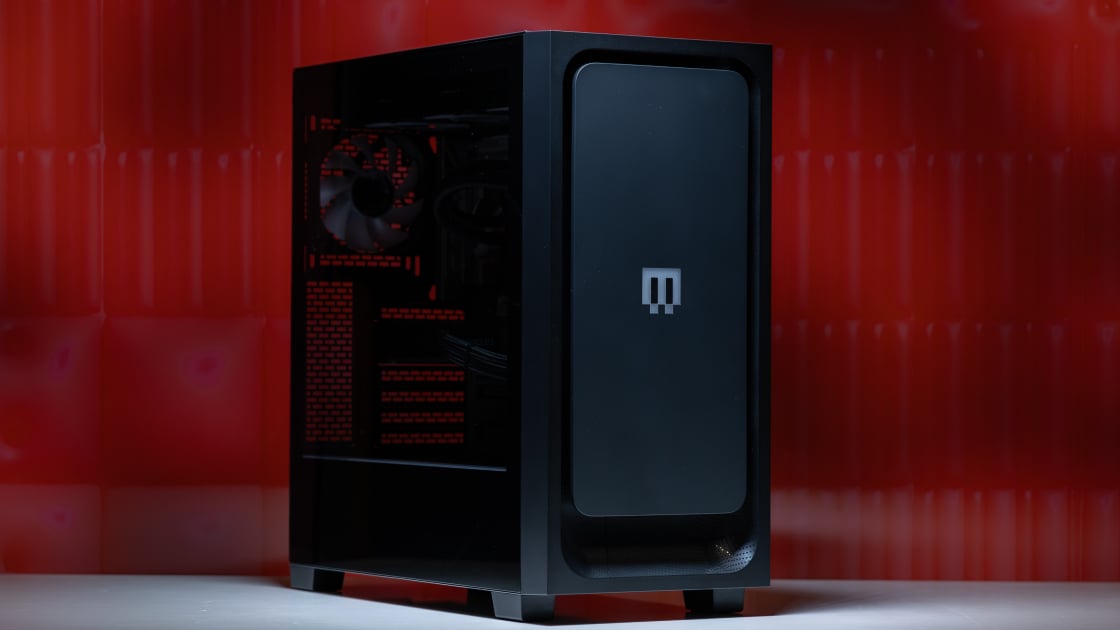
Maingear designed its elite MG-1 MK. II gaming desktop to support the latest in gaming hardware within a high-style box. This desktop can come equipped with a modest Intel Core Ultra 5 225F and GeForce RTX 5060 card for as low as $2,509. The top-tier model that we received for review, however, swaps those parts for AMD’s new Ryzen 9 9950X3D2 processor and an Nvidia GeForce RTX 5090, which pushes the price up to $7,567 as configured. Although that price is steep, the MG-1 MK. II is one of the best options for a pre-built ultra-high-end gaming PC, with lots of style sense and a swappable vanity panel. Maingear’s tower edges out the Velocity Micro Raptor Z55a on the premium, cost-no-object experience, earning our Editors’ Choice award among top-end gaming desktops.
Models start at $2,509, but the Maingear MG-1 MK. II sample that I received for review sits far at the other end of its price spectrum, at $7,567. It came configured with an AMD Ryzen 9 9950X3D2 processor, installed on an MSI MAG X870E Tomahawk Max WiFi PZ motherboard. The 9950X3D2 is the first AMD processor to feature two3D V-Cache chips on the die, which bolsters its L3 cache capacity to 192MB. This configuration pairs that with an Nvidia GeForce RTX 5090 Founders Edition graphics card, which is currently the single fastest graphics card you can own.
(Credit: Joseph Maldonado)
Delivering juice to this system requires a top-tier power supply because the components are flat-out power-hungry. Maingear selected MSI’s MAG A1250GL to power this system, which can handle a continuous load of 1,250 watts
This particular build also comes with a 2TB Samsung 9100 Pro SSD and 32GB of Kingston Fury Beast RGB DDR5 memory clocked at 6,000MHz. Maingear no longer carries this particular SSD model, instead selling it with a 2TB ADATA XPG Mars 980 Pro SSD, which does not appear to have had much impact on the system’s price.
(Credit: Joseph Maldonado)
These last two components are certainly adequate but noticeably less high-end than the others. This distinction is likely due to the ongoing memory shortage, which has driven up the price of SSDs and memory. Maingear offers options to add memory or another SSD to the system, but this will add several hundred dollars to the final price tag
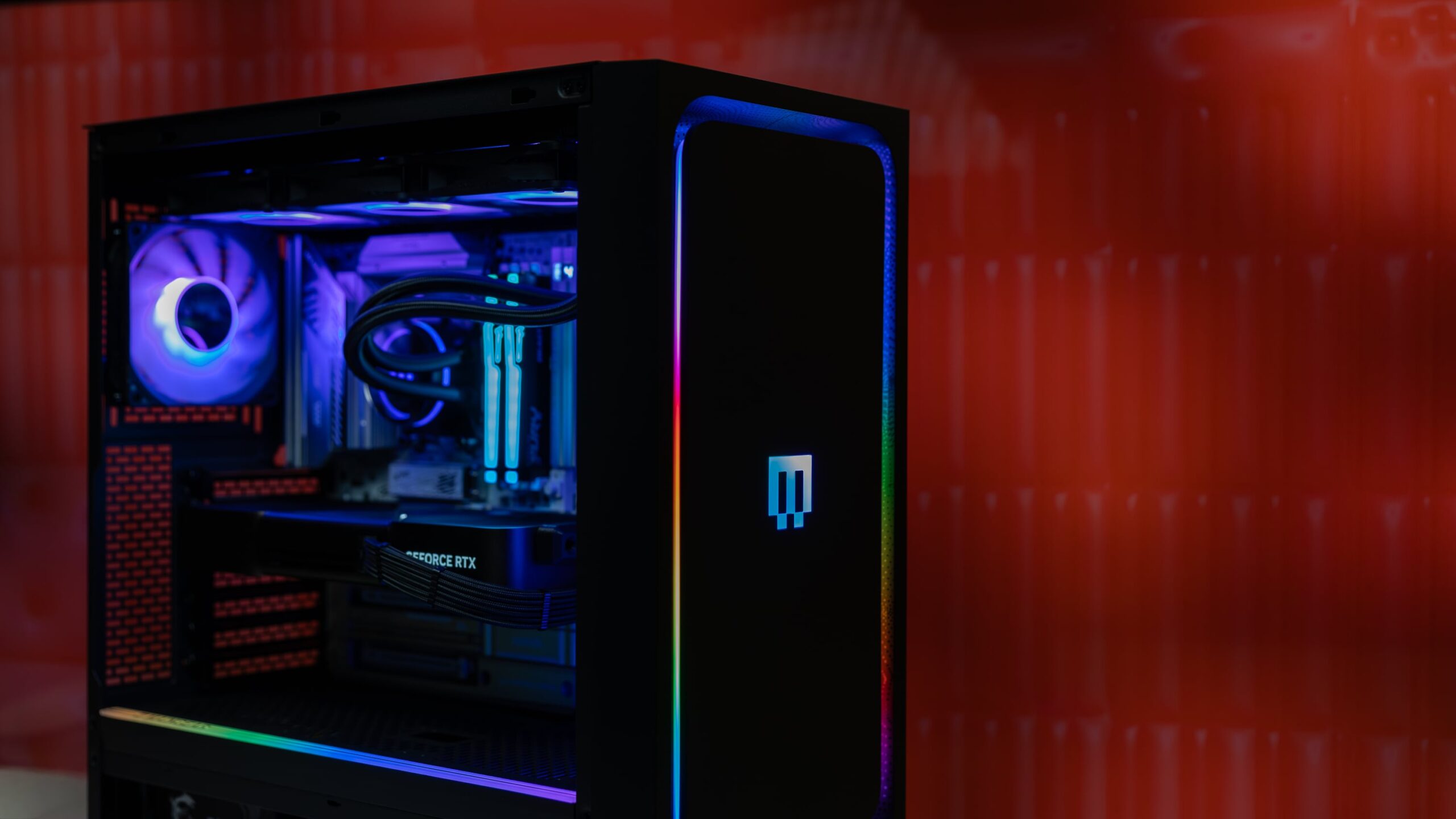
Maingear uses a black PC case for the MG-1 MK. II that shares the system’s name. The case has a tempered-glass side panel that lets you see your system’s internal components while also letting the light from the RGB LEDs shine through. The front panel also has a large detachable portion held in place by magnets.
(Credit: Joseph Maldonado)
This setup enables you to easily swap the standard black panel that comes with the case with a more decorative panel of your choosing. Each panel costs $99, and you can choose from dozens on Maingear’s website. How well this design appeals to you will depend on your own personal taste, but I like the chassis’s clean, modern look and the swappable panels for custom looks
The review unit I received came equipped with seven RGB LED fans. Three of these are attached to a Maingear Epic 360 RGB water cooler mounted on the front of the case and actively cool the CPU
(Credit: Joseph Maldonado)
The fans on the radiator are all configured to pull air into the case from the front. You’ll then find three fans on the top of the case, as well as the one on the case’s rear, which are all configured to function as exhaust fans. The cooling system appears to be effective and adequate for a high-end gaming system. Maingear’s thermal design is certainly traditional compared with competing systems like Dell’s Alienware Area-51 (2025) desktop, which has all of its fans configured as air intake fans with none as exhaust fans.
The Maingear MG-1 MK. II configuration that I received has a lot of room for additional upgrades. This review configuration has just two 16GB DDR5 RAM sticks, leaving two additional slots available for more memory.
(Credit: Joseph Maldonado)
You’ll also find a total of four M.2 slots for M.2 SSDs, with only one occupied in this configuration. The case has room to mount two 3.5-inch hard drives as well, and you’ll notice two additional PCIe x16 slots for installing additional hardware
The case supports ATX-standard hardware, which means you can replace the motherboard with an ATX, MicroATX, or Mini-ITX model. You can also technically change out the processor, but at this time, you’ll find no faster processor for AMD’s AM5 platform. Neither the Maingear case nor the MSI X870E Tomahawk Max Wifi PZ motherboard supports projects like MSI’s Project Zero that aim to reduce visible cables
To see how it stacks up, we compared the Maingear’s test scores against the systems listed below. All of these systems have high-end hardware that enables them to compete with the MG-1 MK. II
These systems use a wide range of processors and either an Nvidia GeForce RTX 5080 or 5090 graphics card. The most notable difference between the Maingear and the other tested systems is that the Maingear has only 32GB of RAM, whereas the others have either 64GB or 96GB, as in the $7,094 Falcon Northwest FragBox. (The Velocity Micro Raptor Z55a, our current Editors’ Choice pick for cost-no-object gaming rigs, costs $5,609 as tested.)
The reason for this difference is primarily the aforementioned memory shortage. If you really need more than 32GB of RAM, you can always pay extra for more RAM in the Maingear, but the test scores below suggest that 32GB is probably enough for most people
Our primary overall benchmark, UL’s PCMark 10, puts a system through its paces in productivity apps ranging from web browsing to word processing and spreadsheet work. Its Full System Drive subtest measures a PC’s storage throughput.
Three more tests we rely on are CPU-centric or processor-intensive: Maxon’s Cinebench 2024 uses that company’s Cinema 4D engine to render a complex scene; Primate Labs’ Geekbench 6.3 Pro simulates popular apps ranging from PDF rendering and speech recognition to machine learning; and we see how long it takes the video transcoder HandBrake 1.8 to convert a 12-minute clip from 4K to 1080p resolution
Finally, workstation maker Puget Systems’ PugetBench for Creators rates a PC’s image-editing prowess through a variety of automated operations in the seminal photo editor Adobe Photoshop 25
In PCMark 10’s productivity test, the Maingear desktop performed slightly better than the competition, but not by an enormous amount. It otherwise performed indifferently in the PCMark 10 storage test. While the Vengeance a5100 lagged behind the other tested systems in this benchmark, the Maingear’s score placed it about in the middle of the pack
Maingear’s desktop achieved the best multi-threaded score in Cinebench 2024 among the tested systems. The Maingear performed best in HandBrake, too, though three other systems were only a few seconds behind. The Maingear also held a narrow lead in both of Geekbench’s CPU tests
In Adobe Photoshop, the Maingear effectively tied with the Velocity Micro desktop, and these two systems held a commanding lead over the rest of the competition
We challenge all desktop graphics with a quintet of animations or gaming simulations from UL’s 3DMark test suite. The first two, Wild Life (1440p) and Wild Life Extreme (4K), use the Vulkan graphics API to measure GPU speeds. The next pair, Steel Nomad’s regular and Light subtests, focuses on assessing gaming geometry and particle effects. Last, Solar Bay measures ray-tracing performance
Our real-world gaming testing is based on in-game benchmarks for Call of Duty: Modern Warfare 3, Cyberpunk 2077, and F1 2024. These three games—all benchmarked at full HD (1080p or 1200p), 2K (1440p or 1600p), and 4K (2160p) resolution—represent competitive shooter, open-world, and simulation games, respectively. Each game runs at high detail or the highest available preset
We run the Call of Duty benchmark at the Extreme graphics preset on desktops. Because the test can produce triple-digit frame rates even on low-end PCs, this approach yields sensible results for evaluating high frame-rate performance. Our Cyberpunk 2077 test settings aim to push PCs to their limit, so we run it on the all-out Ray Tracing Overdrive preset without DLSS or FSR. Finally, F1 2024 at Ultra High measures GPUs’ ability to render high-polygon-count models and densely detailed environments at fast speeds.
The MG-1 MK. II displayed similar gaming performance to the other gaming desktops containing an RTX 5090, but with some exceptions. In the 3DMark Wild Life test, the Maingear performed faster than the Fragbox and the Vengeance A5100, which both had RTX 5090 cards inside. The Raptor Z55a, which also has an RTX 5090, outperformed both in this test, but this benchmark result is a bit of an outlier
These four RTX 5090-equipped PCs all performed about the same in the 3DMark Wild Life Extreme test, the 3DMark Steel Nomad benchmark, and the 3DMark Steel Nomad Light test. The Maingear held the lead in 3DMark Solar Bay, however, which could potentially be thanks to the 9950X3D2 chip’s additional cache
Testing with F1 2024’s in-game benchmark at the 1080p resolution showed that the Maingear lagged behind the Fragbox, the a5100, and the Raptor Z55a, but when the resolution increased to 1440p and 4K, the four systems performed about the same. All four of these desktops also performed about the same in Cyberpunk 2077. The Maingear and Raptor Z55a performed similarly in Modern Warfare 3, too. The a5100 fell behind the Maingear and the Raptor Z55a at 4K
Remember that the Alienware Area-51 has an RTX 5080 graphics card inside. While it performed well in these tests, it was clearly behind the RTX 5090 competition due to the less powerful GPU
Overall, the Maingear MG-1 MK. II performed well against the competition, but the Ryzen 9 9950X3D2 didn’t appear, in these games, to provide a tangible advantage over the Ryzen 9 9950X3D
Final Thoughts
(Credit: Joseph Maldonado)
Maingear MG-1 MK. II
Editors’ Choice
4.5
Outstanding
What Our Ratings Mean
- 5.0 – Exemplary: Near perfection, ground-breaking
- 4.5 – Outstanding: Best in class, acts as a benchmark for measuring competitors
- 4.0 – Excellent: A performance, feature, or value leader in its class, with few shortfalls
- 3.5 – Good: Does what the product should do, and does so better than many competitors
- 3.0 – Average: Does what the product should do, and sits in the middle of the pack
- 2.5 – Fair: We have some reservations, buy with caution
- 2.0 – Subpar: We do not recommend, buy with extreme caution
- 1.5 – Poor: Do not buy this product
- 1.0 – Dismal: Don’t even think about buying this product
Read Our
Editorial Mission Statement
and
Testing Methodologies
The Maingear MG-1 MK. II is an undoubtedly expensive gaming desktop, but its performance, desk appeal, and expansion options are realistically commensurate with its cost. You could always buy the parts to assemble a system with specs that will match this PC for less (though rising GPU and RAM prices may complicate that), but not everyone is up to building a PC. Access to customer support that covers your entire PC is also helpful. That’s a particularly welcome feature in entirely new builds, as diagnosing a faulty component can be difficult without spare parts and a certain degree of technical expertise to troubleshoot.
The point is, if you can afford to drop $7,000 on a top-of-the-line gaming desktop, you likely value your time more than what you’d save by building a comparable system yourself. If that’s the case, then the MG-1 MK. II is a fine system. It performs excellently as configured, and the swappable front panels are a slick design touch that makes the system feel more personal
If that’s a bit too much to spend on a gaming PC, you could also consider swapping some parts in Maingear’s configurator. The difference between the GeForce RTX 5080 and 5090 is huge: This change alone drops this configuration to $5,034, which could certainly make the difference when trying to buy one of these high-end gaming PCs. Even so, for elevating the cost-no-object gaming PC to stylish new heights, the Maingear MG-1 MK. II earns our Editors’ Choice award
SHOULD I UPGRADE?
The Maingear MG-1 MK. II in the configuration I tested is so powerful, I have little doubt that it is more potent than your current PC. The parts in this desktop are among the fastest you can currently buy, and if you want the best gaming experience currently possible, then this system is well worth considering as a full rig upgrade
GET IT NOW
$7,567 at MAINGEAR
About Our Expert
Michael Justin Allen Sexton
Senior Writer, Hardware
Experience
I have been interested in science and technology for as long as I can remember, spurred on by a fondness for video games. I learned to work in Windows and manipulate files to get buggy games to work, and I learned to build and upgrade PCs for better performance
In my role at PCMag for the past four years, I’ve deeply enjoyed the opportunity to share my knowledge and expertise. Before PCMag, I wrote for Tom’s Hardware for three years, where I covered tech news, deals, and wrote some hands-on reviews. After working as a PCMag contributor for a time reviewing desktops, PC cases, budget processors, and motherboards, I now focus on testing and reviewing processors and graphics cards and sharing my insights on the industry
Areas of Expertise
Latest By Michael Justin Allen Sexton
- I Build and Test PCs for a Living. This $500-Off Cooler Master Gaming PC Is the Prime Day Deal I’d Grab
- The Best Motherboards for 2026
- The Best CPUs for 2026
- The Best PC Cases of Computex 2026: These 15 Chassis Are Impossible to Ignore
- The Best PC DIY Gear of Computex 2026: These 10 Thrilling Upgrades Keep PC Building Fun
- More from Michael Justin Allen Sexton
Read Full Bio
