
Close Menu

    Subscribe to Updates

    Get the latest creative news from FooBar about art, design and business.

    What's Hot

    Most PC Gamers Are Now Playing With More Than 8GB of VRAM

    August 4, 2026

    Fortnite, Grand Theft Auto 5 Continue to Top PS5, Xbox Series X/S Most

    August 4, 2026

    Rina Rahman passes away; behind decades on screen was a life of struggle

    August 4, 2026
    Facebook X (Twitter) Instagram
    Facebook X (Twitter) Instagram YouTube TikTok
    Comic Vibe
    Tuesday, August 4
    • Home
    • Comics
      • Comic Vibe News
    • Gaming
    • Movies
    • TV
    • Anime
    • Toys & Collectibles
    • Cosplay
    • Tech
    • Digital Culture
      • Creators & Fan Culture
      • Creator Economy & Fan-Driven Platforms
      • Digital Fandom & Online Communities
      • Metaverse & Virtual Worlds
      • NFTs & Digital Collectibles
      • Virtual Events & Online Conventions
      • Virtual Identity & Avatars
    • Shop
    Comic Vibe
    • Home
    • Contact Us
    • Terms & Conditions
    • Advertise With Us
    • DMCA Policy
    • Privacy Policy
    • About Us
    Home»Gaming»Your Old PlayStation Vita Can Now Play Xbox Games – Here’s How
    Gaming

    Your Old PlayStation Vita Can Now Play Xbox Games – Here’s How

    JamesBy JamesAugust 4, 2026No Comments4 Mins Read
    Facebook Twitter
    Your Old PlayStation Vita Can Now Play Xbox Games – Here’s How
    Share
    Facebook Twitter

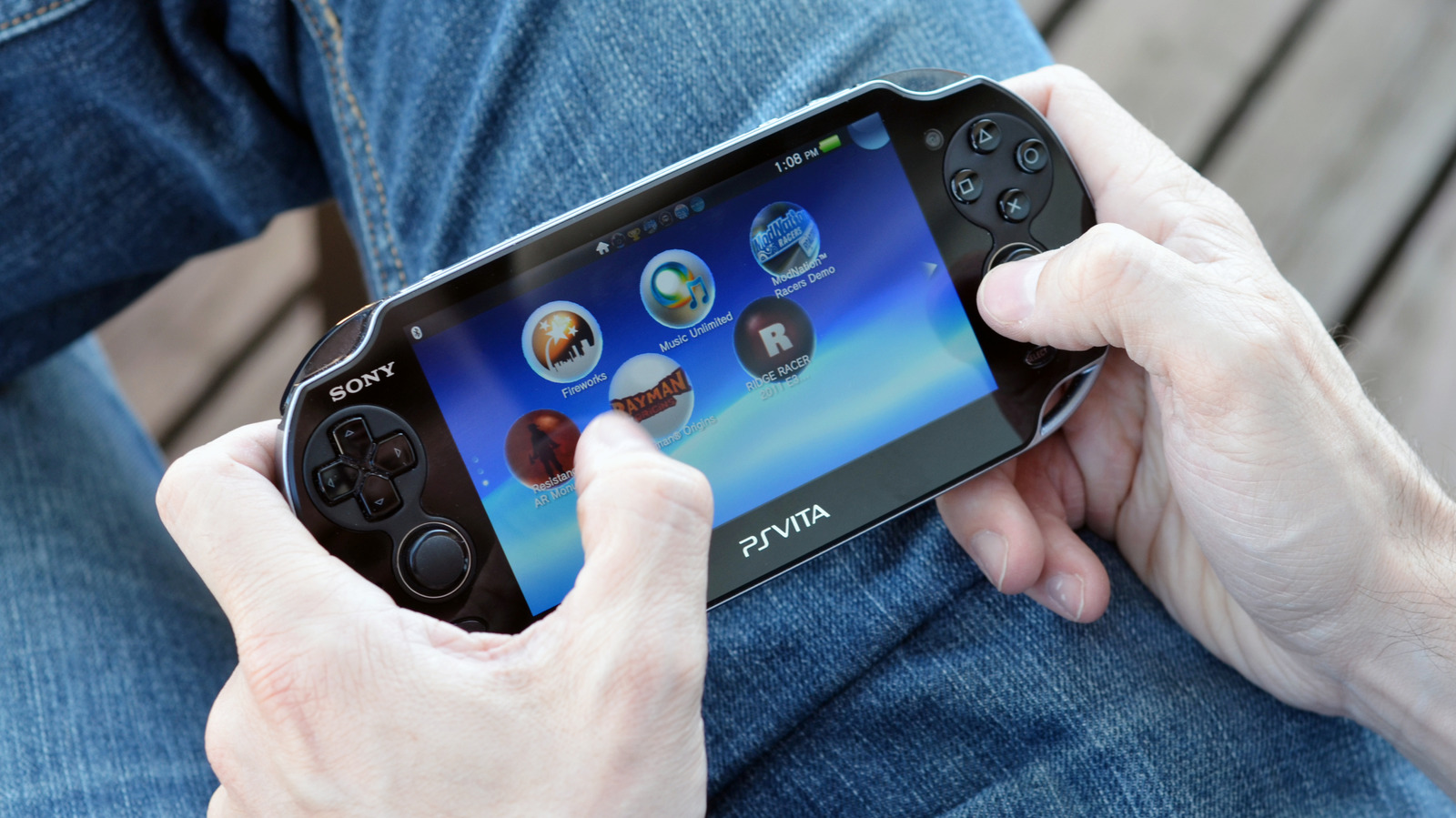
    The PlayStation Vita was Sony’s last stab at a truly portable game console — the PlayStation Portal (which is worth buying) doesn’t count since you need an internet connection to play. Sony might be phasing out Vita support, but modders are keeping it alive thanks to mods and hacks, and you can now use them to play Xbox titles on the Vita. Add that to the list of clever uses for your old PS Vita.

    Recently, a modding team by the name of Day-OS published a homebrew app for the PS Vita called GreenVita. This program can connect to Xbox Cloud Gaming and stream titles directly onto the Vita. Unlike similar apps, which run games off local hardware via emulation, GreenVita runs the streaming program on the handheld, so while users have to deal with a bit of lag, they don’t have to worry about the pesky legal hurdles that comes with emulation (emulators aren’t illegal in and of themselves, but pirating games to play on emulators sure is).

    As GreenVita relies on Xbox Cloud Gaming, you need an appropriate Xbox Game Pass subscription and a stable internet connection. Plus, you will be limited to whatever games Microsoft provides for its cloud gaming service. Still, that’s a sizable list, even if it doesn’t overlap with the entire Game Pass catalog. If you want to be one of the first people to play “Halo: Combat Evolved” on a PlayStation, install GreenVita and start streaming “Halo: The Master Chief” collection.

    How to add Xbox games to your PS Vita
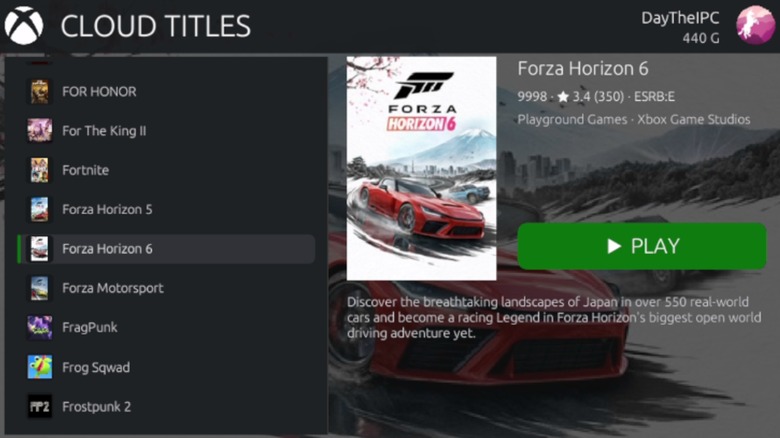
    Xbox Cloud Gaming running on PlayStation Vita

    Since GreenVita is a homebrew app that adds a streaming service that was never intended to run on a PlayStation Vita, you can’t use any old Vita; you need one that has been modified with HENkaku and VitaShell. These programs jailbreak the handheld and share the same risks that come with jailbreaking old Kindles and other devices.

    To install HENkaku and VitaShell, use the handheld’s web browser to connect to http://jailbreak.psp2.dev/. On the website, select “Unlock my Vita,” followed by “Unlock.” Select “Install henkaku,” let the process finish, then “Install VitaDeploy.” Once VitaDeploy is done, select “Exit.” Before you can actually install GreenVita, open the Vita’s Settings menu, open “HENkaku settings,” and toggle “Enable Unsafe Homebrew.” Don’t worry, you won’t be downloading viruses or anything. Finally, open “VitaDeploy,” select “App downloader, select “VitaShell” and “VitaDB downloader,” and then click on “Download the selected apps.”

    If you did everything correctly, you can finally install GreenVita. Simply open the VitaDB Downloader app, select “GreenVita,” and the downloader will take care of everything else. Once you’re done, open the GreenVita app and follow the on-screen instructions to link the program to your Xbox account.

    Hope for the best, prepare for the worst
    Marcus Fenix with Damon Baird in the background of Gears of War Ultimate Edition

    While GreenVita is supposed to let you natively run Xbox Cloud Gaming on your Vita, there’s nothing “native” about getting it set up in the first place. Like with all homebrew apps, compatibility is never guaranteed, and you need to take precautionary steps to ensure GreenVita will work after installation. Or worse, turn your handheld into a PS Vita-shaped paperweight.

    Before you get started, make sure you have a sizable microSD card and a microSD PSV Adapter — 512GB or more should do it. More importantly, GreenVita doesn’t currently work with the latest firmware version. Normally, firmware updates are a one-way path, but the VitaDeploy app can install older firmware versions via the “Install a different OS” option. The program lets you quickly overwrite your current firmware with version 3.65, but you might have to tinker around with the program to get the right OS. Once you find one that works, open the Vita’s Settings app, open “System,” then “Auto-Start Settings,” and untoggle “Download Update File for System Software.” You wouldn’t want to accidentally undo your hard work, do you?

    Furthermore, HENkaku is a tad finicky, so you might need to reinstall the program every time you turn off or restart your PS Vita. Of course, you can circumvent this possibility (assuming the jailbreaker program is still plagued by this issue) by just keeping the handheld in standby mode. But once everything is said and done, you’re finally ready to play Xbox games on your Vita. Just keep in mind that you might need to remap controls for certain titles.

    Play PlayStation Vita Xbox your
    Share. Facebook Twitter
    Previous Article‘Star Wars’ fan turns heads with ‘Boba Fett Edition’ Dodge Challenger
    Next Article Dave Bautista likely to play Kratos in ‘God of War’ series after Ryan Hurst’s exit
    James

    Related Posts

    Most PC Gamers Are Now Playing With More Than 8GB of VRAM

    August 4, 2026

    PlayStation’s Shuhei Yoshida: Bloodborne PC port and PS5 remaster remain a mystery

    August 4, 2026

    Microsoft May Soon Let You Digitize Your Xbox Game Discs

    August 4, 2026

    Big Walk Review: Beyond the ‘Friendslop’ Label, a Quietly Brilliant Game

    August 4, 2026
    Leave A Reply Cancel Reply

    Our Picks

    Most PC Gamers Are Now Playing With More Than 8GB of VRAM

    August 4, 2026

    Fortnite, Grand Theft Auto 5 Continue to Top PS5, Xbox Series X/S Most

    August 4, 2026

    Rina Rahman passes away; behind decades on screen was a life of struggle

    August 4, 2026

    Brand New Day Execs Shares 2 Things They Already Know About Spider

    August 4, 2026
    • Facebook
    • Twitter
    • Instagram
    • YouTube
    • TikTok
    • Telegram
    Don't Miss
    Comic Vibe News

    Brick by Brick: The Lego Race at the British Grand Prix

    By JamesJuly 5, 20260

    In a unique twist at the British Grand Prix, Formula One drivers revved up Lego-constructed cars for a light-hearted parade lap, entertaining spectators with a lively and unpredictable display of brick racing

    15 Worst DC Comics Movies, Ranked

    July 5, 2026

    Epic Games settles a court case against former contractor accused of leaking Fortnite collaborations and bans them from leaking anything else

    July 5, 2026

    New Batman Report Confirms Barry Keoghan’s Joker Return in Matt Reeves’ 2027 Sequel

    July 5, 2026

    Subscribe to Updates

    Get the latest creative news from SmartMag about art & design.

    About Us
    About Us

    Comic Vibe is a pop-culture destination created for fans who live and breathe comics, movies, anime, TV shows, gaming, tech, cosplay, and collectibles.

    Our mission is to deliver engaging news, reviews, features, guides, and opinions that celebrate geek culture in all its forms. From the latest comic releases and blockbuster films to anime trends, gaming updates, cutting-edge tech, and collector culture, Comic Vibe brings everything together in one vibrant hub.

    Our Picks

    Most PC Gamers Are Now Playing With More Than 8GB of VRAM

    August 4, 2026

    Fortnite, Grand Theft Auto 5 Continue to Top PS5, Xbox Series X/S Most

    August 4, 2026

    Rina Rahman passes away; behind decades on screen was a life of struggle

    August 4, 2026

    Subscribe to Updates

    Get the latest comics, anime, movies, TV, gaming, cosplay, and pop culture news delivered directly to your inbox. No spam—just the stories every fan should know.

    Facebook X (Twitter) Instagram YouTube TikTok
    • Home
    • Contact Us
    • Terms & Conditions
    • Advertise With Us
    • DMCA Policy
    • Privacy Policy
    • About Us
    © 2026 Comic Vibe. Designed by Comic Vibe.

    Type above and press Enter to search. Press Esc to cancel.