

We may receive a commission on purchases made from links.
If you’re in the market for a new computer, high-end laptops like the M5 Max MacBook Pro — one of the best laptops in the 2026 market — might be tempting for their beefy battery life, crystal clear retina displays, and powerful performance fit for even the most re office work and entertainment, you really don’t need to dish out $3,000 of your hard-earned money on a computer
There are plenty of great laptops out there priced at around $1,000 that can handle streaming and baseline work tasks with ease. They might be unable to manage demanding workflows like video editing, 3D rendering, or machine learning, but if your daily work simply entails multitasking across several browser tabs, managing spreadsheets, or streaming videos, even modern mid-range laptops can offer more power than you really need.
The computers herein feature high-quality screens, have batteries that can last on a single charge, and can handle everyday work without hitting performance snags — all the while sporting modest price tags. The options in this roundup cover Windows, macOS, and ChromeOS options that range in size. All of them cost under $1,000 and have been favorably reviewed by reputable tech publications, including PCMag, Android Authority, TechRadar, and WIRED.
MacBook Neo
Even after Apple increased the price of the MacBook Neo from $600 to $700, it remains an incredibly value-focused laptop. Its base configuration features 256GB of storage, 8GB of RAM, and the Apple A18 Pro chip. Although that’s the same processor the iPhone 16 Pro uses, the MacBook Neo is more than capable for everyday tasks like streaming, working in a browser with multiple tabs, and light Photoshop work. For such activities, the 8GB RAM limitation isn’t much of a problem, especially owing to Apple’s effective memory management.
The full-size keyboard is comfortable for long typing sessions — it does lack backlighting, but that’s just one of the few design compromises Apple made to provide an unbeatably priced laptop. As expected of an Apple machine, the trackpad is satisfying and accommodates the same macOS gestures that other MacBooks do. Its sharp 13-inch IPS display features punchy, vivid colors, and it’s bright enough for outdoor use on low-sun days. The Neo even has a a 1080p FaceTime HD camera for high-quality video output, which is especially beneficial during conference calls.
Provided you’re using it for light workloads, the Neo can run for over 15 hours on a single charge. The charger it comes with outputs a maximum of 20 watts, which does make for a slower charge, but it’s the only one that Apple recommends for use with the laptop. That said, if fast charging isn’t a priority for you, this powerful and budget-friendly MacBook just might be the pick for you.
Dell XPS 13 (2026)
Dell designed the 2026 XPS 13 as an excellent daily driver that won’t break the bank. The $799 base model is powered by an Intel Core 5 320 chip and 8GB of RAM, but we suggest buying the 16GB version for $999 (more on that in a minute). It also comes with 512GB of storage and a 13.4-inch 120Hz display with excellent color reproduction. Most laptops in this price range have a 1080p 60Hz display, so the XPS 13’s higher refresh rate and resolution (2560 x 1600) are a welcome bonus. The 2.2-pound laptop has a solid aluminum chassis that doesn’t have noticeable case flex to it, which isn’t a given with similarly priced laptops. The laptop’s glass touchpad is another highlight, and, unlike the MacBook Neo, the XPS 13 includes a backlit keyboard.
Performance is an interesting story with the XPS 13. According to PCMag, it achieved results similar to the MacBook Neo in rendering tests like HandBrake, but in real-world applications, the base model with 8GB of RAM struggles with multitasking. That’s in large part because Windows doesn’t handle lower memory configurations as well as macOS does. So, it’s the $999 16GB model you’ll likely want for reliable everyday performance. Still, in both the 8GB and 16GB RAM variants, the XPS 13 has a battery capacity of 52 watt-hours that can handle about 15 hours of continuous offline video playback.
HP OmniBook 5 16-inch

The HP OmniBook 5 is a 16-inch laptop with an OLED display, a comfortable keyboard, and snappy performance. It’s powered by Qualcomm’s efficient Snapdragon X Plus chip, and its 59 watt-hour battery provides around 10 hours of use in a practical context. The fit and finish are also solid and echo the features of the XPS 13 — the OmniBook also has an aluminum construction and a large glass trackpad. Even though it’s obviously bigger and less compact than the 13-inch ultrabooks out there, the OmniBook 5 is only 3.48 pounds and half an inch thick, making it more portable than other 16-inch laptops on the market.
The real star of the show here, however, is the OmniBook 5’s OLED screen. It provides deep blacks and vibrant colors, making it ideal for watching movies, shows, and other video content. With 16GB of RAM, multitasking shouldn’t pose any problems, and the laptop’s 65-watt USB-C charger supports fast charging, so it can get your laptop to a 50% charge in just 30 minutes. 16-inch laptops aren’t everyone’s cup of tea, of course, but if you prefer larger screens that don’t come at the expense of battery life, the OmniBook 5 is a reliable laptop that costs under $1,000 ($799, to be exact).
Samsung Galaxy Chromebook Plus
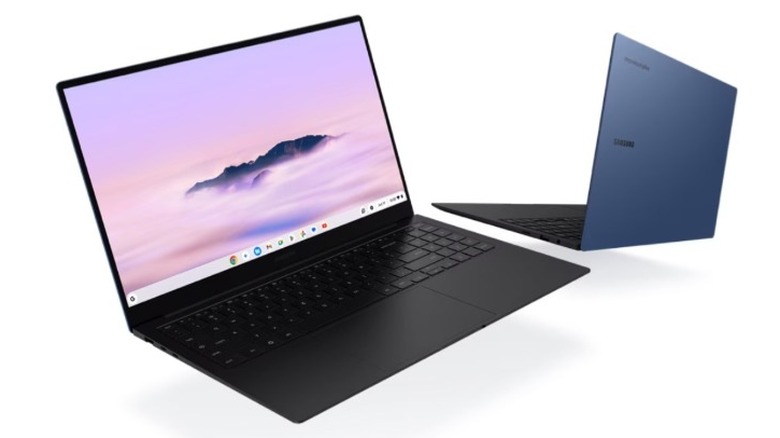
If you find yourself doing everything within your computer’s browser, the $775 Samsung Galaxy Chromebook Plus is a great option for you. This Chromebook features a fine 15.6-inch AMOLED display whose large screen real estate makes viewing experiences more enjoyable. The AMOLED tech provides great contrast and deep, inky blacks. It’s also surprisingly lightweight for a 15-inch laptop. It weighs an impressive 2.6 pounds and is only 0.46 inches thick, making it a great portable choice. For a Chromebook, the port selection is also decent here. You get two USB-C ports, one USB-A port, an HDMI port, a headphone jack, and even a microSD card slot.
Paired with its 8GB of RAM, the laptop’s Intel Core 3 100U delivers reliable performance — it handles multitasking well, and while 8GB of RAM would likely be a problem on a Windows computer, it’s not much of an issue on ChromeOS. Additionally, in LaptopMag‘s battery test, the Galaxy Chromebook Plus delivered more than 11 hours of battery life, so it’s enough to last you a full work day. Just remember that ChromeOS limits you to using web apps, ChromeOS apps, Linux apps, and Android apps. If you need to use specific Windows or macOS desktop apps, look to the MacBook Neo or the Windows laptops in this roundup. Otherwise, the Galaxy Chromebook Plus is great pick — all things considered, it’s a Chromebook that’s actually worth the money.
Acer Aspire 16 AI
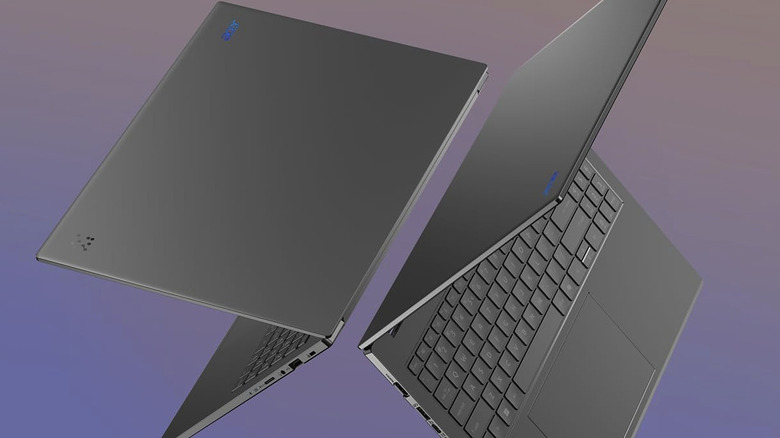
The $700 Acer Aspire 16 AI is an affordable 16-inch Windows laptop, and while it lacks the flair you often get from pricier laptops, it nails the fundamentals. Its overall design may be a bit generic, but this laptop is only 0.63 inches thick and weighs just 3.42 pounds. As far as 16-inch Windows laptops go, that’s quite portable. Part of its slight weight is likely owing to its plastic chassis, but despite its material construction, the laptop’s casing doesn’t flex or feel particularly cheap. Its 16-inch IPS-LCD screen, which only has a slight bezel, has a resolution of 1920 x 1200 and a 120Hz refresh rate to make for a crisp, snappy display that gets quite bright, though not enough for outdoor use.
The Aspire 16 AI’s performance is snappy thanks to its Snapdragon X CPU, which offers reliable power for juggling multiple tabs, editing documents, and watching videos. Its large screen and comfortable, well-spaced keyboard with textured keys makes it a great laptop for seniors. According to PCWorld‘s testing, this machine can also provide up to 15 hours of use on a charge, although it doesn’t support fast charging. If media consumption is your priority, you’ll probably want to opt for a laptop with an OLED screen instead — but considering its price, the Aspire 16 AI does punch above its weight class.
Acer Chromebook Plus Spin 714
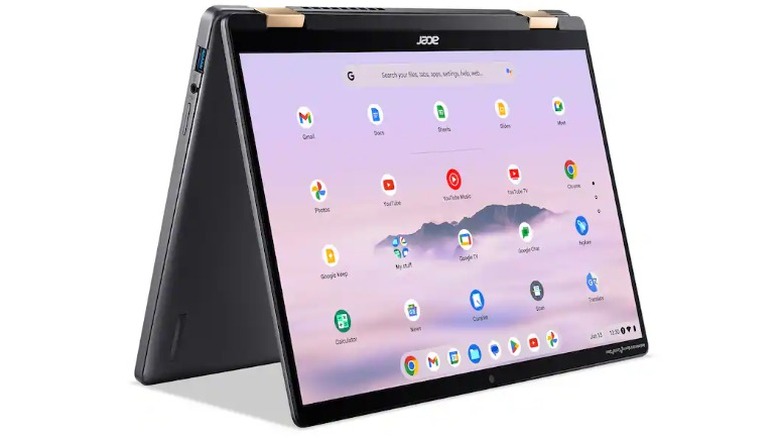
If you’re into drawing or note-taking, 2-in-1 laptops are something you should consider. The $669 Acer Chromebook Plus Spin 714 features a sharp 14-inch 1920 x 1200 touchscreen display, and thanks to its high-quality IPS panel, it has great viewing angles and good color reproduction. On top of its standard laptop orientation, you can use it in both tent and tablet modes; it feels sturdy no matter what position it’s in. At 3.2 pounds, it’s fairly lightweight, but it’s a full pound heavier than the 13.4-inch Dell XPS 13. Because of its slightly bigger footprint, though, it can afford to have a spacious keyboard and trackpad, which are both quite comfortable.
Under the hood, you’ll find an Intel Core Ultra 5 115U chip, 8GB of RAM, and 256GB of storage. This configuration proves to be more than capable for ChromeOS, which mostly relies on web apps and cloud-based tools. In terms of battery life, you can expect around a day’s worth of use out of the Chromebook Plus Spin 714. One downside is that it doesn’t ship with a stylus, which would have added to the product’s value right out of the box, but that’s not an egregious omission given the laptop’s MSRP.
Lenovo Ideapad Flex 5i Chromebook Plus
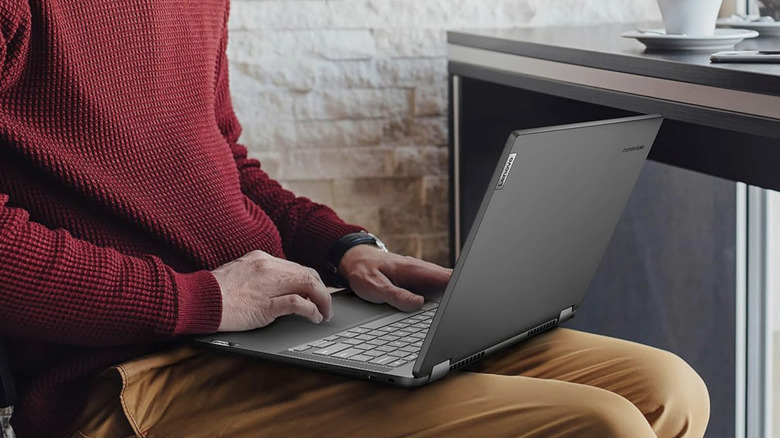
For only $600, the 14-inch Lenovo Ideapad Flex 5i Chromebook Plus is an excellent 2-in-1 laptop. It doesn’t exactly reinvent the wheel — its design is safe and a bit boring — but because of its 2-in-1 functionality, you can use it with a stylus, in tent mode, or as a tablet, albeit a slightly bulky one (the machine weighs 3.1 pounds).
While the 13th-gen Intel Core i3-1315U chip powering this Chromebook is from 2023, it’s still considered a mid-range processor that’s comparable to an AMD Ryzen 3 5400U. Although it only has 8GB of RAM, the laptop easily handles a few dozen Chrome tabs at once, even better than some Windows machines do. In most cases, you won’t need much more than 8GB of RAM.
On top of two USB-C ports and one USB-A port, the Ideapad Flex 5i Chromebook also features a microSD card slot, which is particularly useful for photographers. In terms of battery life, Android Authority‘s testing suggests that you can get up to 11 hours of mileage out of this Chromebook before you need a charger. This Lenovo Chromebook also features a comfortable, backlit keyboard.
Methodology
For this roundup, we focused on laptop models that can competently handle everyday tasks like web browsing, document editing, and basic multitasking, as well as consistent video playback. All laptops selected are under $1,000, with many of them falling within the $600 to $800 range. To accommodate different preferences, this roundup includes Windows, macOS, and ChromeOS options, each of which have quality displays, strong builds, and good battery life for daily use. Models with comfortable, spacious keyboards were also prioritized. Additionally, each recommendation is supported by recent, test-based reviews from renowned outlets like PCMag, Android Authority, TechRadar, and WIRED.

1 Comment
Pingback: Ice cream, smashed trophies and wild choreography made for a surreal VMA performance. Meet Yung Lean and Gener8ion. - Comic Vibe