

AMD processors are incredibly popular in the PC gaming space, but they’re not perfect. AMD’s processor lineup has something for every price point, but even high-end Ryzen CPUs can still be affected by some common issues.
Even if your processor has been treating you well and performing great in AAA games, there still might be some settings holding your CPU back from its full potential. Certain AMD processors can have stuttering problems, and some CPUs have compatibility issues with certain RAM sticks. AMD CPUs also run really hot on average, with high power draw to match, and this can even lead to your motherboard’s CPU socket burning out in extreme cases.
AMD processors are more than worth the troubleshooting, however, since you can get exceptional performance with only a few simple tweaks. These are some of the most common issues you can encounter with an AMD processor, plus some of the easiest remedies to fix your PC’s performance.
1. They can stutter and hitch during gameplay

Stuttering is the bane of PC gaming, and AMD processors can make stuttering even worse if they’re configured incorrectly. Even with a high-end Ryzen processor, you can still see hitches when rotating the camera or loading assets in a game.
You can diagnose the problems causing your stutters by monitoring your in-game framerate, ideally with a built-in benchmark or an FPS monitoring software like MSI Afterburner. If you see really bad 1% lows tarnishing an otherwise great framerate, then something in your rig isn’t working correctly. In many cases, it’s your processor.
To minimize stutters on AMD processors, make sure your chipset drivers are up to date. There are also some settings you can change in your computer’s BIOS, including disabling fTPM, which is known to cause stutters in some AMD hardware configurations. Since many users combine AMD and NVIDIA hardware in their gaming rigs, check the settings in each manufacturer’s apps to make sure they’re not counteracting one another with differing framerate caps, power features, or other settings.
2. They can have RAM compatibility issues
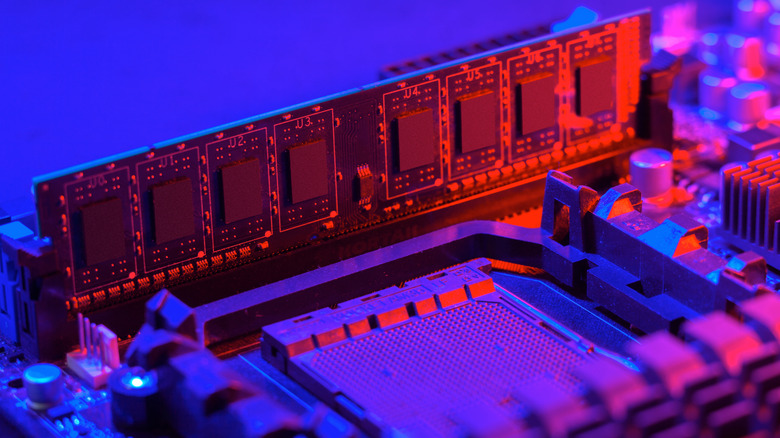
RAM is a hugely important part of your PC setup, and you AMD CPU might be preventing you from getting the most out of your memory sticks. Even if your RAM advertises blazing fast clock speeds on the packaging, you may have to poke around in your system settings or BIOS to ensure that’s the case.
Most common RAM problems people with AMD processors encounter can be solved by enabling AMD EXPO in your system’s BIOS. AMD EXPO is essentially an easy overclocking tool that lets your RAM run at its maximum possible clock speed. Without AMD EXPO, fast RAM sticks will be stuck at slower speeds and reduce your framerate in games. This can lead to nasty stuttering problems and other performance issues.
Some RAM sticks without advertised AMD EXPO functionality can run into compatibility issues with AMD processors as well. When buying new RAM, make sure it supports AMD EXPO explicitly instead of just Intel XMP. Otherwise, you run a slight risk of stability issues.
3. They can burn out your motherboard’s socket
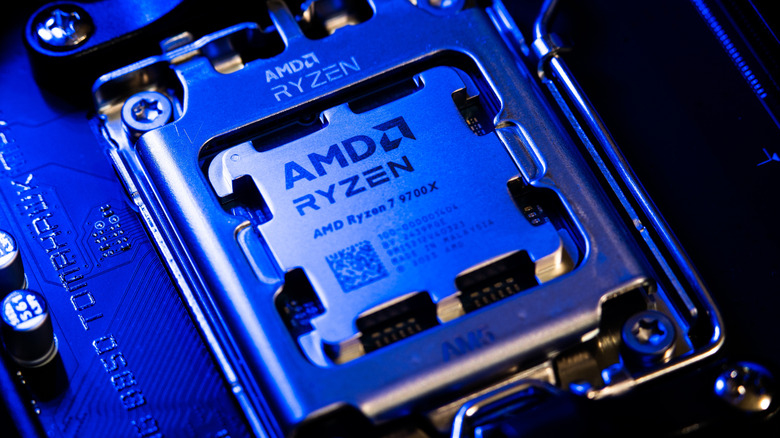
This is a rarer issue than the others on this list, but it’s still a very real possibility if you own an AMD processor. AMD temperatures can spike easily, which can cause problems if your rig doesn’t have adequate cooling capabilities. You won’t need an advanced water cooling setup or anything like that, but a strong CPU cooler is a must.
If you have a really powerful AMD processor like its Ryzen X3D line, you run a much higher risk of temperature-related problems. These can get so hot that they’ll physically burn out the socket on your motherboard. As you’d expect, this completely fries your system and requires some expensive replacements.
Again, this only affects a small subset of AMD processors, but it’s still a common enough issue that it’s worth pointing out. Make sure you’re monitoring your temperatures and keeping your system under close watch when your running those initial benchmarks.
4. They can reach seriously high temperatures
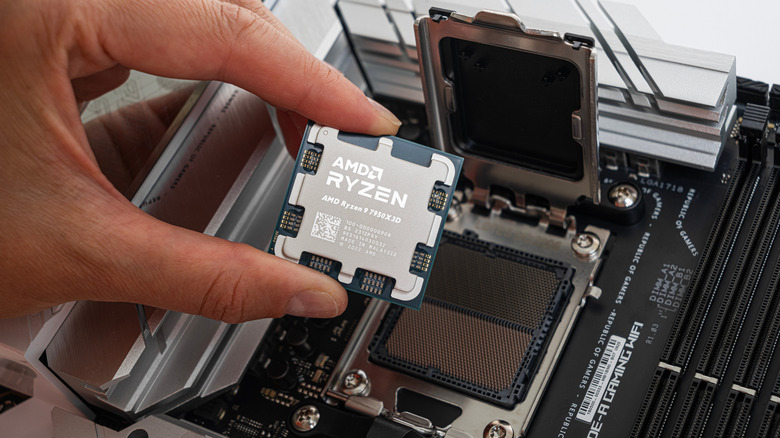
Even if your AMD CPU isn’t getting hot enough to melt your motherboard’s socket, these processors still get super hot. High temperatures can have significant effects on your system’s performance, especially in intensive scenarios like gaming or video rendering.
Not only can regular exposure to high heat reduce the lifespan of your processor, rising temperatures can also cause your CPU to throttle. When this happens, your system purposefully slows down your CPU to prevent further heat build up. It’s a nice feature when it comes to saving your CPU from heat death, but it’s annoying when you’re in the middle of a “Counter-Strike 2” match.
To solve heat-related issues with AMD processors, make sure you’re using a high-rated CPU cooler that can handle the heat output of a Ryzen CPU operating under a full load. Make sure all unnecessary background applications are closed as well. You can also reapply a new layer of thermal paste between your CPU cooler and processor since the original application isn’t always ideal.
5. They draw a ton of power

It’s an issue that many people often overlook, but high-end AMD CPUs draw a ton of power to run your games. This won’t destroy your processor or cause any significant harm to your system, but it can rear its head at the worst times and even cause your system to shut down when you’re in the middle of something.
AMD’s Ryzen processors have been found to consume over 100 watts when idle, which is significantly higher than the normal power consumption level without anything running. This ties back in to the heating and socket melting problems described above, but even if you keep your temperatures under control, your CPU’s power consumption can still cause problems. If you bought a low-end budget power supply, for example, your rig might not even have enough power to boot up or remain powered on.
AMD has delivered several software updates to reduce power consumption and prevent these issues from popping up, so make sure your drivers are up to date. If that doesn’t fix your problems, you can look into undervolting your processor slightly to reduce power consumption.

1 Comment
Pingback: Steam's latest survey shows 32GB RAM overtaking 16GB despite the massive price surge - Comic Vibe