
Close Menu

    Subscribe to Updates

    Get the latest creative news from FooBar about art, design and business.

    What's Hot

    Fortnite Chapter 7 Season 4 Story Moment Key Art Teases Tetris & Crash Bandicoot

    August 10, 2026

    How mobile internet rewired sports fandom in East Africa

    August 10, 2026

    Netflix viewers can’t stop watching new drama with ‘traumatic’ cliffhanger

    August 10, 2026
    Facebook X (Twitter) Instagram
    Facebook X (Twitter) Instagram YouTube TikTok
    Comic Vibe
    Monday, August 10
    • Home
    • Comics
      • Comic Vibe News
    • Gaming
    • Movies
    • TV
    • Anime
    • Toys & Collectibles
    • Cosplay
    • Tech
    • Digital Culture
      • Creators & Fan Culture
      • Creator Economy & Fan-Driven Platforms
      • Digital Fandom & Online Communities
      • Metaverse & Virtual Worlds
      • NFTs & Digital Collectibles
      • Virtual Events & Online Conventions
      • Virtual Identity & Avatars
    • Shop
    Comic Vibe
    • Home
    • Contact Us
    • Terms & Conditions
    • Advertise With Us
    • DMCA Policy
    • Privacy Policy
    • About Us
    Home»Gaming»Your LG TV Remote Can Control Your PlayStation 5 – Here’s How
    Gaming

    Your LG TV Remote Can Control Your PlayStation 5 – Here’s How

    JamesBy JamesJuly 20, 2026No Comments3 Mins Read
    Facebook Twitter
    Your LG TV Remote Can Control Your PlayStation 5 – Here’s How
    Share
    Facebook Twitter

    While the PlayStation 5 includes everything you need to get started, you can purchase plenty of cool accessories for the console. Sony even offers a dedicated media remote so you can easily stream your favorite Netflix and Disney+ shows and movies. But you don’t need it if you own an LG TV, as their remotes are compatible with the PS5. Once you set it up, that is.

    Technically speaking, you don’t even need an LG TV remote; any TV and remote combo that uses HDMI-Consumer Electronics Control (CEC) will do since they are designed to control any connected devices. In the case of an LG TV, the company calls CEC the Simplink function, but enabling the feature depends on the TV’s OS. Start by pressing the “Settings” button (the button with a gear symbol) on the remote control, and select “All settings.” If you have a TV running 2022 webOS 22, then select “General,” followed by “Devices,” and finally “HDMI Settings.” Turn the toggle for “SIMPLINK (HDMI-CEC)” to “On.” If you have 2020 webOS 5.0 instead, select “Connection,” then “Device Connection Settings,” and finally toggle “SIMPLINK (HDMI-CEC)” to “On.”

    Once the TV is set up, you have to prepare your PS5 to complete the handshake. Start by opening your console’s “Settings” menu (the gear icon in the upper right corner when you press the PS button on the controller). Scroll down to and select “System,” select “HDMI,” and toggle “Enable HDMI Device Link.” That’s it, but if you want to turn the console on with the remote, you should also toggle “Enable One Touch Play.” You might also have to enable “Auto Power Sync” on the TV, but when you’re done, you should be able to navigate the PlayStation with your TV remote.

    Be wary of limitations when using your LG remote to control your PlayStation 5

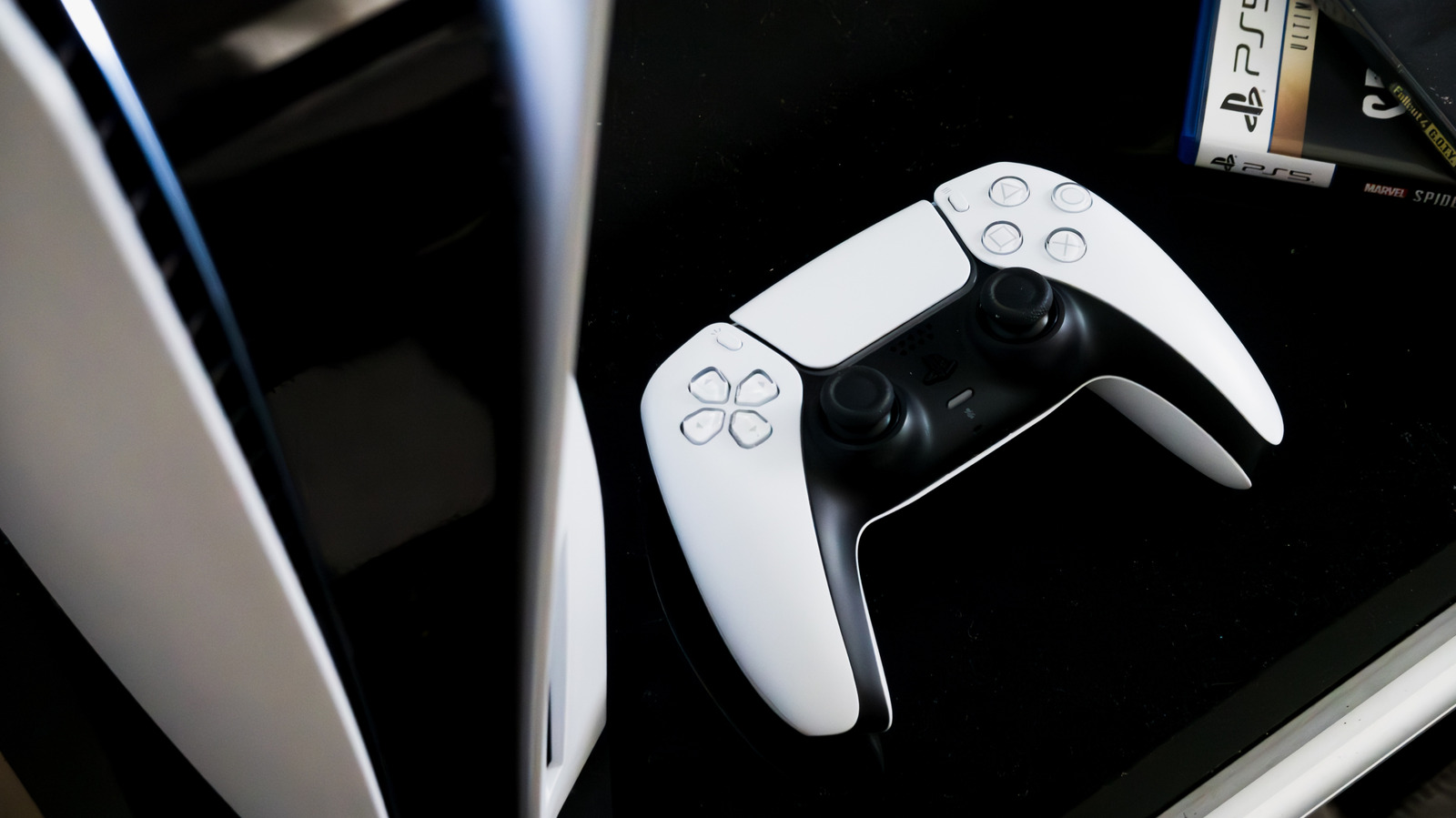
    Person holding PlayStation 5 DualSense controller

    While you can control your PlayStation 5 with a controller via HDMI-CEC functionality, it is no replacement for an actual DualSense controller. And no, we don’t just mean that the PS5’s DualSense is the best gaming controller on the market. Granted, a TV remote has more buttons than a DualSense, but like the proprietary PlayStation media controller, you can’t play games with an LG TV remote. For that, you need a dedicated device with all the thumbsticks and shoulder buttons of a DualSense (or even a cheap third-party controller).

    While some people might find navigating streaming services on the PS5 easier with a remote, the DualSense has some advantages that we can’t deny. For starters, all TV remotes run on infrared communication technology instead of Bluetooth. You can use a DualSense to control the PS5’s menus from anywhere within an entertainment room (so long as you are within signal range), but if you use a remote from the wrong angle, it won’t register. Moreover, most remotes are powered by removable batteries; if your remote dies while in the middle of a movie, you won’t be able to control the menus unless you get some more. Meanwhile, if a DualSense’s battery runs out, you only need to plug it into the console to reconnect.

    At the end of the day, an LG TV remote is yet another tool in your belt of PlayStation 5 control methods. It isn’t ideal for every situation, but if someone is sitting at the other end of the TV room and wants to pause a movie, they can use the TV remote while you keep the DualSense (or vice versa). It’s always an option.

    control Heres PlayStation Remote your
    Share. Facebook Twitter
    Previous ArticleSDCC ’26: First full AVENGERS: DOOMSDAY trailer drops online
    Next Article SkyCity Entertainment (ASX:SKC) Gains as Consumer Services Stock Remains in Focus
    James

    Related Posts

    Xbox now requires Australians to prove their age to access games rated 18+, though “games you already own won’t be affected”

    August 10, 2026

    Blizzard is now Xbox and Microsoft’s ‘top performing’ game studio, new report

    August 10, 2026

    Xbox 360 Games on PC: Microsoft’s Leaked 2027 Plan [2026]

    August 10, 2026

    Minecraft for Nintendo Switch 2 arrives 27th October!

    August 10, 2026
    Leave A Reply Cancel Reply

    Our Picks

    Fortnite Chapter 7 Season 4 Story Moment Key Art Teases Tetris & Crash Bandicoot

    August 10, 2026

    How mobile internet rewired sports fandom in East Africa

    August 10, 2026

    Netflix viewers can’t stop watching new drama with ‘traumatic’ cliffhanger

    August 10, 2026

    Michael B. Jordan and Raye Escape for a Day Out at Six Flags Together

    August 10, 2026
    • Facebook
    • Twitter
    • Instagram
    • YouTube
    • TikTok
    • Telegram
    Don't Miss
    Gaming

    EA Sports College Football 27 Review, Gameplay Impressions, Videos, Top Modes and Features

    By JamesJuly 6, 20260

    College Football 27 from EA Sports is that lovable annual contending program that onlookers haven’t soured on yet because the stay at the top is so prolonged. 

    New photos show touching moment Kate Middleton hugged her children after grueling 24

    July 6, 2026

    Red, white, blue and yellow: ‘Minions & Monsters’ #1 at July Fourth box office

    July 6, 2026

    What To Watch Monday: FIFA World Cup Continues, Inspector Ellis Returns, And More

    July 6, 2026

    Subscribe to Updates

    Get the latest creative news from SmartMag about art & design.

    About Us
    About Us

    Comic Vibe is a pop-culture destination created for fans who live and breathe comics, movies, anime, TV shows, gaming, tech, cosplay, and collectibles.

    Our mission is to deliver engaging news, reviews, features, guides, and opinions that celebrate geek culture in all its forms. From the latest comic releases and blockbuster films to anime trends, gaming updates, cutting-edge tech, and collector culture, Comic Vibe brings everything together in one vibrant hub.

    Our Picks

    Fortnite Chapter 7 Season 4 Story Moment Key Art Teases Tetris & Crash Bandicoot

    August 10, 2026

    How mobile internet rewired sports fandom in East Africa

    August 10, 2026

    Netflix viewers can’t stop watching new drama with ‘traumatic’ cliffhanger

    August 10, 2026

    Subscribe to Updates

    Get the latest comics, anime, movies, TV, gaming, cosplay, and pop culture news delivered directly to your inbox. No spam—just the stories every fan should know.

    Facebook X (Twitter) Instagram YouTube TikTok
    • Home
    • Contact Us
    • Terms & Conditions
    • Advertise With Us
    • DMCA Policy
    • Privacy Policy
    • About Us
    © 2026 Comic Vibe. Designed by Comic Vibe.

    Type above and press Enter to search. Press Esc to cancel.