



Close Menu

    Subscribe to Updates

    Get the latest creative news from FooBar about art, design and business.

    What's Hot

    What To Watch Thursday: Outer Banks Ends, ABC Game Shows Wrap, And More

    August 20, 2026

    Hongsheng offshore gaming firm faces P2.228

    August 20, 2026

    Kangana Ranaut fires back at Baba Ramdev over his remark on her `jawani`

    August 20, 2026
    Facebook X (Twitter) Instagram
    Facebook X (Twitter) Instagram YouTube TikTok
    Comic Vibe
    Thursday, August 20
    • Home
    • Comics
      • Comic Vibe News
    • Gaming
    • Movies
    • TV
    • Anime
    • Toys & Collectibles
    • Cosplay
    • Tech
    • Digital Culture
      • Creators & Fan Culture
      • Creator Economy & Fan-Driven Platforms
      • Digital Fandom & Online Communities
      • Metaverse & Virtual Worlds
      • NFTs & Digital Collectibles
      • Virtual Events & Online Conventions
      • Virtual Identity & Avatars
    • Shop
    Comic Vibe
    • Home
    • Contact Us
    • Terms & Conditions
    • Advertise With Us
    • DMCA Policy
    • Privacy Policy
    • About Us
    Home»Tech»Windows Can Purposely Delete The dGPU Driver If A Gaming Laptop Has Exclusively Switched To “Eco” Mode For Several Days; OS Treats It As An Unplugged USB
    Tech

    Windows Can Purposely Delete The dGPU Driver If A Gaming Laptop Has Exclusively Switched To “Eco” Mode For Several Days; OS Treats It As An Unplugged USB

    JamesBy JamesAugust 20, 2026No Comments3 Mins Read
    Facebook Twitter
    Windows Can Purposely Delete The dGPU Driver If A Gaming Laptop Has Exclusively Switched To “Eco” Mode For Several Days; OS Treats It As An Unplugged USB
    Share
    Facebook Twitter


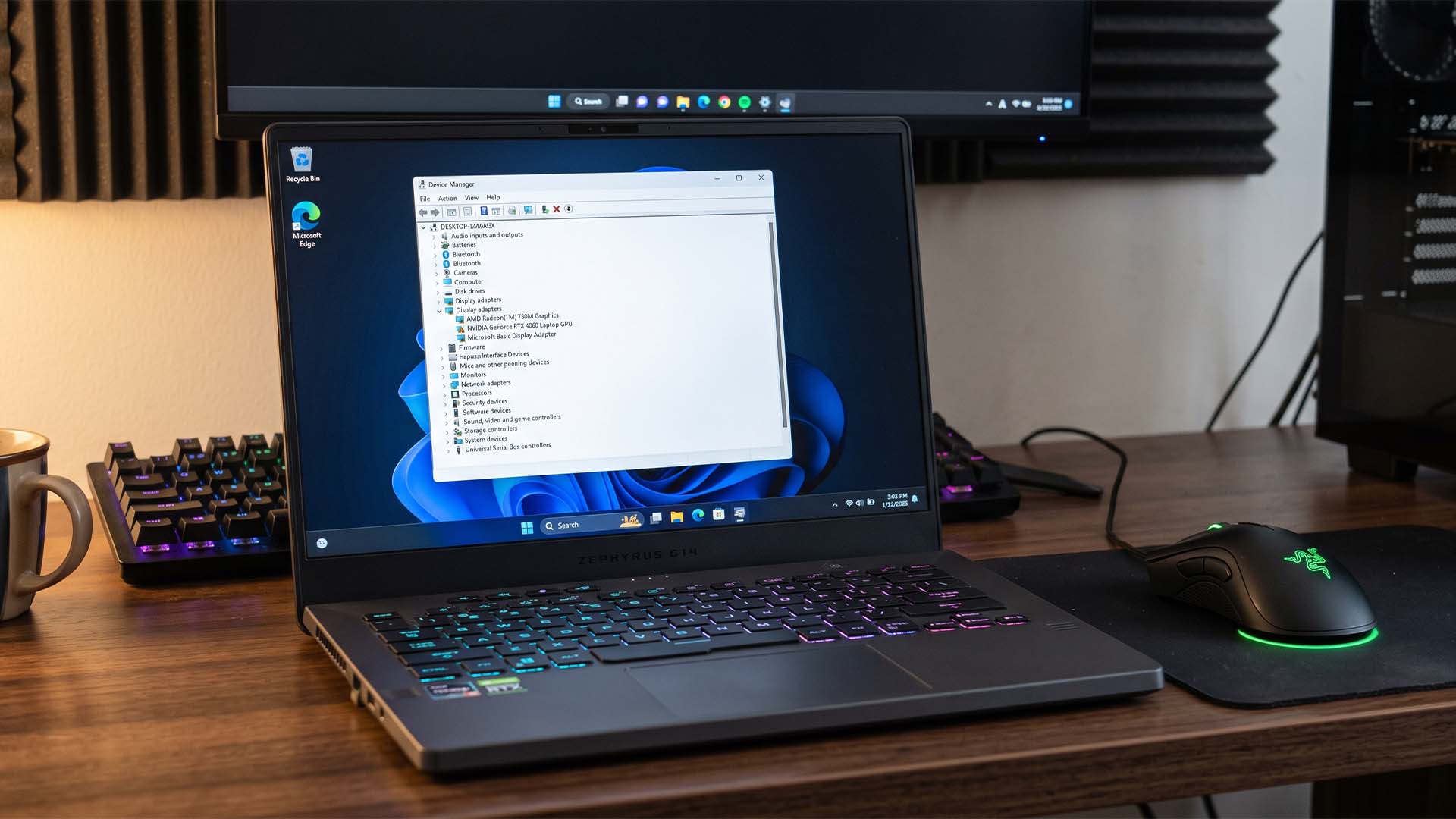
    Yet another terrible aspect of using Windows / Image made using Gemini

    Gaming laptops give users the flexibility to switch between “Eco” mode to exclusively run the machine on the integrated GPU to get better battery life, with the option to switch to “Hybrid” or “Dedicated” modes for gaming purposes. However, one user noticed that in his quest to run on Eco mode entirely on his new ASUS ROG Zephyrus G14, Windows ended up uninstalling the dGPU driver on its own without informing the user, leaving “Microsoft Basic Display Adapter” in its place.

    A gaming laptop owner discovered that Windows can uninstall dGPU drivers in 15 to 30 days when running strictly on iGPU mode

    Due to the drivers being unused, Redditor “Ok-Horse-3169” noticed that Windows treats the dGPU drivers as a USB stick that has been unplugged when not in use. He says that a maintenance job called “pnpclean.dll” removes a driver package after a certain time limit, with the default timeout set to 30 days. For the ROG Zephyrus G14 user, it was far less at 15 days.

    While some may argue that there’s no need to run a gaming laptop in Eco mode because it just defeats the purpose of the purchase, others want to get the most out of their machine in terms of battery life. Since some programs can trigger the NVIDIA or AMD dGPU to become active when running in Hybrid or Dedicated mode, this reduces runtime like there’s no tomorrow.
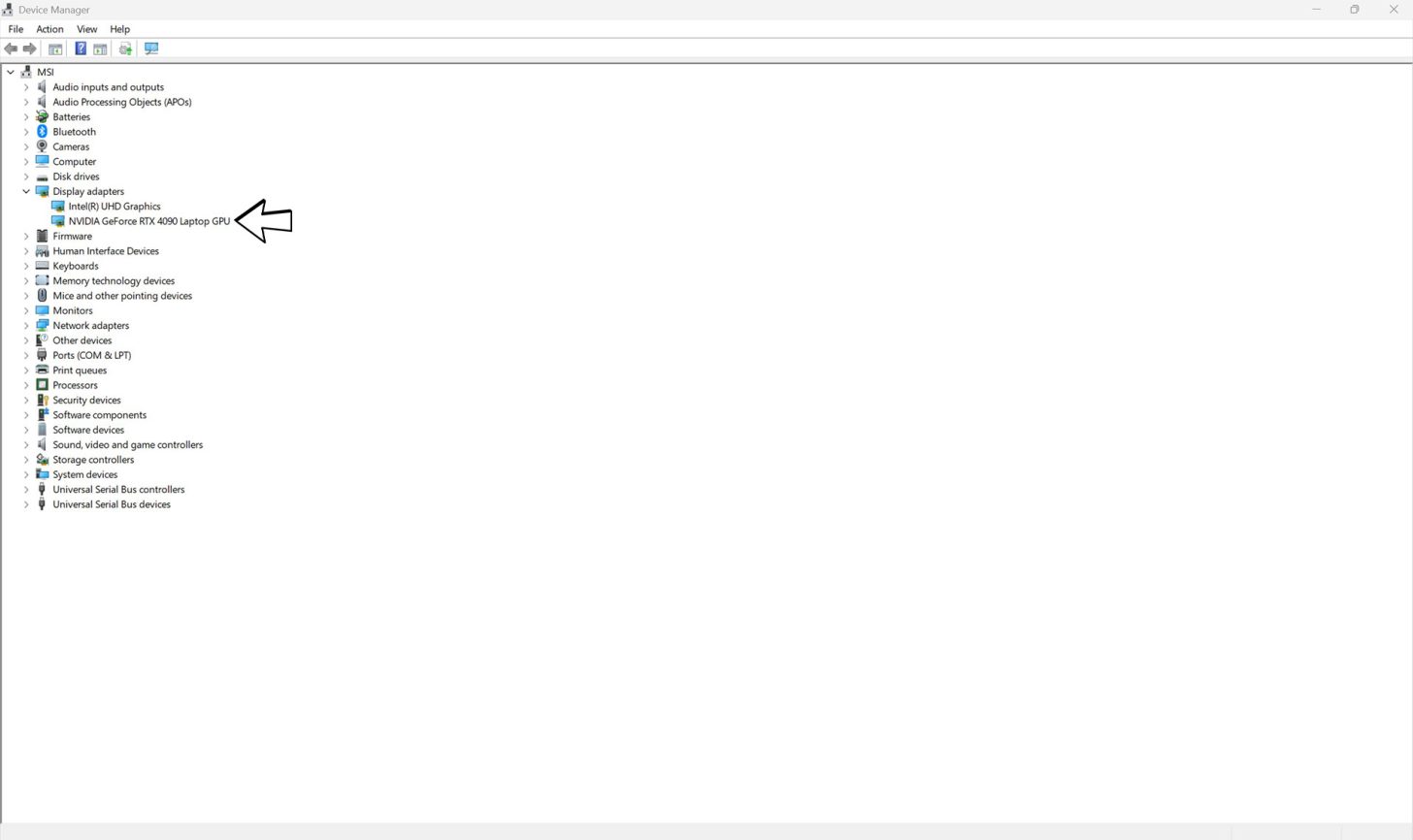
    Windows Device Manager displaying NVIDIA graphics card missing or recognized as Microsoft Basic Display Adapter
    What Windows 11 should be showing when you have the dGPU drivers properly installed

    How to disable this annoying behavior?

    The Redditor reveals a simple way to check whether Windows uninstalled the GPU drivers; open PowerShell and run it to find the logs below.

    Select-String -Path C:WindowsINFsetupapi.dev*.log -Pattern “(VEN_10DE|VEN_1002).*(was removed|timeout period)”

    The NVIDIA GPU is recognized by the designation “VEN_10DE” while the AMD one features “VEN_1002.” If you notice the “was removed” command, then Windows has uninstalled the GPU driver without your permission. Fortunately, Ok-Horse-3169 has provided a quick fix on how to prevent Windows from acting on its own accord, and that’s by heading into the Windows Registry (type “regedit” in search and Run As Administrator).

    HKLMSOFTWAREMicrosoftWindowsCurrentVersionExplorerVolumeCachesDevice Driver Packages

    Copy the path posted above and paste it into the area right below “File” and “Edit.” Next, you’ll find “Autorun,” which is marked in blue. Change the value from 1 to 0, which will stop Windows from forcibly uninstalling your dGPU drivers

    The other alternative would be to manually switch from Eco mode to Hybrid or Dedicated occasionally, but that might be too cumbersome for several users. As usual, Windows 11 has presented yet another reason to pull our hair out, but at least there’s a solution for it.

    About the author: Omar Sohail is a reporter and analyst for Wccftech’s mobile section, specializing in the technology and business of the mobile industry. His expertise lies in the intricate hardware supply chain, covering developments in semiconductor manufacturing, chip lithography, and camera sensor technology.

    Follow Wccftech on Google to get more of our news coverage in your feeds.

    Read all comments on Windows Can Purposely Delete The dGPU Driver If A Gaming Laptop Has Exclusively Switched To “Eco” Mode For Several Days; OS Treats It As An Unplugged USB

    Delete dGPU driver Purposely Windows
    Share. Facebook Twitter
    Previous ArticleAlex Raymond’s Rip Kirby Gets A New Comic Series From Mad Cave Studios
    Next Article Find classic Halloween collectibles from Snoopy to Jack Skellington
    James

    Related Posts

    Hongsheng offshore gaming firm faces P2.228

    August 20, 2026

    Razer HyperFlux V2 Wireless Charging System (Hardware) – Review

    August 20, 2026

    New LG FLiPP technology could transform OLED displays with longer lifespans

    August 20, 2026

    Nvidia Skips New Gaming GPUs in 2026: RTX 60 Delay

    August 20, 2026
    Leave A Reply Cancel Reply

    Our Picks

    What To Watch Thursday: Outer Banks Ends, ABC Game Shows Wrap, And More

    August 20, 2026

    Hongsheng offshore gaming firm faces P2.228

    August 20, 2026

    Kangana Ranaut fires back at Baba Ramdev over his remark on her `jawani`

    August 20, 2026

    PlayStation 6 and Xbox Project Helix Chasing $1000 Price Risk Driving Away Six In Ten Buyers, Yet Options Are Limited

    August 20, 2026
    • Facebook
    • Twitter
    • Instagram
    • YouTube
    • TikTok
    • Telegram
    Don't Miss
    TV

    What To Watch Tuesday: Zatima Wraps, AGT Auditions Continue, And More

    By JamesJuly 7, 20260

    Every day, TVLine’s What to Watch column spotlights new and returning English-language shows (and select movies) premiering or airing fresh episodes across broadcast, cable and streaming — organized below by release time and alphabetically within each slot

    Anime, superheroes and cosplay: Florida Supercon returns to Miami Beach

    July 7, 2026

    X-Men ’97 Brings Back the Omega

    July 7, 2026

    Tyrese On ‘Hope’ to Embark on ‘Beautiful Pain’ Tour With Taraji P. Henson

    July 7, 2026

    Subscribe to Updates

    Get the latest creative news from SmartMag about art & design.

    About Us
    About Us

    Comic Vibe is a pop-culture destination created for fans who live and breathe comics, movies, anime, TV shows, gaming, tech, cosplay, and collectibles.

    Our mission is to deliver engaging news, reviews, features, guides, and opinions that celebrate geek culture in all its forms. From the latest comic releases and blockbuster films to anime trends, gaming updates, cutting-edge tech, and collector culture, Comic Vibe brings everything together in one vibrant hub.

    Our Picks

    What To Watch Thursday: Outer Banks Ends, ABC Game Shows Wrap, And More

    August 20, 2026

    Hongsheng offshore gaming firm faces P2.228

    August 20, 2026

    Kangana Ranaut fires back at Baba Ramdev over his remark on her `jawani`

    August 20, 2026

    Subscribe to Updates

    Get the latest comics, anime, movies, TV, gaming, cosplay, and pop culture news delivered directly to your inbox. No spam—just the stories every fan should know.

    Facebook X (Twitter) Instagram YouTube TikTok
    • Home
    • Contact Us
    • Terms & Conditions
    • Advertise With Us
    • DMCA Policy
    • Privacy Policy
    • About Us
    © 2026 Comic Vibe. Designed by Comic Vibe.

    Type above and press Enter to search. Press Esc to cancel.