

For a teenager into gaming, the allure of PCs inevitably becomes impossible to ignore. The massive game catalog, modding communities, and faster performance are far too appealing to pass up.
Naturally, my teenage son wanted in. The problem is that he has virtually zero PC experience. Throwing him into the deep end of Windows gaming sounded like a recipe for disaster. For a teen with barely enough patience to sit through an Instagram Reel, driver updates, crashes, and troubleshooting would only discourage him. The kid wants to play games, not specialize in IT. I needed a bridge that could offer the raw performance of a computer mixed with the frictionless simplicity of a console.
That’s when I realized the solution is already available—Valve’s Steam Machine. Thanks to this dedicated gaming box centered around a couch-friendly Linux OS, we bypassed the chaotic Windows desktop entirely. With a mere QR code scan, he was in and ready to play. Even better, thanks to Steam Family Sharing, his new account was instantly bolstered with a decade’s worth of games inherited from my own personal library at no cost. Here’s why I found the Steam machine to be the ultimate gateway for a kid stepping into PC gaming.
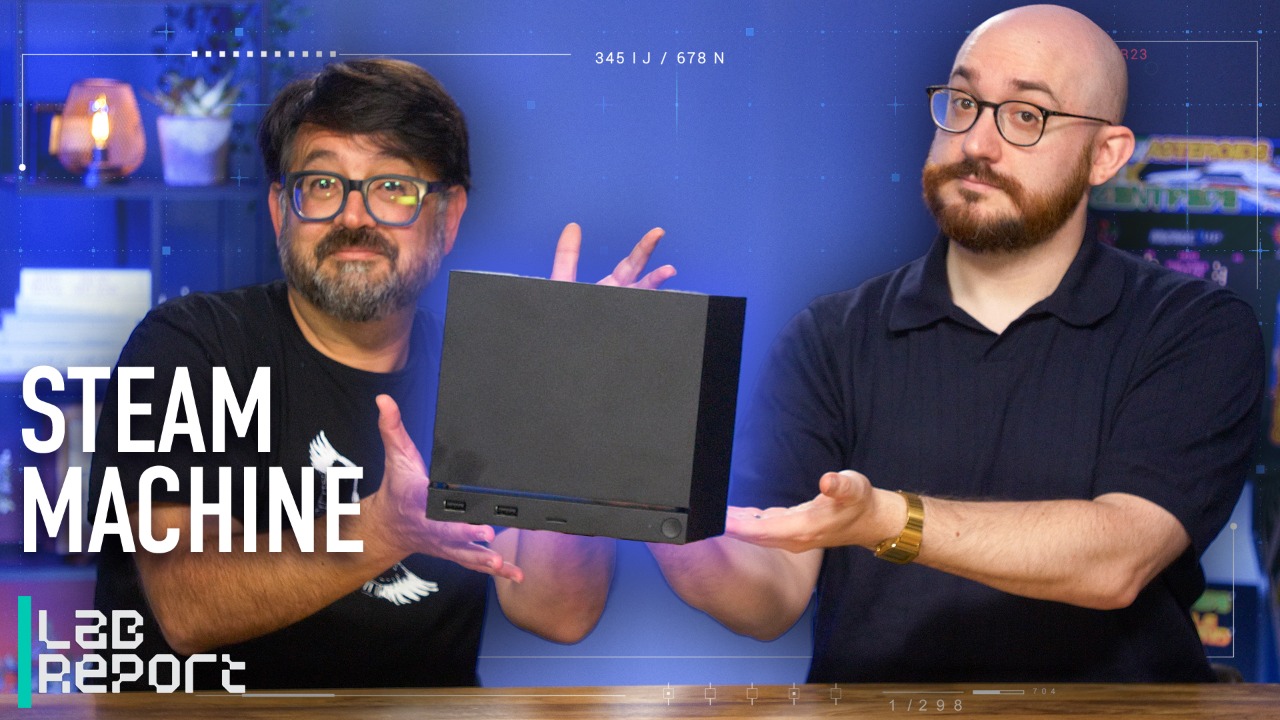

Valve’s Steam Machine, One Month Later: Is It Worth Buying?
The Windows Tax Is Real
So hear me out: By “Windows Tax,” I don’t mean a monetary fee. It’s an immediate tax on your time, patience, and tolerance for tweaking. Think of a gaming computer, and naturally you think of a standard Windows desktop PC. But I’d argue that for your teen, this is a misstep. Sure, for a seasoned PC gamer, navigating Windows is second nature. But we’re not dealing with a seasoned pro; we’re talking about a 16-year-old coming straight from the frictionless world of consoles.
Valve Steam Machine Review
- $1,049.00 at
Steam
See It
Valve Steam Controller (2026) Review
- $99.99 at
Steam
See It
Maintaining a Windows PC is a wall of chores. I can barely get him to clean his cat’s litter box as it is. He would need to manage graphics card drivers, run OS updates, and juggle publisher launchers (EA, Epic, Ubisoft, Xbox) that love to auto-run in the background and throttle system performance. Worse, Windows is an open door to desktop clutter, accidental malware downloads, and confusing file folders. He can’t find his homework, but I should expect him to find and clean his shader caches?
Windows updates aren’t particularly fun, and can create friction for young PC gamers. (Credit: Gabriel Zamora)
When a game inevitably crashes to the desktop, a young newbie doesn’t see a fun puzzle to solve. They see a broken machine—and I can already hear him calling me over to fix it for him.
However, by framing our jump to PC gaming around Valve’s Steam Machine, we dodged this Windows tax completely. The Steam Machine runs SteamOS, and it behaves like a console rather than a corporate workstation. It boots quickly, delivers a gorgeous, controller-friendly interface, and hides the underlying system files to keep things as simple as possible. The hardware is 100% devoted to running games smoothly, transforming what would otherwise be a turbulent Windows gaming landscape into a simple, dedicated gaming experience.
A convenient microSD slot gives you more storage to work with. (Credit: Joseph Maldonado)
Why the 512GB Model Is the Smart Buy
Once you commit to the Steam Machine ecosystem, you’ll need to decide on the hardware tier. Valve offers options ranging up to a beefy 2TB, but for a starter PC, the baseline 512GB model feels like the smartest choice for a parent’s wallet. Global component pricing is volatile, so the 512GB version (starting at $1,049) sits at a more palatable entry point compared with the premium tier, which starts at $1,349.
Going baseline doesn’t mean your teenager is starved for space. Valve cleverly included a front-facing microSD card slot on the chassis. If your teen eventually fills up the internal drive, you don’t need to bust out a screwdriver or install a complex storage array; you can expand it instantly and cheaply with a standard microSD card. And here’s a pro tip: Don’t bother with faster UHS-II or UHS-III chips; the Steam Machine throttles the speed back down to ~100 MB/s. Just grab yourself a UHS-I 512GB microSDXC card when you need it.
Remember, with Steam, your teen is leveraging a shared digital library. He won’t need a hoarding space to download hundreds of games at once. Steam makes it easy to download a few major titles, delete them when he’s done, and rely on Steam’s seamless cloud saves to keep his progress preserved forever.
The Steam Controller is a fantastic peripheral, even if it the trackpads take getting used to. (Credit: Joseph Maldonado)
The Benefits of the Steam Controller
Valve offers its 512GB Steam Machine for $1,049 without a controller. If your teen already has a wired or wireless controller that you don’t mind setting up for them, this is a solid price for not much extra work.
However, pairing the system with a Steam Controller completes the package, and I would consider purchasing the bundle with the Steam Controller ($1,128) if I were you. It’s an engineering marvel with highly precise joysticks that never drift, and dual haptic trackpads designed to let you play mouse-and-keyboard games (like real-time strategy or sims) right from the couch. That said, those trackpads have a distinct learning curve. For a 16-year-old with zero PC experience, jumping straight into trackpad-aiming can feel pretty alien.
One of the controller’s biggest perks is local multiplayer. The Steam Machine features integrated wireless receivers that can sync up to four Steam Controllers to a single dongle. Granted, this perk is unique only to the Steam Controller—other controllers will need to rely on their own proprietary dongles, cables, or Bluetooth connection. So in reality, you may want multiple Steam Controllers in the house if you want to drop in and play with your kid.
But the beauty of the system is that it doesn’t force a choice. The Steam Machine plays nice with virtually everything. For immediate comfort on day one, he plugged in a standard Xbox controller he already owned and was navigating menus easily. The specialized Steam Controller sits on the shelf for whenever I want to game with him seamlessly or for when he feels competitive, as he swearsthe Steam Controller is more responsive. I think it’s all in his head, but who am I to correct him?
Recommended by Our Editors
Sorry Valve, But the Steam Deck Outgrew My Need for a Steam Machine
Why Buy a $1K Steam Machine When Valve Is Giving Away SteamOS for Free?
The Best Gaming PCs for 2026
Family Sharing is extremely easy to set up and radically expands your game library. (Credit: Gabriel Zamora)
The Ultimate Superpower: Inheriting a Game Backlog
The single greatest financial hurdle to buying a teenager a new console is the cost of the games. Handing over a brand-new PlayStation 5 or Xbox Series X means shelling out another $70 per title so that they have something to play on day one. With the Steam Machine, we unlocked what I like to call the ultimate parental superpower: The Backlog Inheritance. I hooked him up with a massive library of games right out of the gate.
Instead of opening a wallet, we opened the settings menu and turned on Steam Families. The process only took a few minutes. I sent an invite from my established Steam account to his brand-new, free account, and he scanned a quick verification code on his phone. The magic happens immediately. His empty dashboard was suddenly populated with hundreds of games accumulated from my own personal catalog over the last decade, and it cost me nothing.
For a 16-year-old with a growing appreciation for gaming culture, this was like inheriting the keys to a legendary arcade. He didn’t just get access to random indies; he inherited entire masterclasses in game design. For high-octane, reflex-driven action, my collection gave him immediate access to the exemplary combat of Bayonetta, Devil May Cry, and Ninja Gaiden. If he wanted to slow things down and explore tactical depth or cinematic storytelling, he had the masterful stealth of the Metal Gear Solid series, and massive role-playing epics like Final Fantasy and Divinity. And for the casual, nostalgic weekend sessions, a massive suite of LEGO superhero games was ready to download at the press of a button.
Because of Steam’s modern sharing framework, he isn’t playing on my save files or hijacking my progress. He earns his own achievements, customizes his own graphical settings, and saves his progress to his own cloud profile. But as a parent, the real victory is looking at a massive, premier library of games that cost me exactly zero dollars to provide on his very first day of PC gaming.
Within minutes of Family Sharing my Steam Machine has access to hundreds of games. (Credit: Gabriel Zamora)
Final Thoughts: A Blueprint for the Future
When the box finally arrived, the physical hardware itself became a talking point. The Steam Machine is a fascinating and peculiar piece of engineering. It is a self-contained, compact unit that defies the traditional imagery of a hulking, flashing desktop tower. In fact, sitting next to our entertainment center, it takes up less than half the space of our PlayStation 5. For a teenager’s bedroom or a shared living room setup, it offers respectable PC horsepower without demanding massive real estate.
It also served as a fantastic bonding experience and conversation starter. Because the Steam Machine occupies that perfect halfway house between console and PC, it naturally invites curiosity. By the time we finished configuring his profile, we were already brainstorming our next steps together. We talked about the open nature of the chassis, looked up community templates for 3D printing accessories, and browsed custom front panels to let him personalize the look of his first machine.
Valve’s vision for the Steam Machine may have started as a hardware experiment over a decade ago, but today it represents the ultimate gateway for a new generation of players. It stripped away the intimidating Windows headache and replaced it with a seamless, affordable entry point into the richest gaming ecosystem available. But the Steam Machine is more than a smooth bridge to PC gaming—it is the ultimate starter PC for a teenager ready to grow. It offers the out-of-the-box simplicity of a console today, while preserving the open-ended, mod-friendly freedom they will need as they learn to tinker tomorrow.
About Our Expert
Gabriel Zamora
Senior Writer, Software
Experience
In 2014, I began my career at PCMag as a freelancer. That blossomed into a full-time position in 2021, and I now review email marketing apps, mobile operating systems, web hosting services, streaming music platforms, and video games as a senior writer. I’m a graduate of Hunter College, a hard-core gamer, and an Apple enthusiast.
Areas of Expertise
Latest By Gabriel Zamora
- iPhone vs. Android: Who’s Winning Right Now?
- With iOS 27, Apple Is Laying the Groundwork to Paywall Your iPhone
- Celebrate Pokémon’s 30th Anniversary by Cashing Out Your Rare Card Collection
- Why This Single iOS 27 Feature Turns the iPhone Duo Into a Pocket Laptop
- 10 New iOS 27 Features You Should Try Right Now
- More from Gabriel Zamora

1 Comment
Pingback: Control Resonant, rapidfire CEO turnovers and other new indie games worth checking out - Comic Vibe