

Close Menu

    Subscribe to Updates

    Get the latest creative news from FooBar about art, design and business.

    What's Hot

    Disney Set To Lose The Rights to a Major Comic Book Franchise It Sidelined for 3 Decades

    October 24, 2026

    ‘Clayface’ Review: Tom Rhys Harries Loses His Face, And The Real Horror Is How Far He Goes To Get It Back

    October 24, 2026

    Star Wars Comic Previews: October 28, 2026

    October 24, 2026
    Facebook X (Twitter) Instagram
    Facebook X (Twitter) Instagram YouTube TikTok
    Comic Vibe
    Saturday, October 24
    • Home
    • Comics
      • Comic Vibe News
    • Gaming
    • Movies
    • TV
    • Anime
    • Toys & Collectibles
    • Cosplay
    • Tech
    • Digital Culture
      • Creators & Fan Culture
      • Creator Economy & Fan-Driven Platforms
      • Digital Fandom & Online Communities
      • Metaverse & Virtual Worlds
      • NFTs & Digital Collectibles
      • Virtual Events & Online Conventions
      • Virtual Identity & Avatars
    • Shop
    Comic Vibe
    • Home
    • Contact Us
    • Terms & Conditions
    • Advertise With Us
    • DMCA Policy
    • Privacy Policy
    • About Us
    Home»Gaming»Which services can you safely disable to improve PC gaming?
    Gaming

    Which services can you safely disable to improve PC gaming?

    JamesBy JamesOctober 24, 2026No Comments4 Mins Read
    Facebook Twitter
    Which services can you safely disable to improve PC gaming?
    Share
    Facebook Twitter

    Windows has many services running in the background that waste re

    While PC gaming has always been an expensive hobby, it’s been extra-crunched for years now. A while ago, the demand for crypto mining hardware started creating GPU shortages. Then AI processing started squeezing the GPU market even further, and more recently, memory prices have shot through the roof because of data center usage. As a result, making any upgrades to your PC or building a whole new one is an increasingly difficult investment.

    In the meantime, there are tricks that can stretch performance as much as possible, one being to disable unnecessary background services in Windows 11. Ordinarily, it’s fine to leave Windows largely as-is. But some services are redundant or unnecessary while actively consuming the CPU, RAM or network re

    Don’t expect miracles here. Graphics are what put the heaviest burden on a gaming PC, and ultimately, a hardware upgrade is needed to see a meaningful improvement in frame rates. But nixing background services could make your setup a little smoother, regardless of what your current specs are. Don’t forget to optimize your GPU as well.

    The Windows services you should toggle off immediately
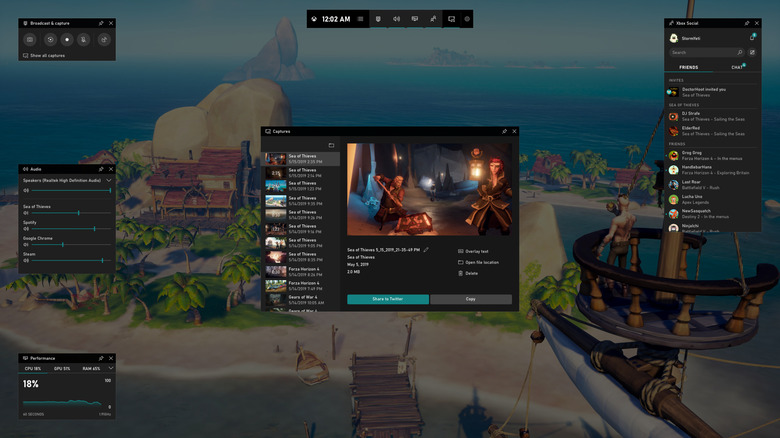
    The Xbox Game Bar in Windows.

    Somewhat ironically, one of the first features you should disable is the Xbox Game Bar. Head over to Settings > System > System components, then click on the triple-dot icon next to Game Bar and select Advanced options. Set Background component permissions to Never, then click the Terminate button to make sure it’s no longer active.

    While Game Bar is nominally meant to make it easier to launch games and control associated tasks like music playback and recording clips, that’s unnecessary overhead for most gamers. Steam is far and away the most popular PC gaming platform and it includes its own tools for these jobs. There’s no sense doubling up unless you’re playing with friends on their Xbox consoles.

    Next, make sure Windows Search indexing is reverted to Classic by going to Settings > Privacy & security > Search. The Enhanced mode is functionally superior, since it can find anything on your PC, while Classic is limited to your Documents, Pictures, Music and Desktop folders. To achieve this, Enhanced has to index your entire computer, which Windows says can hurt not just CPU performance, but battery life.

    You may also want to pause OneDrive sync (and that of other cloud tools) during gaming sessions. While these have to sync settings and files at some point, the app can cause CPU and network usage to temporarily spike, which is of course not what you want during an online game. Right-click on the OneDrive icon in your system tray, then click Pause syncing. You can pause for two, eight or 24 hours.

    Is there anything else worth disabling?
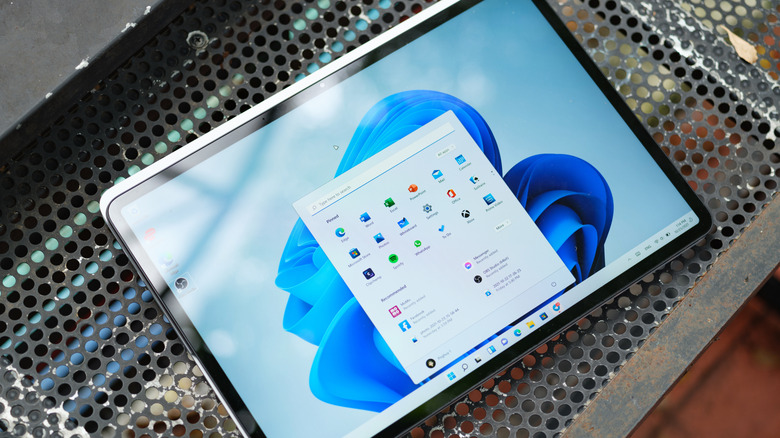
    A Surface device open to the Windows 11 desktop with its Start menu open.

    There’s at least one more service that could be worth disabling: SysMain. Its goal is to speed up app launches by predicting what you need, then loading those items into memory before you actually open them. This can backfire in a gaming context, since you might be about to run Cyberpunk 2077 instead of Chrome or Excel. In the Windows taskbar, search for Services, then open the associated tool. In the list that appears, right-click on SysMain and choose Properties. Switch Startup type to Disabled.

    In theory, there are other services in this menu you can disable to reroute those resources to games. But in most cases, the impacts are so marginal as to not be worth it. For instance, disabling the print spooler service is OK if you don’t print, but doing so will barely impact your games. Avoid getting overzealous; don’t kill a service because it sounds irrelevant. It could actually be responsible for a critical app or Windows function, and may temporarily break what you’re doing until you reboot or otherwise relaunch software.

    Also, don’t forget to keep a lid on third-party startup apps. These can have just as much of an impact as Microsoft’s software, and sometimes more. Go to Settings > Apps > Startup, then toggle off anything you never use or only need to run periodically. If something is already running in the background, you’ll need to close it in your system tray or Task Manager.

    disable Improve safely services which
    Share. Facebook Twitter
    Previous ArticleMachi Big Brother Sells 3 Mutant Apes at 1 ETH Each, an 85% Loss in Ethereum (ETH)
    Next Article Netflix Just Added A Stephen King-Style Horror Series You Won’t Want To Miss
    James

    Related Posts

    Xbox’s brand-new COO is already gone, three months after the job was created

    October 24, 2026

    ‘Father of the PlayStation’ Ken Kutaragi sides with Sony on the physical discs debate

    October 24, 2026

    Which ‘Glee’ Stars Are — And Aren’t — Returning for Reboot? Lea Michele and More

    October 24, 2026

    Peak on consoles, hockey roguelites and other new indie games worth checking out

    October 24, 2026
    Leave A Reply Cancel Reply

    Our Picks

    Disney Set To Lose The Rights to a Major Comic Book Franchise It Sidelined for 3 Decades

    October 24, 2026

    ‘Clayface’ Review: Tom Rhys Harries Loses His Face, And The Real Horror Is How Far He Goes To Get It Back

    October 24, 2026

    Star Wars Comic Previews: October 28, 2026

    October 24, 2026

    Ghosts’ Ben Willbond: ‘It’s really hard to sell TV shows at the moment’

    October 24, 2026
    • Facebook
    • Twitter
    • Instagram
    • YouTube
    • TikTok
    • Telegram
    Don't Miss
    Digital Culture

    Police urge safety as Pride, Comic-Con, Del Mar races & more events take over San Diego

    By JamesJuly 17, 20260

    NBC Universal, Inc. Two of the biggest weekends are coming up with three iconic local events that draw thousands of people. NBC 7’s Todd Strain talked with SDPD to find out the best way for the public to enjoy them responsibly and safely.

    Symbiote Studios Brings Transformers to San Diego Comic

    July 17, 2026

    Disgaea Mayhem review for Nintendo Switch 2 and Switch

    July 17, 2026

    ASUS AnnouncesNew ASUS PadT3201 in India, featuring astunning OLED Display for immersive entertainment “For Your Me Time” in a sleek, portable design – Chennai Patrika

    July 17, 2026

    Subscribe to Updates

    Get the latest creative news from SmartMag about art & design.

    About Us
    About Us

    Comic Vibe is a pop-culture destination created for fans who live and breathe comics, movies, anime, TV shows, gaming, tech, cosplay, and collectibles.

    Our mission is to deliver engaging news, reviews, features, guides, and opinions that celebrate geek culture in all its forms. From the latest comic releases and blockbuster films to anime trends, gaming updates, cutting-edge tech, and collector culture, Comic Vibe brings everything together in one vibrant hub.

    Our Picks

    Disney Set To Lose The Rights to a Major Comic Book Franchise It Sidelined for 3 Decades

    October 24, 2026

    ‘Clayface’ Review: Tom Rhys Harries Loses His Face, And The Real Horror Is How Far He Goes To Get It Back

    October 24, 2026

    Star Wars Comic Previews: October 28, 2026

    October 24, 2026

    Subscribe to Updates

    Get the latest comics, anime, movies, TV, gaming, cosplay, and pop culture news delivered directly to your inbox. No spam—just the stories every fan should know.

    Facebook X (Twitter) Instagram YouTube TikTok
    • Home
    • Contact Us
    • Terms & Conditions
    • Advertise With Us
    • DMCA Policy
    • Privacy Policy
    • About Us
    © 2026 Comic Vibe. Designed by Comic Vibe.

    Type above and press Enter to search. Press Esc to cancel.