
Close Menu

    Subscribe to Updates

    Get the latest creative news from FooBar about art, design and business.

    What's Hot

    Tencent Music Entertainment Group to Report Third Quarter 2026 Financial Results on November 17, 2026

    October 13, 2026

    US Console Sales Are Crashing at Xbox, Sony

    October 13, 2026

    Best TV deal: Save $1,302.02 on Hisense 100

    October 13, 2026
    Facebook X (Twitter) Instagram
    Facebook X (Twitter) Instagram YouTube TikTok
    Comic Vibe
    Tuesday, October 13
    • Home
    • Comics
      • Comic Vibe News
    • Gaming
    • Movies
    • TV
    • Anime
    • Toys & Collectibles
    • Cosplay
    • Tech
    • Digital Culture
      • Creators & Fan Culture
      • Creator Economy & Fan-Driven Platforms
      • Digital Fandom & Online Communities
      • Metaverse & Virtual Worlds
      • NFTs & Digital Collectibles
      • Virtual Events & Online Conventions
      • Virtual Identity & Avatars
    • Shop
    Comic Vibe
    • Home
    • Contact Us
    • Terms & Conditions
    • Advertise With Us
    • DMCA Policy
    • Privacy Policy
    • About Us
    Home»Gaming»What That Leaf And Lightning Bolt Symbol On Your PlayStation 5 Games Means
    Gaming

    What That Leaf And Lightning Bolt Symbol On Your PlayStation 5 Games Means

    JamesBy JamesSeptember 23, 2026No Comments4 Mins Read
    Facebook Twitter
    Share
    Facebook Twitter

    If you’ve taken a close look at your PlayStation 5’s control center recently, then you might have noticed an icon appearing near certain games in the Switcher. It looks like a leaf with a lightning bolt going through the middle. What you probably won’t have seen, however, is an explanation of what the icon means. It’s something of a hidden feature, as the icon isn’t labeled clearly on your device itself — but it’s actually showing you that your game is compatible with Power Saver mode.

    Power Saver was first introduced as a part of the 25.06-12.00.00 version update back in September 2025. It reduces the amount of power used by your PlayStation by dialing down your console’s performance. That does mean that your games might not run as well when you have the setting enabled, but it should help you to save some electricity. According to PushSquare, the amount of power consumption it’s reduced by varies depending on which game you’re playing, but in some cases, it can reduce consumption by up to 50%.

    It’s easy to miss this setting altogether, even though it was first introduced a while ago. That’s at least partially because the setting is only available on selected games and titles. So, if you haven’t been playing a compatible game recently, the icon won’t necessarily have appeared for you yet. For example, you can switch Power Saver mode on while playing “Marvel’s Spider-Man 2”, “Ghost of Yotei”, or “Death Stranding 2: On The Beach”, but you can’t for other releases like “Resident Evil 2.” You also can’t use VR mode while you have Power Saver enabled.

    How to enable Power Saver mode on your PS5
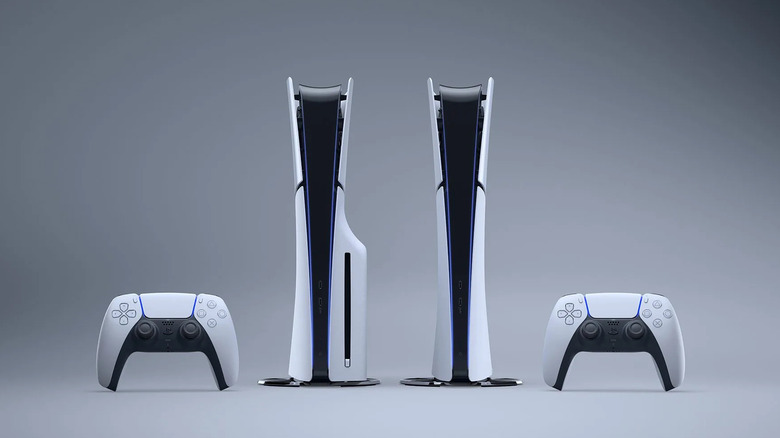
    Two upright PlayStation 5 consoles and controllers.

    If Power Saver mode is something you didn’t know your PlayStation 5 could do, then you might not know how to switch it on, either. That’s understandable, as it isn’t made abundantly clear what the setting is or how to use it on your console itself. But thankfully switching it on is fairly easy and can be completed in a few steps:

    1. Open up your console’s Settings menu.

    2. Navigate to and select System.

    3. Scroll to Power Saving and select it.

    4. Select Power Saver For Games.

    5. Toggle on Use Power Saver.

    This way, Power Saver will automatically toggle on when you boot up any compatible games going forwards, until you switch it off again. Alternatively, you could try enabling Power Saver mode only for select titles. That’s a useful option if you feel that some games require the extra boost of having all of your hardware performing the best it can, rather than compromising with a potentially slower console.

    The process for toggling it on for individual games is similar to how you switch the mode on in general. Once you’ve opened the Power Saver For Games menu, scroll down past the Use Power Saver toggle. You should see a subsection labeled “Installed games that support power saver”. From there, you’ll be able to toggle Power Saver on or off for each compatible game you have installed. If you can’t see any games there, then you most likely don’t have any games that are compatible with Power Saver just yet.

    How to put your PS5 in rest mode

    Power Saver isn’t the only power efficiency option that the PlayStation 5 has to offer. You can also put it into rest mode, which effectively works as the console’s standby. While in rest mode, your PS5 can still run some low-level functions, but it won’t work like it usually does when it’s fully switched on.

    You can put your console into rest mode whenever you want by pressing the power button once. Alternatively, you can get there

    1. Grab your control and press the PS button.

    2. Navigate to and select Power.

    3. Toggle Enter Rest Mode.

    1. Navigate to the home screen, then open the Settings menu.

    2. Select System, then Power Saving.

    3. Open Set Time Until PS5 Enters Rest Mode and adjust from there.

    You can also choose to turn off default rest mode altogether using the Don’t Put in Rest Mode option. When you’re ready to wake your PS5 back up, you can just hit the PS button on your controller or the power button on your console again.

    Bolt Leaf lightning that What
    Share. Facebook Twitter
    Previous ArticleLa Manga weddings are keeping the resort busy long after summer ends
    Next Article Meghan Markle’s good news following UK relocation that may bring her closer to Kate Middleton
    James

    Related Posts

    US Console Sales Are Crashing at Xbox, Sony

    October 13, 2026

    Famitsu’s most wanted games – October 11, 2026 – Zelda: Ocarina of Time overthrows Pokemon Winds and Waves, multiple new games appear

    October 13, 2026

    ‘GTA 6’: Is PS5 Pro the best way to experience the game at launch?

    October 13, 2026

    PC gaming with SteamOS on Android: Nubia RedMagic 11 Pro tested with DroidDeck

    October 13, 2026
    Leave A Reply Cancel Reply

    Our Picks

    Tencent Music Entertainment Group to Report Third Quarter 2026 Financial Results on November 17, 2026

    October 13, 2026

    US Console Sales Are Crashing at Xbox, Sony

    October 13, 2026

    Best TV deal: Save $1,302.02 on Hisense 100

    October 13, 2026

    Why Meta is betting its future on computers you wear on your face

    October 13, 2026
    • Facebook
    • Twitter
    • Instagram
    • YouTube
    • TikTok
    • Telegram
    Don't Miss
    Movies

    ‘3 Worlds/3 Moons: Foundations’ #1 is world

    By JamesJuly 16, 20260

    Most comic book writers have taken to announcing their upcoming and current projects on Substack, but the 3 Worlds/3 Moons collective has taken it a step further by creating whole comics. It’s even more impressive when you consider who founded this collective: writers Jonathan Hickman (East of West, Secret Wars) and Nick Spencer (Superior Foes…

    Logitech stock shows steady performance as the peripherals maker focuses on long

    July 16, 2026

    What To Watch Wednesday: Ride Or Die Premiere, Marcello Hernández Hosts The ESPYS, And More

    July 16, 2026

    Sailor Moon Is Officially Returning to the Big Screen on August 1

    July 16, 2026

    Subscribe to Updates

    Get the latest creative news from SmartMag about art & design.

    About Us
    About Us

    Comic Vibe is a pop-culture destination created for fans who live and breathe comics, movies, anime, TV shows, gaming, tech, cosplay, and collectibles.

    Our mission is to deliver engaging news, reviews, features, guides, and opinions that celebrate geek culture in all its forms. From the latest comic releases and blockbuster films to anime trends, gaming updates, cutting-edge tech, and collector culture, Comic Vibe brings everything together in one vibrant hub.

    Our Picks

    Tencent Music Entertainment Group to Report Third Quarter 2026 Financial Results on November 17, 2026

    October 13, 2026

    US Console Sales Are Crashing at Xbox, Sony

    October 13, 2026

    Best TV deal: Save $1,302.02 on Hisense 100

    October 13, 2026

    Subscribe to Updates

    Get the latest comics, anime, movies, TV, gaming, cosplay, and pop culture news delivered directly to your inbox. No spam—just the stories every fan should know.

    Facebook X (Twitter) Instagram YouTube TikTok
    • Home
    • Contact Us
    • Terms & Conditions
    • Advertise With Us
    • DMCA Policy
    • Privacy Policy
    • About Us
    © 2026 Comic Vibe. Designed by Comic Vibe.

    Type above and press Enter to search. Press Esc to cancel.