

Pros & Cons
-
- Impressively compact, quiet design
- Capable of mainstream PC gaming
- SteamOS is (mostly) streamlined for TV gaming
- Built-in adapter for wireless Steam Controller
-
- Expensive for the power level it delivers
- 512GB base SSD is too small
- Fumbles with external game launchers, and other quirks
- Lack of Linux anti-cheat support makes many multiplayer games incompatible
Valve Steam Machine Specs
| Boot Drive Capacity (as Tested) | 512 |
| Boot Drive Type | SSD |
| Desktop Class | Gaming |
| Desktop Class | Small Form Factor (SFF) |
| Graphics Card | Semi-Custom AMD RDNA3 GPU |
| Operating System | SteamOS |
| Processor | Semi-Custom AMD Zen 4 CPU |
| RAM (as Tested) | 16 |
After inspiring a wave of gaming handhelds with the Steam Deck, can Valve ignite compact gaming desktops with the Steam Machine? This diminutive desktop (starting at $1,049, as tested) brings your Steam library into your living room, running TV-friendly SteamOS out of the box seamlessly. So far, so good, but it packs relatively modest parts for its price—another victim of the rising cost of PC components—making it a tougher sell for its niche audience. While it acts like a console, the Steam Machine is at heart a Linux-based PC, delivering both a plug-and-play experience for mainstream gamers and enabling a range of opportunities for PC tinkerers.
Compared with a console’s cost and performance, though, it’s expensive, and you can draw more power out of a similarly priced PC build. Even so, its size is one of its superpowers: A full-fat gaming PC this small, expertly built, and TV-friendly out of the box is a first. Only you can gauge whether its performance profile (smooth at 1080p and capable of 1440p play with upscaling) and trade-offs fit your gaming lifestyle. If you have the budget to justify it, the Steam Machine is an enjoyable little box that successfully brings the desktop gaming experience to your couch. (Consider a traditional gaming tower, like the CyberPowerPC Gamer Xtreme, if performance-for-money is a bigger factor for you than size and ease of setup.)
Overview and Design: What Is the Steam Machine?
Not familiar with the Steam Machine? It’s a console-like PC for your living room TV. It runs SteamOS, Valve’s Linux-based operating system (OS). The same OS comes preinstalled on the Steam Deck and on certain Lenovo Legion Go handhelds, and is also available as a free download on Valve’s website, with restrictions. (Valve has caveats about the OS supporting other hardware, which it’s working to expand.) SteamOS prioritizes user-friendly design, easily navigable game libraries, and large menus for handhelds and televisions. While you couldinstall anything on the Steam Machine—it’s a fully functional computer—the out-of-the-box SteamOS experience is part of the plug-and-play selling point.
(Credit: Joseph Maldonado)
The Steam Machine’s other pillar is its super-compact size. Small-form-factor PCs have existed for a long time, but it’s difficult to find one this small, and with as much power given the volume. You can find more power for a similar cost in bigger PCs—an idea we proved in a separate piece—but it’s quite difficult to build a proper gaming PC this small. Fitting the device into your living room or den setup is key to its appeal.
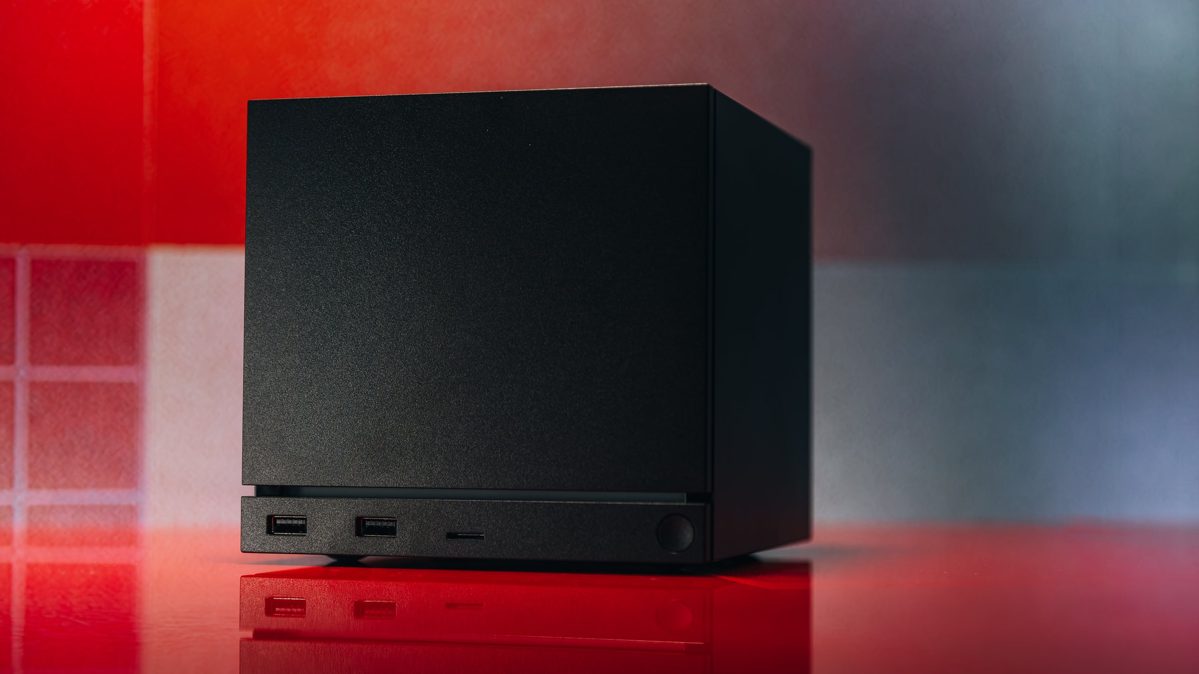
Valve’s Steam Machine case measures 5.98 by 6.1 by 6.4 inches (HWD), a near-cube that’s at home tucked into your TV console or on a shelf. This is admirable, but it also speaks to the Steam Machine’s intended use case. It’s a plug-and-play, set-it-and-forget-it PC that’s more like a game console in practice. Turn it on, choose your game with a controller, and play. While it’s small enough to easily move between rooms or take on a trip, and weighs about what a hefty gaming laptop does (5.7 pounds), this is primarily a stationary PC to play from your couch.
The case is chic and minimalist, too, blending in with most setups (unless you have an aversion to basic-black devices). If your spouse, like mine, objects to clutter or too many visible electronics or cables in the living room, the Steam Machine will likely receive a passing grade. It also has a simple power cable without a power brick, making for a low profile. I’m reviewing the base model of the Steam Machine, so I don’t have Valve’s additional wood or red swappable front panels to try out, which might even better complement your particular living room setup. (For mine, black was fine.)
(Credit: Joseph Maldonado)
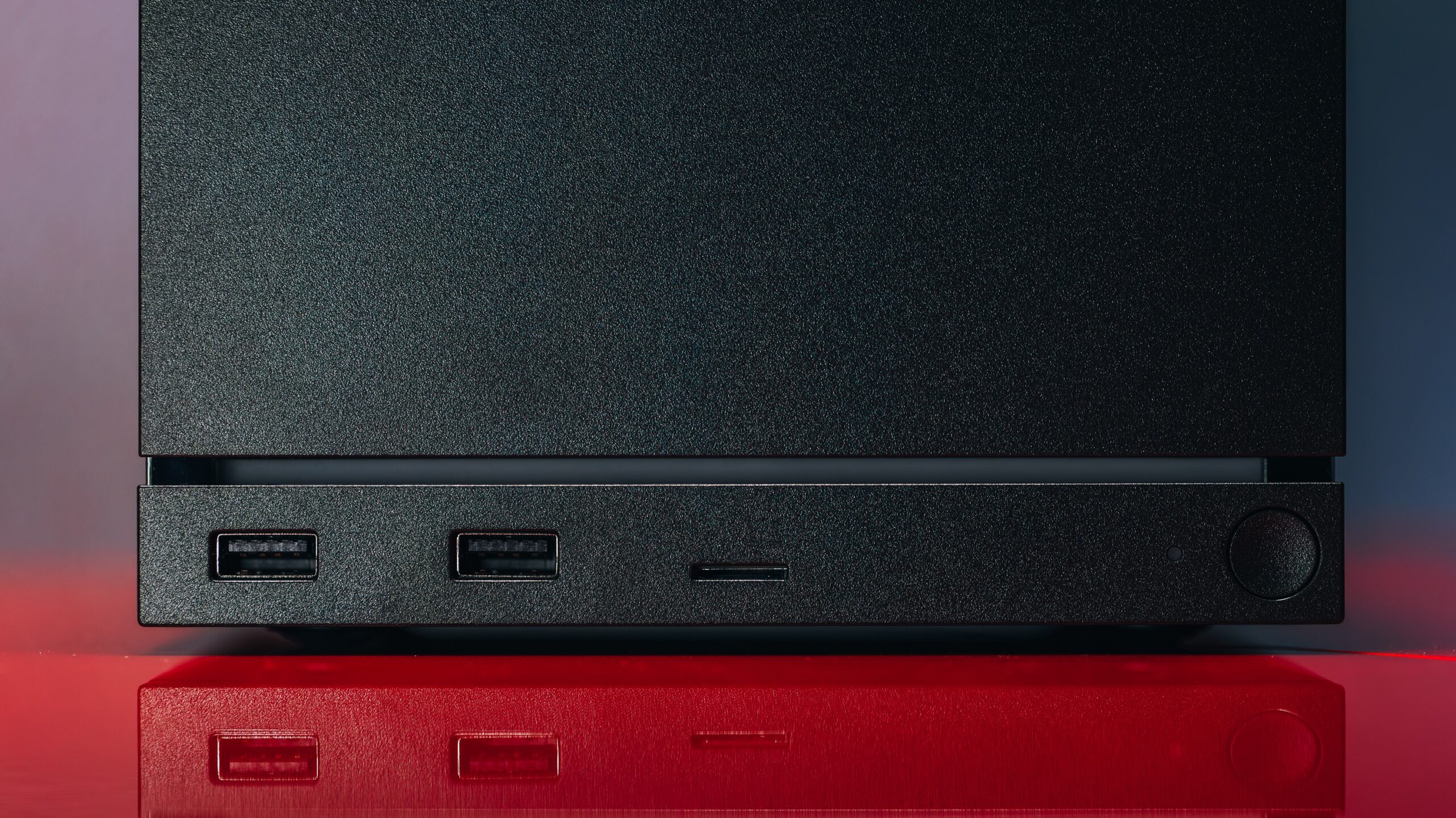
The one design aspect that brings some flash is the chassis’ LED bar. By default, it glows blue, but you can customize the colors and patterns. It also doubles as a progress bar for ongoing downloads, showing the download percentage filling from left to right. It’s a cute inclusion that’s handy if you’re playing a game, killing time, while something else downloads, or you’re watching TV while your game installs. The light can also be a little distracting as part of your main setup, so you’re free to turn it off, too.
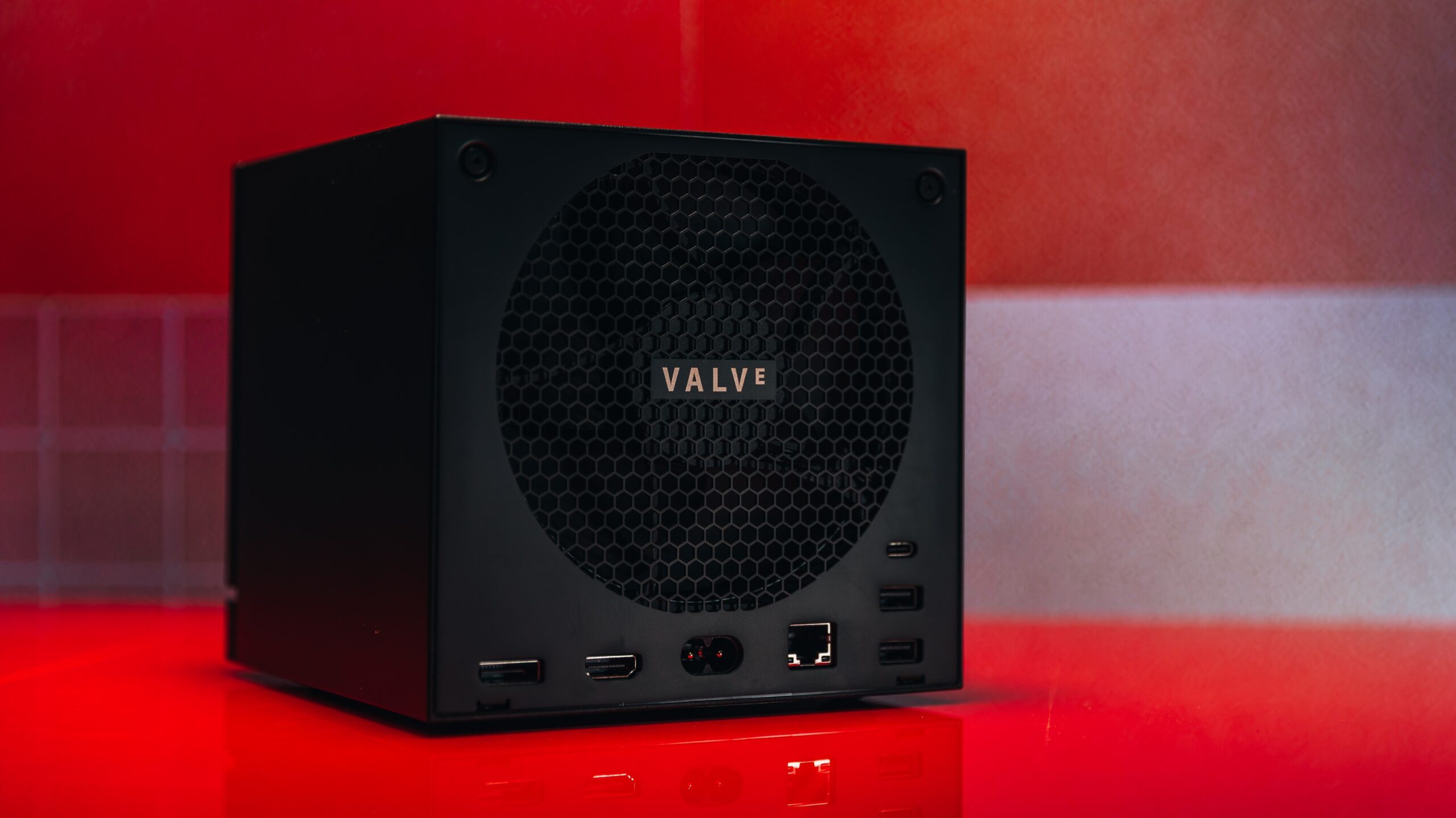
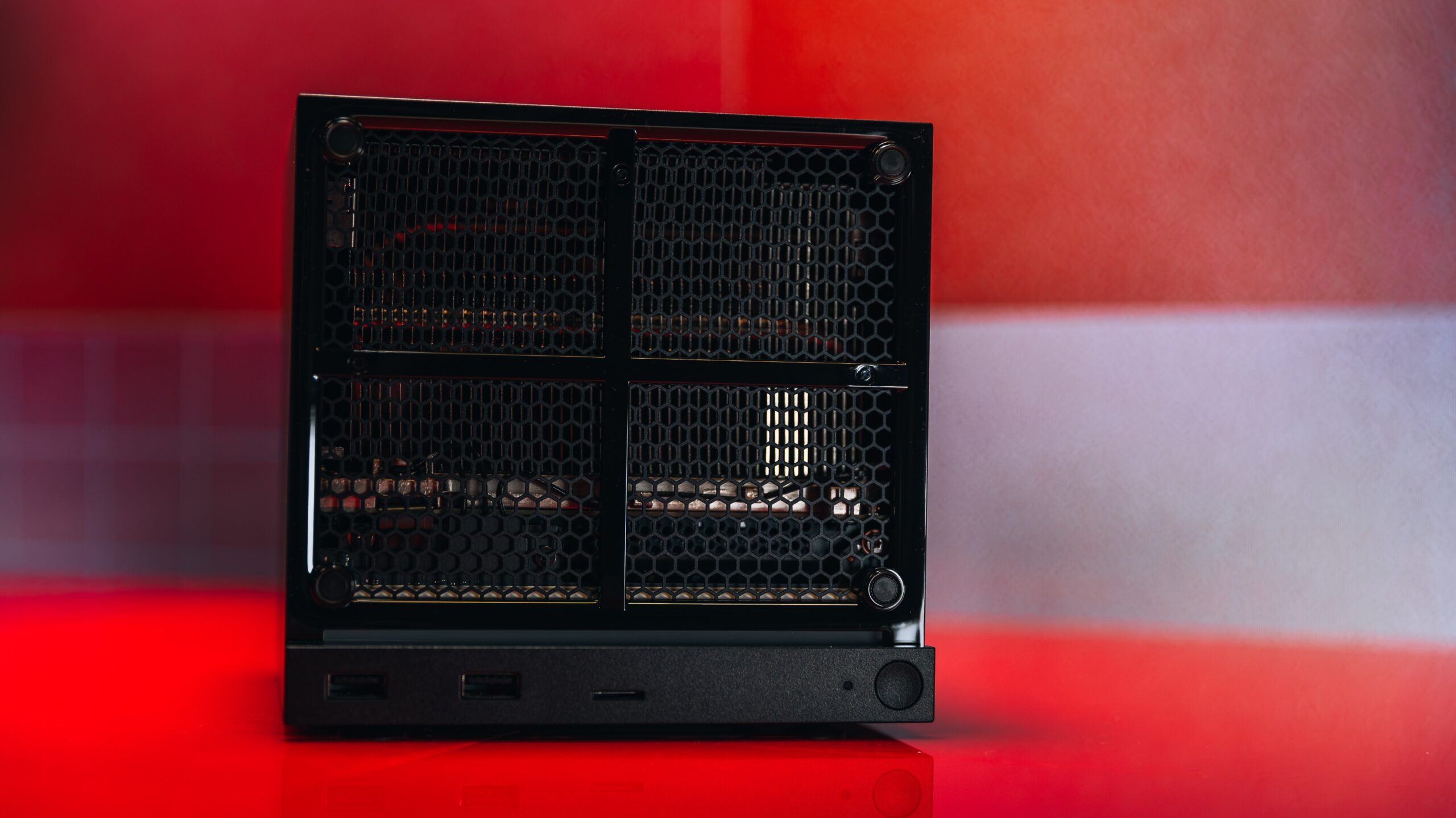
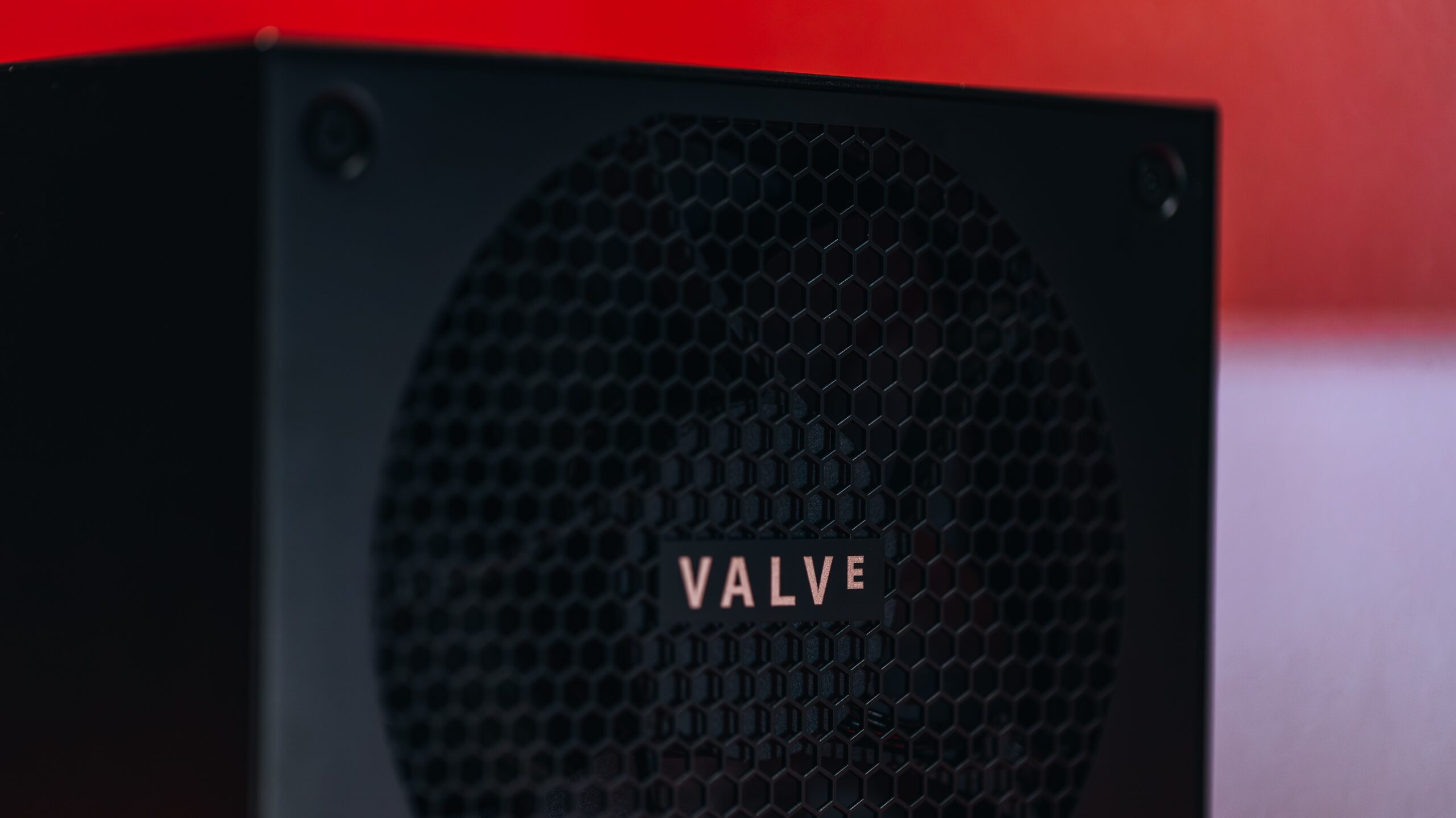
The Steam Machine’s size and simple exterior are appealing, but it’s the internal engineering that makes this device work. Valve clearly put a lot of proprietary design effort into this box; it’s not a matter of putting a case around some readily available parts. The original engineering—an air cooler that takes up most of the inside, front-to-back airflow, and the semi-custom CPU and GPU (more on those next), tuned to work in this environment—was critical to achieving the Steam Machine’s efficiency. This isn’t a desktop built from off-the-shelf parts.
(Credit: Joseph Maldonado)
I couldn’t conduct a full teardown for this review, but the interior isn’t as locked down as you’d expect from a custom design. The memory and storage are user-upgradable, while the CPU and GPU are soldered to the motherboard and can’t be upgraded.
Removing the case and then the fan assembly is fairly straightforward (three sets of Torx T9 screws), but accessing the memory requires extra effort, including removing the sizable cooler. This is more complex than many buyers want, but it is all doable. Be sure to watch a guide and brush up on details before attempting this; Valve partnered with iFixit for guides, with hopefully more to come. The RAM is SO-DIMM-format DDR5, in our model installed as a single 16GB module with a second slot empty. The SSD comes as a 30mm (Type-2230) M.2 stick, but the single slot on the motherboard can take 80mm-long ones.
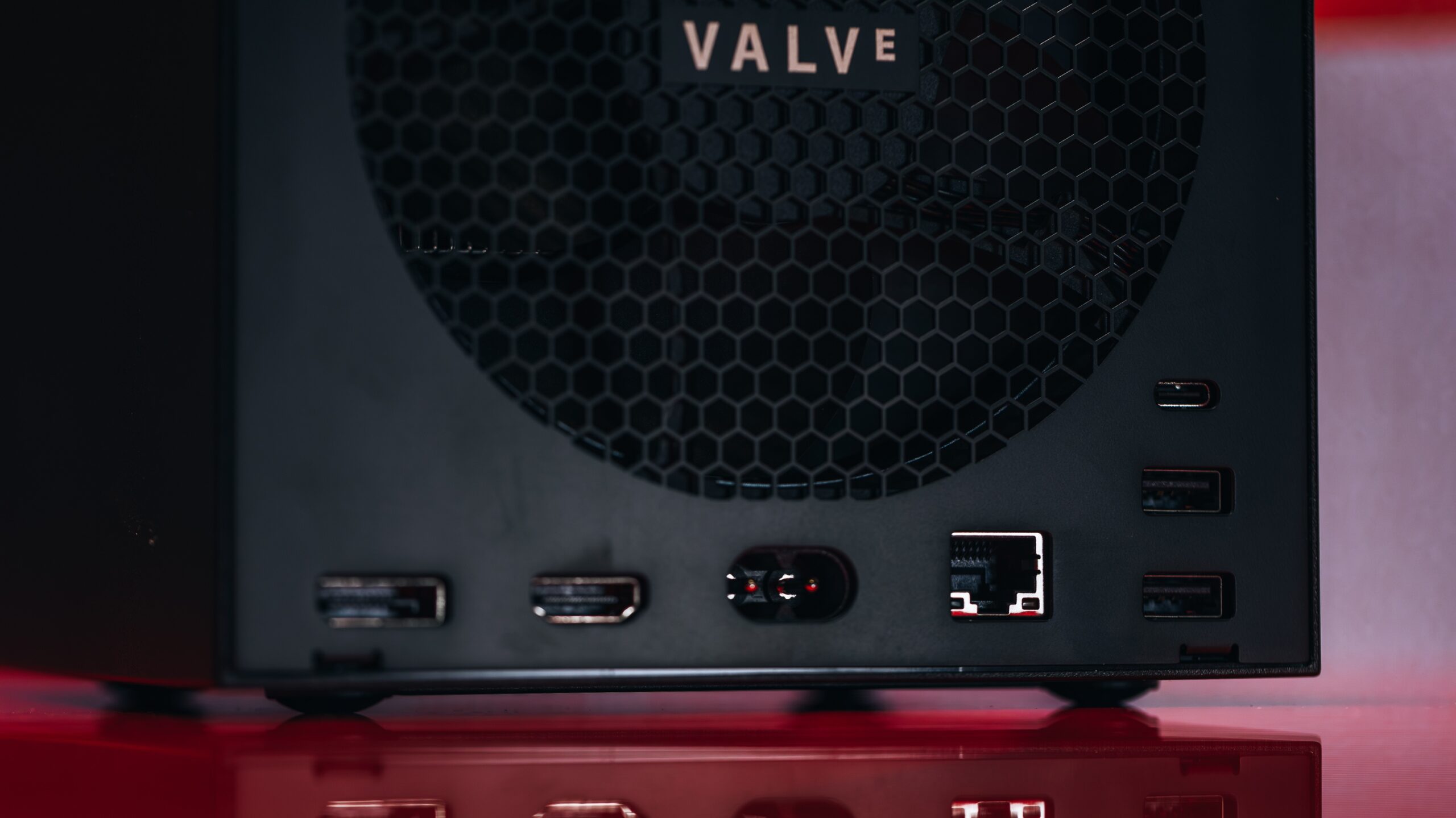
Valve squeezed an impressive number of connections into this case, as well. The Steam Machine includes two USB 3.2 Gen 1 (5Gbps) Type-A ports and a microSD slot on the front, while on the back you’ll find two 480Mbps USB-A 2.0 ports, a USB 3.2 Gen 2 (10Gbps) Type-C port, DisplayPort 1.4 and HDMI 2.0 outputs, and an Ethernet jack alongside the AC power connector.
(Credit: Joseph Maldonado)
Configurations: Semi-Custom Chips and Storage Woes
The Steam Machine comes in two configurations, and each is available with and without the Steam Controller (which we reviewed separately). Grabbing a model now may prove difficult, as Valve has been selling it through a preorder reservation queue, and units are sold out at this writing; check back for another wave, or look for one available
The base model reviewed here costs $1,049, and adding the controller brings it up to $1,128. Valve’s upgraded model is $1,349, and $1,428 with the controller. (We already had the controller on hand from its standalone review, so I used it throughout my time with the Steam Machine.)
Both models share the same core components: a semi-custom AMD Zen 4-based processor, an AMD discrete graphics processor (also semi-custom, based on RDNA 3 architecture), 16GB of DDR5 memory, and a 300-watt (300W) power supply. The difference with the upgraded model is a sizable leap in storage, from a 512GB M.2 SSD up to a 2TB drive. A 512GB drive is simply too small for modern gaming, but it’s no small cost ($300) to leap to 2TB.
The device’s microSD card slot can provide more storage, which may be crucial over time—especially for owners of the 512GB model. As with the Steam Deck, you can even play games directly off the card. Speeds will be slower than a local SSD installation, and your experience with load times and performance will vary by game. But it’s a convenient way to transport or expand your library, and it fits especially well with smaller indie games.
(Credit: Joseph Maldonado)
With these custom parts, gauging their worth differs from the usual PC experience of drawing parallels from names and specs alone. Normally, we’d see a listed graphics card from AMD or Nvidia, and know, roughly, what to expect; everything here is designed to work together. This is where our firsthand testing comes in.
AMD’s CPU houses six cores and supports up to 12 processing threads. It’s rated to run at up to 30W of thermal design power (TDP). The discrete GPU, meanwhile, includes 28 compute units and has 8GB of dedicated GDDR6 RAM, and it runs at up to 110W TDP. (Read the aforementioned guide on configuring your own Steam Machine build for insight around how this stacks up against ready-made PC hardware.)
I find 512GB of storage restrictive in a gaming device. Game installs are larger than ever, and as the first PlayStation 5 model and many budget gaming laptops have shown, 512GB fills up fast. If you play the latest AAA games or any of today’s popular live service games, you’ll find that you can only fit a handful of them on the drive at once. This leads to the famously unfun dance of picking which games to uninstall, or pushing yourself to finish one game before playing another. A microSD slot isn’t the primary storage option for most PCs, but if you’re a Steam Deck user, you can swap your games between the two devices, which is a welcome feature.
Price: The Unavoidable Discussion
While I’d recommend the larger drive in theory (2TB is spacious), therein lies the main rub with the Steam Machine. Considering the $1,049 price is already a tough sell, advocating for more storage is easier than forking up another $300 for it. Price has dominated the discourse around this device from the jump. I’ll get into the performance later, but generally I agree with the prevailing consensus that it’s too expensive for the power its core parts deliver.
I find myself wishing the price was not leading the conversation. The Steam Machine is quite cool on paper and in practice, and it slots well into how I play games. Regardless, you can’t escape the reality of RAMageddon, so I have to acknowledge the high price. Despite generally approving of this machine, it’s difficult to plainly say the Steam Machine is “worth” it; the fact that Valve wanted to sell it for hundreds less than the eventual launch price only stings more.
If the Steam Machine had landed a few years ago, and well under $1,000, it would have been a slam dunk. At this price, the reality is harsher on this device. The limitations—thanks to its already-aging hardware and, arguably, insufficient VRAM—undermine a brilliant concept. Only some of this is Valve’s doing. (The company doesn’t control the PC-component market, after all.) Everyone’s setup, budget, and gaming interests are different, though, so to the question of whether the Steam Machine is worth it? There’s no one answer for most shoppers.
SteamOS and Usability Impressions: A TV-Friendly Interface
Performance-to-price ratio concerns aside, I like the Steam Machine quite a bit. It’s an interesting and potentially important device. Valve’s new box could sell well while providing a roadmap for other hardware makers to create their own console-style PCs. We saw this with Microsoft and its Surface line, leading to a range of 2-in-1 devices from PC manufacturers, and with Valve itself in the Steam Deck, making way for PC handhelds.
The current component market makes it extremely difficult for these Steam Machine-alikes to see prices anywhere near “cheap” at the moment. Regardless, as a proof of concept and legitimate product, the Steam Machine hits both marks. As important as the hardware is to the execution, the software is the key.
(Credit: Joseph Maldonado)
I know SteamOS from years of using my Steam Deck. The experience here is much the same; I think it works just as well on a TV if you use a controller. Signing in to your account is easy, and SteamOS supports multiple account logins; it’s not tied to the account you purchased the hardware through, and you can save and flip between any accounts you’ve logged into on the device.
Once logged in, the interface is clearly labeled, showing your game library alongside filtered tabs that make hunting for games much easier. SteamOS doesn’t support allSteam games, so Valve created a ratings system to address this. You’ll find a tab on your library page for showing compatible games only.
Games are rated as fully compatible, come with various warnings, or are listed as incompatible. Warnings may include that using a controller is difficult for some or all sections of the game (compared with using a mouse and keyboard), that the interfaces may not be easy to control or the right size, or that performance is diminished.
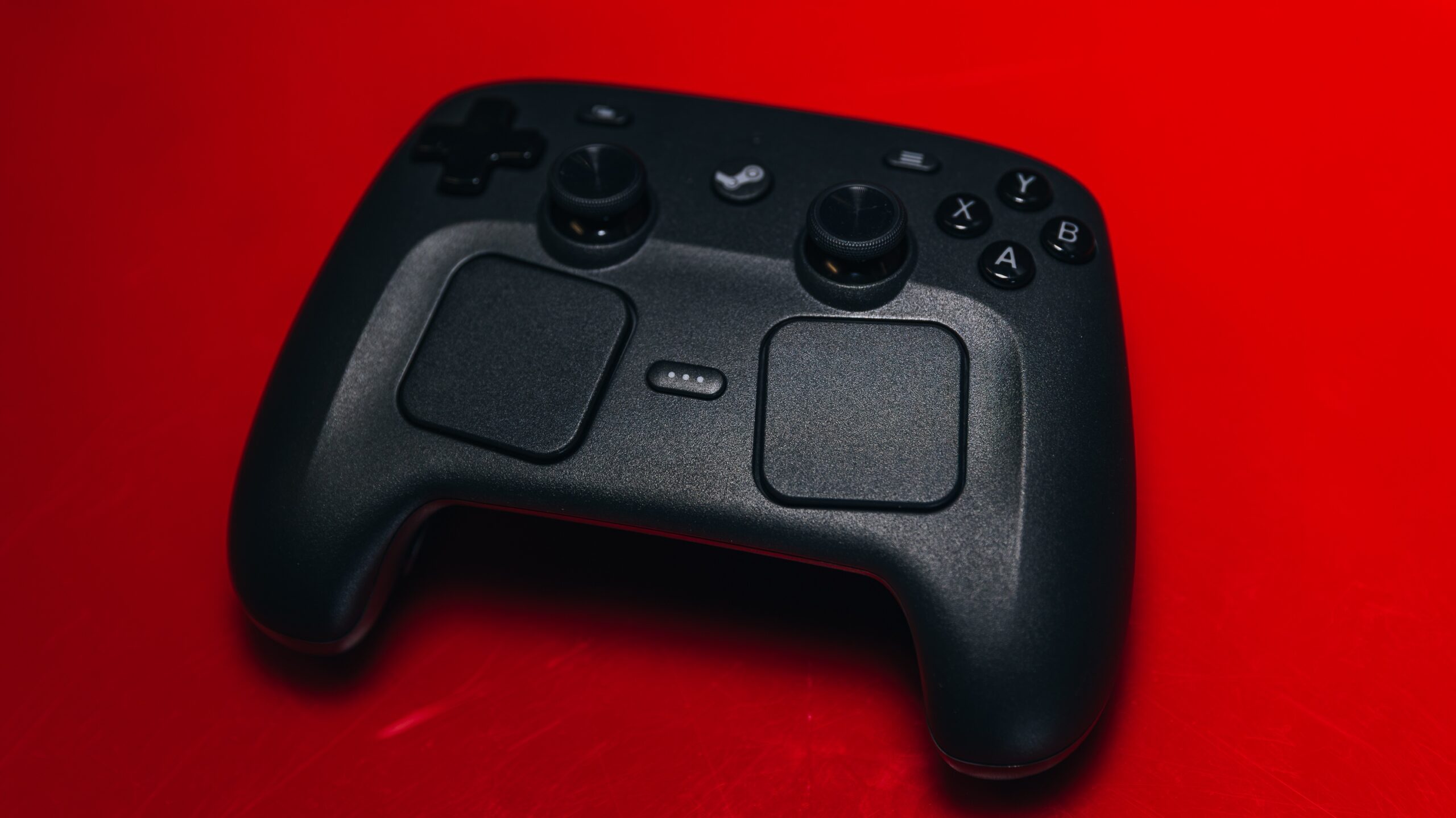
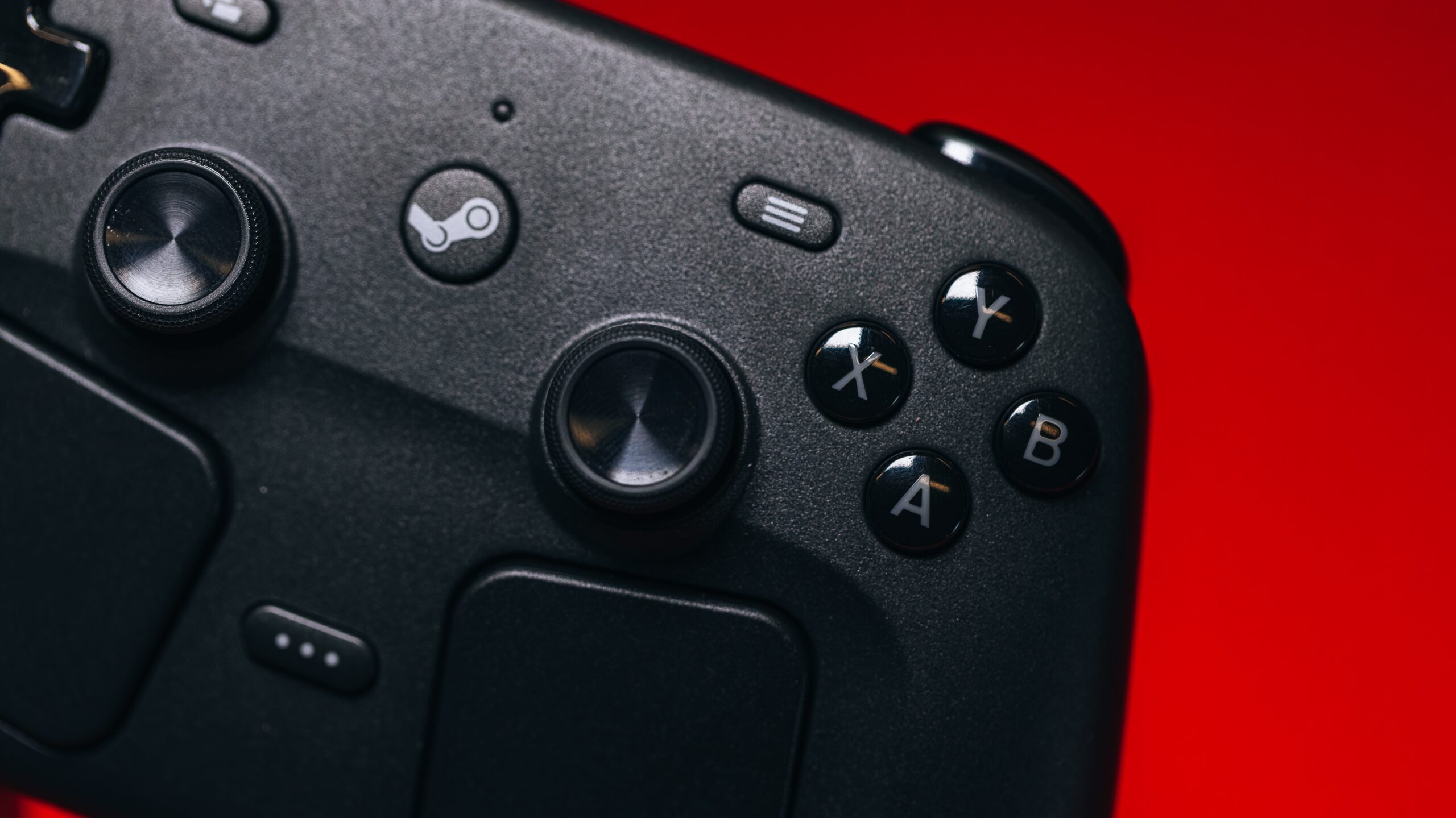
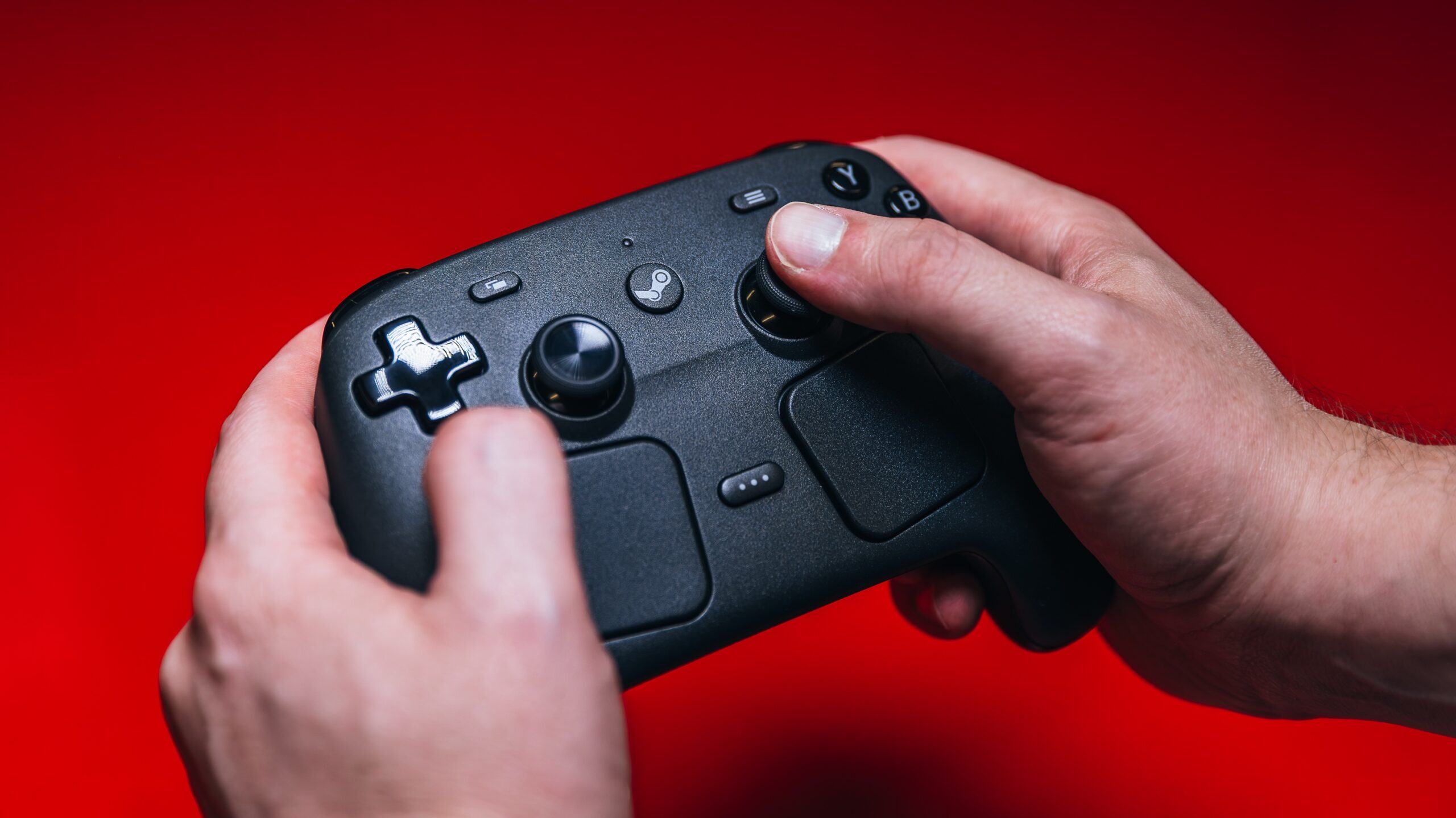
On a related note, you can use a different controller via USB or Bluetooth if you didn’t opt to get a Steam Controller with your Steam Machine. Using Valve’s controller can leverage the Steam Machine’s built-in wireless adapter, so you don’t have to use Bluetooth. Other controllers, like an Xbox controller, will require a Bluetooth or wired connection. (The USB wireless adapter for Xbox controllers, which I use on my PC, will not work on Linux.) If you did buy the Steam Controller, first-time pairing is easy, and SteamOS will walk you through the process. A short setup process, done first over a wired connection, is required, and the controller will likely need to update its firmware.
(Credit: Joseph Maldonado)
Input issues aside, the Steam Machine will have fewer performance-related compatibility issues than the Steam Deck, thanks to superior hardware. Valve has a low performance bar for Steam verification, just 30 frames per second (fps) at 1,920 by 1,080 (1080p) resolution, so this PC can handle manygames by that metric. The Steam Machine also runs on a much more mature SteamOS ecosystem, even if it still has kinks to work out. It’s quite usable, and even pleasant, right out of the box.
To be sure, pulling up the menu you’re looking for requires muscle memory. You’ll stumble at first, but the learning curve isn’t steep. The Steam logo home button pulls up a different set of options than the three-dots button (or the corresponding buttons on a different controller), and knowing which you want takes repetition.
Everything is available if you dig: performance readouts, pending downloads, system settings, and more. On that note, I recommend changing the default frame-rate cap; I want my Steam Machine to clear 60fps when possible, and I bet most of you would. A 60fps cap can help stability in a demanding game, but you can always override with an in-game cap as desired. You can also change the global resolution in the system’s display settings above 1080p, rather than on a per-game basis.
The settings, even within SteamOS, are much more like what you’d see on a PC than a console. I don’t think this device would have appeal if you’re a mainstream shopper looking for a console, especially your onlyconsole. Valve is firm that the Steam Machine is a PC, not a console, and I agree.
That’s exactly what I wanted from this device. I generally play on my desktop, but the idea of carrying cloud saves over to the couch and continuing there seamlessly is appealing. Last year, I even set up our Apple TV with the Moonlight application to stream my desktop to our TV to mimic the same idea. It worked well, but I can’t shake the slight latency, particularly in some games. The Steam Machine solves that issue by running the games locally, and it’s a pleasure. Regardless, spending more than $1,000 is an exorbitant way to accomplish a niche setup.
I’d go so far as to say the more of a tinkerer you are, the more you’ll enjoy and find uses for the Steam Machine. Any “Linux box” ideas you’ve had are possible here, and desktop mode enables them easily.
I didn’t go far in this direction, aiming to keep this review to a reasonable length, and focusing on the device and plug-and-play gaming experience as it is sold. However, you can install your own apps and even another OS onto the Steam Machine. It can serve as a mini PC or other space-saving solution for a home office. I’ve even seen justification for grabbing a mouse and using the Steam Machine as a replacement conduit for watching streaming services on your TV, instead of using certain infamously poor smart TV interfaces.
(Credit: Joseph Maldonado)
It’s unlikely a lot of you would wantto install Windows on this machine, as ditching Microsoft’s OS is part of the appeal. Regardless, Windows has its uses, turning the system into more of a productivity machine (within reason) and enabling certain apps that may require it. Whether with Microsoft’s OS or Linux, you can set up this device as a mini PC and use it at a desk, if not on your main TV, too.
Here’s another consideration for gaming on a Steam Machine: Some games that require anti-cheat software running in the background are not supported on Linux. Windows, of course, would get you around this issue, but you’ll give up SteamOS’s TV-friendly face. At least Steam’s Big Picture Mode on Windows could come in handy.
On the whole, I’d rate the Steam Machine with SteamOS just a tier under“it just works.” It mostlyworks, but between idiosyncratic launcher pop-ups (more on this below), SteamOS game compatibility, and the Linux anti-cheat issue, a few caveats stop me from a full-throated recommendation.
I think most gamers—who, generally, are tech-savvy troubleshooters—won’t be fazed by all this. Regardless, you have to double-check game compatibility, accept that some games won’t run, and put up with a few more roadblocks than on a console. It is a PC, and it does that job on the big screen far better than dragging your desktop into the living room.
Performance Testing: Smooth Mainstream Gaming, Within Reason
For testing the Steam Machine, I put our traditional benchmark suite aside, most of which isn’t particularly relevant. On top of that, two of our three go-to benchmark games (F1 2024 and Call of Duty: Modern Warfare 3) couldn’t run because of the Linux anti-cheat conflict. So much for that.
Shifting gears, I replaced the usual suite with gaming tests that make sense for the Steam Machine. Since we don’t have past data from other systems for these games and settings, these results are more about measuring what this device can do in different scenarios than about head-to-head comparisons.
The one game that carried over from our testing suite is Cyberpunk 2077. It has a wide range of settings, is SteamOS-compatible, and is visually demanding. I ran our usual slate of Cyberpunk subtests, plus a range of additional tests at other settings. Its steep system demands and wide selection of options make for granular benchmarking.
Initial Gaming Tests: A Reliable Mainstream Gamer
The following chart includes Cyberpunk 2077, Red Dead Redemption 2, and Guardians of the Galaxy. I ran Cyberpunk on the Ultra preset (high visual fidelity without ray tracing), the Ray Tracing Low preset (high visual fidelity with low-level ray-tracing effects), and then on the Ray Tracing Overdrive preset (high visual fidelity plus hyper-demanding path tracing). I ran the other two titles at simpler settings: the lowest detail preset, and the highest.
For each game, I ran each preset setting at 1,920 by 1,080 (1080p), 2,560 by 1,440 (1440p), and 3,840 by 2,160 (4K). These were all without the aid of AMD’s FSR image resolution upscaling or frame generation (more about which in a moment).
The Steam Machine posted commanding 1080p numbers across all three games and settings, except with Cyberpunk 2077’s punishing Ray Tracing Overdrive preset. This is the minimum expectation for this device: Launch-and-go 1080p gaming is table stakes for mainstream gamers in 2026. You can use it like a console or as an acceptable replacement for your powerful desktop.
The 1440p tests were a harder battle, falling well short of 60fps in some scenarios. You can enjoy less-demanding games at 1440p, however: A game like Balatro at 1440p will not bring this hardware to its knees. Unsurprisingly, 4K was a lot to ask of this hardware. More surprisingly, Valve initially listed 60fps 4K gaming as a bullet-point attraction for the Steam Machine, before backtracking that claim to “up to 4K with FSR,” which more accurately implies it’s possible in somescenarios. I would not buy this device and bank on playing at 4K.
As for the consistently lowest score, I knew that Cyberpunk’s Ray Tracing Overdrive preset was too much to ask of the Steam Machine, as it is for most PCs. Path tracing is highly demanding, so don’t assume massive underperformance here—it really is that brutal.
The Steam Machine also ran quietly throughout testing. I could hear the device if I put my ear near it, but I wouldn’t call it loud by any means, and you won’t hear it over normal gaming volume or from very far away. That custom engineering, fan assembly, and large heatsink do their job well.
FSR Tests: Upscaling to the Rescue
Considering those frame rates were attained without FSR, the 1080p and 1440p results were encouraging enough. Upscaling is key to most high-fidelity gaming experiences now, doubly so for budget or entry-level systems. One of my favorite things about upscaling techniques is that they enable high-fidelity graphics on less expensive systems. That proved true here, too. I ran the same three games across three resolutions again, but with FSR 2.0 in Cyberpunk 2077 and Red Dead Redemption 2, and FSR 1.0 in Guardians of the Galaxy.
FSR makes a big difference, and while you may not prefer it, you should embrace it here. You can see the jumps in frame rates when you turn on FSR, which can push otherwise too-taxing scenarios into 60fps-plus frame rates. First, look at the 1080p Cyberpunk Ray Tracing Low score, which jumped from 57fps without FSR to 72fps here. Next, notice that the 1440p scores rose to above or near 60fps with FSR.
Depending on the settings and the game, you can turn a stuttery experience into a smoother one. And unlike a console, the Steam Machine supports trying out granular settings to find the right balance of performance versus visual quality. You have the option to add frame generation on top of this in compatible titles, too.
Some More Game Testing: Most Games Run Without a Hitch
In my anecdotal experience, the Steam Machine generally performed well in some additional games I threw its way.
First, I fired up Street Fighter 6 for some rounds online. While the Steam Machine’s frame rates couldn’t reach quite as high as my desktop’s, I noticed no visual or input issues while playing. A frame rate of at least 60fps was a given, and it was easy to pick up and jump into a smooth-playing experience.
The Witcher 3: Wild Hunt also ran well (though less so at higher resolutions). Beyond that, I found that any verified game I tried was plenty playable. You just have to accept that some of your Steam library is a no-go here.
I also played some Cyberpunk 2077, outside of the benchmark test. While the experience can feel a bit “heavy” for a moment in visually dense areas, the game mostly kept a frame rate above 60fps in real play on the Ultra preset, and flipping on FSR stopped any dips below 60fps.
To me, that’s the ultimate compliment for a device like this—I just want to play on the couch without hassle, not monitor frame rates. I already have my desktop to obsess over performance! If you don’t have a more muscular PC gaming system, and you’re eyeing this as your primary device, the Steam Machine is fast enough. It’s far better than the Steam Deck, roughly on par with a console, and behind GeForce RTX 50-series desktop GPUs. The concessions are generally more in line with an entry-level gaming laptop that costs about the same. You’re trading the screen and hyper-mobility for a more TV-friendly experience, which is perfectly reasonable.
My Play Experience: A (Mostly) Streamlined Gaming Gateway
When I received the Steam Machine for review, I was in the middle of a playthrough of Red Dead Redemption 2 on my desktop, making it perfect to experiment with right away. RDR2 has it all for testing: an off-Steam launcher from Rockstar, realistic graphics (with effective optimization), a big open world, and a built-in benchmark. In short, it was easy to pick up my cloud save from my desktop and jump into the game on full visual settings. On the Steam Machine, it ran well, required no customization or controller tweaking, and was enjoyable to play from my couch instead of at my desk.
However, on first bootup (and potentially later ones, if you are signed out), you have to deal with the Rockstar Launcher. This is not a complicated launcher, but consider this representative of something you may run into in other games: The launcher pops up its own window outside of the Steam interface, and the normal Steam controls don’t work here. You’re required to type in your email to receive and input a verification code, and it doesn’t present a keyboard or mouse cursor to do so. On the Steam Controller, pressing the Steam button plus the X button at once pulls up a virtual keyboard, and holding the Steam button while moving the right stick moves the mouse cursor.
Additionally, one time, my cloud saves failed to sync. I loaded RDR2 on my desktop, and it resumed an older save. Maybe I had turned off the Steam Machine too quickly after closing the game, and the save didn’t have a chance to sync. Regardless, I had to navigate the Rockstar pop-up carefully to reconcile the local-versus-cloud-save state differences once I relaunched the game on the Steam Machine, so as not to overwrite my progress.(Credit: Joseph Maldonado)
Other Steam games that require an external launcher are likely to present a similar hurdle, and remember, these are games that are ostensibly “SteamOS-compatible” to begin with. It’s a minor hassle—at least once you look up the controls, or you’re used to them from desktop mode or the Steam Deck—but it represents the sort of friction that may bum out casual gamers. Most games won’t give you this issue, especially fully compatible ones, but expect some speed bumps for games that require external launchers.
Twice, once in Street Fighter and once in RDR2, the device abruptly prompted the dashboard menu and minimized the game. I thought I must have hit a button the first time, but I assumed I was dealing with a software bug when it happened again. I’ve seen references to this quirk when looking up the issue, and hopefully it’s addressed in an OS update. The controller disconnected on me once or twice, too. As smoothly as SteamOS runs on the Steam Machine, another few bug-squashing passes would go a long way.
Again, trialing different games revealed that the Steam Machine’s small SSD can be a major obstacle. I was shocked by how few games were installed when I went to add another and was notified that the drive lacked the space. (This is also where I remembered that even Street Fighter 6 has a 103GB install.) You have to be picky about what’s installed on the 512GB drive at any time, and it really limited how many games I could easily test in a short window without lots of file-shuffling.
In sum: I am both impressed by this machine and would have to think hard about buying one. During the review period, it’s been easy to enjoy the addition to my setup. However, if my own cash were at stake, I would debate it. I like the Steam Machine, but if you’re considering a purchase, my recommendation would have caveats. Personally, I could justify the purchase given how I play games and my platform preferences. I also appreciate Valve’s engineering efforts. Even if the Steam Machine arrived at the wrong time, this is an exciting roadmap for gaming on compact PCs. I hope we’ll see Steam Machine alternatives from other manufacturers that don’t cost as much.
Final Thoughts
Valve Steam Machine Review: Breezy PC Gaming From Your Couch
Valve’s Steam Machine delivers legit living room PC gaming, albeit with just-enough performance and some compatibility caveats. It’s pricey for the parts, but its compact design will blend with your decor better than any traditional gaming rig.
