

Related reads:I Love Handhelds, but I’m Worried the RAM Crisis Is Going to Kill Them
While 2026 has so far been packed with incredible PC games, The Blood of Dawnwalker was the one that I was looking forward to the most. Not only does it come from a game director with an incredible pedigree, but ever since system requirements were first revealed in February, I knew that this game would absolutely punish my PC – and I’m into that.
Luckily, Rebel Wolves has since lightened the system requirements a bit, now only recommending an RTX 4070 Ti for 4K 60fps gameplay, rather than the RTX 5090 I thought it was going to require at the beginning of the year. And now that I’ve had a chance to play it, I’m pleasantly surprised at its performance, even if the visuals are a little mixed.
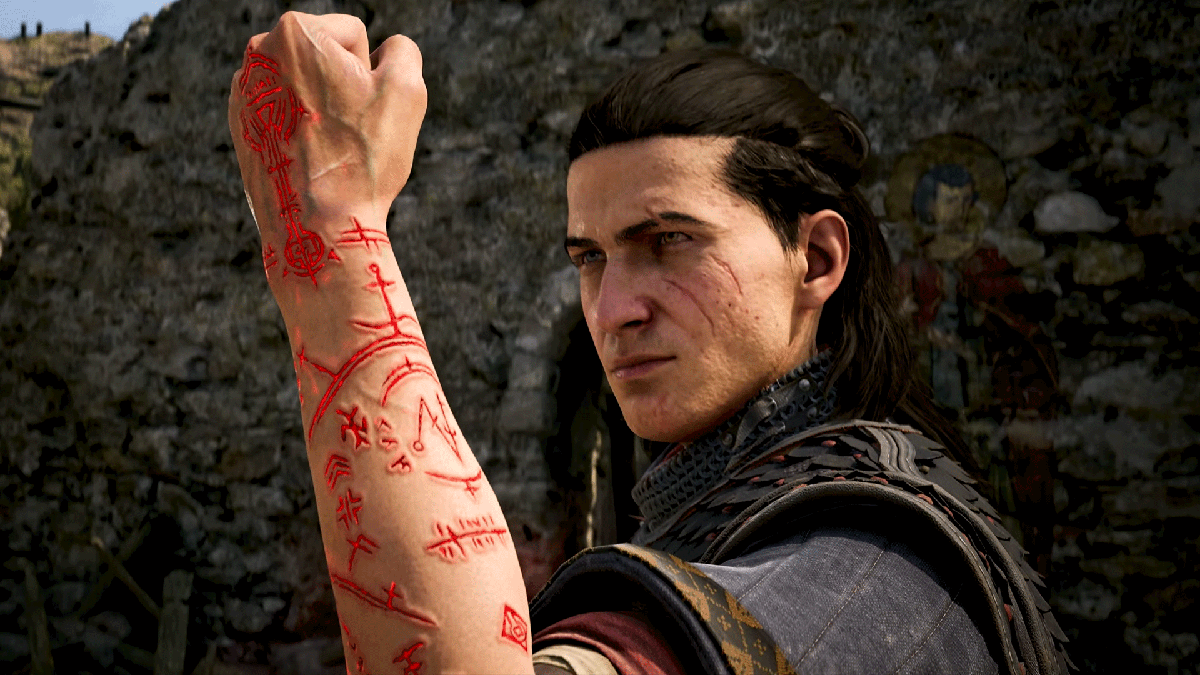
Just like a lot of RPGs of this scope, much of what makes The Blood of Dawnwalker so beautiful is its environments. Just walking through the town and the forest in the opening chapter is jaw-dropping, with realistic foliage and water. The character models don’t quite reach the same fidelity, but I’m ok with that when just walking through the world looks as good as it does.
The Blood of Dawnwalker PC Settings Explained
While The Blood of Dawnwalker is available on Xbox Series X and PlayStation 5, PC is where it truly shines. This game has pretty much every graphics option I’d like in a modern game, and avoids clumping a bunch of graphics techniques into one banner. The game is quite heavy to run maxed out, but there is genuinely enough room to dial it in for better performance, pretty much whichever hardware you’re playing it on.
Keep in mind, though, that The Blood of Dawnwalker is running on Unreal Engine 5. The game handily avoids the kinds of problems that have plagued Star Wars Zero Company and Halo: Campaign Evolved, but it is pretty heavy, especially on your CPU. The game will still run on a handheld, technically, but not particularly well. I played it a bit on the Lenovo Legion Go 2 at the lowest settings at 900p, and got around 24fps indoors. So, I’d stick to your main tower for this one.
But even on a tower, Blood of Dawnwalker can be very demanding. At 4K with DLSS set to Quality and on the Ultra preset, the RTX 5090 gets anywhere from 70–90fps before frame generation. It is incredibly smooth, but that’s the type of performance you’d expect from an RTX 5090.
Here’s my list of recommended graphics settings, so you can spend less time wondering what each option does and more time living your best vampiric life.
Shadow Quality:This one’s pretty simple and just changes the resolution and accuracy of shadows. This game has a lot of dynamic lighting, though, and this is probably one of the first settings I’d turn down to improve performance. But, it is a game where shadows do add a lot to the atmosphere, so you’ll have to weigh the importance there. Mid-Range PC: High; Handheld: Low
Light Quality:It’s hard to tell from looking at this game’s gorgeous lighting, especially in the mornings and evenings, but there is no ray tracing on offer here. Still, this setting will change how detailed lights are, and the intensity of effects like global illumination and diffuse lighting. Turn it down if your performance is struggling. Mid-Range PC: High; Handheld: Low
Reflections Quality:I’ll admit that I’m only a couple of hours into this absolutely massive RPG, but at least in my time with it, there aren’t that many reflective surfaces. Still, this setting will change how detailed screen space reflections are, so turn it down if you start getting performance drops around water or other reflective surfaces. Mid-Range PC: Medium; Handheld: Low
Post-Processing Quality:You’ll be able to toggle individual post-processing features on or off further down in the settings, so this changes how good all of those effects look. I’d keep this up on higher settings if you like a cinematic aesthetic, but you can effectively turn it off if you don’t really care about bloom or motion blur. Mid-Range PC: High; Handheld: Low
Texture Quality:This mostly affects how much VRAM the game is going to eat up. I’ve spent most of my time in this game with this maxed out, and the game ate up about 10–12GB of VRAM. So I’d stick to Ultra on 16GB plus, High on anything from 8–12GB and medium or low if you have less than 8GB of VRAM. This should be one of the first things you turn down if you start running into stuttering.
Effects Quality:This mostly affects particle effects, and there are surprisingly a lot of them in this game. This is going to be heavier on your CPU than anything, so I’d turn this down if you’re getting bottlenecked there. Mid-Range PC: Ultra; Handheld: Low
Shading Quality:This is just another way to scale the lighting in Blood of Dawnwalker. I’d turn this down early if you’re struggling to hit 60fps. Mid-Range PC: High; Handheld: Low
Foliage Quality:Simply put, foliage in this game is gorgeous, almost at the same level as something like Assassin’s Creed Shadows. But, if you notice your performance start to tank when you’re running around in the wilderness, you should probably drop this to a lower setting. But, really you should at least try running it a higher setting just to see what it looks like. Mid-Range PC: Medium or High; Handheld: Low
Detail Quality: Maybe it’s just me, but having the option to tweak “Detail Quality” feels a little like changing “Detail Details.” Regardless, this changes a lot of volumetric effects like fog, along with destructible objects. I’d turn this down if you’re running into CPU issues. Mid-Range PC: Medium; Handheld: Low
Volumetric Quality:This setting also changes volumetrics, but focuses more on their resolution. I’ll always turn volumetrics down before anything else, and that doesn’t change in Blood of Dawnwalker. Mid-Range PC: Medium; Handheld: Low
Upscaling Technology:Unlike a lot of other Unreal Engine 5 games, Blood of Dawnwalker doesn’t try and shove TSR down your throat. Instead, Blood of Dawnwalker supports all three major upscalers from GPU manufacturers and the one you should choose depends on which graphics card you’re using. Nvidia users should use DLSS, AMD users should use FSR and Intel users should use XeSS.
Upscaling Mode:Because this game is hard to run, I’d go with upscaling on performance mode if you’re struggling to hit 60fps. However, keep in mind that performance mode will look pretty rough on lower resolutions, so you might want to lower lighting settings first.
Frame Generation:This uses AI to insert interpolated frames in between rendered frames. This will nearly double your frame rate, but will increase latency by a little bit. But because this isn’t a competitive game, and isn’t even that fast-paced, I’d recommend just turning this on, especially if you have a high-refresh rate gaming monitor.
Motion Blur:This is just a toggle to either enable or disable motion blur. I hate motion blur, you might love it. It’s really up to you. It won’t affect performance all that much either way.
Bloom:This is another toggle, but this time for Bloom. These are the little rays of light that you sometimes see coming off of the sun or something. This will affect performance a bit, so I’d turn it off if you’re playing on a low-end GPU. But for most people on a modern gaming PC, it probably won’t make that much of an impact.
Chromatic Aberration:This is an effect that tries to mimic a camera lens. I don’t notice much of a difference whether its enabled or not, so I’d try it each way and see what you prefer. This won’t affect performance much if at all.
Depth of Field:This will blur distant objects, especially in cutscenes. This is a nice effect, and I usually leave it on, but turn it off if you want everything to be crystal clear.
Jackie Thomas is the Hardware and Buying Guides Editor at IGN and the PC components queen. You can follow her @Jackiecobra
Related reads:The Lenovo Legion Go 2 Finally Comes With SteamOS At CES 2026
