
Close Menu

    Subscribe to Updates

    Get the latest creative news from FooBar about art, design and business.

    What's Hot

    Katharine Kan, Librarian and Comics Advocate, Dies at 71

    November 10, 2026

    9 TV Shows That Took Aim at Trump (Some More Subtly Than Others)

    November 10, 2026

    Houston Texans, LOVB Houston, and Lone Star Sports & Entertainment Partner With Bilt On Year

    November 10, 2026
    Facebook X (Twitter) Instagram
    Facebook X (Twitter) Instagram YouTube TikTok
    Comic Vibe
    Tuesday, November 10
    • Home
    • Comics
      • Comic Vibe News
    • Gaming
    • Movies
    • TV
    • Anime
    • Toys & Collectibles
    • Cosplay
    • Tech
    • Digital Culture
      • Creators & Fan Culture
      • Creator Economy & Fan-Driven Platforms
      • Digital Fandom & Online Communities
      • Metaverse & Virtual Worlds
      • NFTs & Digital Collectibles
      • Virtual Events & Online Conventions
      • Virtual Identity & Avatars
    • Shop
    Comic Vibe
    • Home
    • Contact Us
    • Terms & Conditions
    • Advertise With Us
    • DMCA Policy
    • Privacy Policy
    • About Us
    Home»Tech»SteamOS Update Brings New Features and Streaming Improvements
    Tech

    SteamOS Update Brings New Features and Streaming Improvements

    JamesBy JamesOctober 21, 2026No Comments4 Mins Read
    Facebook Twitter
    SteamOS Update Brings New Features and Streaming Improvements
    Share
    Facebook Twitter

    SteamOS update introduces big art mode, OLED screensavers, improved proton compatibility, and enhanced PC game streaming for Steam Deck users.

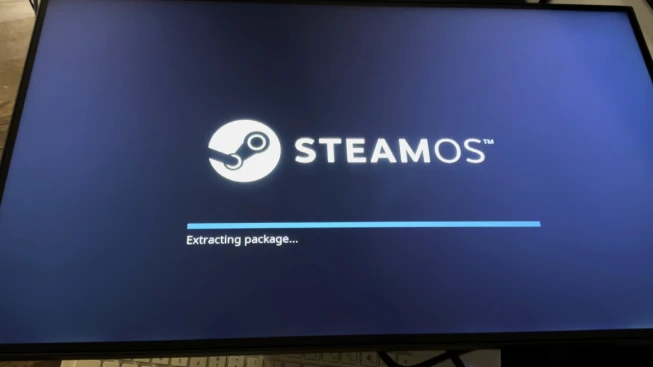
    SteamOS continues to receive updates that change the gaming experience on the Steam Deck and other devices. The latest client update changes the home screen, screensavers, Proton compatibility settings, non-Steam game support, and PC-to-Steam Deck game streaming.

    Valve has released a new update for the latest SteamOS client. After installing the update and restarting the device, check whether the changes affect the Steam Deck experience and whether the Decky plugin still works. Sometimes, updating SteamOS requires a new version of Decky, which can cause the plugin to stop working until you reinstall or update it.

    SteamOS Update and Decky Plugin Compatibility

    After the update, we can see an orange dot next to Decky, indicating that something needs attention. In this case, the ProtonDB Badges plugin has an available update. After updating ProtonDB Badges, we can check the Decky plugin itself. No additional updates are available, and everything appears to be working as expected. SteamOS update hasn’t broken the Decky plugin, which is a good sign.

    The latest SteamOS update includes Big Art Mode, which changes how games appear on the home screen. To enable it, we can go to Settings, select Home, and turn on Big Art Mode. The feature seems designed for TVs and devices like the Steam Machine, but we can also use it on the Steam Deck.

    After enabling the setting and returning to the home screen, we can see artwork displayed behind the games. The artwork works like a wallpaper, but it also moves around, giving the home screen a more dynamic appearance. Each game now has its own artwork, changing the way the library looks. This feature may be most useful when the Steam Deck is docked or connected to a TV, but it also works well on the handheld screen.

    SteamOS Adds Screensavers for OLED Devices

    Another addition is the screensaver feature, which is useful for OLED devices. Leaving a static image on an OLED screen for extended periods can contribute to image retention and, over time, permanent burn-in. Screensavers can help reduce this risk by changing what appears on the screen.

    To access the feature, go to Settings and select Customization, then choose a screensaver from the Screensaver section. The first is a game slideshow screensaver, while the second displays a bouncing logo that moves around the screen. The bouncing logo moves and changes its position instead of remaining static.

    We can preview the animation to see how it works. The movement is limited, with the logo shifting and zooming slightly, but it helps prevent the same image from remaining in one position for extended periods. The game slideshow screensaver cycles through the library and displays each game’s main artwork. This option lets you show game images when the device isn’t in use.

    The updated SteamOS client also introduces a Recommended tab that displays information about upcoming games that might interest users. The feature includes a personalized calendar of upcoming game releases, so you can see what’s coming without opening the store separately. It tries to recommend games based on what the user might like.

    The latest update also changes how it handles non-Steam games.

    Previously, adding a non-Steam game could require manually configuring the game to use Proton before it would work. With the new update, SteamOS handles this configuration automatically. This removes an extra step when adding games that are not available through Steam.

    The change also reflects Valve’s approach to supporting games outside its own store. You can add non-Steam games and use Valve’s technology to run them without manually configuring Proton every time. This makes it easier for users who want to play games from other launchers or

    The update also changes the compatibility settings available for individual games. When you open a game’s Properties and select Compatibility, the interface now lets you choose a compatibility tool more directly. The default compatibility tool is available alongside Proton Stable and Proton Experimental. You can also select other installed versions from the list.

    No Data.

    Brings Features SteamOS Streaming Update
    Share. Facebook Twitter
    Previous ArticlePreview: Darth Vader wields the Infinity Gauntlet in STAR WARS
    Next Article To LOVE-Ru Creator Kentaro Yabuki Draws Nami for ONE PIECE Card Game
    James

    Related Posts

    VR tool reveals how sea level rise could swamp Fort Lauderdale

    November 10, 2026

    Steam update introduces important feature for users wanting to squeeze more out of their hardware

    November 10, 2026

    SteelSeries Rival Pro Mini Gaming Mouse (Hardware) – Review

    November 10, 2026

    Pixelworks stock surges on multi

    November 10, 2026
    Leave A Reply Cancel Reply

    Our Picks

    Katharine Kan, Librarian and Comics Advocate, Dies at 71

    November 10, 2026

    9 TV Shows That Took Aim at Trump (Some More Subtly Than Others)

    November 10, 2026

    Houston Texans, LOVB Houston, and Lone Star Sports & Entertainment Partner With Bilt On Year

    November 10, 2026

    Medical Care Technologies Inc. (OTCID:MDCE) Subsidiaries to Manage $20 Million in Private Collectibles Assets

    November 10, 2026
    • Facebook
    • Twitter
    • Instagram
    • YouTube
    • TikTok
    • Telegram
    Don't Miss
    Creators & Fan Culture

    Fandom takes center stage as Disney’s sports, TV and film powerhouses command the North Javits Center

    By JamesJuly 21, 20260

    Josh D’Amaro made his Upfront debut as CEO alongside a sweeping lineup of more than 100 on-stage stars — supported by an incremental 100+ talent appearances – including Robert Downey Jr., Anne Hathaway, Lindsay Lohan, Shaquille O’Neal, Ewan McGregor, Oliperformance from GRAMMY®-winner and Disney alum Oli

    Highlights and announcements from Anime Expo 2026

    July 21, 2026

    See some slippery Salmonids, soon to be skilfully splatted in Splatoon Raiders

    July 21, 2026

    Stan Lee Documentary Details Alleged $21M Scheme by Former Manager

    July 21, 2026

    Subscribe to Updates

    Get the latest creative news from SmartMag about art & design.

    About Us
    About Us

    Comic Vibe is a pop-culture destination created for fans who live and breathe comics, movies, anime, TV shows, gaming, tech, cosplay, and collectibles.

    Our mission is to deliver engaging news, reviews, features, guides, and opinions that celebrate geek culture in all its forms. From the latest comic releases and blockbuster films to anime trends, gaming updates, cutting-edge tech, and collector culture, Comic Vibe brings everything together in one vibrant hub.

    Our Picks

    Katharine Kan, Librarian and Comics Advocate, Dies at 71

    November 10, 2026

    9 TV Shows That Took Aim at Trump (Some More Subtly Than Others)

    November 10, 2026

    Houston Texans, LOVB Houston, and Lone Star Sports & Entertainment Partner With Bilt On Year

    November 10, 2026

    Subscribe to Updates

    Get the latest comics, anime, movies, TV, gaming, cosplay, and pop culture news delivered directly to your inbox. No spam—just the stories every fan should know.

    Facebook X (Twitter) Instagram YouTube TikTok
    • Home
    • Contact Us
    • Terms & Conditions
    • Advertise With Us
    • DMCA Policy
    • Privacy Policy
    • About Us
    © 2026 Comic Vibe. Designed by Comic Vibe.

    Type above and press Enter to search. Press Esc to cancel.