

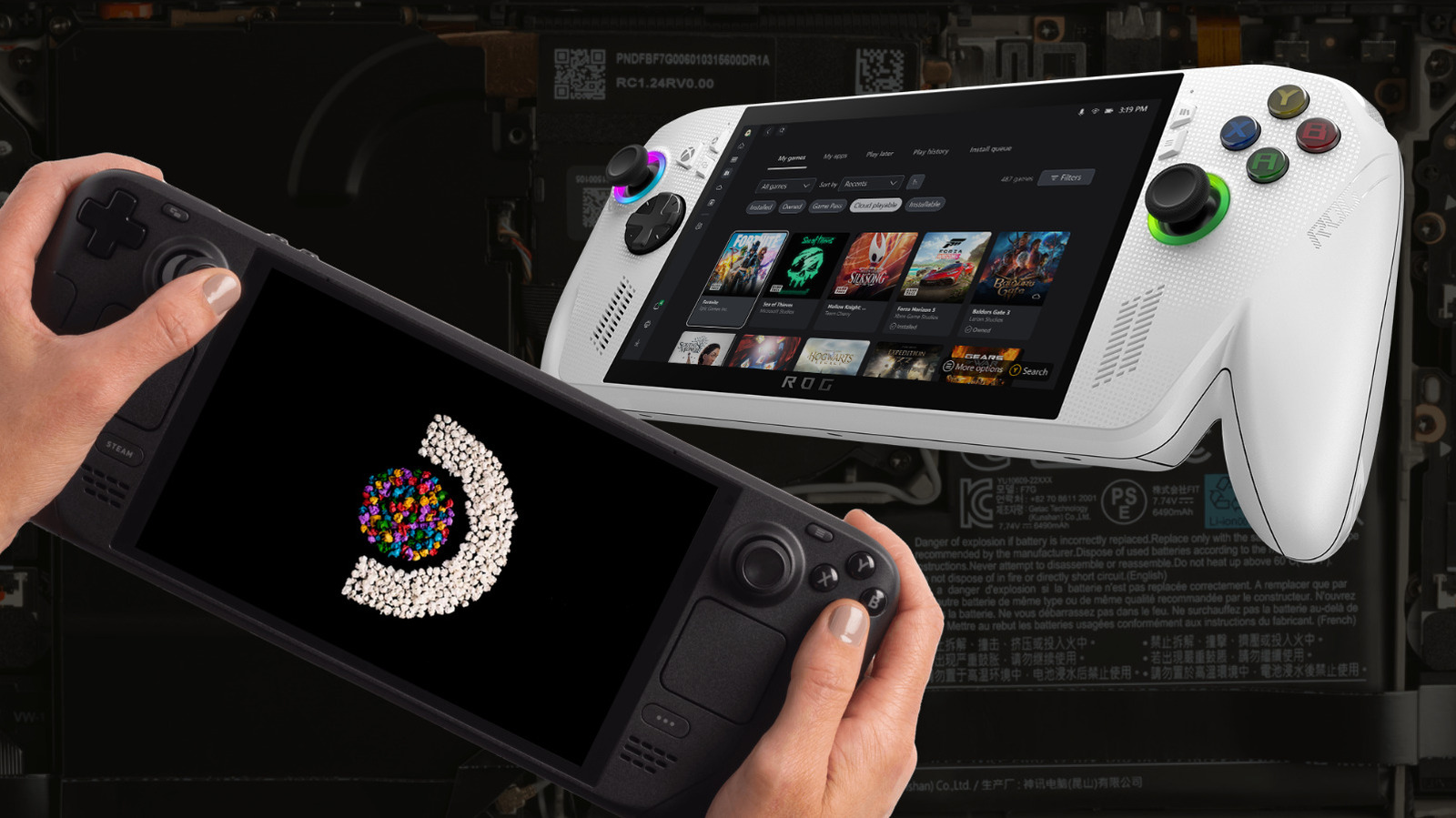
Thinking about stepping into the world of portable PC gaming? Choosing the right handheld can feel surprisingly overwhelming. Transitioning from traditional home consoles like PlayStation 5 or Nintendo Switch usually means navigating complex hardware specifications, power profiles, and unfamiliar operating systems. But is it worth buying a handheld over a proper portable desktop replacement like a solid gaming laptop? While gaming laptops can provide impressive graphical output, modern handheld PCs are a far more convenient, couch-friendly experience that don’t require dedicated desk space. Both Steam Deck OLED and ROG Xbox Ally seem great across the board, so which one is better for a beginner?
Both of these handhelds are the best entry point into handheld PC gaming for those who want to transfer over from consoles without the headaches. Valve built Steam Deck OLED as a streamlined, console-like handheld that prioritizes display quality and software simplicity out of the box. Meanwhile, ASUS and Microsoft co-developed the ROG Xbox Ally as a compact Windows 11 PC engineered for multi-storefront flexibility and system power. Beginners likely won’t care about chasing 120 frames per second at ultra settings or installing different operating systems and software extensions. They’ll want consistent performance, straightforward navigation, and a handheld device that works as it should out-of-the-box.
Hardware specs favor the ROG Xbox Ally, but real performance is nuanced
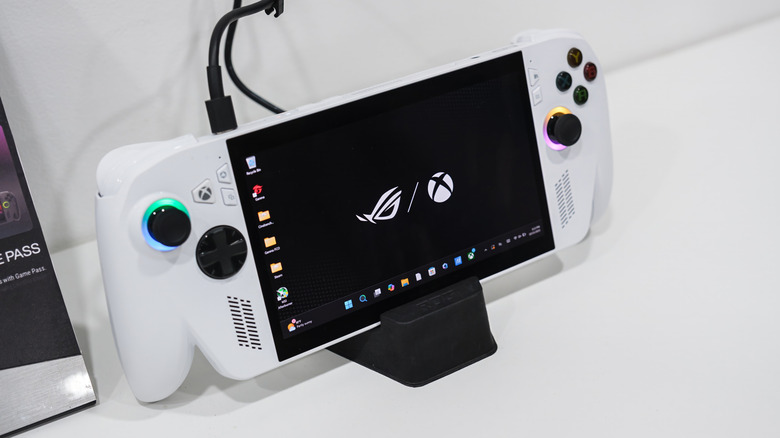
On paper, internal component specifications put the ROG Xbox Ally in the lead here. It rocks an AMD Ryzen Z2 A processor featuring four cores, eight threads, and boost speeds up to 3.8 GHz, alongside 16GB of LPDDR5 RAM and a 512GB PCIe 4.0 NVMe SSD for the base model. Valve takes a different approach with its custom 6nm AMD APU that pairs four Zen 2 CPU cores with eight RDNA 2 compute units. When running demanding AAA titles like “Cyberpunk 2077” or “Elden Ring” at high power profiles, the hardware inside the ROG Xbox Ally hits higher peak frame rates than Valve’s platform.
However, raw peak performance doesn’t represent the day-to-day experience of these handhelds. Operating a handheld at maximum wattage drains battery life rapidly, forcing players to be tethered to expensive power banks and wall outlets. Valve kept efficiency in mind when engineering its custom APU, with power draws between 5 and 15 watts while running AAA titles like the aforementioned “Elden Ring” and “Cyberpunk 2077,” maximizing gameplay time away from a power socket. For beginners who want home console power on the go, the ROG Xbox Ally has the better specifications, but still won’t scratch that itch. Maingear Ultima 18 gaming laptops come loaded with up to an Nvidia RTX 5090 and are a full-on desktop PC replacement, but they’re also six times the price of the Ally.
Display quality and physical comfort give Valve’s handheld a major daily edge
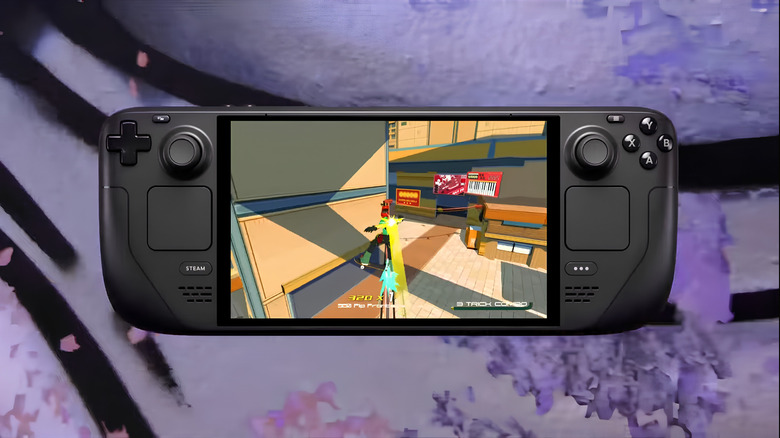
Beyond frame rates, the physical interaction beginners will have with a PC handheld will shape their initial opinions and everyday gaming sessions. The ROG Xbox Ally rocks a 7-inch 1080p IPS LCD panel running at a 120Hz refresh rate with AMD FreeSync Premium variable refresh rate support and 500 nits of peak brightness. Valve offers a 7.4-inch 90Hz OLED screen running at 800p resolution and a 90hz refresh rate. While 1080p provides a higher pixel density on paper, Valve’s OLED panel delivers rich color saturation, true black levels, and peak HDR brightness reaching up to 1,000 nits. In dark, atmospheric titles like “Hades,” the visual punch of OLED technology outperforms the higher resolution of a standard LCD panel.
Physical ergonomics are equally important for beginners who want to settle into extended play sessions without hand fatigue. The Steam Deck OLED weighs 640 grams and features deep, sculpted palm grips alongside capacitive dual trackpads that make navigating desktop mouse interfaces intuitive. The ROG Xbox Ally weighs 670 g (1.48 lbs) and features left and right Hall Effect analog triggers alongside assignable back buttons. While its Hall Effect triggers offer smooth input resistance, the lack of built-in trackpads forces beginners to rely on a touchscreen or thumbsticks for pointer navigation. Like a lot of electronics these days, the Steam Deck OLED is assembled and made in China, allowing Valve to take advantage of shorter lead times and lower labor costs.
Xbox Mode or SteamOS?
Beginners want a frictionless experience with their PC handheld operating systems, to the point where it can be the difference between picking the Steam Deck OLED powered by SteamOS or the ROG Xbox Ally powered by Windows 11 and its exclusive Xbox Mode. Beginners might bite off more than they can chew turning Windows 11 into an optimized platform for gaming; there’s a lot of manual bloat-removal to get the best performance out of an ROG Xbox Ally. With that being said, Xbox Mode is designed to streamline access to Game Pass, Epic Games Store, GOG, and more. This grants instant access to multiple PC storefronts without workarounds, but Windows 11 is designed for monitors, not handhelds. Navigating system pop-ups, managing driver updates, and using an on-screen virtual keyboard on a 7-inch display means Xbox Mode has some issues that need ironing out.
Valve, on the other hand, has SteamOS, a Linux-based operating system designed specifically for controller input. Turning it on brings beginners directly into a clean dashboard where games feature clear verification badges indicating out-of-the-box compatibility. SteamOS also supports a fast sleep and resume feature, allowing gamers to suspend their gaming session instantly with a press of the power button and resume hours later without restarting the game. The only issue with SteamOS is that it can’t run some competitive games with kernel-level anti-cheat enabled. So games like “Fortnite,” “Call of Duty: Warzone,” and “Apex Legends” won’t run. But for beginners looking for a console-like experience, Valve has this one in the bag with the Steam Deck OLED. However, much like Xbox Mode, if you want to tweak things, you’ll need the virtual keyboard and, unlike Windows, Linux command line knowledge.
Retro game emulation
For beginners wanting to have a handheld PC with an epic retro games library, both the Steam Deck OLED and the ROG Xbox Ally make for great emulation platforms. The ROG Xbox Ally has the higher computational headroom on its AMD Ryzen Z2 A processor, allowing it to handle emulation for demanding systems like Nintendo Switch, PlayStation 3, and Xbox 360 at full speed with upscaled resolutions. Because the handheld runs native Windows 11 Home, downloading standalone emulators and organizing game directories is just like setting it all up on PC. Sometimes it’s not easy, especially for more recent systems, but it’s beginner-friendly for those who know a thing or two about emulation.
Valve’s Steam Deck OLED relies on community software suites like EmuDeck, which automatically configure emulators and import box art directly into a user’s Steam library. While fifth- and sixth-generation console platforms run smoothly on Valve’s custom APU, heavier emulation can occasionally push its hardware harder than the higher clock speeds of the Ryzen Z2 A chip. Beginners who prioritize simple setup routines will appreciate the automated installers on SteamOS, but it’s probably a good idea to upgrade the internal SSD for beginners planning on big libraries for newer retro gaming. There are pros and cons to both consoles here, but the overall better emulation experience is going to be on Windows 11, especially when the aforementioned EmuDeck experience is also available there.
Steam Deck OLED delivers the hassle-free experience that newcomers need

Selecting the ideal handheld PC ultimately depends on what beginners value most in a portable system. For newcomers who want to turn on a device, purchase a game, and start playing immediately without configuring graphics settings or managing system drivers, the Steam Deck OLED is going to come out on top. Its polished software ecosystem, vibrant HDR display, dual trackpads, and efficient battery life remove the typical friction associated with PC gaming.
The ROG Xbox Ally remains a great choice for gamers used to customizing their PC experience by running debloating and optimization command lines and programs. Xbox Mode also kills background processes while showing your entire game collection from multiple storefronts in one place. But for non-technical users making the leap from home consoles, Valve’s seamless user interface and optimized hardware offer a far more welcoming entry point. For a bigger step up in performance (and price) on a Windows platform, the ROG Xbox Ally X is a powerhouse fueled by AMD’s Ryzen AI Z2 Extreme processor, representing a noticeable improvement over the ROG Xbox Ally. But when it comes to a clean and frictionless first-time experience, the Steam Deck OLED sets the benchmark for beginner-friendly handheld PC gaming.
Methodology
To determine which portable gaming PC offered the most accessible entry point for beginners, we evaluated both devices across key consumer categories: software setup simplicity, display quality, physical ergonomics, battery efficiency, and software friction. Rather than prioritizing raw benchmarks or maximum frame rates at unsustainable wattage levels, our analysis focused on real-world playability in popular titles like “Cyberpunk 2077,” “Elden Ring,” and more.
We looked at real-user feedback, verified manufacturer specifications, and personal hands-on experience to judge operating system stability, sleep and resume functionality, and out-of-the-box navigation. Our recommendations favor hardware and operating system combinations that minimize setup headaches, allowing non-technical gamers to enjoy high-quality gaming without requiring extensive system troubleshooting or manual file modification.
