

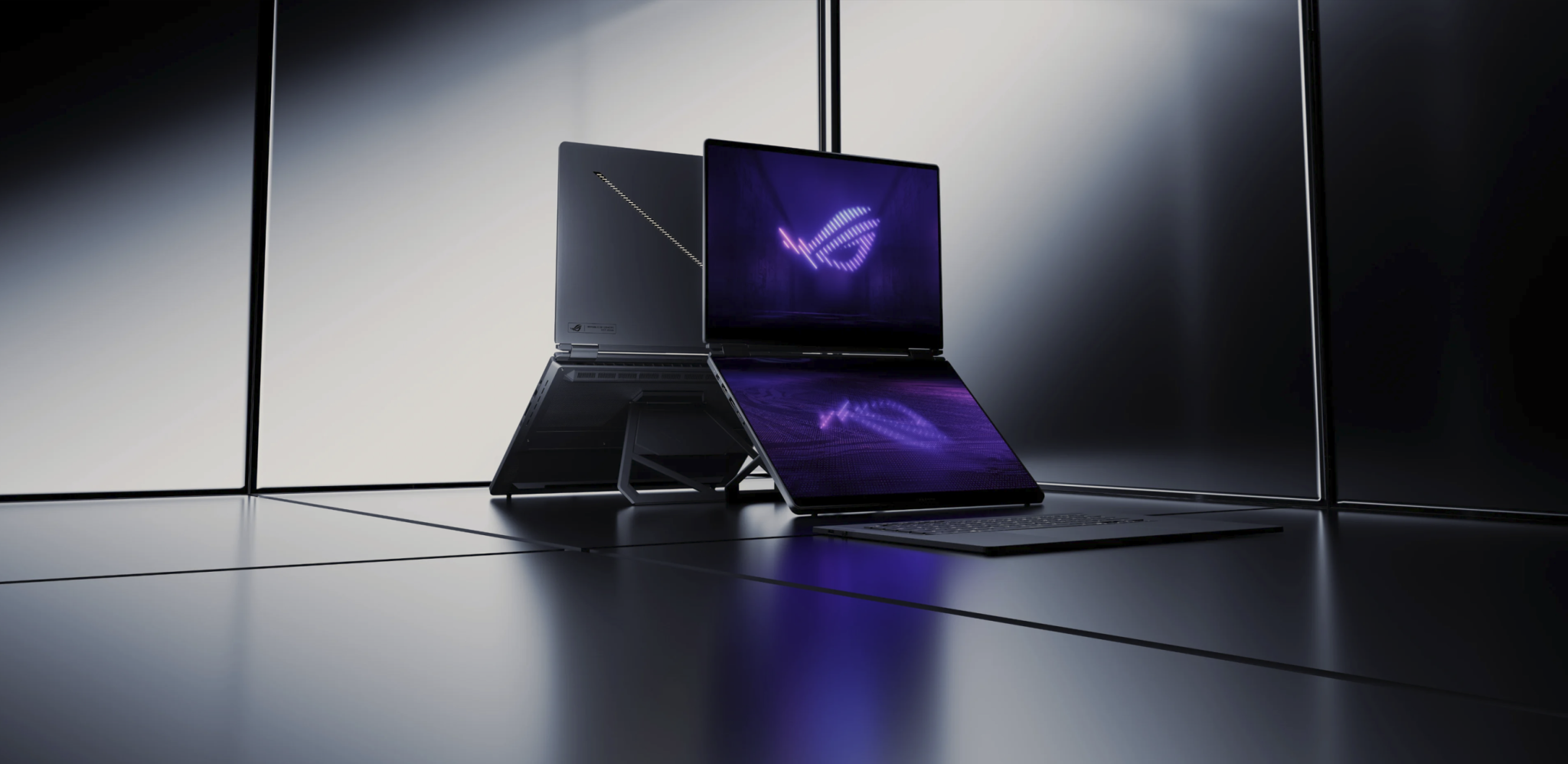
ROG Zephyrus Duo (2026) Laptop | Review
I don’t think I can go back to a normal laptop again…
- Hardware
- PC
- Reviews

Join Now!
The thing I hate most about using any laptop is the removal of my real estate. On my desktop, I’m sporting a 49″ Ultra wide, and two 1080p monitors on either side – and yes, I need them all. So when I had the opportunity to spend some extended time with the ROG Zephyrus Duo – the world’s first‘dual-screen’ laptop, I was excited.
Is this the machine that finally fixes the thing I hate most about working remotely? Let’s dig into the details with our DayOne ROG Zephyrus Duo Laptop Review!
Kitted out
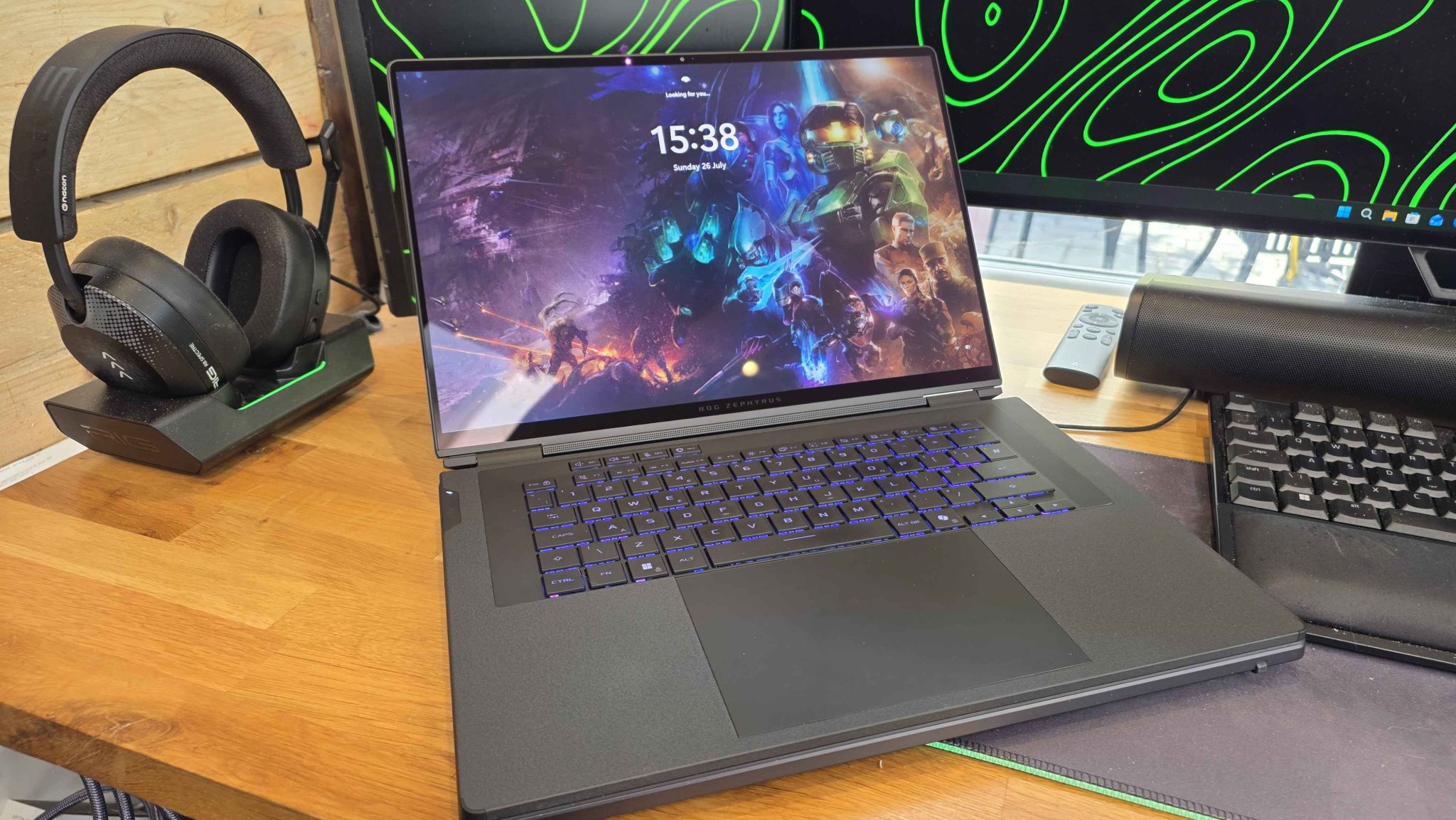
First up, it’s worth mentioning my general approach here. I’m not diving into benchmarking, or running the OLED screen(s) through a colour test or any of that jazz. With the specs of this particular unit being what they are, it’s safe to say that from a gaming perspective, this machine was capable of playing quite literally anything I threw at it. Instead, I wanted to focus on what it was like to utilise this Laptop as a daily driver, with a focus on productivity, content creation and general use.
| Model | GX651 (2026) |
| CPU | Intel® Core™ Ultra 9 Processor 386H 2.1 GHz (18MB Cache, up to 4.9 GHz, 16 cores, 16 Threads); Intel® NPU up to 50 TOPS |
| GPU | NVIDIA® GeForce RTX™ 5090 Laptop GPU 24GB GDDR7 |
| Display | Dual 16-inch ROG Nebula HDR Displays, 3K (2880×1800) 120Hz, 16:10 OLED panel, DCI-P3 100%, 1100 nits peak brightness, VESA DisplayHDR True Black 1000, Dolby Vision, G-SYNC (main panel only) |
| RAM | 64GB LPDDR5X-8533 MT/s onboard (speeds may vary by SKU) |
| Storage | 1TB PCIe® 5.0 NVMe™ M.2 SSD |
| Wireless | Wi-Fi 7, Bluetooth 6.0 |
| Audio | 4 x 2 W Woofers, 2 x 2 W Tweeters + Dolby Atmos |
| Camera | 1080p IR Camera with Windows Hello Support |
| I/O | 2 x USB 3.2 Gen 2 Type-A (data speed up to 10Gbps) 2 x Thunderbolt™ 4 / power delivery (data speed up to 40Gbps) 1 x HDMI 2.1 FRL 1 x UHS-II card reader 1 x 3.5mm Combo Audio Jack |
| Battery | 90Wh |
| Power Supply | 250W ASUS Slim Power Adapter Supports USB-PD over Type-C up to 100W” |
| Dimensions/Weight | 35.5 x 24.7 x 1.99 ~ 2.49 cm (13.98″ x 9.72″ x 0.78″ ~ 0.98″) 2.82kg |
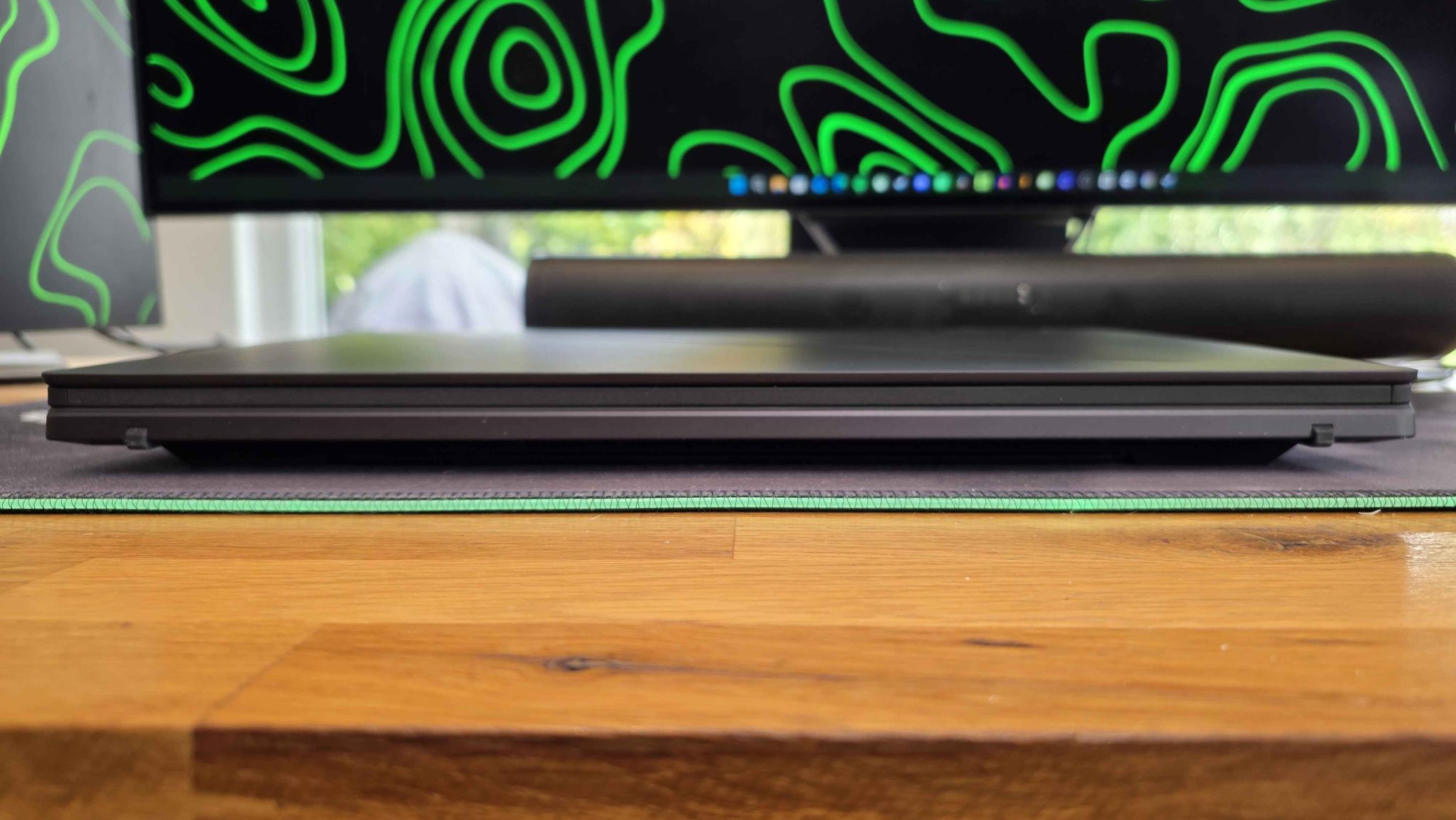
First up, despite the power under the hood here, I was genuinely surprised with how slim this felt, especially after using something like Razer’s Blade 18. In terms of actual weight, it’s not that much lighter, but after carrying out around for a fair bit, I definitely felt the difference.
The ROG Zephyrus Duo screams premium, with a CNC-milled aluminium chassis, in a smooth gray colour. On the lid, there’s a fancy ‘Slash Lighting Array’. It serves almost no purpose whatsoever, but users can customise it with colours and animations across 35 different zones to add a little flashiness to proceedings. I think if you can afford one of these, you’re probably quite flashy already.
One Hell of a Party Trick
At first glance, the ROG Zephyrus Duo feels and looks like a pretty normal laptop. Embedded in the top bezel of the main screen, users will find a 1080p IR Webcam with support for Windows Hello. While it worked most of the time, it often didn’t recognise me, but as that seems to be the standard for most Windows Hello setups, I’m not really blaming the camera here – we’ll leave that issue firmly on Microsoft’s doorstep. Otherwise, it’s fine and works great in almost all lighting conditions.
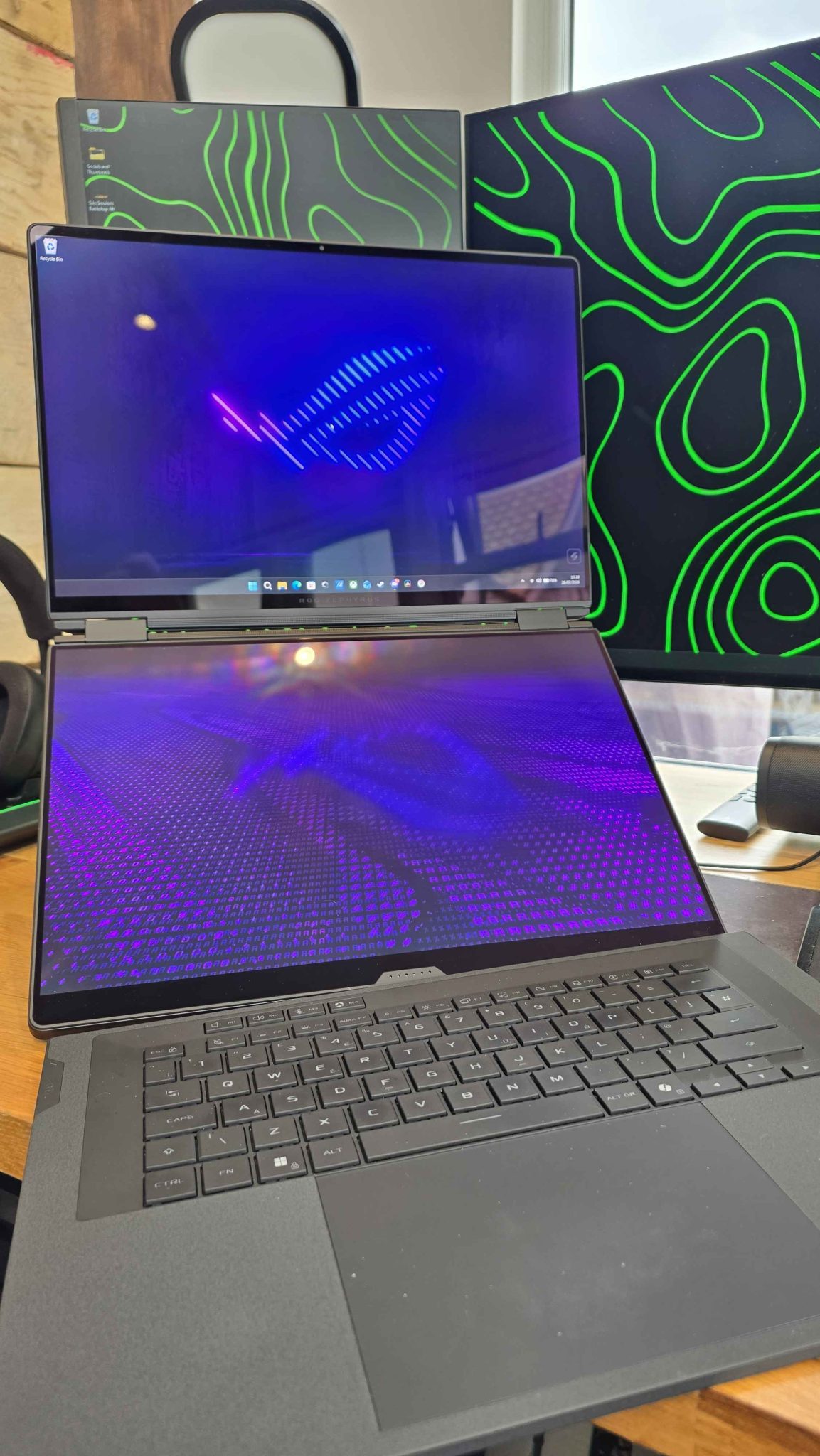
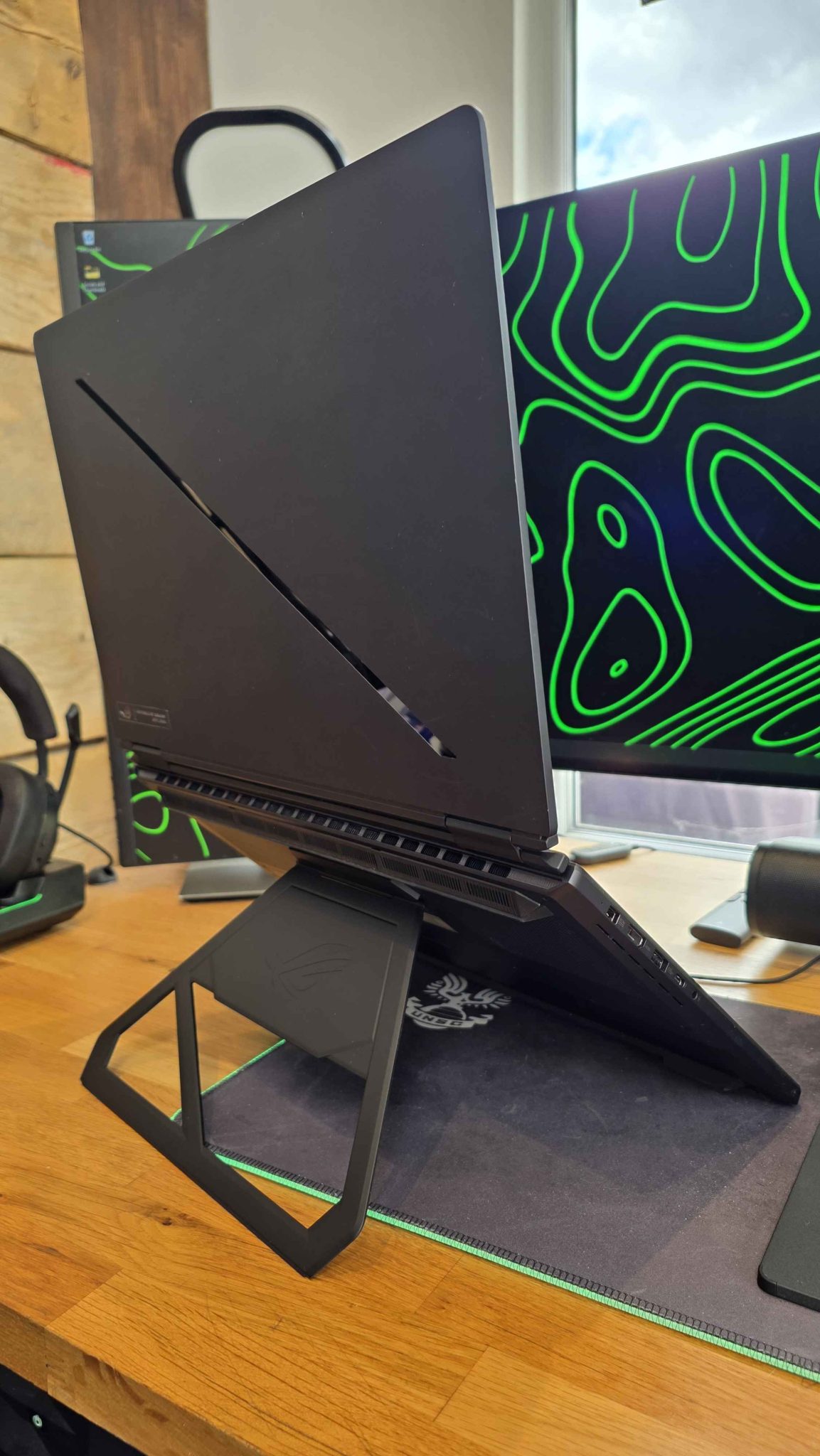
The magic of the ROG Zephyrus Duo is fully revealed when you pull out the surprisingly rock-solid kickstand on the underside of the device, and peel away the magnetically attached wireless keyboard. Surprise, this thing’s got one hell of a party trick – two gorgeous, OLED touch screens. Now the cynic in you (and me!) might think that this is a mere gimmick, but in practice, this dual screen setup is a real gamechanger, and once you’re used to the extra real estate, going back to a traditional single screen laptop feels like losing a limb.
It’s surprisingly versatile – you can stand it in portrait mode like a book, fold it over completely, lay it flat and so on. There’s a use case for everything here, and I loved being able to edit a review video on the top screen in Davinci Resolve, while having the written article for editing on the lower screen.
The two 16:10 Nebula HDR displays are beautiful to look at and work with, sporting a resolution of 2880×1800 and support for 120hz refresh rates. The upper or ‘main’ display supports NVIDIA G-SYNC, so if you’re going to game, that’s where it should be happening. The unit I tested was equipped with a Intel Pantherlake Core™ Ultra 9 386H, an Nvidia GeForce RTX 5090 and 64GB of LPDDR5X-8533. Suffice it to say, it was extremely capable.
Real World Use and Battery Life
I checked out a variety of different games on the ROG Zephyrus Duo and had no issues to report, though gaming wasn’t really my primary focus for this review. Titles like Halo: Campaign Evolved ran like a dream, and while I used my main rig to actually capture gameplay, the video review I edited and rendered was done entirely on the laptop using Davinci Resolve. Scrubbing the footage, cutting, editing, transitions – my standard workflow – all became a breeze, with the files and resources I needed sitting on the lower screen, with the editing done up top.
When playing something at full tilt with all the bells and whistles, I only achieved around 2 hours of battery life, which is par for the course with a machine that could confidently replace a desktop PC. However, that’s not the end of the story there – the ROG Zephyrus Duo also has a ‘laptop’ mode, that in my testing, lasted well over 10 hours – which impressed me to say the least. It’s not the mode you want to be using for big AAA videogames, but for general productivity – it’s great.
One of my biggest pet peeves with powerful ‘gaming’ laptops is that while it’s ‘cool’ to be able to do all the fun video game stuff, if I’m on the go and truly mobile and away from a mains source of power, I need a device that can actually last and go the distance of a full work day. With a 90Whr cell inside the ROG Zephyrus Duo, this monster will surprise you. That’s a big positive in my book.
Any Port in a Storm
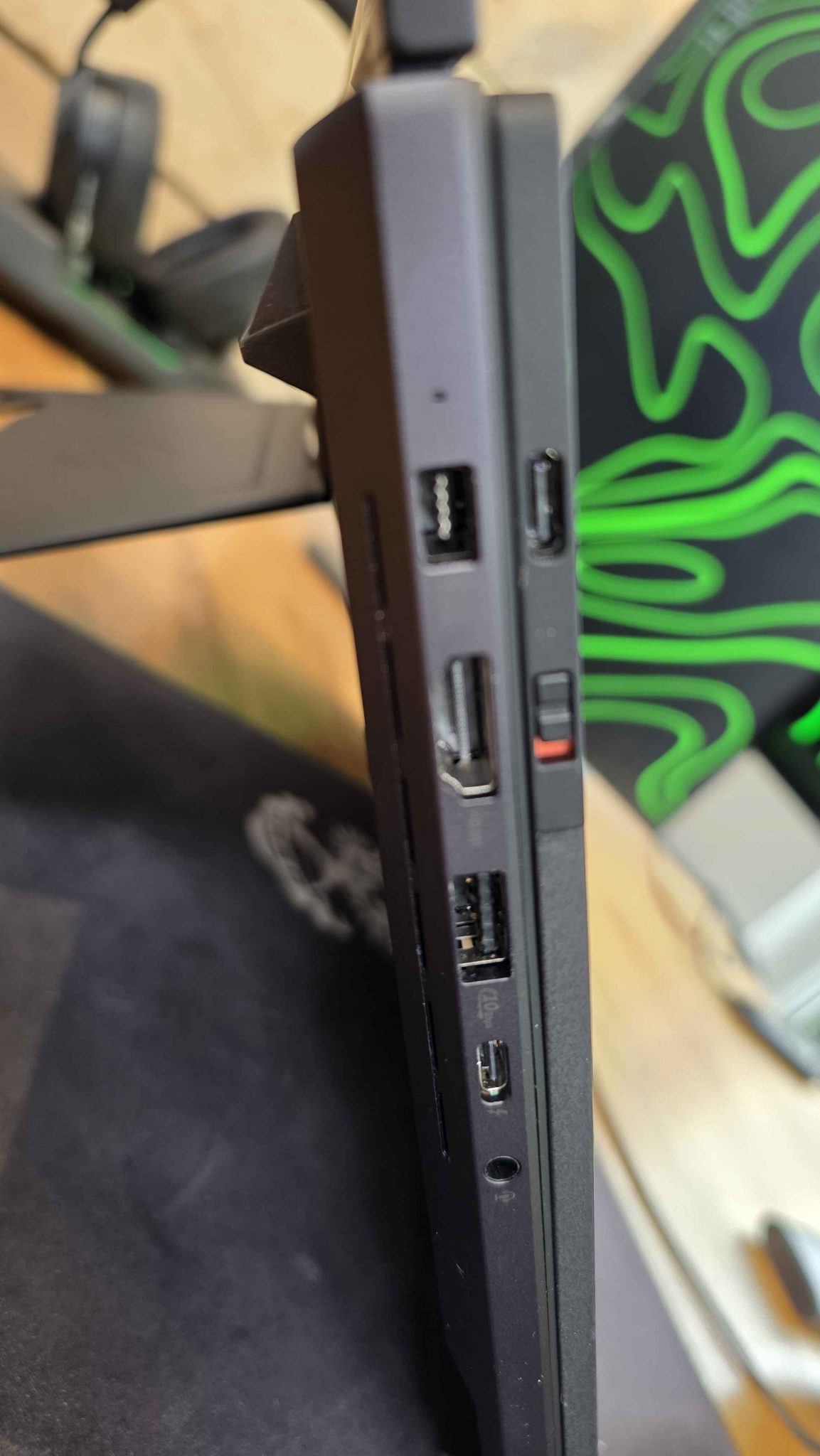
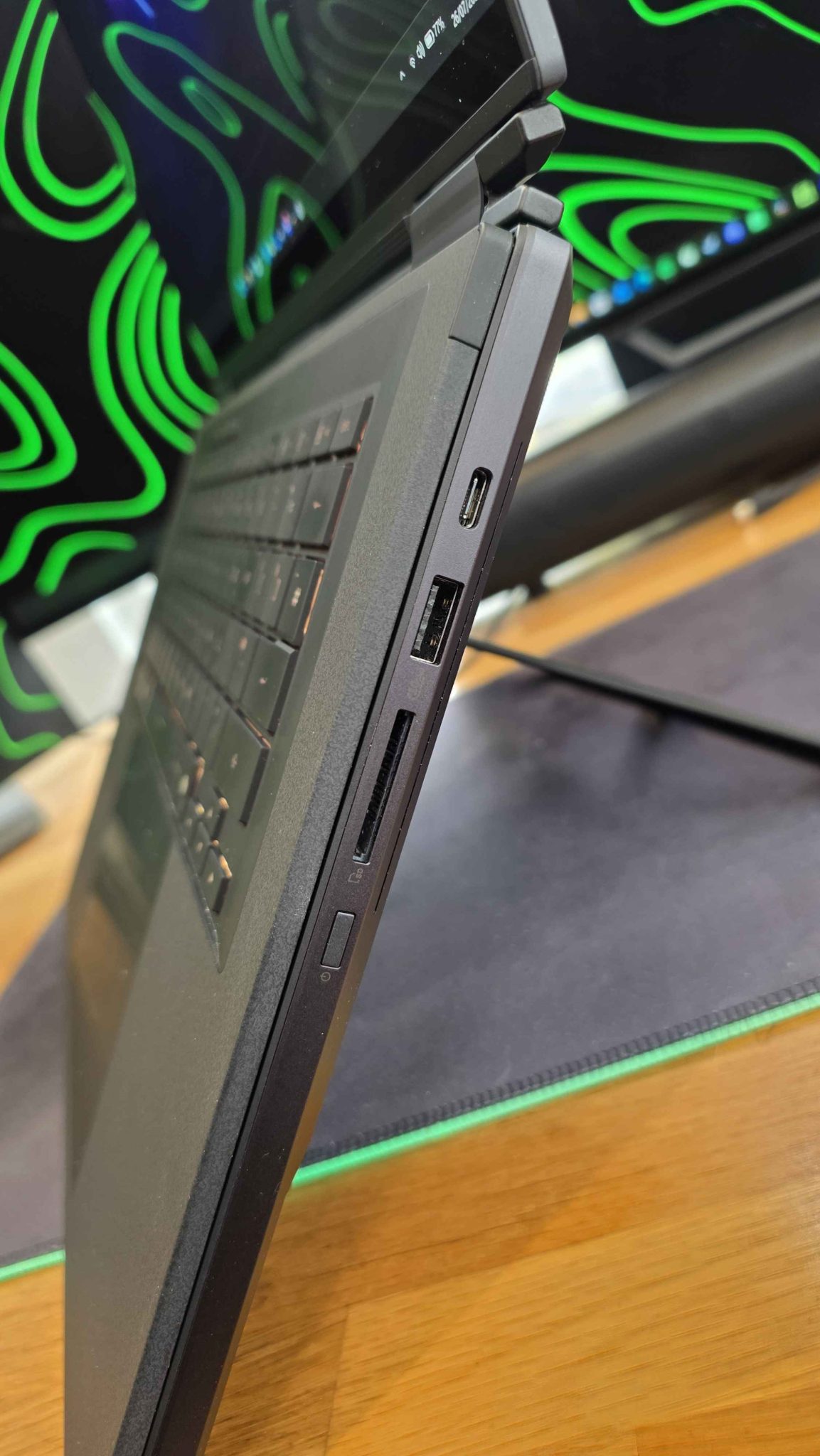
In terms of connectivity, the ROG Zephyrus Duo comes equipped with the usual suspects in terms of ports. We’ve got an HDMI 2.1 if you feel you need a third display, two USB-A 3.2 Gen 2 ports, a full-sized SD card reader and two USB-C port, both with Thunderbolt 4 and DisplayPort 2.1. Shame there’s no dedicated ethernet port though.
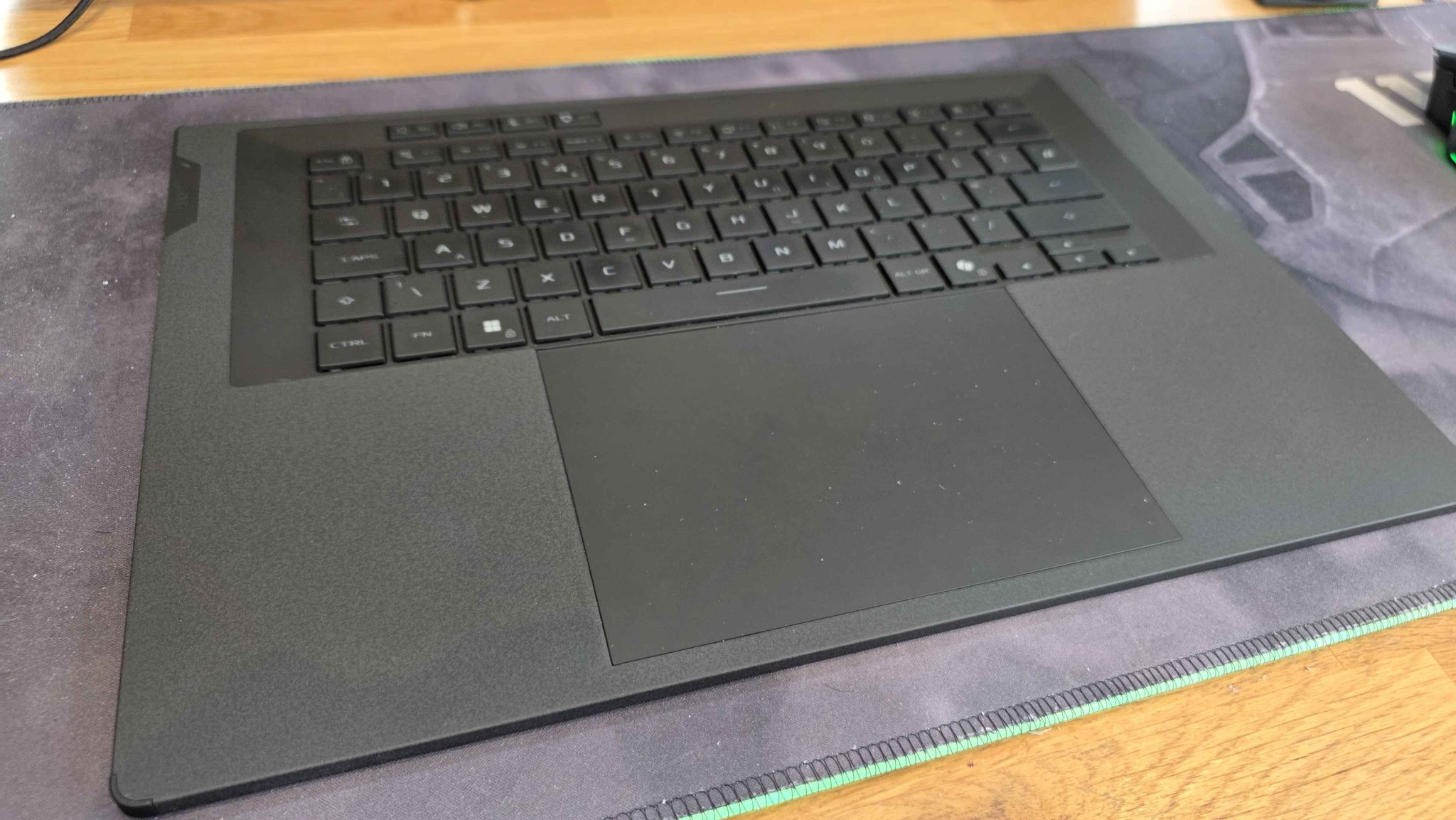
I mentioned the wireless keyboard earlier – I don’t like very many laptop keyboards, and with the dual-screen design of the ROG Zephyrus Duo, ASUS clearly had to think outside the box. The keyboard is wireless via Bluetooth, with a USB-C port for quick charging as it has it’s own internal battery. It connects to the lower screen with magnets, which automatically charges the keyboard.
It’s surprisingly comfortable to use, with 1.7mm travel distance when typing. The whole thing has a svelte, velvety look, and seemed to be pretty resistant to smudges and fingerprints. The built-in trackpad is enormous, and worked really well. My only real criticisms are that if you were say, using the keyboard on your lap, with the ROG Zephyrus Duo in dual screen mode on a table, the keyboard felt a little…fragile? When attached and on top of the second screen, it also occasionally would slip away from its magnetic dock, which would then activate the screen for a moment. It was rare, but it did happen on several occasions.
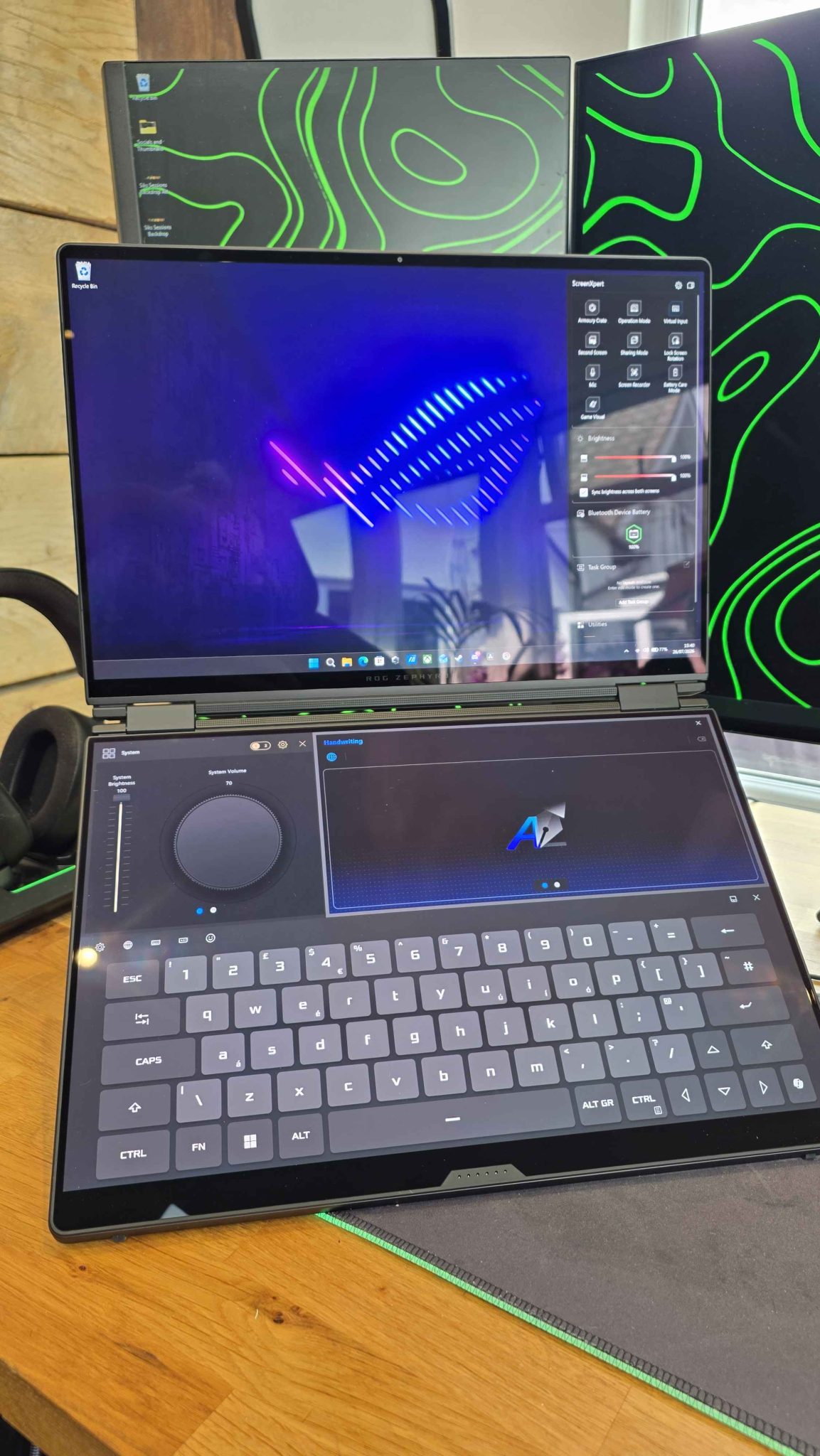
There is an on-screen keyboard option, if you’re in a pinch, and it works just fine, though not a replacement for the tactile feel of the wireless keyboard it comes with.
While I’m talking about that, it’s also worth mentioning Armory Crate, which works well with Windows here, and allows you to alter the ROG Zephyrus Duo’s profile on the fly, among other things.
Audio on the device is also another pleasant surprise, with crisp and clear speakers with a decent amount of bass to them. The in-built microphone also does a pretty decent job too, and you can hear the results in my narration with our Halo: Campaign Evolved Review above. Certainly more than enough for meetings, webcalls and anything else you might need.
I don’t know if I can go back…
The ROG Zephyrus Duo has a lot of neat tricks up its sleeves. It looks great, packs an enormous amount of power and options for gamers and creators, and chewed through everything I threw at it. So much so, that when it came time to send it back, I really didn’t want to.
The ROG Zephyrus Duo finally did something that previous laptops have always failed to do for me personally, and that is become more than just a necessary evil for work, but something I actually enjoyedworking on. Something that made my job easier, improved efficiency, and as a result, made me more productive. I can’t put a value on that, but with the lowest-spec unit starting at $4499.99 – maybe I can. If you can afford one, and hate using just the one screen when on the go like I do – the ROG Zephyrus Duo might just make you fall in love it.
Review Unit provided on Loan for testing from ASUS.
ROG Zephyrus Duo (2026) Laptop
- Incredibly eye-catching design
- Dual OLED screens are amazing
- Surprisingly great sound
- Great touchpad
- Makes content creation and video editing a breeze
- Not a great set of spec options considering the price
- No ethernet port
- The eye-watering price
- Using another laptop after this feels like you’ve lost a limb
9.0 out of 10
AMAZING
DayOne Scoring Policy
Buy from ASUSBuy on Amazon
