

The Horizon OS 2.10 (v210) system software update recently started rolling out in the PTC (Public Test Channel).
What Is the Public Test Channel (PTC)?
The Public Test Channel (PTC) is Meta Quest’s beta release channel. If you opt in, your headset receives a pre-release build of each version of Quest’s system software, now technically called Horizon OS.
Note that there are often features in the eventual stable version not present in the PTC, and occasionally (but rarely) features or changes in the PTC don’t make it to the stable version. Even when an update supports a feature, individual headset owners may not gain access for weeks or months after it’s announced, while some features quietly roll out to select users as experiments without ever being officially mentioned.
Meta also sometimes describes features inaccurately or lists features as rolling out with a particular PTC or stable version despite them actually being planned for a later release. Some features are announced but then delayed without notice, only to reappear in later announcements.
Theater Environment
0:00/0:32
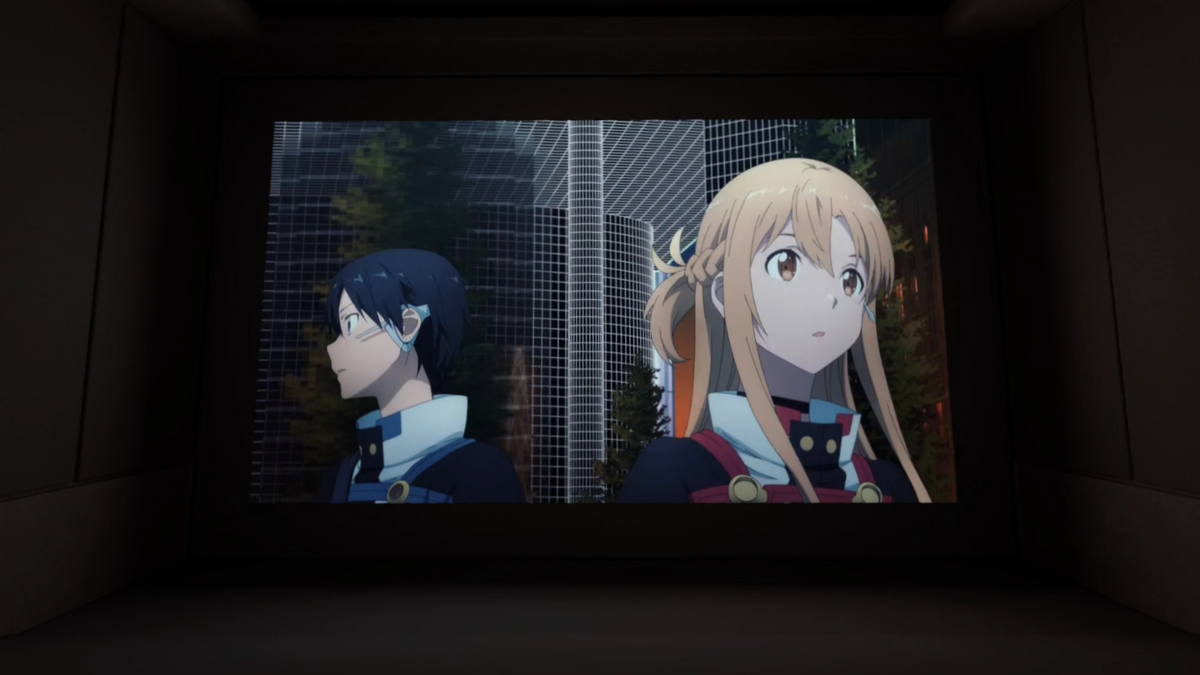
Consistent with UploadVR’s previous reporting, Horizon OS 2.10 PTC introduces a brand-new environment called Theater. It features a large home theater-style room with high-resolution textures.
Rather than being a traditional VR Home environment, Theater is selected from the Control Bar of the window you want to display on the center screen, using a new button labeled ‘Theater’, separate from the existing Focus View.
Selecting it switches the system to Theater, and exiting the space returns you to the traditional VR Home environment or Passthrough. The environment appears to be compatible with most media-focused window apps. So far, I’ve confirmed that it works with the system Media Player, Browser, YouTube, Disney+, and Amazon Prime Video.
The current version of Theater appears to use real-time dynamic lighting based on the content being played. However, it does not appear to include the hue-backlight-style Dynamic Ambiance feature that UploadVR previously reported was in development, so it’s possible Meta plans to add it in a future release.
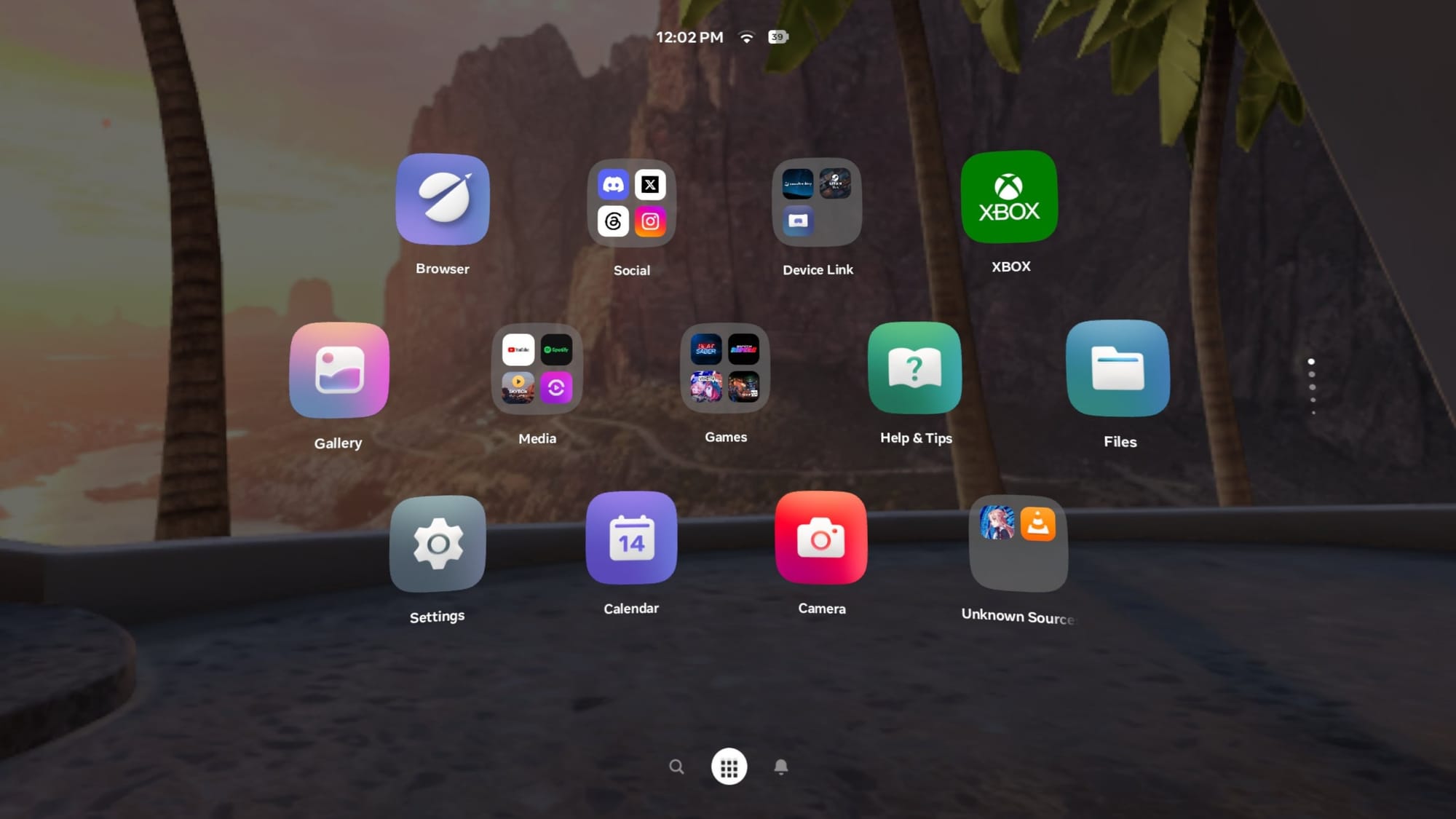
Another change rolling out with Horizon OS 2.10 PTC, though not listed in the release notes, is a reorganization of the system launcher overlay, known as the Navigator. The Navigator has gone through many iterations since it first entered the PTC over a year ago, some of which have drawn criticism for their layouts and visual styling.
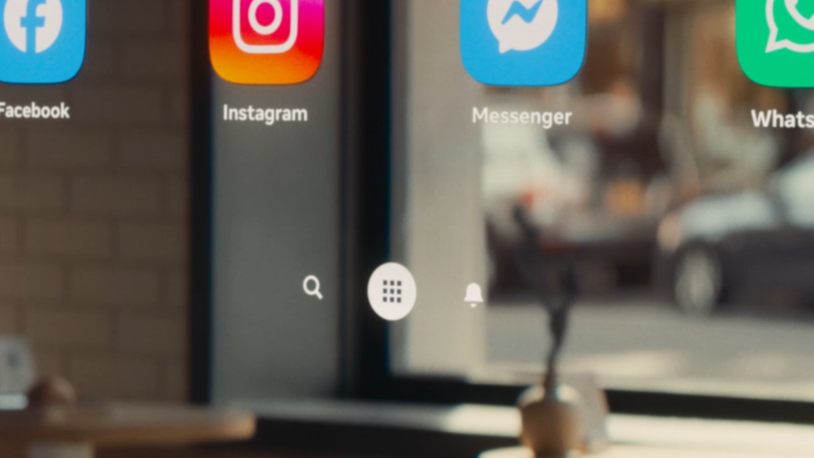
When Meta unveiled VR Glasses at Connect in September, interface images and footage provided by the company showed a new version of the Navigator with a streamlined layout. Now, Horizon OS 2.10 PTC seems to be rolling this out to a small number of users.
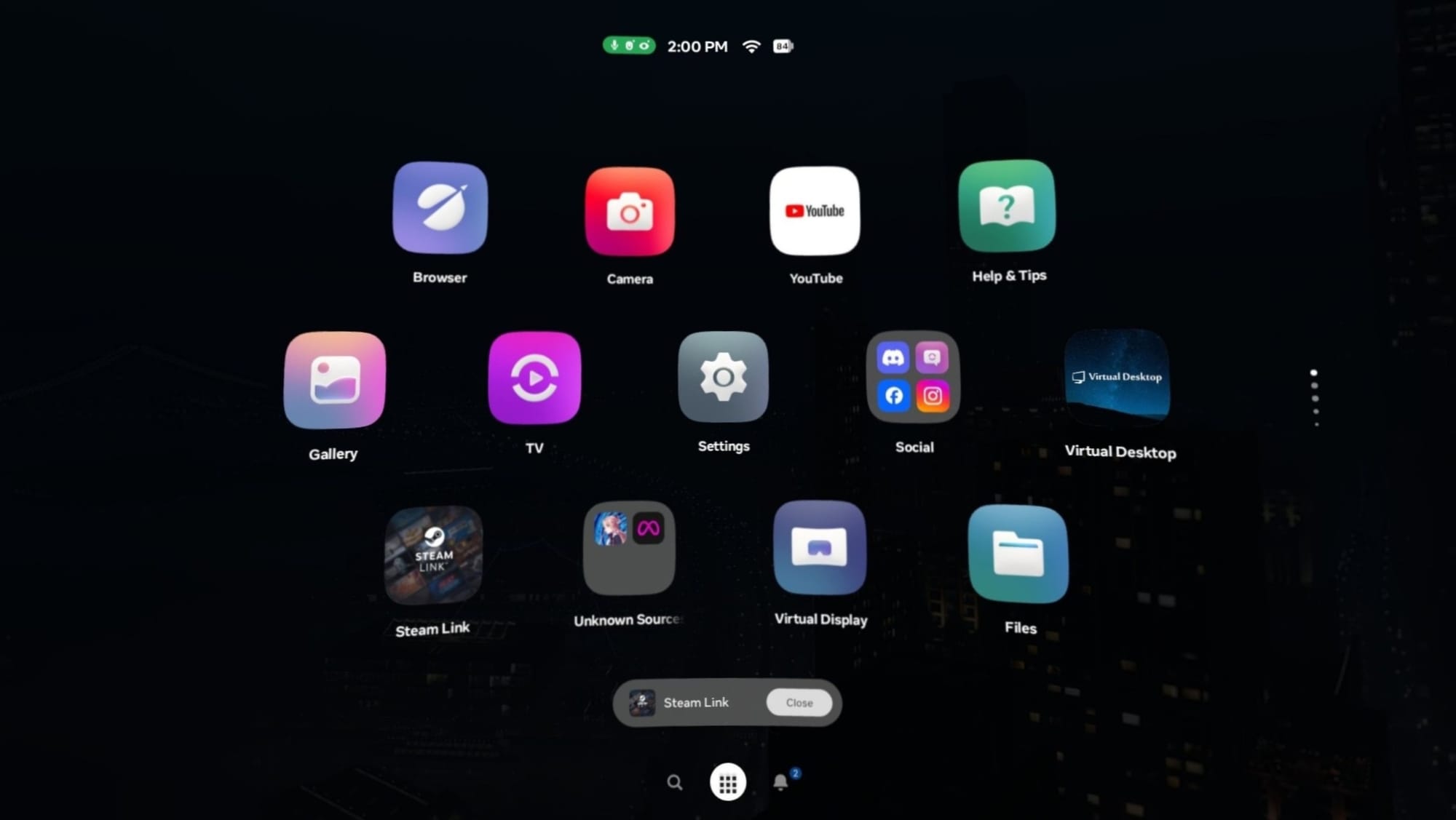
Codenamed ‘Simplified Navigator’ in firmware, this redesign removes the Me, People, Quick Controls, Show/Hide Windows, and Environment/App buttons. It also removes the left-hand filters from the Library tab. This consolidates the interface into three tabs: Search, Library, and Notifications.
Quick Controls can now be accessed by pressing the Clock-Wi-Fi-Battery display at the top of the overlay. The page has also been reorganized into a grid of larger buttons, and now includes a new option for switching between your VR Home environment and Passthrough.
The Library has also received major changes. The smartphone-style app folders that started rolling out with Horizon OS 2.4 PTC seem to be the default in Grid View, and there is a dedicated folder for sideloaded apps labeled ‘Unknown
0:00/0:46
A major regression in the current implementation is that there is no option to filter the Library to only show installed apps or check which apps have updates available. As a result, you’ll see all content your account has access to, whether installed or not. This is somewhat mitigated by a new List View, accessed by pressing the Library button again. The older filters are still available in this view.
The new Navigator also revises the design of its privacy indicators, with active and recently used permissions now appearing in green instead of the previous muted purple. When you’re in an immersive app, a new bubble appears prominently above the Library button, providing an option to quit the app. This addresses a common complaint with the previous design.
Although changes of this magnitude may be jarring, I would expect more changes as Meta continues to refine and polish the operating system, especially as Meta VR Glasses get closer to launch.
Additional Changes
Improved Window Resizing
0:00/0:07
An undocumented change in Horizon OS 2.10 PTC improves window resizing behavior.
This appears to primarily benefit apps with locked aspect ratios, such as YouTube. The system now handles their scaling more smoothly, minimizing large visual stutters or jumps as the window changes size.
Meta says that Horizon OS 2.10 PTC allows you to make video calls as your avatar in the Chats app. During a call, selecting the video icon in the active call bar switches between an avatar video call and an audio-only call.
The company first introduced this ‘Selfie Camera’ functionality in v76 PTC over a year ago, and it is now used by third-party apps such as Discord and Zoom. Meta’s implementation of the feature in its first-party Chats app could lay the groundwork for the upcoming Hologram Calling feature on Meta VR Glasses.
Quest v76 PTC Lets You Use Your Meta Avatar As A Virtual Webcam
Quest’s Horizon OS v76 PTC lets you use your Meta Avatar as a virtual webcam in video calling apps.
UploadVRDavid Heaney
External Microphone Changes
Another undocumented change in Horizon OS 2.10 PTC removes the External Microphone toggle, which was added to the Experimental menu back in April 2024 with v64. The toggle enabled the use of an external microphone on Quest 3 through its USB-C port, supporting both microphones with a USB-C connector and those connected through a USB-C adapter.
In my testing, external microphone support still works without the toggle. However, it is unclear whether Meta plans to make it a default system feature or remove support entirely.
The Quest v64 update is all about Quest 3. It brings improved passthrough quality, external microphone support, and lying down mode.
UploadVRDavid Heaney
Security Updates
Meta notes that Horizon OS 2.10 PTC improves how Quest verifies the authenticity of websites and online services before you visit them. It is unclear whether this refers to the Browser or is part of the system-level anti-malware service introduced in Horizon OS v85.
