
Close Menu

    Subscribe to Updates

    Get the latest creative news from FooBar about art, design and business.

    What's Hot

    How New Aura Entertainment Plans Will Impact Norwegian Cruise Line Stock

    September 16, 2026

    ‘Black Widow: Black, White & Red Room’ Reveals Natasha and Yelena’s Darkest Secrets and Deadliest Missions

    September 16, 2026

    Boston contestant to compete in ‘The Traitors: New Blood’

    September 16, 2026
    Facebook X (Twitter) Instagram
    Facebook X (Twitter) Instagram YouTube TikTok
    Comic Vibe
    Wednesday, September 16
    • Home
    • Comics
      • Comic Vibe News
    • Gaming
    • Movies
    • TV
    • Anime
    • Toys & Collectibles
    • Cosplay
    • Tech
    • Digital Culture
      • Creators & Fan Culture
      • Creator Economy & Fan-Driven Platforms
      • Digital Fandom & Online Communities
      • Metaverse & Virtual Worlds
      • NFTs & Digital Collectibles
      • Virtual Events & Online Conventions
      • Virtual Identity & Avatars
    • Shop
    Comic Vibe
    • Home
    • Contact Us
    • Terms & Conditions
    • Advertise With Us
    • DMCA Policy
    • Privacy Policy
    • About Us
    Home»Gaming»PS5 rolls out system update with 3 new features all gamers can make use of
    Gaming

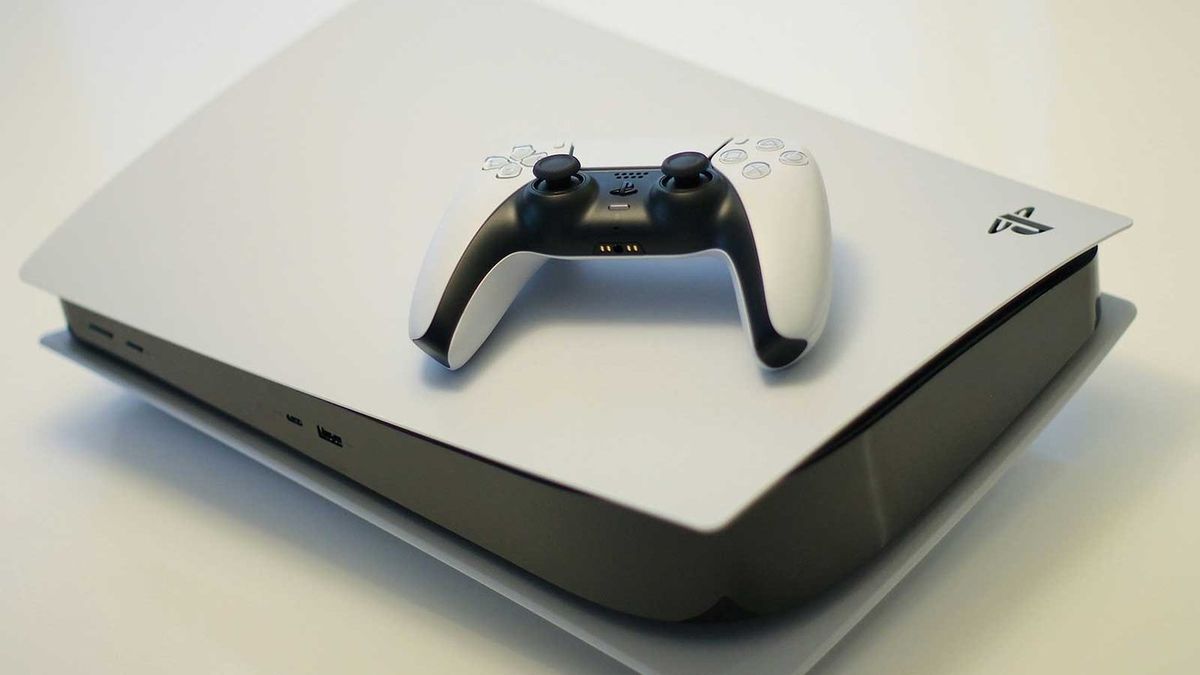
    PS5 rolls out system update with 3 new features all gamers can make use of

    JamesBy JamesSeptember 16, 20261 Comment3 Mins Read
    Facebook Twitter
    PS5 rolls out system update with 3 new features all gamers can make use of
    Share
    Facebook Twitter

    Having already undergone beta testing, PlayStation 5 has now pushed out its latest update to all users.

    It’s Version 26.06-14.00.00 that you’ll need to download on your console.

    If you keep your console in Rest Mode, the update will likely already have been installed. If you don’t, it should automatically begin to download when you next load your PS5 up.

    While the update does feature a prominent PlayStation 5 Pro upgrade, so too does it boast three additional features that all PS5 users can make use of.

    Enjoy improvements to the PlayStation 5’s Voice Chat and the Welcome Hub

    Version 26.06-14.00.00 introduces the ability to see who’s speaking when you’re making use of Voice Chat.

    To see the speaker indicator, you’ll need to go to the voice chat widget in the control centre.

    There, select ‘More’, followed by ‘Display Who’s Speaking ’, and turn on ‘Display Names’.

    You can also use ‘Position’ to edit where the speaker indicator appears on your screen.

    As for what’s new in the Welcome Hub, a new ‘Community Activity’ widget has been added.

    There are two views you can make use of. ‘Trending Now’ will display 10 multiplayer games or modes that are currently, well, trending.

    The idea is that you might be lured into checking out a new title, or drawn back to a former play that’s been updated with new content.

    Alternatively, you can opt to display ‘Top 10 ’, which, unsurprisingly, displays the most popular games in your region within the last week.

    Really, this is all just marketing, as I’m sure the hope is that you’ll want to head to the PlayStation Store to make a purchase based on these widgets.

    Still, some PS5 users might just get a kick out of seeing what people are playing and whether your latest obsession is resonating with the masses.

    Finally, there’s a new setting that allows you to turn off Bluetooth.

    Select ‘Settings’, ‘Accessories’, ‘General’, and ‘Advanced Settings’, before selecting ‘Turn Off Bluetooth’.

    Rest Mode will not work with this setting switched off, nor will the HDMI Device Link. The idea is that it’ll help manage controller connections at esports venues or other busy locations.

    PlayStation recommends not using this feature for any other purpose.

    Of course, there are the usual stability upgrades too.

    PlayStation 5 Pro users may also notice improved graphics

    One of the PlayStation 5 Pro’s biggest selling points is PSSR, PlayStation’s automatic upscaling technology.

    As of Version 26.06-14.00.00, ‘Enhance PSSR Image Quality’ is now automatically toggled on, which is the latest version of the PSSR technology.

    That means that while the console’s capabilities haven’t improved within this update, you are now, by default, going to see the best possible graphics; you might’ve had the setting set to off before.

    If you do, for whatever reason, want to turn the setting off, you can do that by selecting ‘Settings’, ‘Screen and Video’, ‘Video Output’, and finally ‘Enhance PSSR Image Quality’.

    Featured Image Credit: Kerde Severin

    Features gamers Rolls System Update
    Share. Facebook Twitter
    Previous ArticleHow to Sign Up for a Steam Frame Before Thursday’s 10 AM Cutoff
    Next Article Witney Carson calls out “Dancing With the Stars ”judges for partner Guillermo Rodriguez’s low scores: ‘Lame’
    James

    Related Posts

    Gears of War: E-Day and Minecraft Dungeons 2 Headline Xbox Game Pass September 2026 Additions

    September 16, 2026

    Walmart takes a bite off the cost of Metroid Ravenous physical preorders

    September 16, 2026

    ‘Resident Evil’ Review: Possibly The Best Video Game Movie Ever

    September 16, 2026

    Nintendo Switch 2 bundles available for the holidays!

    September 16, 2026

    1 Comment

    1. Pingback: How New Aura Entertainment Plans Will Impact Norwegian Cruise Line Stock - Comic Vibe

    Leave A Reply Cancel Reply

    Our Picks

    How New Aura Entertainment Plans Will Impact Norwegian Cruise Line Stock

    September 16, 2026

    ‘Black Widow: Black, White & Red Room’ Reveals Natasha and Yelena’s Darkest Secrets and Deadliest Missions

    September 16, 2026

    Boston contestant to compete in ‘The Traitors: New Blood’

    September 16, 2026

    threezero Exits the Cave with New Marvel DLX Iron Man Mark 1 Figure

    September 16, 2026
    • Facebook
    • Twitter
    • Instagram
    • YouTube
    • TikTok
    • Telegram
    Don't Miss
    TV

    Focused Health 250 Live Stream: How To Watch NASCAR O’Reilly Auto Parts Series

    By JamesJuly 11, 20260

    With just four races left in the NASCAR O’Reilly Auto Parts Series, Justin Allgaier leads the field to Atlanta Motor Speedway for the Focused Health 250. This is the second race of the season at Atlanta Motor Speedway. In the first race back in February, Sam Mayer started on the pole while Sheldon Creed took…

    Gen Z Expects Better From Marvel Studios, DC Studios: Iman Vellani

    July 11, 2026

    Alleged Roblox predator held to answer on sex crime charges

    July 11, 2026

    Legendary singer S Janaki dies at 88 following cardiac arrest

    July 11, 2026

    Subscribe to Updates

    Get the latest creative news from SmartMag about art & design.

    About Us
    About Us

    Comic Vibe is a pop-culture destination created for fans who live and breathe comics, movies, anime, TV shows, gaming, tech, cosplay, and collectibles.

    Our mission is to deliver engaging news, reviews, features, guides, and opinions that celebrate geek culture in all its forms. From the latest comic releases and blockbuster films to anime trends, gaming updates, cutting-edge tech, and collector culture, Comic Vibe brings everything together in one vibrant hub.

    Our Picks

    How New Aura Entertainment Plans Will Impact Norwegian Cruise Line Stock

    September 16, 2026

    ‘Black Widow: Black, White & Red Room’ Reveals Natasha and Yelena’s Darkest Secrets and Deadliest Missions

    September 16, 2026

    Boston contestant to compete in ‘The Traitors: New Blood’

    September 16, 2026

    Subscribe to Updates

    Get the latest comics, anime, movies, TV, gaming, cosplay, and pop culture news delivered directly to your inbox. No spam—just the stories every fan should know.

    Facebook X (Twitter) Instagram YouTube TikTok
    • Home
    • Contact Us
    • Terms & Conditions
    • Advertise With Us
    • DMCA Policy
    • Privacy Policy
    • About Us
    © 2026 Comic Vibe. Designed by Comic Vibe.

    Type above and press Enter to search. Press Esc to cancel.