
Close Menu

    Subscribe to Updates

    Get the latest creative news from FooBar about art, design and business.

    What's Hot

    Steam Machine vs Xbox Series X: 13 Steps, 90 Min [2026]

    August 7, 2026

    A Roblox Director Sells 16,666 Shares Amid a Sinking Stock Price. Here’s What That Means to Investors.

    August 7, 2026

    ‘Lynx’ Is a Sapphic Neo-Noir Thriller About a Damaged Detective and Her Snarky Cat Battling Angels [Exclusive]

    August 7, 2026
    Facebook X (Twitter) Instagram
    Facebook X (Twitter) Instagram YouTube TikTok
    Comic Vibe
    Friday, August 7
    • Home
    • Comics
      • Comic Vibe News
    • Gaming
    • Movies
    • TV
    • Anime
    • Toys & Collectibles
    • Cosplay
    • Tech
    • Digital Culture
      • Creators & Fan Culture
      • Creator Economy & Fan-Driven Platforms
      • Digital Fandom & Online Communities
      • Metaverse & Virtual Worlds
      • NFTs & Digital Collectibles
      • Virtual Events & Online Conventions
      • Virtual Identity & Avatars
    • Shop
    Comic Vibe
    • Home
    • Contact Us
    • Terms & Conditions
    • Advertise With Us
    • DMCA Policy
    • Privacy Policy
    • About Us
    Home»Gaming»PlayStation 5 gets new system update, here’s everything it changes
    Gaming

    PlayStation 5 gets new system update, here’s everything it changes

    JamesBy JamesAugust 7, 2026No Comments3 Mins Read
    Facebook Twitter
    PlayStation 5 gets new system update, here’s everything it changes
    Share
    Facebook Twitter

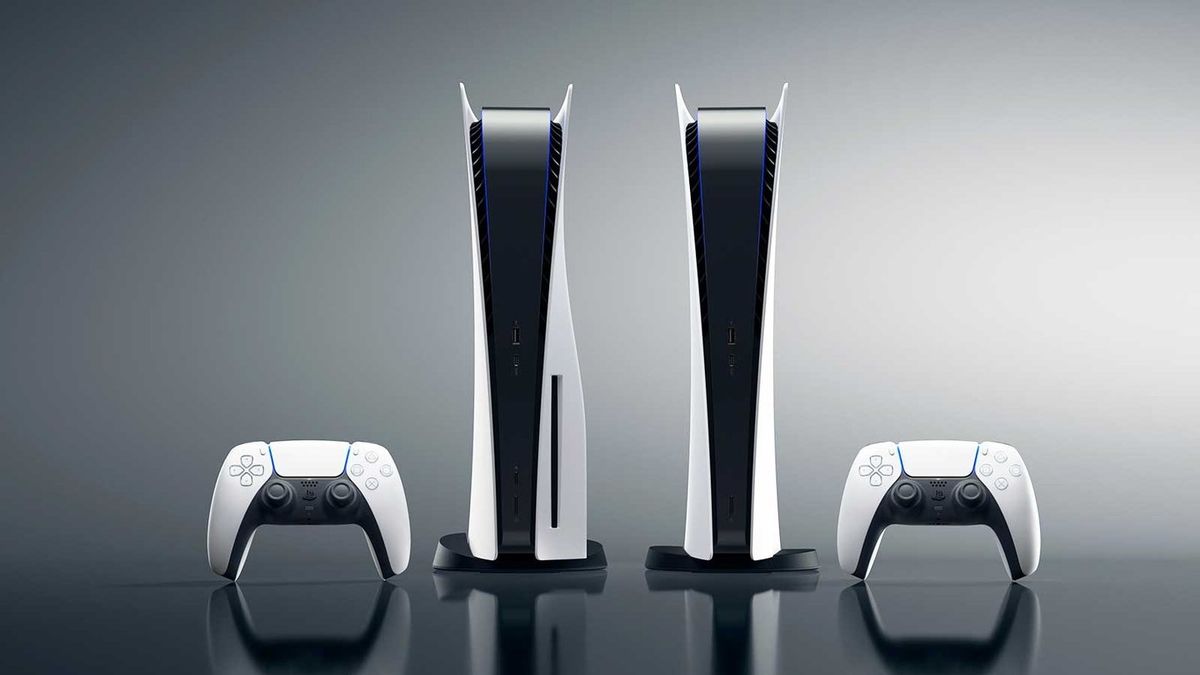
    Sony has deployed the latest system update for the PlayStation 5, and it makes a big improvement for PS5 Pro adopters.

    No matter how good a console is at launch, just like a video game, it’s very rarely perfect, meaning some issues have to be fixed or improvements made. What’s more, consoles have to roll with the times to ensure that gamers are getting the best and most up-to-date experience possible.

    This is why each year, the likes of PlayStation, Xbox and Nintendo consoles get regular system updates, and the most recent has just rolled out for PS5, available now to beta testers.

    PS5 system updates improve PSSR

    No, that’s not referring to the annoying Profit and Sustainability Rules used for England’s football Premier League. PSSR in PS5 terms is “PlayStation Spectral Super Resolution” or, more accurately on the Pro console, ‘Enhance PSSR’.

    This system update is only available to those enrolled in PlayStation’s beta program, and once all the kinks have been ironed out, it will roll out to everyone else. Typically, the beta phase only takes a week or two at best.

    As provided in an email from Sony PlayStation, here’s everything the latest system update does for PS5:

    Main updates from this System Software Beta Program:

    • We’ve turned on Enhance PSSR Image Quality as a default setting. When you update the system software, this setting automatically turns on. When you enable this feature, enhanced PSSR is used even for games that support the previous version of PSSR, so you can enjoy a sharper and clearer visual experience.
    • To turn off this setting, go to Settings > Screen and Video > Video Output > Enhance PSSR Image Quality.
    • This feature is available only on PS5 Pro.

    PS5 and PS5 Pro Bluetooth improvements

    • We’ve changed the following features for PS5 consoles and PS5 Pro consoles in certain countries or regions.
    • If you go to Settings > Accessories > General > Advanced Settings and select Turn Off Bluetooth, you’re no longer able to put your console into rest mode. Additionally, the HDMI link is no longer supported when you select Turn Off Bluetooth.
    • The Turn Off Bluetooth function is for managing controller connections at esports venues and similar locations. Do not use this feature for any other purpose.

    And of course,

    • We’ve improved system software performance and stability.

    As with any beta test, things can go wrong. After all, the purpose of a beta test is to ensure that everything is good to go for the full launch. As such, Sony PlayStation recommends backing up important console data, like saves, before installing the system update.

    Furthermore, in the unlikely event that games do not perform correctly following the system update, it’s recommended that the game be uninstalled and then installed again.

    How to install the PS5 system update beta

    Redeem the code sent to your email or one sent by a friend (each code can be redeemed up to five times) on your PS5 console, PlayStation mobile app, or the official website.

    Once successfully redeemed, go to your console settings, select ‘System’, then ‘System Software Update and Settings’, and lastly, ‘Update System Software (Beta) and select to install. If you encounter any bugs, they can be reported here.

    Featured Image Credit: Sony Interactive Entertainment

    Gets Heres PlayStation System Update
    Share. Facebook Twitter
    Previous ArticleThe Transformers and G.I. Joe comics universe is being rebuilt to be more like Marvel’s inception— and Robert Kirkman wants it to last decades
    Next Article British rapper AJ Tracey joins Formula E London E-Prix entertainment line
    James

    Related Posts

    Steam Machine vs Xbox Series X: 13 Steps, 90 Min [2026]

    August 7, 2026

    ‘GTA VI’ pre-orders hit ‘unprecedented and astonishing’ levels

    August 7, 2026

    Rockstar’s Parent Company Says ‘Discs Don’t Really Make Sense For The Consumer’

    August 7, 2026

    Infographic: PlayStation Beats Nintendo and Xbox

    August 7, 2026
    Leave A Reply Cancel Reply

    Our Picks

    Steam Machine vs Xbox Series X: 13 Steps, 90 Min [2026]

    August 7, 2026

    A Roblox Director Sells 16,666 Shares Amid a Sinking Stock Price. Here’s What That Means to Investors.

    August 7, 2026

    ‘Lynx’ Is a Sapphic Neo-Noir Thriller About a Damaged Detective and Her Snarky Cat Battling Angels [Exclusive]

    August 7, 2026

    Caption Oxford Comics Festival 2026 Is Tomorrow… And I’m A Guest?

    August 7, 2026
    • Facebook
    • Twitter
    • Instagram
    • YouTube
    • TikTok
    • Telegram
    Don't Miss
    TV

    3 TV Shows To Watch if You Miss ‘The Bear’

    By JamesJuly 6, 20260

    The Bear finished on Hulu last month after five years of yelling, screaming, tantrum-throwing, and oodles of delicious food. Fans who love the series are already missing its unique and realistic brand of humor and storytelling, but that doesn’t mean there aren’t other series out there that can fill the void

    DIE: Loaded #7 Preview: Party Drama Meets Existential Crisis

    July 6, 2026

    Roblox Grow a Garden 2 Codes for July 2026

    July 6, 2026

    Video games are a fortune. Blame Trump and AI.

    July 6, 2026

    Subscribe to Updates

    Get the latest creative news from SmartMag about art & design.

    About Us
    About Us

    Comic Vibe is a pop-culture destination created for fans who live and breathe comics, movies, anime, TV shows, gaming, tech, cosplay, and collectibles.

    Our mission is to deliver engaging news, reviews, features, guides, and opinions that celebrate geek culture in all its forms. From the latest comic releases and blockbuster films to anime trends, gaming updates, cutting-edge tech, and collector culture, Comic Vibe brings everything together in one vibrant hub.

    Our Picks

    Steam Machine vs Xbox Series X: 13 Steps, 90 Min [2026]

    August 7, 2026

    A Roblox Director Sells 16,666 Shares Amid a Sinking Stock Price. Here’s What That Means to Investors.

    August 7, 2026

    ‘Lynx’ Is a Sapphic Neo-Noir Thriller About a Damaged Detective and Her Snarky Cat Battling Angels [Exclusive]

    August 7, 2026

    Subscribe to Updates

    Get the latest comics, anime, movies, TV, gaming, cosplay, and pop culture news delivered directly to your inbox. No spam—just the stories every fan should know.

    Facebook X (Twitter) Instagram YouTube TikTok
    • Home
    • Contact Us
    • Terms & Conditions
    • Advertise With Us
    • DMCA Policy
    • Privacy Policy
    • About Us
    © 2026 Comic Vibe. Designed by Comic Vibe.

    Type above and press Enter to search. Press Esc to cancel.