

Modern TVs make surround sound Xbox audio easier, while older models have workarounds.
While it might not come to mind as quickly as 4K textures or smooth frame rates, being able to pair your Xbox Series X/S with a surround sound setup is a big advantage of modern gaming. Whether alerting you to nearby players in competitive shooters or upping the immersion in a story-driven title, a multichannel sound system is a big upgrade over stereo speakers.
For those interested in the best gear to upgrade your home theater setup, there’s a good chance you own a modern TV with proper HDMI passthrough features. If that’s the case, setting up surround sound on your Xbox is relatively easy. Folks using older TVs that lack eARC ports don’t need to be left out in the cold, though; a cheap accessory can still treat your Xbox to full-blooded surround sound. We’ll walk you through the process either way.
Tips for connecting your Xbox to a surround sound system
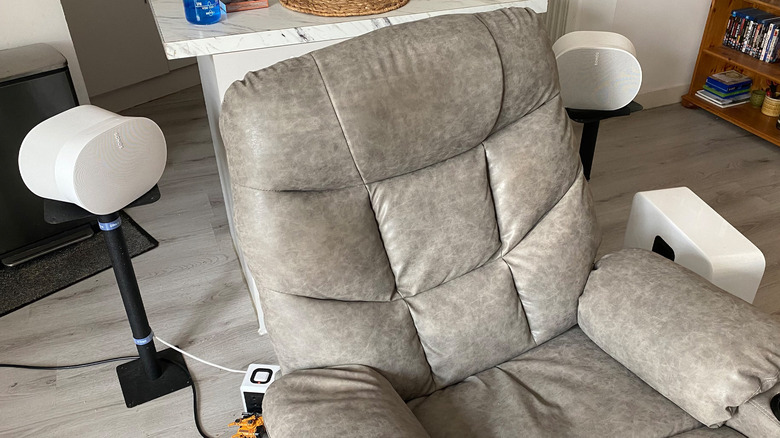
If you own a decent TV manufactured in the last few years, the easiest way to connect your Xbox console to a surround sound system is by hooking it up to your TV’s eARC/ARC-capable HDMI port. To get the most out of your Xbox’s current-gen visual features, you should connect to a TV that supports HDMI 2.1, making sure the HDMI cable supports this standard as well. This way, you can play supported games at 4K/120 fps — like Ori and the Will of the Wisps or The Touryst — while still enjoying surround sound.
The specific HDMI port on your TV that supports eARC will depend on the manufacturer. The slot you’re looking for should be branded with “eARC/ARC”. If it’s not, check your TV’s manual or head to the manufacturer’s official listing online for precise specs.
Once you’ve connected your sound bar or home theater receiver to your TV’s eARC port, it’s time to tweak audio settings on your console by heading to Settings > General > Volume and audio output. Looking under Speaker audio, depending on what type of home theater setting you’re working with, either the 5.1 uncompressed or 7.1 uncompressed option should provide immersive multi-channel audio. If those don’t work, they may require more bandwidth than your setup offers. Try Bitstream out in that case.
If you own a Dolby Atmos system, install the Dolby Access app (it’s free unless you’re using headphones), then choose Dolby Atmos for home theater. This way, you’ll get a more compelling sense of height in the soundscape for compatible games.
How to get surround sound on Xbox on older setups
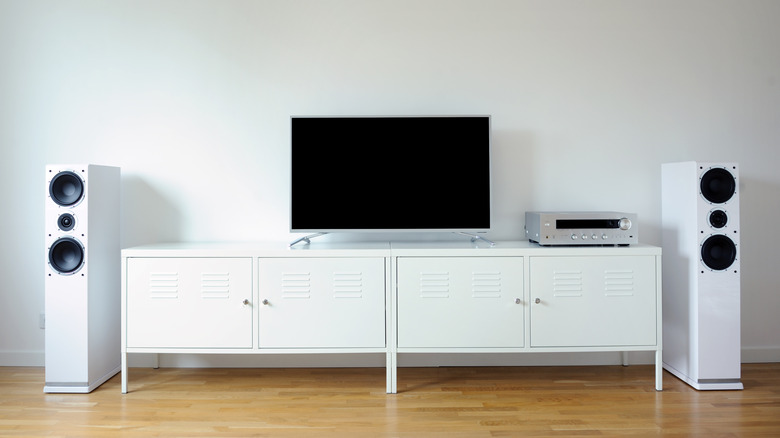
If you’re gaming on an older TV that doesn’t support HDMI passthrough, you can still get surround sound on your Xbox, though it’s not as smooth. In theory, an optical cable enables this, but neither Xbox Series X or S have an optical output. Thus, you’ll need an HDMI audio extractor to get the setup working.
These aren’t terribly expensive, though you’ll need to get a model that supports at least 60Hz, or 120Hz if your TV supports it, to avoid artificially limiting performance since cheap ones are capped at 30Hz. Extractors split the audio and video signals, with the former being sent to your surround sound system and the latter going to your TV. To properly configure this optical cable workaround on your Xbox, go to Settings > General > Volume and audio output > Additional options/Audio setup, then choose a compatible format, like Dolby Digital. Though optical doesn’t support 7.1 or lossless Dolby Atmos, it’s perfectly capable of delivering 5.1 audio.
There’s another option to achieve surround sound on your Xbox with older setups. Provided your AV receiver has HDMI inputs, you can plug your Series X/S directly into the receiver. A potential downside with this option is that older receivers likely won’t support HDMI 2.1, meaning you won’t be able to achieve a 4K/120Hz signal, while frame-smoothing VRR features are also off the table.
Is 5.1 or 7.1 surround sound better for gaming?
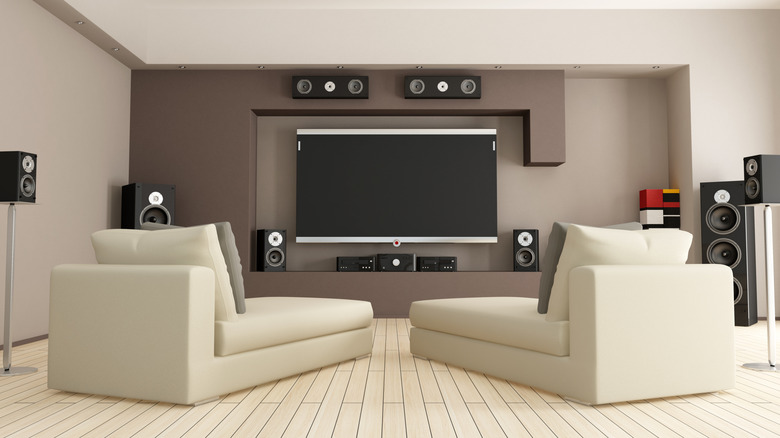
Technically, 7.1 has a higher audio immersion ceiling than 5.1 surround sound. That said, the difference between a well-calibrated 5.1 system and a budget 7.1 setup is slim. If you struggle to tell the differences between Dolby Digital, DTS and Atmos, a standard 5.1 home theater system will suit your Xbox needs just fine.
A 5.1 setup consists of a center speaker, one either side of it, a subwoofer and two surround speakers (normally placed behind where you sit). 7.1 systems throw in an extra two surround speakers, which can more precisely convey, say, the direction of footsteps if the developer has really put time into a game’s audio. Either, many of the best Xbox games boast superb surround sound support. First-party efforts like Gears 5, Halo Infinite and Forza Horizon 6 all support Dolby Atmos. Hearing cars rapidly approaching in your surround channels can help you claim podium finishes.
While 7.1 systems can offer a slightly elevated audio experience compared to 5.1, there are some important practicalities to consider. The biggest is that you need more space to accommodate a 7.1 system. If you play your Xbox in a cramped lounge where floor space is at a premium, a 5.1 setup will be more practical than 7.1 while still delivering a compelling sound experience.

2 Comments
Pingback: Javier Bardem slammed for targeting Pink over Macklemore comments: 'The left is eating itself' - Comic Vibe
Pingback: New Adtech From Microsoft Would Interrupt Your Game at 'Promoted Content Trigger Events' - Comic Vibe