

Grand Theft Auto VI is finally out on PS5 and Xbox Series X|S. But what if you’re still rocking an Xbox One? Good news: you can still play it, thanks to Xbox Cloud Gaming.
Microsoft confirmed that GTA VI is playable on day one through Xbox Cloud Gaming on Xbox One. However, there’s a catch. You’ll need to pay for cloud playtime unless you already have Game Pass.
Can You Really Play GTA VI on Xbox One?
Yes, but not natively. GTA VI doesn’t install or run on the Xbox One itself. Instead, the game runs on Microsoft’s servers and streams to your console, just like watching a video.
When streamed, GTA VI uses Xbox Series S graphics settings. So you’re getting the same visual level as the most affordable current-gen Xbox, not the Series X experience.
What You Need Before You Start
Before you get excited, make sure you have everything ready. Here’s what you’ll need:
- An Xbox One console (Xbox One and later consoles support Xbox Cloud Gaming)
- A Microsoft account signed in on your console
- Your own copy of GTA VI – it must be purchased separately. On the Xbox Store, it’s CAD 109.99 in Canada and US$79.99 in the US for the Standard Edition
- Cloud playtime – either from an eligible Game Pass plan or a Cloud Playtime pack bought from the Xbox Store
- A fast and stable internet connection – Microsoft recommends at least 20 Mbps on consoles, preferably wired Ethernet or 5GHz Wi-Fi
- Your Xbox controller – the one you already use with your Xbox One works
Do You Need Xbox Game Pass?
Not anymore. Starting November 11, players in supported markets can buy cloud playtime and stream games they own without a Game Pass subscription.
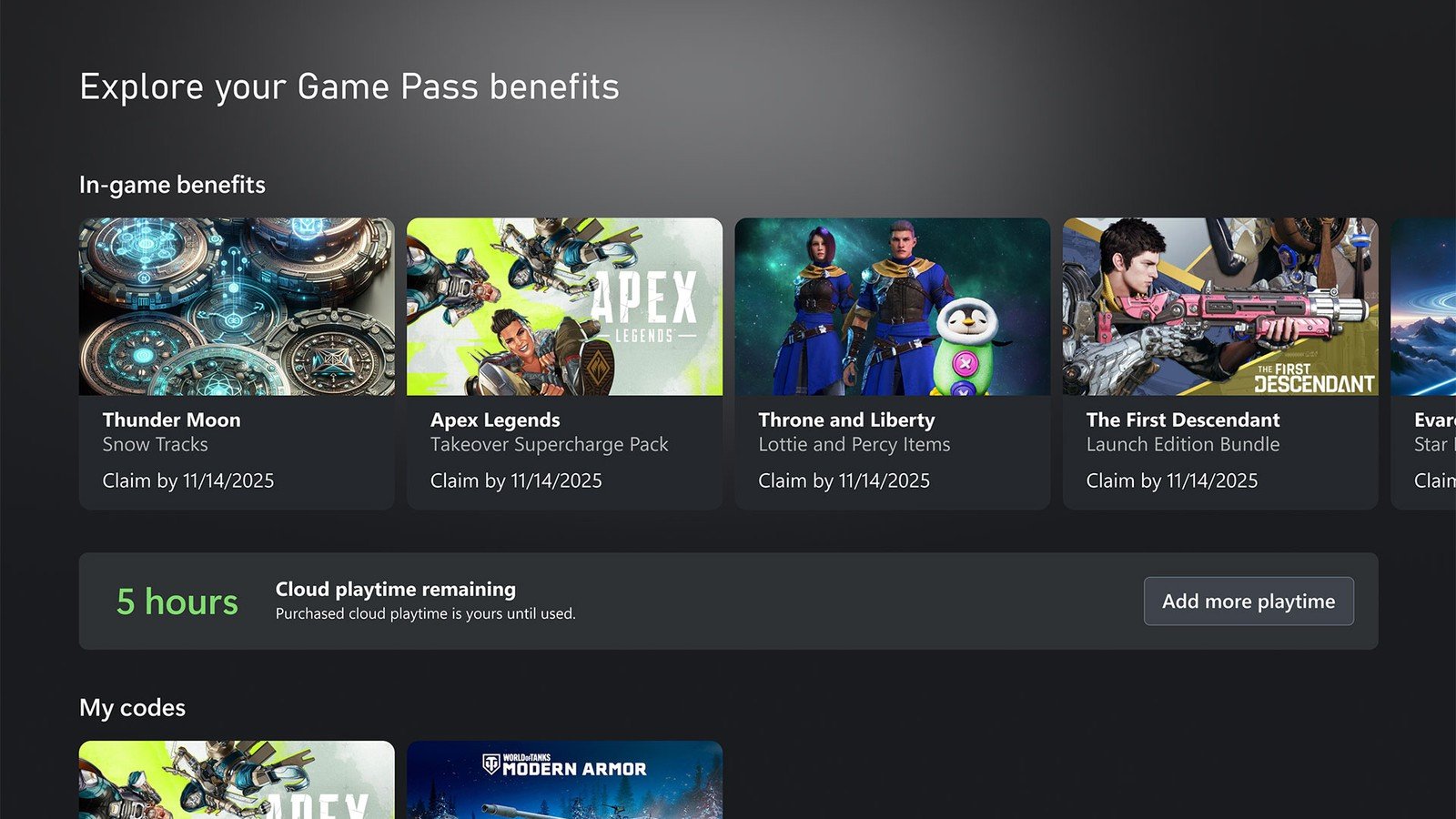
If you do have Game Pass, your plan now includes a set number of cloud hours each month: 15 hours for Ultimate, 10 hours for Premium, and 5 hours for Essential. Once those run out, you can top up with a Cloud Playtime pack.
Honestly, 15 hours isn’t a lot for a game as massive as GTA VI. So if you plan to play it seriously on the cloud, expect to buy extra hours.
How Much Does Xbox Cloud Playtime Cost?
Here are the official Cloud Playtime pack prices listed on the Xbox Store:
| Cloud Playtime Pack | Canada (Xbox Store) | US (Xbox Store) |
|---|---|---|
| 10 hours | CAD 4.99 | US$3.99 |
| 25 hours | CAD 10.99 | US$7.99 |
| 50 hours | CAD 16.99 | US$11.99 |
Purchased hours stay on your account until you use them, so they won’t expire at the end of the month. The packs are also ad-free.
Is it worth it? If you’re in Canada, the 50-hour pack works out to roughly CAD 0.34 per hour. That’s still cheaper than buying an Xbox Series S right now if you just want to play GTA VI.
How to Play GTA VI on Xbox One
It’s actually pretty easy. Here’s how to do it:
- Run a speed test and make sure you’re getting at least 20 Mbps. Use a LAN cable or 5GHz Wi-Fi if you can.
- Buy GTA VI from the Microsoft Store on your Xbox One, or on xbox.com using the same account.
- Get cloud playtime: use your Game Pass monthly hours, or buy a 10-, 25-, or 50-hour Cloud Playtime pack from the Xbox Store.
- Go to your library and open the GTA VI game page.
- Choose the Cloud option to start streaming the game.
- Wait for the stream to connect, grab your controller, and welcome to Leonida.
Since the game is streaming, there’s nothing big to download. That’s a relief, considering the PS5 version asks you to clear at least 212GB of storage.
Is Xbox Cloud Gaming Available in Canada and the Philippines?
Canada is officially supported, so Canadian players can follow the steps above and pay in CAD.
Unfortunately, the Philippines isn’t on Microsoft’s list of 29 supported countries for Xbox Cloud Gaming. We also couldn’t find a Philippine Xbox Store listing for Cloud Playtime, so there’s no official PHP pricing.
For Filipino gamers, the safer route is still playing natively on PS5 or Xbox Series X|S. Locally, the PS5 version is listed at Php 4,990 at DataBlitz.
Frequently Asked Questions (FAQ)
Can I play GTA VI on Xbox One without buying the game?
No. Cloud playtime only lets you stream eligible games you own. GTA VI must be purchased separately.
Is GTA VI on Xbox Game Pass?
No. Xbox says GTA VI must be purchased separately. Game Pass only gives you monthly cloud hours to stream it.
Will GTA VI look worse on Xbox One?
Not exactly. The game streams using Xbox Series S graphics settings. However, picture quality and input lag will depend on your internet connection.
Do my purchased cloud hours expire?
No. Purchased Cloud Playtime remains available until it’s used. Game Pass monthly hours are a separate allowance.
Can I stream GTA VI for free with ads?
Xbox does offer free, ad-supported streaming for eligible games where available, with session limits. However, Xbox hasn’t confirmed whether GTA VI is included, so don’t count on it.
Verdict
Xbox Cloud Gaming is a great way to jump into GTA VI if you’re still on an Xbox One and not ready to upgrade. You don’t need Game Pass, and the hours don’t expire.
However, streaming always depends on your internet, and the cost adds up the longer you play. If GTA VI is going to be your main game for months, a Series S or Series X might make more sense in the long run.

2 Comments
Pingback: [INTERVIEW] 'Sumbakkokjil' producer serves Korean ghost lore to K-pop's global fandom - Comic Vibe
Pingback: GTA 6's Mandy actress Lexie Shoaibi joins HasanAbi's livestream and makes a surprising comment - Comic Vibe