
Close Menu

    Subscribe to Updates

    Get the latest creative news from FooBar about art, design and business.

    What's Hot

    Anya Taylor-Joy says she went mute after Meeting Ian McKellen on The Lord Of The Rings: The Hunt for Gollum set

    November 24, 2026

    Our Favorite Music Publicists Confess Their Fan Behavior

    November 24, 2026

    A Heartbreaker Bombshell Spoiler For Lost Fantasy #14 Out Tomorrow

    November 24, 2026
    Facebook X (Twitter) Instagram
    Facebook X (Twitter) Instagram YouTube TikTok
    Comic Vibe
    Tuesday, November 24
    • Home
    • Comics
      • Comic Vibe News
    • Gaming
    • Movies
    • TV
    • Anime
    • Toys & Collectibles
    • Cosplay
    • Tech
    • Digital Culture
      • Creators & Fan Culture
      • Creator Economy & Fan-Driven Platforms
      • Digital Fandom & Online Communities
      • Metaverse & Virtual Worlds
      • NFTs & Digital Collectibles
      • Virtual Events & Online Conventions
      • Virtual Identity & Avatars
    • Shop
    Comic Vibe
    • Home
    • Contact Us
    • Terms & Conditions
    • Advertise With Us
    • DMCA Policy
    • Privacy Policy
    • About Us
    Home»Gaming»How to connect your Bluetooth headphones to your Xbox Series X
    Gaming

    How to connect your Bluetooth headphones to your Xbox Series X

    JamesBy JamesNovember 23, 20261 Comment3 Mins Read
    Facebook Twitter
    Share
    Facebook Twitter

    Since the Xbox Series consoles lack support for Bluetooth headphones, here’s how you can work around the problem.

    Having the best audio can elevate any game, and sometimes TV speakers just don’t cut it. But while Bluetooth headphones are supported on virtually every device from smartphones to laptops, the same isn’t true of game consoles. Out of the box, an Xbox Series X can’t connect directly to Bluetooth headphones, but there are a few workarounds if you want to get more out of your game’s sound than your TV can provide.

    The problem with using even the best wireless Bluetooth headphones for gaming is latency. Sending audio over Bluetooth introduces a tiny delay before your headphones actually receive it. Most of the time, that’s not an issue, but when your game’s sound is even a fraction of a second off, it can be distracting. Worse, it can make rhythm games that rely on audio cues nearly unplayable. If you do want wireless audio from your Xbox Series X, there are a few solutions, but none are perfect.

    How to get around Xbox’s lack of Bluetooth
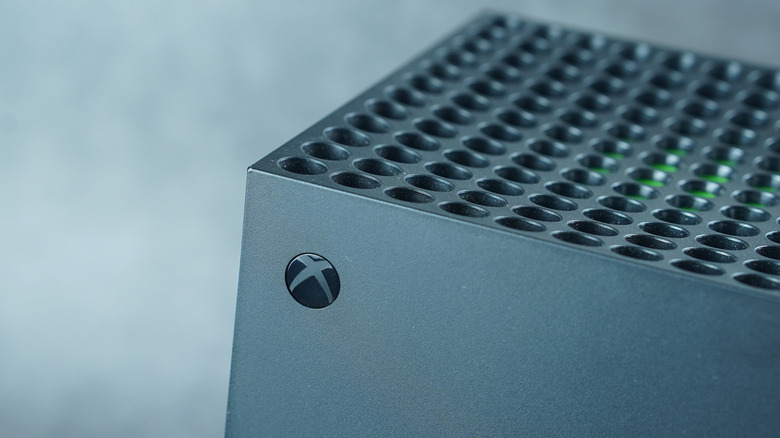
    Close up of the Xbox logo on the Xbox Series X.

    One simple but costly route is to buy the official Xbox Wireless Headset, which retails for $120. Microsoft uses its own wireless standard for these headphones to connect with extremely low latency, and since Bluetooth isn’t an option, you have to pay more for the first-party version if you want wireless audio. Some third-party manufacturers like Audeze and SteelSeries also make Xbox-compatible wireless headsets, but they can be just as expensive as Microsoft’s version or more. Third-party headsets that support Xbox’s wireless protocol need to be licensed by Microsoft, and you’ll see the Xbox logo on the box.

    Another option is to route Bluetooth audio through an adapter or your TV. Some Bluetooth adapters are made to plug into the Xbox controller‘s headphone jack and transmit the audio coming through it, while others connect to the console’s USB port and transmit from there. Higher-end headphones like the SteelSeries Arctis Nova Elite that come with a dedicated low-latency dongle are the best choice for sound quality, but they also tend to be more expensive. If you already own a smart TV that can transmit a Bluetooth signal, you can also set your console to output to the TV, then connect it to your headphones. Any of these options will be cheaper than buying an entirely new set of headphones.

    The cheapest way to connect your headphones to your Xbox Series X is just to use the controller’s audio jack as it’s intended. Some Bluetooth headphones include a jack and audio cable as a wired backup, but that’s not always the case. If you have any headphones that support wired connections, though, using the controller jack is the best way to avoid latency. It’s not actually wireless, of course, but connecting your headphones to the controller won’t compromise your audio quality.

    Bluetooth connect Headphones Xbox your
    Share. Facebook Twitter
    Previous ArticleLongtime Actor Dies After Being Hit by Car: Larry Poindexter Was 66
    Next Article Moon Knight Season 2 Isn’t Happening, But Its Best Replacement Just Got Announced By Disney+ And Marvel Studios
    James

    Related Posts

    GTA 6 IS Officially the Biggest PlayStation Launch Ever

    November 24, 2026

    How to Play Grand Theft Auto VI in the Cloud and with Remote Play

    November 24, 2026

    GTA 6 Drew More Than Half of Active PS5 and XBOX Players on Launch Day

    November 24, 2026

    ‘The Blood of Dawnwalker’ and ‘Grand Theft Auto VI’ lead the AP’s list of 2026 top video games

    November 24, 2026

    1 Comment

    1. Pingback: Apple Watch SE 3 vs Series 12: Which should you buy this holiday season? - Comic Vibe

    Leave A Reply Cancel Reply

    Our Picks

    Anya Taylor-Joy says she went mute after Meeting Ian McKellen on The Lord Of The Rings: The Hunt for Gollum set

    November 24, 2026

    Our Favorite Music Publicists Confess Their Fan Behavior

    November 24, 2026

    A Heartbreaker Bombshell Spoiler For Lost Fantasy #14 Out Tomorrow

    November 24, 2026

    GTA 6 Has Full-Fledged TV Shows You Can Watch in the Game, From Satirical Cartoons to Edgy Sitcoms, And They’re Absolutely Wild

    November 24, 2026
    • Facebook
    • Twitter
    • Instagram
    • YouTube
    • TikTok
    • Telegram
    Don't Miss
    TV

    How to Watch Tyler Perry’s The Oval Season 7, Episode 10

    By JamesJuly 22, 20260

    A brand-new episode of the seventh season of Tyler Perry’s The Oval is set to premiere on Wednesday night on BET, which is available to stream live on Fubo. The synopsis of the series reads as follows: “Written, directed and executive produced by Tyler Perry, The Oval is a political drama series. It tells the story of U.S President…

    Manga Day at the Museum of Ethnography

    July 22, 2026

    Where to find Northern Virginia’s version of Comic Con

    July 22, 2026

    Marvel Comics’ Official October 2026 Solicits Aside From SDCC Reveals

    July 22, 2026

    Subscribe to Updates

    Get the latest creative news from SmartMag about art & design.

    About Us
    About Us

    Comic Vibe is a pop-culture destination created for fans who live and breathe comics, movies, anime, TV shows, gaming, tech, cosplay, and collectibles.

    Our mission is to deliver engaging news, reviews, features, guides, and opinions that celebrate geek culture in all its forms. From the latest comic releases and blockbuster films to anime trends, gaming updates, cutting-edge tech, and collector culture, Comic Vibe brings everything together in one vibrant hub.

    Our Picks

    Anya Taylor-Joy says she went mute after Meeting Ian McKellen on The Lord Of The Rings: The Hunt for Gollum set

    November 24, 2026

    Our Favorite Music Publicists Confess Their Fan Behavior

    November 24, 2026

    A Heartbreaker Bombshell Spoiler For Lost Fantasy #14 Out Tomorrow

    November 24, 2026

    Subscribe to Updates

    Get the latest comics, anime, movies, TV, gaming, cosplay, and pop culture news delivered directly to your inbox. No spam—just the stories every fan should know.

    Facebook X (Twitter) Instagram YouTube TikTok
    • Home
    • Contact Us
    • Terms & Conditions
    • Advertise With Us
    • DMCA Policy
    • Privacy Policy
    • About Us
    © 2026 Comic Vibe. Designed by Comic Vibe.

    Type above and press Enter to search. Press Esc to cancel.