
Close Menu

    Subscribe to Updates

    Get the latest creative news from FooBar about art, design and business.

    What's Hot

    Steam Machine Engineer Warns Memory Crisis Is Getting Worse

    July 18, 2026

    Megan Fox Claps Back After Critic Calls Her Sultry Photos “Embarrassing”

    July 18, 2026

    More Than Just a Game: FIFA World Cup’s Lance Brass Breaks Down Stadium Production & Entertainment

    July 18, 2026
    Facebook X (Twitter) Instagram
    Facebook X (Twitter) Instagram YouTube TikTok
    Comic Vibe
    Saturday, July 18
    • Home
    • Comics
      • Comic Vibe News
    • Gaming
    • Movies
    • TV
    • Anime
    • Toys & Collectibles
    • Cosplay
    • Tech
    • Digital Culture
      • Creators & Fan Culture
      • Creator Economy & Fan-Driven Platforms
      • Digital Fandom & Online Communities
      • Metaverse & Virtual Worlds
      • NFTs & Digital Collectibles
      • Virtual Events & Online Conventions
      • Virtual Identity & Avatars
    • Shop
    Comic Vibe
    • Home
    • Contact Us
    • Terms & Conditions
    • Advertise With Us
    • DMCA Policy
    • Privacy Policy
    • About Us
    Home»TV»How does the Apple Watch water lock feature actually work?
    TV

    How does the Apple Watch water lock feature actually work?

    JamesBy JamesJuly 18, 2026No Comments4 Mins Read
    Facebook Twitter
    How does the Apple Watch water lock feature actually work?
    Share
    Facebook Twitter

    And does it really help?

    There are many smartwatches that are water-resistant, but rarely is anything fully waterproof. That said, you can safely swim (in freshwater sources) with one that meets an IPX8, IP68 (or higher) rating. But there’s still risk of damage if the watch isn’t dried out after submersion, which is why features like the Apple Watch’s water lock are really handy. With water lock activated, the Apple Watch not only disables the screen so pressure from water doesn’t inadvertently trigger an unintended action, but it also ejects water from inside the device to help it dry faster.

    It’s a useful and underrated feature of Apple Watch that every smartwatch should have, especially those that are rated to be safe to wear while swimming. I use this feature often with my Apple Watch Series 11, and I love that it’s automatically triggered any time I hop in a pool or wade in the ocean. It works while scuba diving as well if you have the Apple Watch Ultra, Apple Watch Ultra 2 or Apple Watch Ultra 3, all three of which are safe for deep diving (standard Apple Watches are not).

    How Apple Watch water lock works
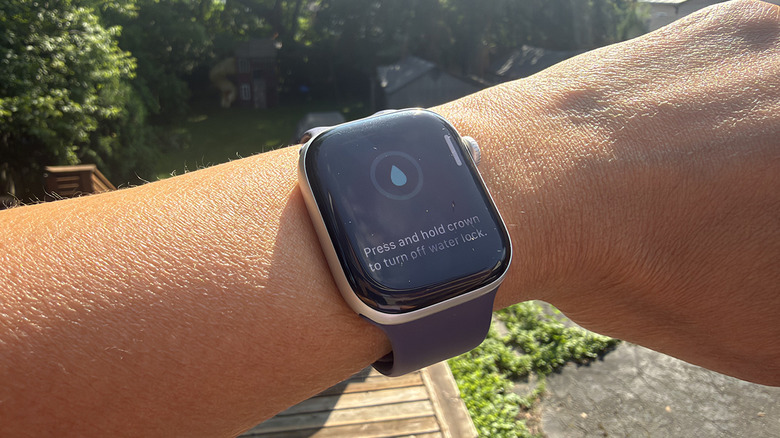
    A wrist outside with an Apple Watch showing the water lock feature on.

    Christine Persaud for Engadget

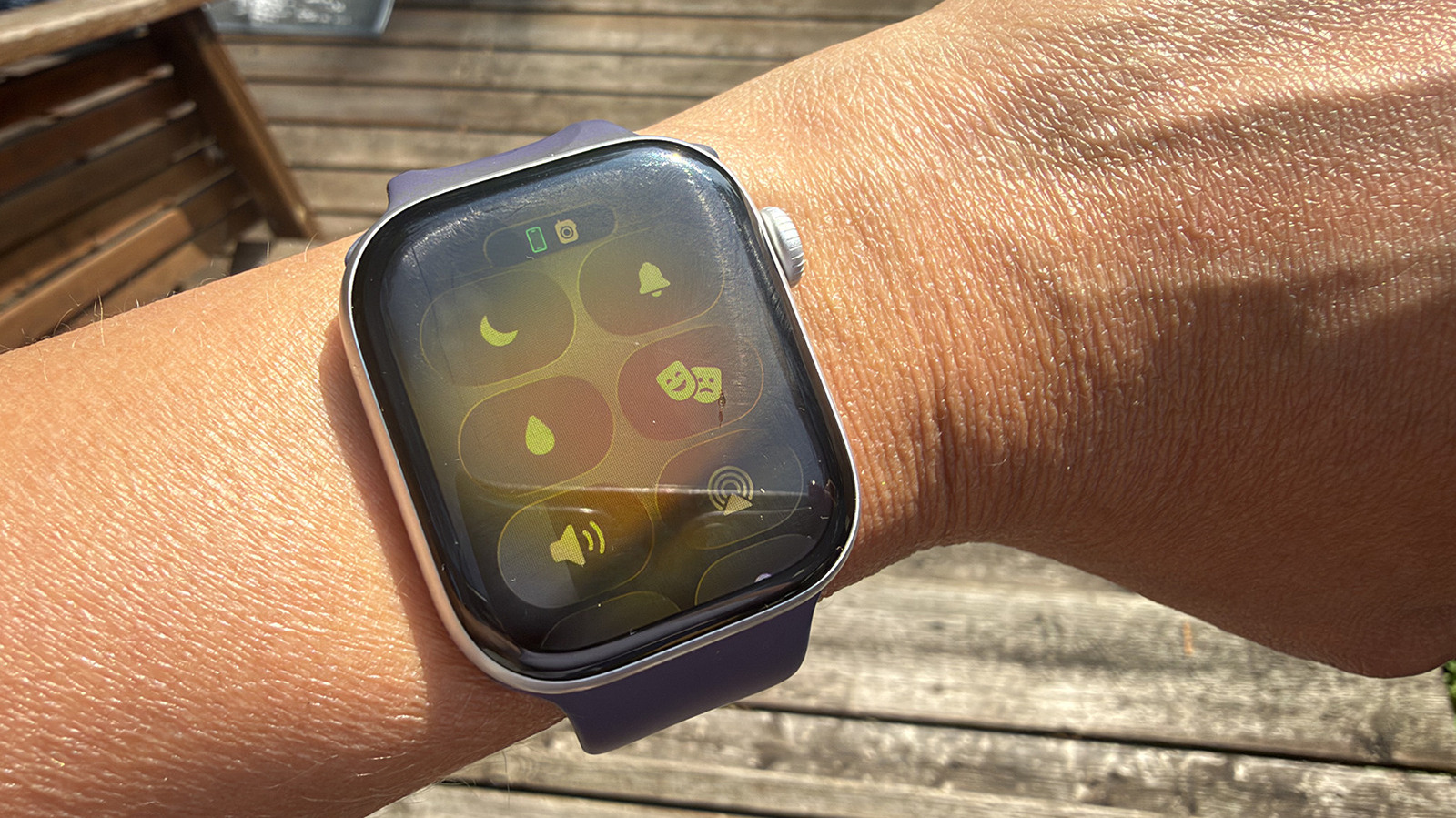
    To manually turn on water lock, which is available on all Apple Watch models from Series 2 and onward, press the side button to open the Control Center. Select the water droplet icon (you may have to scroll down to see it). When the water lock is active, you won’t be able to manipulate the watch screen. It simply won’t respond. Once you come out of the water, press and hold the Digital Crown to unlock the watch. You will see a water ejection mode begin and hear a series of tones, which sound sort of like an ’80s video game, until the process is done.

    What’s happening inside the watch when you do this? It’s pretty fascinating. When you press and hold the button, water comes streaming out of the tiny side speaker holes. It’s a lot more water than you might realize or even notice, since it happens so fast and the speakers and water droplets are so tiny. The watch pauses to settle and eject again, repeating this cycle over and over. This is why you have to press and hold the Crown for at least a few seconds instead of a quick press. It keeps you from initiating this process accidentally.

    Why use Water Lock on Apple Watch
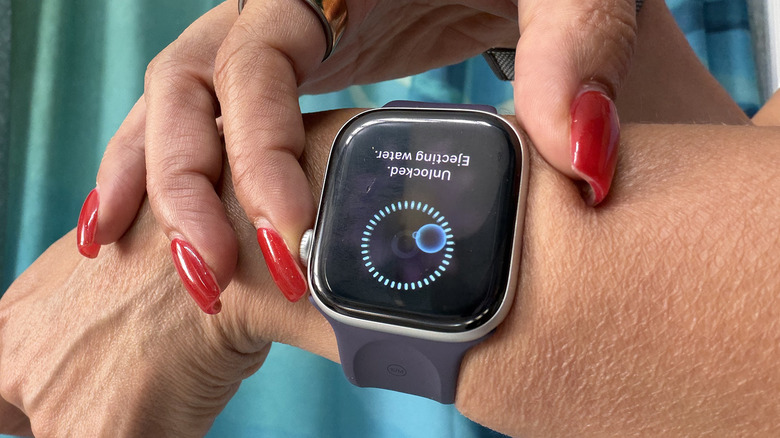
    Fingers touching an Apple Watch to eject water.

    Christine Persaud for Engadget

    When should you use water lock? It’s a no-brainer to use the water lock feature on Apple Watch if you’re a swimmer or have a pool at home. In fact, you won’t have a choice, since it turns on automatically when you’re engaged in a water exercise like swimming or surfing. As an extra precaution, you might want to turn it on manually using the steps noted above during times when your wrist isn’t completely submerged, but the watch still gets wet. This might be if you wear it in the shower, while washing dishes or just during a run home in the rain. Utilizing this feature will ensure that any residual water is removed.

    What happens if you don’t turn on water lock? The watch will likely be fine (assuming it’s a model with a high water-resistance rating), but you run the risk of water pooling inside and causing eventual damage. While that water-resistance rating gives you the confidence to wear an Apple Watch while swimming or doing other water-based activities, you should be aware that water-resistance weakens over time with any device. Keeping as much water out of the insides as possible, especially if you’re swimming in a chlorinated pool, can help prolong the life of your smartwatch. Next time you go for a swim, see if you can spot the water coming out of the side speaker when you press the button. And consider the intricate process that’s happening to keep the watch free of moisture inside.

    Apple does Lock Watch Water
    Share. Facebook Twitter
    Previous ArticleWhat to know about the Alameda Point Antiques Faire
    Next Article Dodgers’ Ohtani Becomes ‘Absolute Batman’ on Custom Card
    James

    Related Posts

    How to Watch: Celtic v Middlesbrough pre

    July 18, 2026

    Star of Netflix series ‘Tiger King’ now in Lexington federal prison, he says

    July 18, 2026

    IndyCar Nashville qualifying channel today, time, TV schedule for IndyCar Series

    July 18, 2026

    This weekend’s best Apple deals: AirPods Pro 3, Apple Watch Series 11, MacBook Pro $400 off, Magic Keyboard, more

    July 18, 2026
    Leave A Reply Cancel Reply

    Our Picks

    Steam Machine Engineer Warns Memory Crisis Is Getting Worse

    July 18, 2026

    Megan Fox Claps Back After Critic Calls Her Sultry Photos “Embarrassing”

    July 18, 2026

    More Than Just a Game: FIFA World Cup’s Lance Brass Breaks Down Stadium Production & Entertainment

    July 18, 2026

    6 Reasons Why You Should Buy A Used PlayStation 5 In 2026

    July 18, 2026
    • Facebook
    • Twitter
    • Instagram
    • YouTube
    • TikTok
    • Telegram
    Don't Miss
    Toys & Collectibles

    Hasbro GI Joe Classified Series 6 Inch Dreadknock Monkey Wrench Figure Review

    By JamesDecember 22, 20250

    It’s time for our annual holiday break, so we’re wrapping up this year’s review with…

    MR Clean could become a PowerWash simulator for mixed reality

    December 23, 2025

    Favorite Quest, PC VR, PS VR2, and Apple Vision Pro Games of 2025

    December 23, 2025

    Best Hand Tracking and Mixed Reality Games of 2025 with Meta Quest and Apple Vision Pro

    December 23, 2025

    Subscribe to Updates

    Get the latest creative news from SmartMag about art & design.

    About Us
    About Us

    Comic Vibe is a pop-culture destination created for fans who live and breathe comics, movies, anime, TV shows, gaming, tech, cosplay, and collectibles.

    Our mission is to deliver engaging news, reviews, features, guides, and opinions that celebrate geek culture in all its forms. From the latest comic releases and blockbuster films to anime trends, gaming updates, cutting-edge tech, and collector culture, Comic Vibe brings everything together in one vibrant hub.

    Our Picks

    Steam Machine Engineer Warns Memory Crisis Is Getting Worse

    July 18, 2026

    Megan Fox Claps Back After Critic Calls Her Sultry Photos “Embarrassing”

    July 18, 2026

    More Than Just a Game: FIFA World Cup’s Lance Brass Breaks Down Stadium Production & Entertainment

    July 18, 2026

    Subscribe to Updates

    Get the latest comics, anime, movies, TV, gaming, cosplay, and pop culture news delivered directly to your inbox. No spam—just the stories every fan should know.

    Facebook X (Twitter) Instagram YouTube TikTok
    • Home
    • Contact Us
    • Terms & Conditions
    • Advertise With Us
    • DMCA Policy
    • Privacy Policy
    • About Us
    © 2026 Comic Vibe. Designed by Comic Vibe.

    Type above and press Enter to search. Press Esc to cancel.