
Close Menu

    Subscribe to Updates

    Get the latest creative news from FooBar about art, design and business.

    What's Hot

    DC Round-Up: NIGHTWING #144 takes flight with a story worth following

    November 18, 2026

    ‘Percy Jackson and the Olympians’ Season 3 Review: The Disney+ Fantasy Epic Grows Along With Its Cast

    November 18, 2026

    Calling out sick for GTA 6 release? XBOX, DJ Khaled have a doctor’s note for video game players

    November 18, 2026
    Facebook X (Twitter) Instagram
    Facebook X (Twitter) Instagram YouTube TikTok
    Comic Vibe
    Wednesday, November 18
    • Home
    • Comics
      • Comic Vibe News
    • Gaming
    • Movies
    • TV
    • Anime
    • Toys & Collectibles
    • Cosplay
    • Tech
    • Digital Culture
      • Creators & Fan Culture
      • Creator Economy & Fan-Driven Platforms
      • Digital Fandom & Online Communities
      • Metaverse & Virtual Worlds
      • NFTs & Digital Collectibles
      • Virtual Events & Online Conventions
      • Virtual Identity & Avatars
    • Shop
    Comic Vibe
    • Home
    • Contact Us
    • Terms & Conditions
    • Advertise With Us
    • DMCA Policy
    • Privacy Policy
    • About Us
    Home»Digital Culture»Metaverse & Virtual Worlds»GTA 6 Has No VR Mode. Here Is How to Put It on a Virtual Big Screen in a Quest or PS VR2
    Metaverse & Virtual Worlds

    GTA 6 Has No VR Mode. Here Is How to Put It on a Virtual Big Screen in a Quest or PS VR2

    JamesBy JamesNovember 18, 20262 Comments4 Mins Read
    Facebook Twitter
    GTA 6 Has No VR Mode. Here Is How to Put It on a Virtual Big Screen in a Quest or PS VR2
    Share
    Facebook Twitter
    Watch: Grand Theft Auto VI Trailer 2 on YouTube →

    Know the ceiling before you start. Rockstar’s November 10 Newswire post says the game is “targeting 30 frames per second” on the current consoles. Sony and Meta both document 1080p for the picture in the headset, so you are trading sharpness for size and privacy. My colleague Alex Reeves wrote in August that a virtual screen is not VR in any sense worth the word. He is right. It is still a screen bigger than your TV that nobody else in the house can claim, and that counts for something on launch night.

    PS5 and a PS VR2: Cinematic Mode

    What you need: a PS5, a PS VR2 and the game. Nothing to install.

    Cinematic Mode is Sony’s name for the PS VR2 acting as a plain display. Sony’s feature page says you can “play any non-VR PS5 games within the headset on a virtual cinema screen,” shown in 1920×1080 HDR at 24, 60 or 120 Hz.

    1. Turn on the PS5 and the headset. If the PS VR2 has never been set up on this console, finish that first.
    2. Start GTA 6. Per Sony’s support page, any non-VR game you select opens on the virtual screen by itself. You play with the DualSense as usual.
    3. Size the screen. Press the PS button, open the PS VR2 card in the control center and pick Screen Size. The same option lives under Settings, Accessories, PlayStation VR2, Cinematic mode.
    4. Re-center if it drifts. Sony’s instruction is to press and hold the options button on a PS VR2 Sense controller, so keep one within reach.

    One catch: the TV goes dark. Sony’s page says the social screen, the copy of the picture your TV normally shows, is disabled in Cinematic Mode, so nobody can watch along. And this is a route for people who already own the headset. When we checked on November 16, Sony’s US store was not selling the PS VR2.
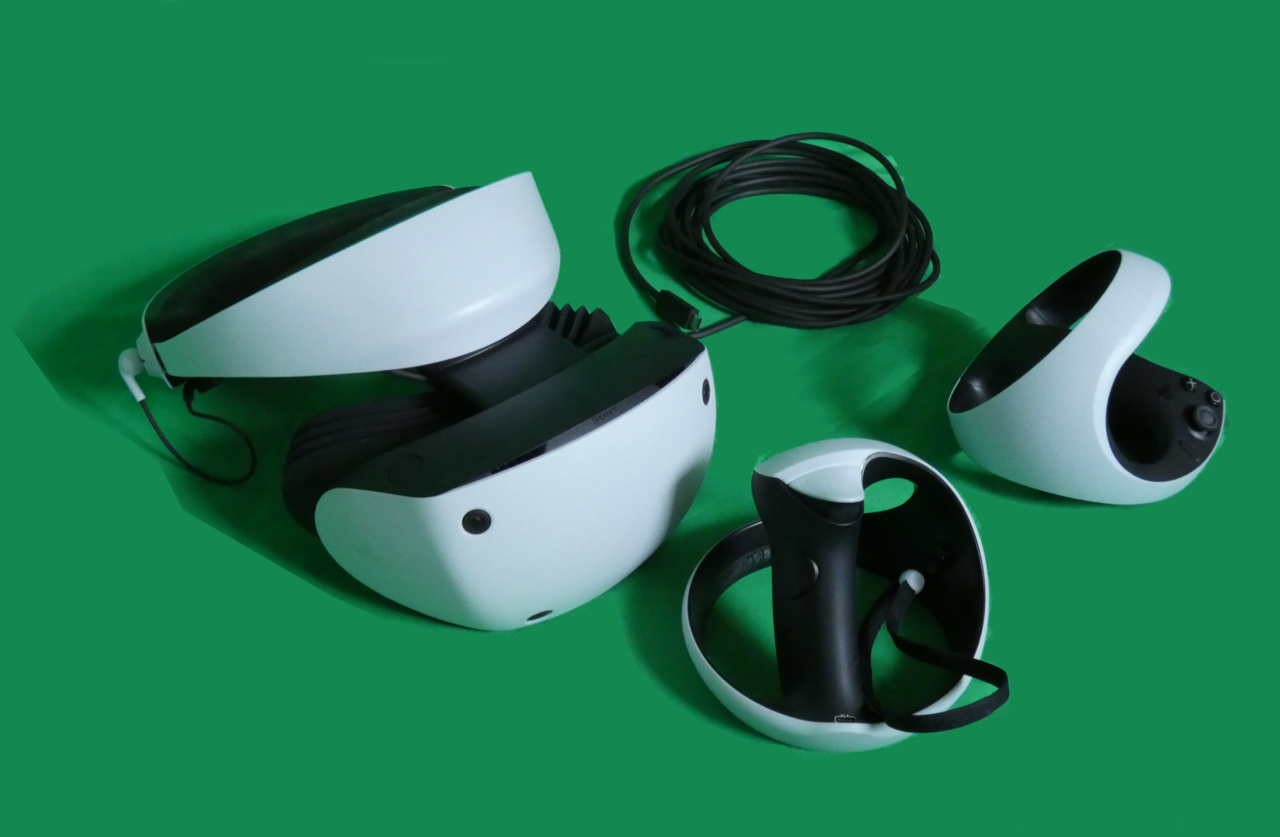
    A white PlayStation VR2 headset with its cable coiled behind it and two Sense controllers, photographed on a green backdrop
    Image: C.Suthorn / Wikimedia Commons / CC BY-SA 4.0

    Xbox Series X|S and a Quest: the Xbox app

    What you need: an Xbox Series X or Series S with GTA 6 installed, a Quest 2, Quest Pro, Quest 3 or Quest 3S, a gamepad paired to the headset, and remote features switched on in the console’s settings (Meta’s fine print lists that as a requirement).

    This route uses Remote Play, where your own console runs the game and sends the video to another device over your network. Rockstar’s post says GTA 6 “will also fully support Remote Play on PlayStation and XBOX.” The Xbox app on Quest has a remote play option, and Meta’s help page gives the steps.

    1. Install the Xbox app. It is free on the Meta Horizon Store, and Meta says the headset needs software build 60.0 or later for it to appear.
    2. Pair a controller. The app walks you through it on first launch. Meta lists the Xbox Wireless Controller over Bluetooth or USB as tested, along with a DualShock 4 and the Switch Pro Controller.
    3. Sign in. Use the Microsoft account that is on your console.
    4. Connect to the console. Select your profile picture at the top right, press My consoles, then CONNECT. The other path is Cloud Gaming at the top left, then Remote play.
    5. Launch GTA 6 from the console’s own dashboard. The panel can be detached, resized and moved, and Meta says the app works in passthrough or in an Xbox-themed room. Meta has advertised four display sizes, the largest a 26-foot theater screen.

    A caution: the game was not out when this was written, so this route could not be tested with GTA 6 itself. Rockstar’s sentence covers Remote Play on Xbox in general and does not name a headset. If lag is a problem, Meta’s own tip is to plug the controller into the headset with a USB-C cable and sit close to the router.

    Here Mode Quest Screen Virtual
    Share. Facebook Twitter
    Previous ArticleJoe Jonas Gifts Demi Lovato Cheeky Mug for Her Birthday
    Next Article Calling out sick for GTA 6 release? XBOX, DJ Khaled have a doctor’s note for video game players
    James

    Related Posts

    Roblox’s child safety under scrutiny in Senate hearing

    November 18, 2026

    Global Market for Chronic Pain Virtual Reality Therapy Expected to Exceed $18.82 Billion by 2030

    November 18, 2026

    Senators try to help victims of online child exploitation get their day in court

    November 18, 2026

    Learning science one virtual escape room at a time

    November 18, 2026

    2 Comments

    1. Pingback: DC Round-Up: NIGHTWING #144 takes flight with a story worth following - Comic Vibe

    2. Pingback: Calling out sick for GTA 6 release? XBOX, DJ Khaled have a doctor's note for video game players - Comic Vibe

    Leave A Reply Cancel Reply

    Our Picks

    DC Round-Up: NIGHTWING #144 takes flight with a story worth following

    November 18, 2026

    ‘Percy Jackson and the Olympians’ Season 3 Review: The Disney+ Fantasy Epic Grows Along With Its Cast

    November 18, 2026

    Calling out sick for GTA 6 release? XBOX, DJ Khaled have a doctor’s note for video game players

    November 18, 2026

    GTA 6 Has No VR Mode. Here Is How to Put It on a Virtual Big Screen in a Quest or PS VR2

    November 18, 2026
    • Facebook
    • Twitter
    • Instagram
    • YouTube
    • TikTok
    • Telegram
    Don't Miss
    Comic Vibe News

    CJP protests: Shabana Azmi slams the tear gas and lathi charge on protesters

    By JamesJuly 22, 20260

    Shabana Azmi, who joined the Chalo Sansad march in Delhi, criticises the police for using violence on students; urges the govt to nurture the youth, the country’s “greatest investment”

    Jelly Roll’s daughter fiercely denies cheating rumors, days after divorce from Bunnie Xo finalized

    July 22, 2026

    Netflix Making Kids’ Shows More Accessible

    July 22, 2026

    The Historic Comic Books That Introduced Superman and Captain America Just Entered the Smithsonian in a Landmark Acquisition

    July 22, 2026

    Subscribe to Updates

    Get the latest creative news from SmartMag about art & design.

    About Us
    About Us

    Comic Vibe is a pop-culture destination created for fans who live and breathe comics, movies, anime, TV shows, gaming, tech, cosplay, and collectibles.

    Our mission is to deliver engaging news, reviews, features, guides, and opinions that celebrate geek culture in all its forms. From the latest comic releases and blockbuster films to anime trends, gaming updates, cutting-edge tech, and collector culture, Comic Vibe brings everything together in one vibrant hub.

    Our Picks

    DC Round-Up: NIGHTWING #144 takes flight with a story worth following

    November 18, 2026

    ‘Percy Jackson and the Olympians’ Season 3 Review: The Disney+ Fantasy Epic Grows Along With Its Cast

    November 18, 2026

    Calling out sick for GTA 6 release? XBOX, DJ Khaled have a doctor’s note for video game players

    November 18, 2026

    Subscribe to Updates

    Get the latest comics, anime, movies, TV, gaming, cosplay, and pop culture news delivered directly to your inbox. No spam—just the stories every fan should know.

    Facebook X (Twitter) Instagram YouTube TikTok
    • Home
    • Contact Us
    • Terms & Conditions
    • Advertise With Us
    • DMCA Policy
    • Privacy Policy
    • About Us
    © 2026 Comic Vibe. Designed by Comic Vibe.

    Type above and press Enter to search. Press Esc to cancel.