

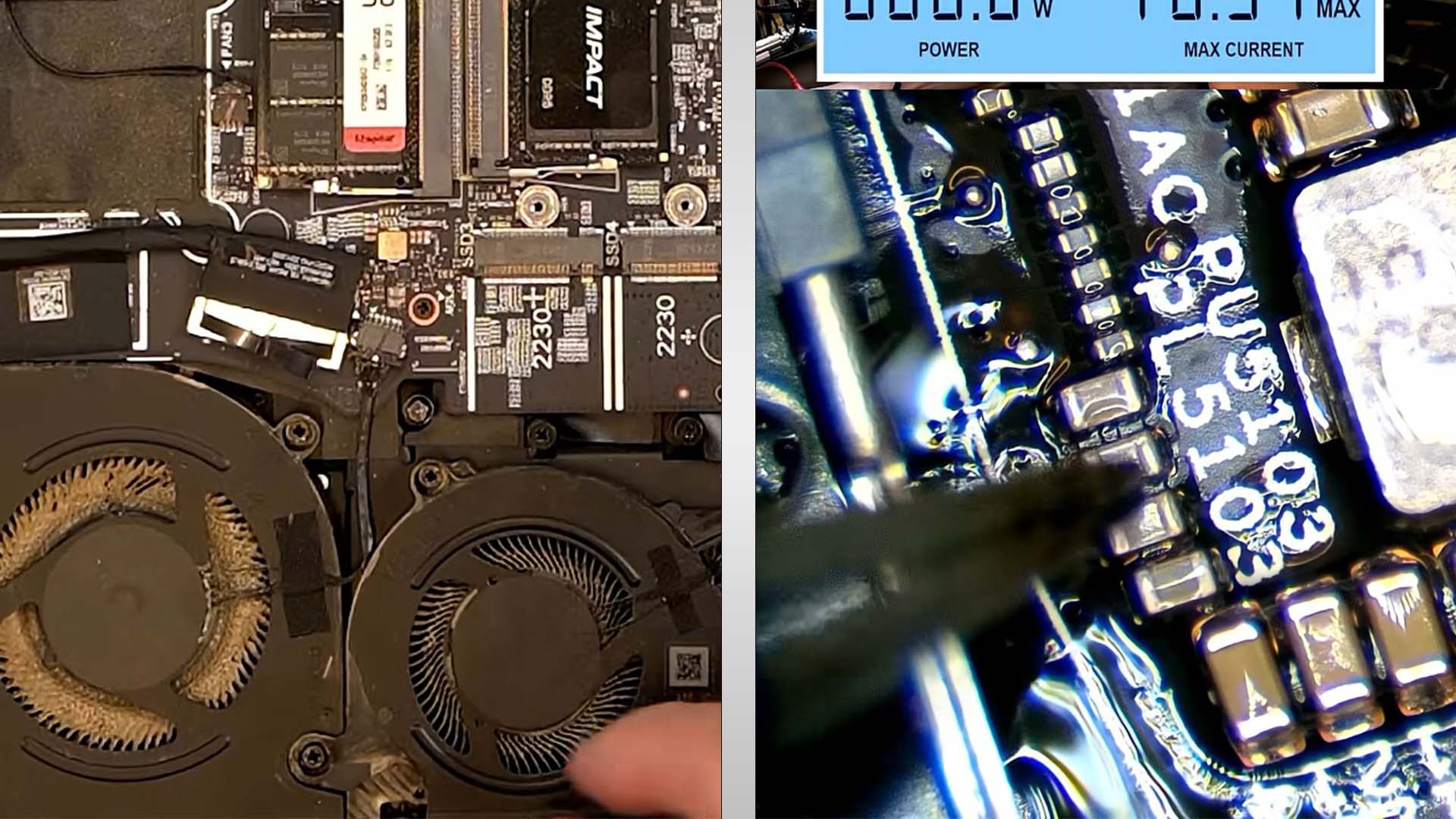
The number of powerful components inside a gaming laptop makes them extremely high-maintenance machines, but that’s the trade-off if you want incredible performance that you can take with you. Unfortunately, some users often forget that there’s a ton of care that accompanies owning one of these, and neglecting this pricey hardware can become deleterious in the future. One gaming laptop’s DDR5 power rail blew out because of this reason, and the culprit can be effortlessly spotted.
Clogged fans preventing proper airflow resulted in a gaming laptop’s overheating, causing the DDR5 power rail to fail
A slew of malfunctioning or dead Alienware gaming laptops are shown at @dellpartspeople’s YouTube channel, and in one of his shorts, he reveals that the customer informed him that the machine won’t power on. When the repair expert lifted the bottom cover, he immediately recognized that it was the user’s lack of maintenance of the gaming laptop that resulted in catastrophic failure, as the fans were practically choked.
Without reaching for his multimeter, he recognized that the DDR5 power rail had likely shorted out. Sure enough, his assumption turned out to be true, and without wasting precious time, his first order of business was to replace the blown-out capacitor. Replacing this component was an easy fix, but for others, it can become difficult to diagnose, especially when you lack the experience of @dellpartspeople.
As mentioned above, gaming laptops are extremely prone to overheating, even if they are regularly maintained, so to prevent these machines from becoming expensive paperweights, it’s imperative that users exercise various precautions to extend the lifespan of their ridiculously pricey hardware. They can start by changing the thermal paste for the CPU and GPU, followed by removing the thermal putty or pads on the GPU memory, VRMs, and MOSFETs.


If you’re too nervous to get inside your gaming laptop, we also recommend the good old-fashioned undervolting method. For Intel processors, there’s no better software than ThrottleStop, and if you want to obtain lower temperatures for your graphics processor, there’s no better alternative than MSI Afterburner.
About the author: Omar Sohail is a reporter and analyst for Wccftech’s mobile section, specializing in the technology and business of the mobile industry. His expertise lies in the intricate hardware supply chain, covering developments in semiconductor manufacturing, chip lithography, and camera sensor technology.
Follow Wccftech on Google to get more of our news coverage in your feeds.
