

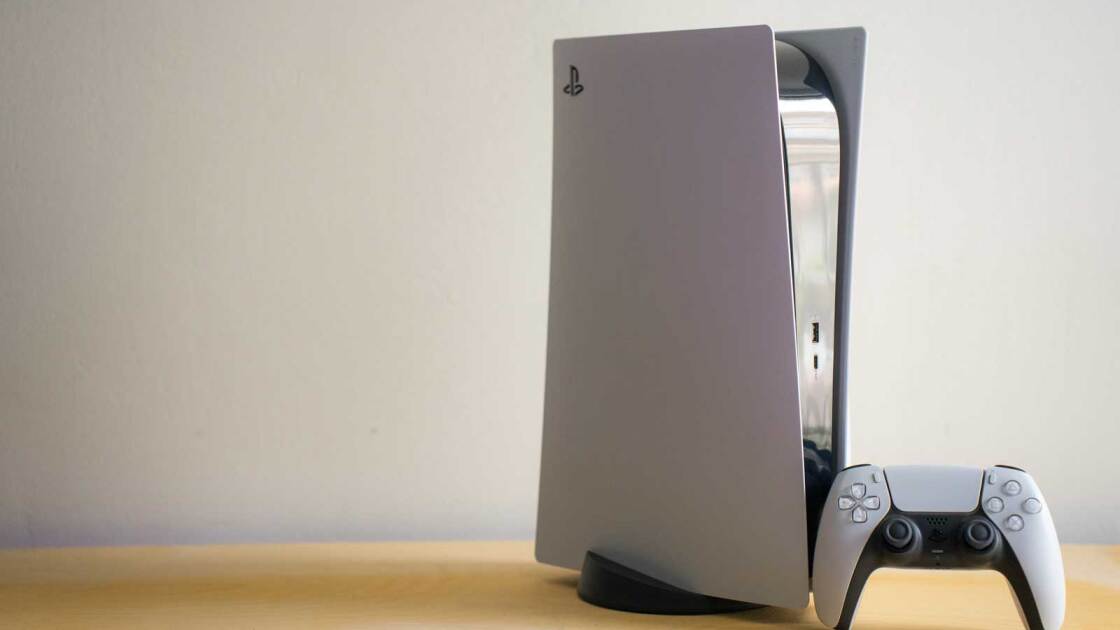
Gamers have found a novel way to build their own custom Steam Machines: Repurposed crypto-mining hardware based on the PS5 APU. The BC-250 board includes everything you need to get a gaming system up and running, and with SteamOS and a few tweaks, you can get Steam-Machine-like performance for a lot less, as Tom’s Hardware reports.
The BC-250 is a slightly cut-down PS5 APU, with six Zen 2 cores (two of the original eight are disabled), and a 24 CU RDNA 2 graphics chip (16 of the original 40 are disabled), 16GB of shared GDDR5 memory, and support for a single NVMe PCIe 2 SSD. It has a DisplayPort 1.4 out (a real boon for an old mining rig), Gigabit Ethernet, and even a few USB-A ports for peripherals.
Gamers have been hooking these things up to old SSDs and installing Linux on them, and the performance is pretty solid. Not like a Steam Machine out of the box, but very playable across a range of games at 1080p.
The real fun, though, comes in tweaking the system to unlock its full potential. Modders have been able to unlock the two additional CPU cores, bringing the total to eight and massively improving overall performance. They’ve also managed to get the GPU’s full 40 CUs working, leading to a big increase in gaming performance.
In Tom’s Hardware’s testing, with the full GPU available (though not the additional CPU cores), they were able to get performance very close to that of the real Steam Machine. And that system costs over $1,000 even when it’s in stock.
In comparison, you can buy the BC-250 board by itself for around $300 on eBay, and there are even kits assembled with 3D-printed cases and compatible power supplies. You’ll usually need to provide your storage, which isn’t cheap in 2026, but an old PCIe 2.0 SSD isn’t going to be crazy money either.
Recommended by Our Editors
Windows Runs Slightly Faster Than SteamOS on the Steam Machine
Forget the $900 PS5 Pro: This $250 Handheld Is the Smartest Way to Play PlayStation Games
Why Buy a $1K Steam Machine When Valve Is Giving Away SteamOS for Free?
The whole thing is very much a DIY project build, as is making a Steam Machine in general. But this has a few extra wrinkles because, as a mining rig, it wasn’t designed for gaming, even if the underlying APU was. It’s likely that even with everything in place, you might run into compatibility issues with certain games, weird performance quirks, and potentially long load times due to poor storage.
But if you like tweaking things, and especially if you want to build a very low-cost gaming PC in 2026, this might be one of the best ways to do it. Especially since you have a choice of SteamOS, Bazzite, or CatchyOS, offering a range of Linux platforms for affordable gaming.
About Our Expert
Jon Martindale
Contributor
Experience
Jon Martindale is a tech journalist from the UK, with 20 years of experience covering all manner of PC components and associated gadgets. He’s written for a range of publications, including ExtremeTech, Digital Trends, Forbes, U.S. News & World Report, and Lifewire, among others. When not writing, he’s a big board gamer and reader, with a particular habit of speed-reading through long manga sagas.
Jon covers the latest PC components, as well as how-to guides on everything from how to take a screenshot to how to set up your cryptocurrency wallet. He particularly enjoys the battles between the top tech giants in CPUs and GPUs, and tries his best not to take sides.
Jon’s gaming PC is built around the iconic 7950X3D CPU, with a 7900XTX backing it up. That’s all the power he needs to play lightweight indie and casual games, as well as more demanding sim titles like Kerbal Space Program. He uses a pair of Jabra Active 8 earbuds and a SteelSeries Arctis Pro wireless headset, and types all day on a Logitech G915 mechanical keyboard.
- Qualcomm Snapdragon C Could Unlock the $300 Laptop. Here Are the Specs
- Intel CEO Teases Possible Return to Memory Business
- Leak Tips Lenovo’s IdeaPad Vibe, Its Version of the MacBook Neo
- How Much?! Nvidia RTX Pro 6000 Will Now Set You Back $16,000
- Faster App Loading Lands in Latest Windows 11 Update
- More from Jon Martindale
