

We may receive a commission on purchases made from links.
This isn’t true for every display or use case, but typically speaking, monitors designed for gaming often fall into two distinct categories. There’s the competitive-focused gamers who want 1080p/1440p panels at most, the highest refresh rate possible, along with the highest response time. The biggest compromise in that hardware typically comes from visual clarity and similar bells and whistles. On the other hand, there are the folks focused on making their PC games look as beautiful as possible. That means 4K+ resolution, color accuracy, and a distinct focus on sharpness. Compromises like refresh rate or screen size often occur, though not always.
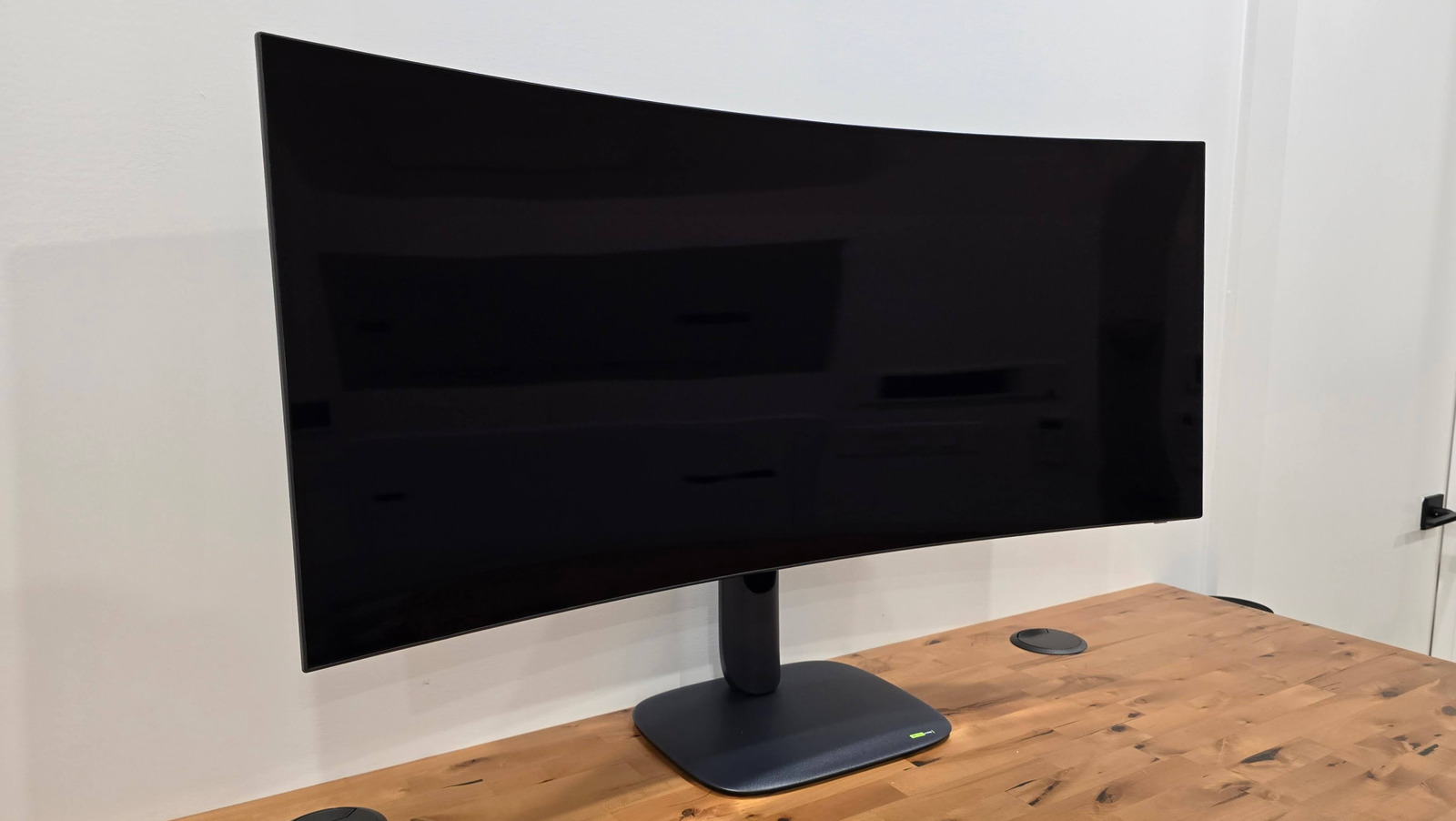
Most of the time, price is the primary differentiating factor between these two buyers. In fact, a lot of higher-tier, higher-resolution panels still sport higher refresh rates for smoother motion as alongside greater visual fidelity. Same deal with a monitor as high as 5K resolution, which brings us to this 5K2K display by Alienware. This 39-inch 5K OLED monitor (Alienware AW3926QW, “AW39” for short) packs a very impressive set of specs into its massive, yet thin frame.
The aforementioned massive, 1500R curved panel with DisplayHDR True Black 500 certification, 165Hz refresh rate (or 330Hz at lower resolutions, more on that later), 0.03ms response time, 1300 nits brightness, and more features; these all evidently come in at “$700 less” than the Alienware’s approximate competition. However, don’t mistake this as an affordable option: This monitor still begs a $1,099 MSRP premium, which is no small amount for any PC display.
Monitor specs
Diving into the nitty gritty, Alienware is billing this AW39 monitor as the “World’s First” 5K2K (5120×2160) OLED panel with RGB Stripe tandem technology. As for what that is exactly, it’s billed as the next innovation for OLED displays: The basic concept is individual “stripes” or subpixels of red, green, and blue are stacked on top of each other to produce richer and more accurate colors on OLEDs. Alienware’s monitor in particular implements a 4-stack, 3-subpixel structure, with an extra blue layer to improve color clarity. The end result holds up to scrutiny, too.
Beyond the display tech itself, this panel has loads of other accomplishments for a premium OLED screen. You get an excellent 1500 nits HDR brightness at peak, DCI-P3 99% color accuracy, the aforementioned VESA True Black 500 certification, and Dolby Vision support. The real party trick comes in the form of its default 5K resolution sporting 165Hz refresh rate, but it can also swap to “esports” modes at 24.5-inch and 27-inch screen sizes, each sporting 330Hz refresh rates. There’s also apparently non-esports “flexible” modes at 31.5-inch (16:9) screen size at 165Hz, and a 39-inch WFHD (21:9) screen size at 330Hz. The panel also has an additional polarizing layer, which reduces reflective glare to provide accurate black shades, regardless of room lighting.
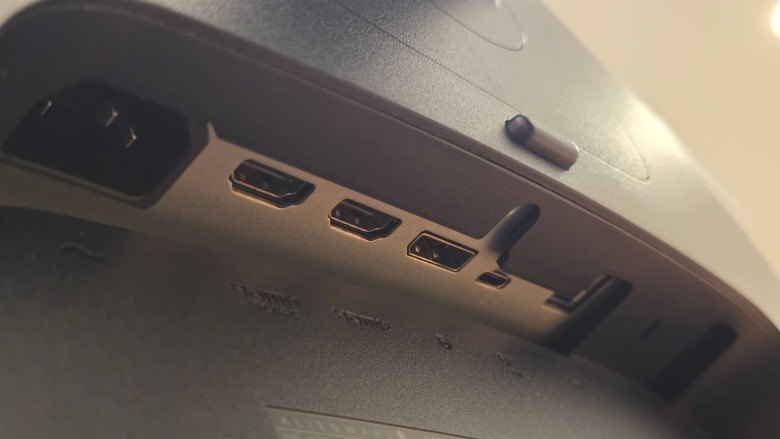
As for connectivity: You get two HDMI 2.1 FRL ports (one supports ARC/eARC), a DP 2.1 port, a USB-C upstream port (10Gbps with PD up to 90W and DP 2.1 Alt support), a USB-B upstream port (5Gbps), two USB-A downstream ports (5Gbps, one with charging support), a USB-C downstream port (with charging up to 15W), and a 3.5mm aux port. You also get the associated cables — DP, USB-C, HDMI, and Type A-to-B — included in the monitor box.
Design
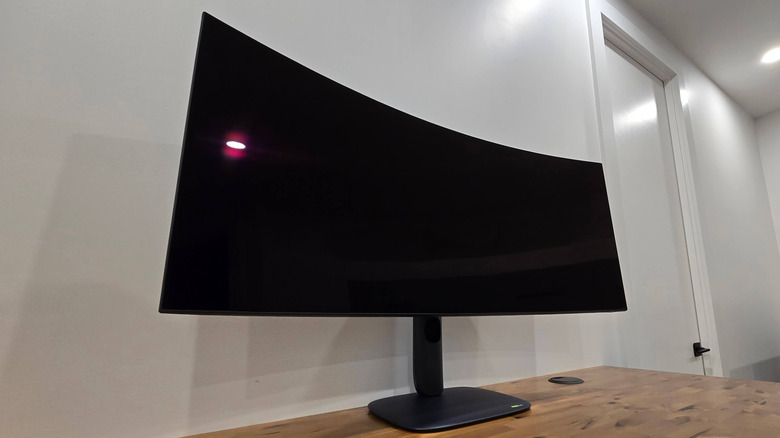
Alienware’s monitor aesthetic is fairly minimal, with smooth matte lines and contours on the edges and rear, devoid of any major frills. Other than its sleekness, the AW39’s demure design doesn’t even really scream “Alienware” or speak to any kind of imposing appearance at all. The most impressive design aspect of the AW39’s design is how thin the 39-inch panel is. Clocking in at just under 2 inches (50mm), truly the only thing that takes up the largest amount of room from this monitor is the beefy 6-pound stand that it comes with. However, you do get great angle articulation and simple height adjustment from the included stand.
You also get creature comforts like cable routing slots, a customizable Alienware logo LED on the back, and color coordination with Alienware Command Center support. The monitor itself clocks in at nearly 15 pounds, so you’ll need a solid monitor arm if you plan on mounting this display. Thankfully, the external PSU does mean no massive brick plugged into your surge protector that you’ll need to make room for.
The screen does a great job of covering a majority of the visible display area. While there’s still a lot more bezel than most people may like, it’s not a whole lot chunkier than any other comparable OLED gaming monitor at 4K+ resolution. Also praiseworthy is the 1500R curve that Alienware accurately describes as “subtle,” providing just enough angle for comfortable viewing and multitasking. Not a whole lot distracts you from how crisp and comfortable using this monitor is.
Display and responsiveness
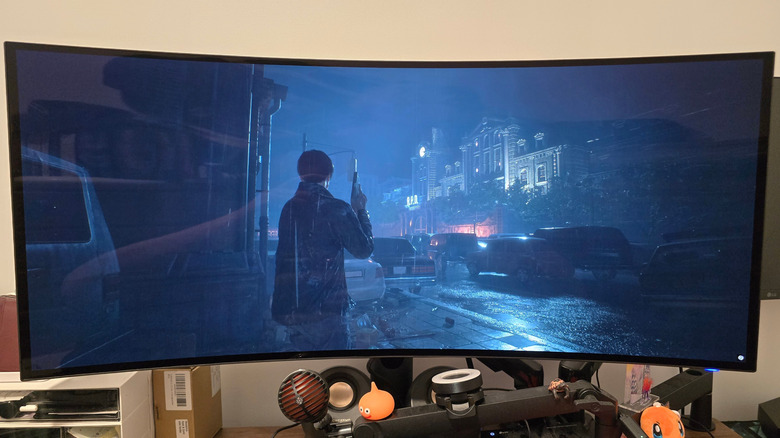
And especially at this monitor’s native 5120×2160 resolution, “crisp” is an apt description. While the default color profile (at least on this review unit) was a tad too dim, cranking up the HDR brightness reveals the impressive vibrancy you get from the AW39’s RGB stripe tandem tech. While my aging and gasping-for-air RTX 2070 Super couldn’t hack it with any newer AAA titles, lower-demand games still emphasized how beautiful and smooth this panel is in action. Still achieving 165Hz at 5K meant some incredibly fluid visuals in high-motion scenes.
Jumping around various games (even when some only supported up to 4K resolution), this panel performs more than admirably. Testing in “Resident Evil 2” as an example; the game looked incredible at 5K, even when that necessitated dropping down to medium settings and averaging around 45 fps. The high GtG response time really smoothed out the lack of 60 fps, which is (perhaps subjectively) perfectly serviceable for singleplayer gaming. Games like “Counter-Strike 2” also performed flawlessly on the dedicated “esports” modes, as well as the other flexible modes that still offered up to 330Hz. Each round felt as responsive as my 240Hz, 1080p daily driver LG monitor.
On higher-spec systems, you’ll likely get a whole lot more mileage out of this monitor at native resolution when your rig is sporting GPUs like an RTX 5090. That being said, it’s easy to tell that this panel is perfectly versatile for a variety of use cases in gaming. Even in the dedicated esports modes, this monitor outputs really smooth and tear-free clarity for competitive games.
The only downside to this versatility is needing to manually swap the monitor’s modes via the panel’s firmware, instead of directly in Windows. The aforementioned “esports” modes have their own separate sub-menu where you can select the 24 or 27-inch configurations, but the 31.5 or 39-inch WFHD modes are relegated to the larger picture settings menu. It’s a tad clunky, so it’s not quite the quick swap that Alienware seems to imply, but this is a small nitpick for rigs this monitor isn’t really meant for, or for otherwise more niche gaming moments.
Panel durability, burn-in, and warranty
Obviously it’s impossible to definitively comment on an OLED panel’s resilience or reliability in a short review period, but it is worth noting Alienware’s confidence in the AW39’s build quality. Alienware specifically points to the four-stack stripe architecture as having the additional advantage of emitting less luminosity than previous OLED tech. With “less electrical stress per emissive layer,” the risk of burn-in with the AW39 is expected to be low.
Something worth pointing out in the review material is Alienware’s “Personalized Algorithm” technology built into this display, which is far too nebulous to properly evaluate during the review period. However, Alienware seems confident that this “machine-learning technology integrated into the panel” will help maintain the monitor’s lifespan over time. The results of which will likely come out over the next several years, but are impossible to evaluate in just a few short weeks.
Beyond anticipated reliability, Alienware does plan to offer a 3-year warranty that specifically encompasses burn-in coverage. So there is some degree of “peace of mind,” but it remains to be seen if these safeguards will result in sufficient panel lifespan.
Conclusion
On purely display quality alone, there really isn’t a whole lot to knock on this Alienware AW39 5K gaming monitor. The panel quality is excellent, color accuracy is true-to-form for its aforementioned ratings and certifications, and its design is surprisingly muted for the sheer functionality it offers. Gaming is smooth and vibrant, and will assuredly provide a proper high-fidelity experience at native resolution, 4K, or even in the other HD and 21:9 resolutions.
Minor frustrations with the AW39 stem purely from the less-than-intuitive firmware present on the display itself. If you’re playing games at higher fidelity, especially in singleplayer scenarios, this likely won’t even prompt an issue for you. However, if you’re swapping back and forth between high-stakes and low-key gaming scenarios, swapping display modes will be a clunky affair. You may also need to adjust some HDR settings out of the box, though your mileage may vary. I’d also be willing to bet most buyers of this monitor were probably going to do that already, so not a huge issue.
All in all, Alienware has an excellent value proposition here, considering there’s not a whole lot of one-to-one competition. At an equivalent $1,000-$1,300 budget, you’re most likely sacrificing screen size, refresh rate, and/or response time; the latter two being the most common compromises. The only immediately comparable unit comes from LG’s Ultragear line, which has an MSRP of $1,999 (though is discounted on Amazon for $1,299.99 at time of writing).
At 39 inches, 5K2K resolution, and 165Hz refresh rate and above; you’re getting a feature-packed premium monitor for significantly less than comparable rivals. Really the only prerequisites here are having a more-than-$1,000 hole burning in your wallet — and already having an even-more-expensive rig to justify that monitor purchase. If you fit that criteria, the Alienware AW39 is a surprisingly good value considering all the bells and whistles you get.
