

Nadia Dubois
August 24, 2026
20 min read
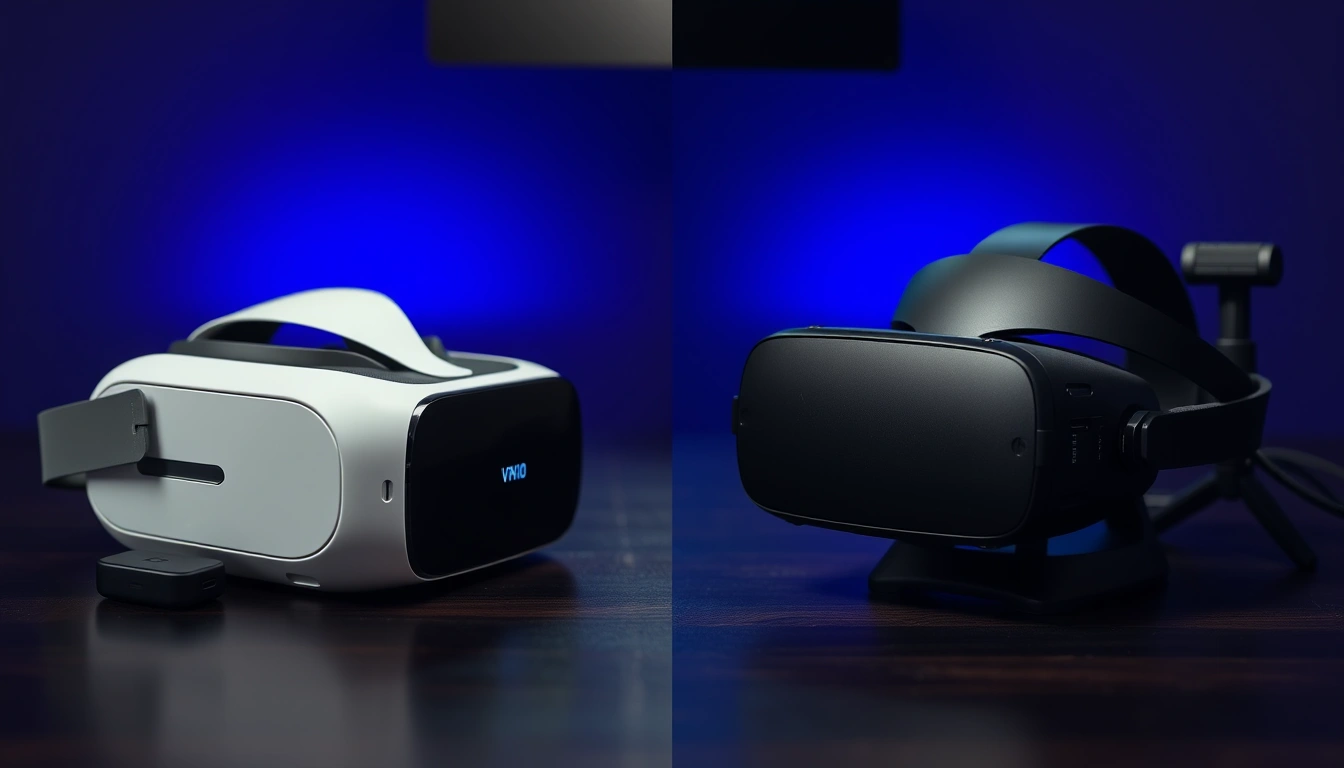
Valve confirmed Steam Frame back in November 2025, and by August 2026 it’s the headset every PC VR owner keeps asking about. The obvious point of comparison isn’t the Quest line, it’s Valve’s own Valve Index, the tethered headset that’s been the gold standard for SteamVR fidelity since 2019. One is a 185-gram wireless SteamOS device built around a Snapdragon 8 Gen 3 chip. The other is an 809-gram, base-station-tracked headset wired straight to a gaming PC. Picking between them isn’t really about which is “better” in the abstract, it’s about whether you value freedom of movement or raw tracking precision more.
This comparison breaks down the full spec sheet, real pricing, benchmark impressions from the outlets that have gone hands-on, and a migration path for Index owners weighing the jump. We’ll also cover where each headset falls flat, because neither one is a clean upgrade over the other.
Don’t miss new tech stories on Google
Add Tech Insider once in the Google app and our stories appear in your news suggestions.
Steam Frame vs Valve Index: The Quick Answer
Steam Frame is a standalone, ARM-based headset running SteamOS. It has no wires, streams your PC’s Steam library over Wi-Fi 7, and weighs less than half of what the Index does. Valve Index is a PC-tethered headset that needs a DisplayPort and USB 3.0 connection, plus external Lighthouse base stations bolted to your walls. In exchange for that setup hassle, Index still delivers wider field of view potential and controllers with genuine per-finger tracking through 87 sensors, according to Tom’s Hardware’s original review.
If you already own a capable gaming PC and don’t mind a cable and base stations, Index remains a strong value at its 2019 launch pricing, which Valve has never significantly changed. If you want to play SteamVR games in your living room without wiring anything to a wall, or from a couch instead of a dedicated play space, Steam Frame is the newer, more flexible pick, assuming you can find one in stock and are comfortable with a still-unconfirmed final retail price.
Full Specs Table: Steam Frame vs Valve Index
| Spec | Steam Frame | Valve Index |
|---|---|---|
| Form factor | Standalone, wireless, SteamOS | PC-tethered, SteamVR |
| Release date | Announced Nov 12, 2025; 2026 launch window | May 1, 2019 |
| Compute | Qualcomm Snapdragon 8 Gen 3, 8-core ARM, 4nm | None onboard; relies on tethered PC GPU |
| RAM | 16GB LPDDR5X unified | PC system RAM (8GB+ required) |
| Storage | 256GB or 1TB UFS + microSD slot | None; streams from PC storage |
| Display | Dual 2160×2160 LCD (per eye) | Dual 1440×1600 LCD (2880×1600 combined) |
| Refresh rate | 72-120Hz, 144Hz experimental | 80/90/120Hz, 144Hz experimental |
| Field of view | Up to ~110 degrees | ~108-130 degrees (IPD/eye relief dependent) |
| Lenses | Pancake | Dual-element beveled Fresnel |
| Weight | 185g frontbox, ~440g total with strap/battery | ~809g headset (no cable) |
| Tracking | Inside-out, 4 cameras + 2 eye-tracking cams | Outside-in Lighthouse, needs base stations |
| Controllers | Steam Frame controllers, AA-powered | Index “Knuckles” controllers, 87 sensors, rechargeable |
| Battery | 21.6Wh, USB-C 45W charging | No headset battery; PC-powered |
| Connectivity | Wi-Fi 7, bundled Wi-Fi 6E adapter, Bluetooth 5.3 | DisplayPort 1.2, USB 3.0, 5m tether |
| Foveated rendering | Yes, eye-tracking driven | No native eye tracking |
| Starting price | Speculated above $1,000 for full bundle (unconfirmed) | $499 headset-only |
The resolution gap is the headline number. Steam Frame’s 2160×2160 per-eye panels outresolve the Index’s 1440×1600 panels by a wide margin, which shows up directly in text sharpness and reduced screen-door effect according to hands-on impressions from Tom’s Hardware. But Index still claims the wider FOV ceiling at up to 130 degrees under ideal eye relief settings, versus Steam Frame’s roughly 110 degrees.
Design and Comfort: 185g vs 809g
Weight is where these two headsets diverge the hardest. Steam Frame’s frontbox, the part that actually sits on your face, weighs just 185 grams. Add the rear-mounted battery and headstrap and the whole unit comes in around 440 grams, according to spec sheets confirmed by VR.org and cross-checked against Valve’s own hardware page. That’s lighter than a Meta Quest 3, which sits at roughly 515 grams, and it’s less than half the mass of the Valve Index.
Index weighs approximately 809 grams as measured by Tom’s Hardware, not counting the 5-meter tether running to your PC. That extra weight sits entirely on the front of your head since Index uses a simpler headstrap design compared to the balanced, battery-in-the-back approach Valve engineered for Steam Frame. For sessions under 30 minutes the difference may not matter much. For anything longer, especially fitness apps or long single-player campaigns, the weight distribution difference becomes noticeable fast.
The lens technology reinforces the comfort gap. Steam Frame uses pancake lenses, which fold light internally and allow for a much shorter, flatter optical path, this is the same core technology that let Quest 3 and other 2023-2026 headsets shrink their front housings. Index still uses dual-element beveled Fresnel lenses, which need more physical distance between the lens and the display to work, adding bulk to the front of the unit.
Display Quality and Refresh Rate
Both headsets top out around the same refresh ceiling, 144Hz, but only in an experimental mode Valve doesn’t fully guarantee stability on for either device. Steam Frame’s standard range runs 72 to 120Hz, while Index officially supports 80, 90, 120, and 144Hz modes, with 120Hz treated as the reliable high-refresh baseline according to Valve’s own support documentation.
Resolution is where Steam Frame pulls decisively ahead. Its dual 2160×2160 LCD panels deliver roughly 4.67 million pixels per eye, compared to Index’s 1440×1600 panels at about 2.3 million pixels per eye. That’s more than double the pixel density, which explains why reviewers at Tom’s Hardware and VR.org both flagged noticeably sharper text and reduced god-ray artifacts on Steam Frame during early hands-on sessions.
Index counters with persistence: its global backlight runs at roughly 0.330 milliseconds at 144Hz, a spec Valve has touted since 2019 as key to reducing motion blur during fast head movement. Steam Frame’s LCD panels haven’t published an equivalent low-persistence figure yet, and since the headset streams frames wirelessly rather than rendering natively at full clock speed, motion clarity during rapid turns is one of the open questions reviewers are still testing.
Tracking: Inside-Out Cameras vs Lighthouse Base Stations
This is the single biggest philosophical split between the two headsets. Valve Index relies on outside-in Lighthouse tracking, meaning you mount one or two base stations in your room that sweep laser signals the headset and controllers pick up. It’s a setup that takes 20-30 minutes the first time, needs a mounting point with a clear line of sight to your play area, and delivers extremely precise, low-jitter tracking that VR developers have optimized against for nearly a decade.
Steam Frame drops all of that in favor of inside-out tracking, using four outward-facing monochrome cameras built into the headset itself, plus two additional internal cameras dedicated to eye tracking. There’s nothing to mount, nothing to calibrate against walls, and no external hardware to carry if you travel. The tradeoff is that inside-out systems can lose tracking fidelity in low light, reflective rooms, or fast, off-camera hand movements, situations Lighthouse tracking simply doesn’t struggle with.
The eye-tracking cameras aren’t just for tracking accuracy, they power dynamic foveated rendering, rendering the area you’re actually looking at in full resolution while dropping detail in your peripheral vision. Combined with the Wi-Fi 7 link, this is one of the ways Valve claims Steam Frame can stream demanding SteamVR titles without saturating your home network, a technique Road to VR’s spec comparison highlights as central to making wireless streaming
Controllers: Knuckles vs Steam Frame Controllers
Valve Index’s “Knuckles” controllers remain, five years after launch, one of the most sophisticated input devices ever shipped for consumer VR. They use 87 sensors per controller to track individual finger position, pressure, and grip strength, letting games render your actual hand shape rather than a fixed fist-and-point gesture. They’re rechargeable, strap to your hand so you can fully open your palm without dropping them, and remain the reference standard many SteamVR developers still design around.
Steam Frame ships with its own controllers, tracked via the headset’s onboard cameras rather than Lighthouse beams, and powered by standard AA batteries rated for roughly 40 hours per set according to early spec sheets. That’s a meaningful convenience win, no docking or charging cables required mid-session, but early coverage hasn’t confirmed whether they match Knuckles’ per-finger tracking resolution. Camera-based tracking of hand-held controllers generally can’t match the sensor density of a purpose-built glove-style controller, so expect Index to retain an edge in gesture-heavy titles until Valve proves otherwise in shipping hardware.
Performance Benchmarks and Reviewer Impressions
Because Steam Frame hadn’t fully shipped at the time of writing, benchmark data comes from hands-on previews rather than full teardown reviews. Three separate outlets have weighed in with consistent findings.
| Source | Key finding |
|---|---|
| Tom’s Hardware | 185g frontbox and pancake lenses deliver a comfort improvement reviewers called “dramatic” versus tethered PC VR headsets; streaming held up over the bundled Wi-Fi 6E adapter |
| VR.org | At ~440g total weight, Steam Frame undercuts Quest 3 (515g) while offering roughly double the per-eye resolution of Valve Index |
| Road to VR | Positions Steam Frame as ideal for untethered room-scale play where base station mounting is impractical, while noting Index retains an edge in guaranteed low-latency native rendering since it isn’t compressed over Wi-Fi |
The consistent theme across all three previews: Steam Frame wins on comfort and resolution, Index wins on guaranteed latency and tracking precision because it isn’t dependent on wireless bandwidth or a translation layer. Valve’s FEX translation layer, which lets traditional x86 SteamVR games run through the ARM-based headset, is functional according to Tom’s Hardware’s hands-on, but it’s still new technology compared to Index’s decade of native PC rendering.
Pricing: $499 Index vs Unconfirmed Steam Frame Cost
| Bundle | Steam Frame | Valve Index |
|---|---|---|
| Headset only | Not sold separately (bundled configuration) | $499 |
| Headset + controllers | Included in base configuration | $749 |
| Full kit (headset + controllers + base stations) | N/A, no base stations required | $999 |
| Est. full package (256GB) | Speculated above $1,000, unconfirmed | $999 (unchanged since 2019) |
| Storage upgrade | 1TB tier priced above 256GB tier | N/A, streams from PC storage |
Valve has kept Index’s three-tier pricing structure untouched since its 2019 debut: $499 for the headset alone, $749 with controllers, and $999 for the complete Lighthouse-tracked kit. Those numbers are still what you’ll see on Valve’s official store page in 2026.
Steam Frame’s final retail price hasn’t been locked down. Early pricing chatter tracked by financial and hardware outlets suggests a full bundle could land above $1,200, positioning it well above both Index’s launch price and most Quest-class competitors. Given that Steam Frame includes a Snapdragon 8 Gen 3 chipset, 16GB of RAM, and up to 1TB of storage, none of which Index needs since it borrows compute from your existing PC, a premium price makes structural sense. Treat any specific number below official Valve confirmation as speculative.
SteamVR Library Compatibility
Valve Index has five years of native compatibility behind it. Every SteamVR title built since 2019 has been tested against Index’s Lighthouse tracking and Knuckles controllers at some point, and many were built with Index specifically in mind. If your priority is guaranteed day-one compatibility with your existing VR library, Index is the safer bet purely on maturity.
Steam Frame takes a different approach entirely: rather than rendering games natively on the headset, it streams your PC’s Steam library wirelessly, using a translation layer to run traditional x86 SteamVR titles on ARM hardware. Valve and outlets like UploadVR frame this as “play your entire Steam library” access, which in principle covers the same catalog Index supports, just routed through your PC’s GPU and a Wi-Fi link instead of a cable. In practice, competitive or twitch-reflex titles are more likely to expose the small added latency of wireless streaming than slower-paced narrative VR experiences.
Setup Time: Out-of-the-Box vs Base Station Calibration
First-time setup is one of the most underrated differences between these two headsets, and it’s worth walking through step by step. Valve Index setup starts with physically mounting one or two base stations, ideally on shelves or wall brackets at opposite corners of your room, angled down toward your play area. Once powered and running SteamVR’s room setup tool, the system needs a clear, unobstructed sweep to establish tracking boundaries, a process that typically takes 20 to 30 minutes for a first-time user according to Valve’s own setup documentation. Any reflective surfaces, mirrors, or windows facing direct sunlight can interfere with the laser sweep and require repositioning.
Steam Frame’s setup, by contrast, is closer to putting on a pair of ski goggles. Because tracking runs entirely through the headset’s onboard cameras, there’s no wall-mounted hardware to place, angle, or power separately. You pair the headset to your PC over the bundled Wi-Fi 6E adapter, sign into Steam, and the inside-out cameras begin mapping your room the moment you start moving. Early hands-on coverage from Tom’s Hardware describes the process as noticeably faster for guests or first-time VR users who don’t want to deal with base station geometry. The obvious tradeoff is that Steam Frame’s tracking volume is redefined every time you move to a new room, since there are no fixed reference points the way Lighthouse base stations provide.
Software Ecosystem: SteamOS vs Windows SteamVR
Steam Frame runs SteamOS natively on its Snapdragon 8 Gen 3 chip, the same operating system Valve has spent years refining on Steam Deck. That means the headset’s own interface, library browsing, friends list, and settings menus should feel immediately familiar to anyone who has used a Steam Deck or SteamOS-based handheld. Games that are natively ARM-compatible can, in theory, run directly on the headset without needing a PC at all, though Valve’s own messaging frames the primary use case as streaming your existing Steam library from a connected gaming PC rather than treating Steam Frame as a fully independent gaming platform.
Valve Index has no operating system of its own. It’s a peripheral that plugs into whatever your PC is already running, Windows 10, SteamOS on a Linux desktop, or another supported Linux distribution, according to Valve’s official system requirements. That means every setting, every driver update, and every bit of compatibility troubleshooting happens at the PC level rather than on the headset. For power users who already know how to manage Windows or Linux gaming rigs, this isn’t a downside. For anyone who wants a more appliance-like experience where the headset itself handles more of the software stack, Steam Frame’s SteamOS approach is the more modern design.
Availability: Where to Buy Each Headset Right Now
Valve Index has been continuously available through the official Steam hardware store since 2019, with occasional regional stock fluctuations but no major supply interruptions in recent years. You can buy the headset-only, headset-plus-controllers, or full kit configuration directly from Valve, and third-party retailers occasionally carry it as well, generally at or near the same $499 to $999 pricing tiers.
Steam Frame’s availability picture is murkier. Valve maintains a dedicated Steam Frame hardware page, but as of August 2026 the listing functions more as a specifications and interest page than a live storefront with confirmed stock and checkout. Coverage from hardware outlets has also connected Steam Frame’s rollout timeline to the broader 2026 memory chip shortage affecting DRAM and NAND pricing industry-wide, which may be contributing to the lack of a hard launch date. Anyone planning to buy at launch should expect a staggered rollout rather than broad day-one retail availability, based on how Valve has handled previous hardware launches like Steam Deck.
Glasses, IPD Adjustment, and Comfort for Extended Sessions
Both headsets support glasses wearers, but the experience differs because of the lens technology involved. Steam Frame’s pancake lens design generally allows for a shorter eye relief distance while still accommodating glasses, a characteristic pancake optics share across most 2024-2026 headsets that use them, including Quest 3. Valve Index’s Fresnel lenses require more eye relief space to avoid glare rings and lens flare, which can make glasses fit slightly less comfortable for some users, though Valve does sell interchangeable face gaskets to help accommodate different face shapes and glasses sizes.
Interpupillary distance, or IPD, adjustment is manual on both devices through a physical slider, letting you match the lens spacing to your own eyes for the sharpest possible image. Because Steam Frame adds eye-tracking cameras, it can also use gaze data to fine-tune rendering quality per user in a way Index’s fixed-lens design has no equivalent for. For extended sessions, Steam Frame’s lighter overall weight and rear-mounted battery counterbalance are likely to matter more than lens type alone, since neck and forehead pressure from a front-heavy headset tends to be the main source of VR fatigue during hour-plus sessions, a pattern reviewers have flagged consistently across heavier PC VR headsets since the category’s earliest days.
Real-World Use Cases: Which Headset Fits Your Setup
Small apartment, no dedicated play space. Steam Frame’s inside-out tracking and lack of wall-mounted base stations make it far easier to set up in a living room you also use for other things. You don’t need permanent mounting points, and you can move the play area around your furniture on the fly.
Competitive rhythm and precision shooters. Index’s wired connection and Lighthouse tracking avoid any wireless compression or translation-layer overhead, which matters in games where a few milliseconds of added latency is the difference between a hit and a miss. If you play Beat Saber at expert-plus level or competitive VR shooters, tethered tracking still has the edge.
Long single-player VR campaigns. Steam Frame’s 440-gram total weight and balanced battery-in-the-strap design reduce neck fatigue over multi-hour sessions in a way Index’s front-heavy 809-gram build can’t match.
Hand-tracking-heavy or gesture-based titles. Index’s Knuckles controllers, with 87 sensors per hand tracking individual finger position, remain the more precise option for games that rely on natural hand gestures rather than button presses.
Households sharing one headset across multiple rooms. Steam Frame’s lack of fixed base stations means you can hand it to someone else to use in a different room of the house without recalibrating a tracking volume, something Index’s Lighthouse setup makes far more cumbersome.
Budget-conscious buyers who already own base stations. If you or a friend already have Lighthouse base stations from an older HTC Vive or first-generation Index setup, buying just the $499 Index headset is the cheapest path into high-fidelity SteamVR, well under whatever Steam Frame ultimately costs.
Accessory and Expansion Ecosystem
Valve Index’s five-year head start shows up most clearly in its accessory ecosystem. Third-party face gaskets, headstrap replacements, cable management mounts, and even aftermarket battery packs for the Knuckles controllers have been available from multiple manufacturers for years. Because the SteamVR tracking standard behind Lighthouse base stations is open, Index owners can also mix in tracked pucks and third-party accessories from the broader SteamVR hardware ecosystem, letting you add full-body tracking or track physical props for more advanced setups.
Steam Frame’s accessory market is effectively nonexistent right now, simply because the headset hasn’t shipped in volume yet. Valve has confirmed the microSD expansion slot as a built-in way to add storage beyond the base 256GB or 1TB tiers without needing third-party adapters, and the bundled Wi-Fi 6E adapter is itself a first-party accessory included specifically to guarantee streaming performance. Whether Steam Frame will support the same kind of open, third-party tracked-puck ecosystem Index enjoys through Lighthouse remains an open question, since inside-out tracking systems generally don’t extend to arbitrary external objects the way base-station tracking does.
Health and Safety Considerations for Long Sessions
Cable management is a genuine safety consideration with Valve Index that Steam Frame simply doesn’t have. A 5-meter tether running from your headset to a PC becomes a tripping hazard during any room-scale movement, and most Index owners eventually invest in an overhead cable pulley or a friend to manage slack during intense sessions. Games that require quick 180-degree turns or backward steps carry real risk of tangling or yanking the cable if you’re not careful, something Valve itself acknowledges in its setup guidance by recommending a dedicated, cleared play space.
Steam Frame removes that specific risk entirely since there’s no cable to trip over, but it introduces a different consideration: because tracking depends on cameras seeing your environment clearly, playing in very dim lighting or a cluttered room could degrade tracking accuracy in ways a Lighthouse-based system wouldn’t be affected by. Neither headset eliminates the general VR safety guidance that applies across the category, clear your play space of furniture and obstacles, take regular breaks, and be mindful of motion sickness during your first few sessions with any new headset, since your body needs time to adjust to a different weight distribution and field of view.
Pros and Cons
Steam Frame
Pros: Wireless freedom with no base stations to mount; less than half the weight of Index; more than double the per-eye resolution; eye-tracked foveated rendering; onboard 16GB RAM and up to 1TB storage; Wi-Fi 7 with a bundled dedicated adapter for low-latency streaming.
Cons: Final retail price still unconfirmed and rumored above $1,200 for a full bundle; streaming quality depends on your PC and home network; new FEX translation layer for x86 games is less battle-tested than native rendering; slightly narrower field of view than Index’s maximum; not yet widely available at review time.
Valve Index
Pros: Fixed, unchanged pricing since 2019 starting at $499; five years of mature SteamVR compatibility; Knuckles controllers with unmatched per-finger tracking; guaranteed low latency since rendering happens natively on your PC; wider FOV ceiling at up to 130 degrees.
Cons: Requires base stations mounted in your room; nearly double the weight of Steam Frame at 809 grams; tethered by a 5-meter cable that limits movement and creates a trip hazard; lower resolution panels by 2026 standards; no eye tracking or foveated rendering.
Migration Guide: Moving From Valve Index to Steam Frame
If you’re an existing Index owner considering the jump, here’s what actually changes in your setup and workflow.
- Confirm your gaming PC meets Steam Frame’s streaming requirements: a stable 5GHz or 6GHz Wi-Fi network, ideally using the bundled Wi-Fi 6E adapter Valve ships with the headset for a dedicated low-latency link rather than sharing your household Wi-Fi.
- Back up your SteamVR library settings and any custom controller bindings from Index before switching, since Steam Frame’s controllers use a different tracking method and some per-game bindings may need remapping.
- Uninstall or unmount your Lighthouse base stations once you’ve confirmed Steam Frame tracking works reliably in your play space, there’s no need to keep them powered on unless you’re keeping Index as a secondary headset.
- Test foveated rendering and eye tracking calibration first, since this is a genuinely new feature Index never had, and getting IPD and eye-tracking calibration right affects both visual clarity and streaming bandwidth use.
- Re-test any twitch-reflex or competitive titles specifically for input latency before assuming parity with Index, since wireless streaming introduces variables tethered play never had.
- Keep Index as a backup if you have room for it. Because it doesn’t share hardware with Steam Frame, a working Index setup remains useful for guests, secondary rooms, or as a fallback if your Wi-Fi environment proves unreliable for streaming.
- Update your SteamOS and Steam client to the latest version before first use, since Valve is actively shipping firmware and driver updates for Steam Frame as it ramps toward full retail availability.
How the FEX Translation Layer Actually Works
The technical piece making Steam Frame possible at all deserves its own explanation, since it’s genuinely different from anything Index needed to do. SteamVR’s game library was built almost entirely for x86 processors, the architecture Windows PCs and the Steam Deck’s AMD chip both use. Steam Frame runs on an ARM chip instead, the same processor family used in phones and most standalone VR headsets, which normally can’t run x86 software directly.
Valve’s answer, according to Tom’s Hardware’s hands-on coverage, is a translation layer called FEX that converts x86 instructions on the fly so they can execute on Steam Frame’s ARM-based Snapdragon chip. This is a similar concept to how Apple’s Rosetta 2 let Intel-built Mac apps run on Apple Silicon chips, though FEX and Rosetta are unrelated pieces of software built for different platforms. In Steam Frame’s case, the translation layer mostly matters for any native, on-headset processing; the primary way most demanding SteamVR titles will run is still by streaming the rendered frames from your PC over Wi-Fi, with the headset displaying rather than fully computing them. Tom’s Hardware describes early FEX performance as functional but still maturing, which tracks with how long it typically takes translation layers to reach full compatibility with a decade-plus back catalog of games never built with ARM hardware in mind.
What Reviewers Are Still Testing
A handful of open questions remain unresolved as of August 2026, and any buying decision should account for them. Valve hasn’t published a fixed battery-life-per-charge figure for Steam Frame beyond the 21.6Wh capacity of its rear battery pack, so real-world session length is still an estimate rather than a confirmed spec. Final retail pricing and exact launch date within 2026 also remain unconfirmed at the time of writing, despite the November 2025 announcement. And while early hands-on impressions from Tom’s Hardware, VR.org, and Road to VR are consistently positive on comfort and resolution, none of these previews constitute a full, long-term review with sustained multi-week use, which is typically where wireless streaming headsets reveal their weak points around network interference and battery degradation.
The Verdict: Which One Should You Buy
Valve Index remains the better buy today for anyone who wants a known quantity: fixed pricing that hasn’t moved in five years, a controller design still considered best-in-class for finger tracking, and zero dependency on your home Wi-Fi holding up during a session. It’s also simply available right now at a confirmed price, which Steam Frame is not.
Steam Frame is the headset to watch, and likely the one most VR-curious buyers should wait for if they’re not already invested in an Index setup. Cutting weight from 809 grams down to roughly 440, more than doubling per-eye resolution, and eliminating base stations entirely addresses the three biggest complaints VR skeptics have had about PC VR headsets since Index launched in 2019. The catch is price and availability: until Valve confirms a final number and ships in volume, Index’s $499 entry point and proven five-year track record make it the safer recommendation for anyone who needs a working headset this month rather than a promising one arriving later this year.
The bigger picture here is that Valve isn’t really discontinuing Index in favor of Steam Frame, at least not based on anything confirmed so far. The two headsets serve different tracking philosophies well enough that a serious SteamVR household could reasonably own both: Index for the living room setup where base stations are already mounted and precision tracking matters most, and Steam Frame for the flexibility of moving between rooms, traveling, or letting a less technical family member jump into VR without a calibration process. That dual-headset scenario is unusual for most people’s budgets, but it does explain why Valve built two such structurally different products instead of simply replacing one with the other.
Frequently Asked Questions
Is Steam Frame a replacement for Valve Index?
Not exactly. Steam Frame is a standalone, wireless headset while Index is a tethered, base-station-tracked headset. They’re built on different tracking philosophies, so it’s more of a lateral choice than a straight upgrade, though Steam Frame’s newer hardware does outclass Index on weight and resolution.
Do I need base stations for Steam Frame?
No. Steam Frame uses inside-out tracking through four onboard cameras plus two eye-tracking cameras, so there’s nothing to mount on your walls.
How much does Steam Frame cost?
Valve hasn’t confirmed final retail pricing as of August 2026. Early industry chatter points to a full bundle costing more than $1,200, but treat that as speculative until Valve publishes an official price.
Can Steam Frame play my existing SteamVR games?
Yes, in principle. It streams your PC’s Steam library wirelessly using a translation layer that runs traditional x86 SteamVR titles on the headset’s ARM chip. Performance will depend on your PC and Wi-Fi setup.
Does Valve Index still hold up in 2026?
Yes, especially for tracking precision and controller fidelity. Its 1440×1600 per-eye resolution is lower than newer headsets, but its Lighthouse tracking and Knuckles controllers remain reference-quality for many SteamVR developers.
Which headset has better controllers?
Index’s Knuckles controllers use 87 sensors per hand for genuine per-finger tracking, a level of precision Steam Frame’s camera-tracked, AA-powered controllers haven’t been confirmed to match yet.
Is Steam Frame lighter than Meta Quest 3?
Yes. At roughly 440 grams total, Steam Frame comes in lighter than Quest 3’s approximately 515 grams, according to comparisons
Should I wait for Steam Frame or buy Index now?
If you need a working PC VR headset immediately and don’t mind base stations, Index at $499 is a safe, proven buy. If you can wait for confirmed Steam Frame pricing and prioritize wireless comfort, holding off is the more future-proof move.
Do I need a gaming PC to use Steam Frame?
For the full SteamVR library experience, yes. Steam Frame’s headline feature is wirelessly streaming your PC’s Steam library, so a capable gaming PC on the same network is required to get the most out of the headset, even though it runs SteamOS locally.
Can I use Valve Index without base stations?
No. Index depends entirely on Lighthouse outside-in tracking, so at least one base station is required for the headset and controllers to track your movement in space.
Which headset has better field of view?
Valve Index has a higher claimed ceiling at up to 130 degrees under ideal eye relief and IPD settings, compared to Steam Frame’s roughly 110 degrees, though real-world perceived FOV depends heavily on individual fit for both devices.
Related Coverage
- Steam Frame Release Date & Price: Still TBD as DRAM Crisis Hits Valve [2026]
- Steam Frame vs Quest 3: 2x RAM, 80g Lighter [2026]
- Steam Machine vs Steam Deck: 6x Power, $260 Gap [2026]
- Apple Vision Pro vs Quest 3 2026: $3,499 vs $499
- Quest 3 vs PSVR2: $500 vs $550, OLED [2026]
- Meta Quest Price Hike: Inside the 20% Increase and $350 DDR5 Memory Crisis
