
Close Menu

    Subscribe to Updates

    Get the latest creative news from FooBar about art, design and business.

    What's Hot

    ‘The Bachelor’ is back. Here’s when Season 30 premieres

    November 7, 2026

    Eric Dane nearly came to blows with Josh Duhamel during heated on

    November 7, 2026

    The Switch 2 Pro Controller Can Make Zelda: Ocarina Of Time Even Better

    November 7, 2026
    Facebook X (Twitter) Instagram
    Facebook X (Twitter) Instagram YouTube TikTok
    Comic Vibe
    Saturday, November 7
    • Home
    • Comics
      • Comic Vibe News
    • Gaming
    • Movies
    • TV
    • Anime
    • Toys & Collectibles
    • Cosplay
    • Tech
    • Digital Culture
      • Creators & Fan Culture
      • Creator Economy & Fan-Driven Platforms
      • Digital Fandom & Online Communities
      • Metaverse & Virtual Worlds
      • NFTs & Digital Collectibles
      • Virtual Events & Online Conventions
      • Virtual Identity & Avatars
    • Shop
    Comic Vibe
    • Home
    • Contact Us
    • Terms & Conditions
    • Advertise With Us
    • DMCA Policy
    • Privacy Policy
    • About Us
    Home»Gaming»The Switch 2 Pro Controller Can Make Zelda: Ocarina Of Time Even Better
    Gaming

    The Switch 2 Pro Controller Can Make Zelda: Ocarina Of Time Even Better

    JamesBy JamesNovember 7, 2026No Comments4 Mins Read
    Facebook Twitter
    The Switch 2 Pro Controller Can Make Zelda: Ocarina Of Time Even Better
    Share
    Facebook Twitter

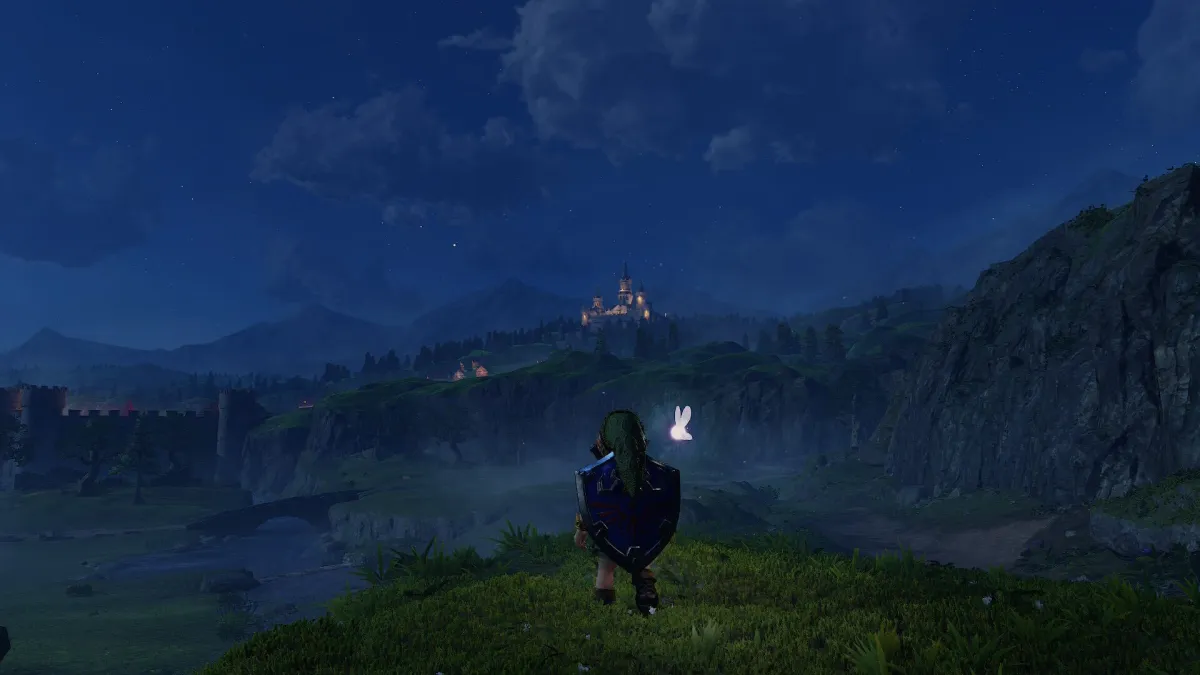
    The Legend of Zelda: Ocarina of Time hit Switch 2 today, and, as Kyle Hilliard pointed out in our review, it is pretty excellent. Along with its remarkable visual upgrade, the new Switch 2 remake of Ocarina of Time adds quality-of-life improvements and modernizes the control scheme. As part of that, Nintendo has added the ability to jump and sprint. While that works well to make the game feel new, I quickly realized it sometimes clashes with another new improvement: a free camera controlled by the right stick. Holding down the sprint button to get through areas as fast as possible can make it tricky to keep the camera where you want it, but thankfully, if you have the Switch 2 Pro Controller, there’s an easy fix.

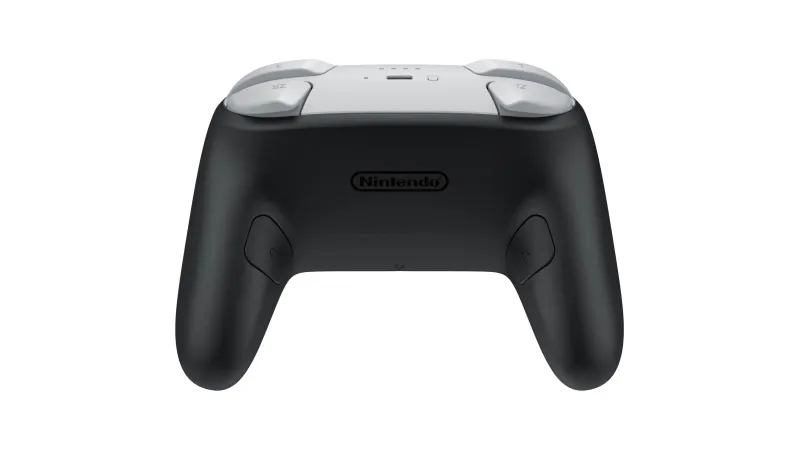
    After hours of running around, I was awestruck by the level of detail and updates, but I found myself constantly fighting with the camera, or at the very least, needing to take a strange claw-style grip to be able to direct the camera with the right stick, while holding down the A button to sprint. If you’re a casual Switch 2 player, you might not have even noticed the back buttons on the Pro Controller, or you just have no idea what they do. Those buttons can be remapped on a per-game basis and it’s a simple process. Everyone has their own preferences, but, for example, for high-mobility shooters, I like remapping one of those to reload and one to jump. I’ve never felt the need to remap in a Zelda game, but after feeling the need to do so with The Legend of Zelda: Ocarina of Time on Switch 2, I might do so going forward.
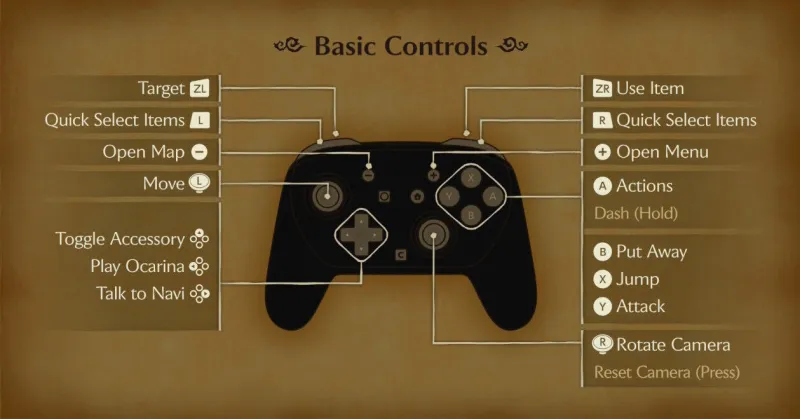
    The default in-game controls for The Legend of Zelda: Ocarina of Time on Switch 2

    The default in-game controls for The Legend of Zelda: Ocarina of Time on Switch 2

    Remapping Your Switch 2 Pro Controller For Ocarina of Time

    If you, like me, struggle to comfortably steer the new free camera while running through hallways, towns, dungeons, and, yes, Hyrule Field, you might want to consider remapping your controller. As you can see in the above image, the placement of Jump and Dash on the face buttons can make it difficult to simultaneously control the camera and sprint. This isn’t typically a problem in most modern games, as clicking the right stick is often a toggle to sprint, but in The Legend of Zelda: Ocarina of Time for Switch 2, you need to hold the button.

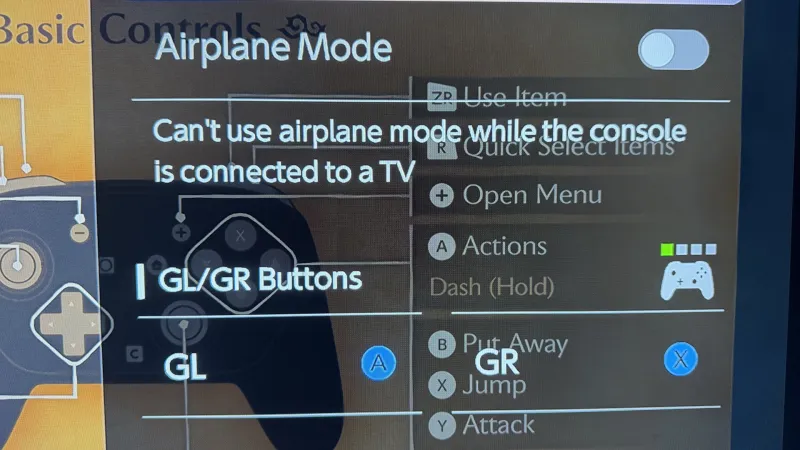
    If you have the Nintendo Switch 2 Pro Controller, copying one button’s functionality to the buttons on the back of the controller is simple. All you need to do is hold the Home button on the Switch 2 Pro Controller for a moment until the Switch 2 system menu appears on the right side. Along with Power Options and any Bluetooth audio devices you have available, there is also the option to map GL and GR, the controller’s back buttons on the left and right, respectively. 
    The Switch 2 Pro Controller Can Make Zelda: Ocarina Of Time Even Better

    Navigate down the menu to the GL and GR, then select which one you’d like to map. It will ask you which button you want to assign to the one you selected. Everyone can choose whatever makes sense in their own head, but mapping A (Roll and Dash) to GL and X (Jump) to GR made the most sense to me. Now, while I’m using the Switch 2 Pro Controller, I can use my middle finger to hold the GL button to Dash around without removing my thumb from the camera-controlling right stick. 
    The Switch 2 Pro Controller Can Make Zelda: Ocarina Of Time Even Better

    And the best part is that, since you’re not removing the functionality of the A or X buttons, you can still use them when it makes sense. For example, A also controls actions like opening up a treasure chest or door, and in my head, that feels like a face-button action, whereas rolling and dashing feel right mapped to the back buttons. The only downside is that, since this functionality is new for Switch 2 Pro Controllers, it isn’t available if you’re using the Joy-Cons or a Switch 1 Pro Controller. Also, it can make switching over to handheld mode challenging, as you don’t have access to the back buttons in that play style.

    Even if you don’t have the ability to take advantage of this tip, either because you don’t own a Switch 2 Pro Controller or because you prefer playing in handheld mode, you should still absolutely play the Switch 2 remake of The Legend of Zelda: Ocarina of Time. To learn more about the experience and why it’s a must-play, head to our review.

    controller Make Ocarina Switch Zelda
    Share. Facebook Twitter
    Previous ArticleSide Quests with Ray & Mata: We went on an acting boot camp
    Next Article Eric Dane nearly came to blows with Josh Duhamel during heated on
    James

    Related Posts

    Nintendo explains why certain Zelda and Mario references were pulled from Zelda: Ocarina of Time on Switch 2

    November 7, 2026

    PlayStation Delays Wireless Speakers A Week Away From Launch

    November 7, 2026

    PS4, PS5 Open-World Game Abruptly Disappears From PlayStation Store

    November 7, 2026

    More details on working LEGO PlayStation kit: how to play discs, launch window and price

    November 7, 2026
    Leave A Reply Cancel Reply

    Our Picks

    ‘The Bachelor’ is back. Here’s when Season 30 premieres

    November 7, 2026

    Eric Dane nearly came to blows with Josh Duhamel during heated on

    November 7, 2026

    The Switch 2 Pro Controller Can Make Zelda: Ocarina Of Time Even Better

    November 7, 2026

    Side Quests with Ray & Mata: We went on an acting boot camp

    November 7, 2026
    • Facebook
    • Twitter
    • Instagram
    • YouTube
    • TikTok
    • Telegram
    Don't Miss
    Web3 Culture

    CryptoCasino.com Expands Platform With Broader Cryptocurrency Support and Multi

    By JamesJuly 20, 20260

    LEIGH-ON-SEA, United Kingdom, July 20, 2026 (GLOBE NEWSWIRE) — CryptoCasino.com today announced platform enhancements designed to improve accessibility and user experience through expanded cryptocurrency support, MetaMask wallet integration, and multilingual availability for users across global markets.

    Gloucester Rugby launches new esports school to help young people

    July 20, 2026

    CJP protest: Shabana Azmi`s health detoriates, continues climbing barricades with youth

    July 20, 2026

    Entertainment News (07/21/26)

    July 20, 2026

    Subscribe to Updates

    Get the latest creative news from SmartMag about art & design.

    About Us
    About Us

    Comic Vibe is a pop-culture destination created for fans who live and breathe comics, movies, anime, TV shows, gaming, tech, cosplay, and collectibles.

    Our mission is to deliver engaging news, reviews, features, guides, and opinions that celebrate geek culture in all its forms. From the latest comic releases and blockbuster films to anime trends, gaming updates, cutting-edge tech, and collector culture, Comic Vibe brings everything together in one vibrant hub.

    Our Picks

    ‘The Bachelor’ is back. Here’s when Season 30 premieres

    November 7, 2026

    Eric Dane nearly came to blows with Josh Duhamel during heated on

    November 7, 2026

    The Switch 2 Pro Controller Can Make Zelda: Ocarina Of Time Even Better

    November 7, 2026

    Subscribe to Updates

    Get the latest comics, anime, movies, TV, gaming, cosplay, and pop culture news delivered directly to your inbox. No spam—just the stories every fan should know.

    Facebook X (Twitter) Instagram YouTube TikTok
    • Home
    • Contact Us
    • Terms & Conditions
    • Advertise With Us
    • DMCA Policy
    • Privacy Policy
    • About Us
    © 2026 Comic Vibe. Designed by Comic Vibe.

    Type above and press Enter to search. Press Esc to cancel.