


Your Apple Watch Series 12 will continuously listen to your conversations, but Apple claims it’s locked out of the audio. Here’s how the new hardware isolation works.
The new Audio Intelligence features include Siri Recap, which summarizes conversations, and Live Rewind, which retrieves the preceding 15 seconds as text. Automatic Shazam recognition and alerts for sounds such as alarms, sirens, and doorbells use the same protected system.
Because Siri Recap operates without warning other speakers, the features raise questions about what an Apple Watch hears, where the audio goes, and whether anyone could retrieve it. Apple’s September privacy paper describes an S11 component called the Secure Exclave as the answer.
Microphone audio can exist temporarily inside that protected hardware without becoming a playable or retrievable recording Siri Recap can still transfer encrypted audio from the Apple Watch to a paired iPhone before turning it into text
What the Secure Exclave actually does
The Secure Exclave is a hardware-isolated compartment built into supported Apple chips. Apple says the Secure Exclave processes sensor data separately from the rest of the device, creating a boundary that operating systems, installed apps, users, and Apple itself can’t cross.
Audio from the Apple Watch microphone enters a continuously overwritten buffer inside the Secure Exclave. New sound replaces old sound instead of accumulating as a saved file.
Think of the buffer less like Voice Memos and more like a conveyor belt inside a locked room. Sound passes through, gets examined, and disappears as the next segment arrives.
Apple draws a firm line between that temporary buffer and an audio recording. Raw audio still exists briefly as data, but Apple says nobody can play, share, forward, or retrieve it outside the protected hardware.
Audio Intelligence requires the following hardware:
- Apple Watch Series 12 or Apple Watch Ultra 4 with the S11 chip
- iPhone 16, iPhone 16 Pro, iPhone 17e, iPhone Air, or a later model with a Secure Exclave
Siri Recap listens differently from a recorder
Siri Recap produces short summaries of conversations from throughout the wearer’s day without preserving a complete transcript or identifying individual speakers. A lightweight model on the S11 chip begins the process by detecting nearby speech without transcribing it.
When the model recognizes a conversation, audio flows into the Apple Watch’s protected buffer. The Secure Exclave encrypts that audio and sends it directly to the paired iPhone’s Secure Exclave.
Apple says the two compartments establish an encrypted channel in addition to the devices’ normal Bluetooth pairing. Neither watchOS nor iOS can inspect the audio as it moves between them.
After a successful transfer, the Apple Watch deletes the buffered audio. If the paired iPhone is out of range, the Apple Watch tries again when the connection returns.
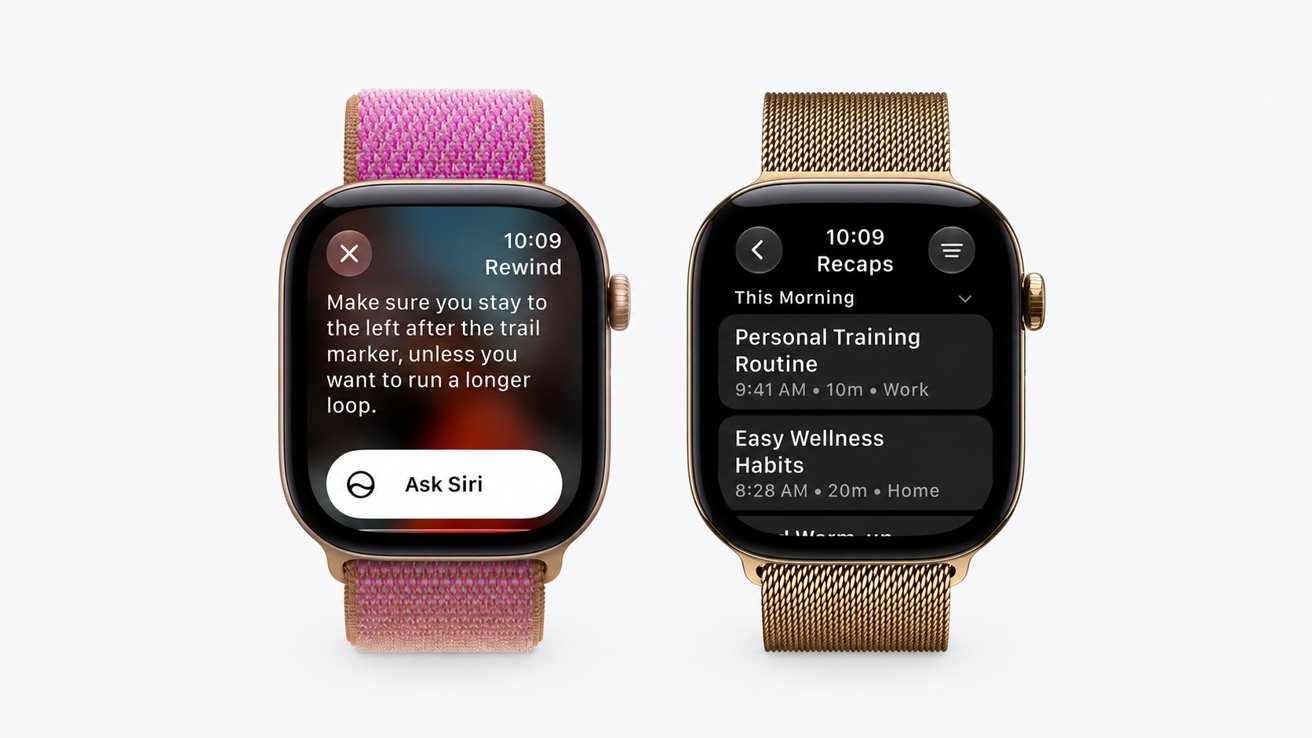
Siri Recap produces short summaries of conversations
Encrypted audio may remain on the Apple Watch during that retry period. If the devices don’t reconnect before the time-limited encryption keys expire, Apple says the audio is permanently deleted.
The encryption keys are bound to the paired devices and rotate regularly. Remotely wiping either device through Find My immediately invalidates the keys.
The iPhone turns speech into less revealing text
When the audio reaches the iPhone, the Secure Exclave decrypts it. Apple says on-device speech recognition then turns the conversation into text without exposing the raw audio to iOS.
An on-device language model cuts the transcript to less than half its original length. The model removes filler, repetition, nonessential wording, and clues about the conversation’s tone while preserving the main subjects.
Once the condensed text is ready, the iPhone permanently deletes the raw audio. A safety model also screens the text for potentially harmful terms before the condensed version goes to the cloud.
Condensing the transcript on the iPhone is central to Apple’s privacy argument. Private Cloud Compute receives neither the original conversation nor a complete transcript.
The cloud receives text and context
As our previous coverage explains, the shortened text is encrypted and sent to Private Cloud Compute, where Apple Foundation Models generate a title, summary, and key points.
Contextual details also go to the cloud to help the model understand the conversation. The data may include Now Playing and calendar information, labels such as home or work, the user’s city and state, and general place categories such as grocery store or park.
Audio Intelligence doesn’t send precise location or identify a specific point of interest The models are also designed to keep financial information, authentication details, government identifiers, and some other sensitive data out of the finished summary
Apple says Private Cloud Compute doesn’t store the data it processes or make it accessible to Apple employees. In October 2024, Apple released re security probe
That research access applies to Private Cloud Compute, not the entire Audio Intelligence pipeline. Secure Exclave protections remain architectural claims from Apple rather than independently verified behavior.
Once processing is complete, the summary returns to the iPhone and Apple Watch. Siri Recaps disappear automatically after seven days unless the user saves them.
Saved summaries can sync through iCloud with end-to-end encryption when two-factor authentication and a device passcode are enabled. The retained information is a summary rather than the original audio or complete transcript.
Live Rewind keeps only the last 15 seconds
Live Rewind uses the protected audio buffer as a short-term memory. A double-press of the Digital Crown shows the previous 15 seconds of a conversation as text.
After activation, the Apple Watch sends that section of audio to the paired iPhone for on-device transcription. If the iPhone is out of wireless range, the request fails and the Apple Watch discards the audio.
The transcribed text returns to the Apple Watch and disappears 30 seconds after the display dims. Users can save the text in the Siri app or ask Siri about the conversation.
A Siri query sends only the transcribed text to Private Cloud Compute because the original audio has already been deleted. In practice, Live Rewind works like an instant replay that returns text instead of sound.
Unlike Siri Recap, Live Rewind alerts nearby people whenever someone activates the feature. The Apple Watch plays a chime even in silent mode or while headphones are connected, then shows a full-screen animation and microphone indicator.
Siri Recap doesn’t provide a comparable warning. Apple says no warning is necessary because the feature retains no raw audio, creates no verbatim transcript, and doesn’t attribute statements to individual speakers.
Users must opt in to Siri Recap and can limit where and when the feature runs. Control Center also provides a button for turning Siri Recap on or off manually.
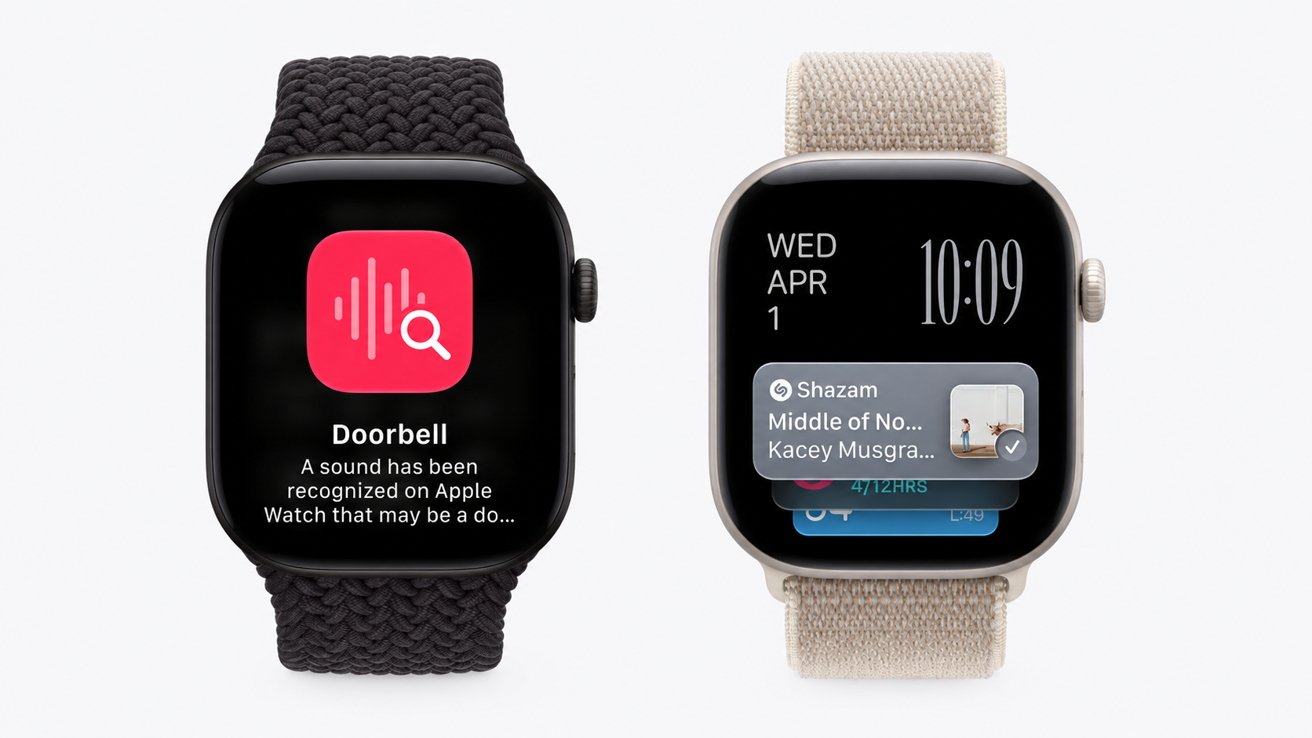
Sound Recognition keeps its analysis on the Apple Watch
Apple’s paper doesn’t describe a notification or consent mechanism for other people whose speech contributes to a Siri Recap. Deciding when continuous conversation analysis is appropriate falls to the Apple Watch owner.
Shazam and sound alerts use simpler paths
Automatic Shazam recognition analyzes short audio segments inside the Secure Exclave. When the Apple Watch detects music, the protected hardware converts the buffered sound into a compact acoustic signature that Apple says can’t be reversed into the original audio.
Only that signature goes to Shazam’s servers. If Shazam finds a match, the song title and artist return to the Music Recognition widget, the Shazam app, or Siri.
Sound Recognition keeps its analysis on the Apple Watch. The feature can identify selected categories such as smoke alarms, doorbells, sirens, and crying babies, then send a notification when it recognizes one.
The feature doesn’t transcribe or transmit audio. After completing the analysis, the Secure Exclave deletes each buffered segment.
Apple Watch models can now understand more of their surroundings without keeping conventional recordings. Whether users and bystanders trust the approach depends on accepting Apple’s claim that temporary, protected processing isn’t recording.
