
Close Menu

    Subscribe to Updates

    Get the latest creative news from FooBar about art, design and business.

    What's Hot

    ‘Bachelorette’ star reveals brain tumor diagnosis after routine health scan

    July 15, 2026

    PlayStation Store Refunds Being Issued for Canceled PS4 Game

    July 15, 2026

    Limited Run Games bringing physical editions and exclusive covers to San Diego Comic

    July 15, 2026
    Facebook X (Twitter) Instagram
    Facebook X (Twitter) Instagram YouTube TikTok
    Comic Vibe
    Wednesday, July 15
    • Home
    • Comics
      • Comic Vibe News
    • Gaming
    • Movies
    • TV
    • Anime
    • Toys & Collectibles
    • Cosplay
    • Tech
    • Digital Culture
      • Creators & Fan Culture
      • Creator Economy & Fan-Driven Platforms
      • Digital Fandom & Online Communities
      • Metaverse & Virtual Worlds
      • NFTs & Digital Collectibles
      • Virtual Events & Online Conventions
      • Virtual Identity & Avatars
    • Shop
    Comic Vibe
    • Home
    • Contact Us
    • Terms & Conditions
    • Advertise With Us
    • DMCA Policy
    • Privacy Policy
    • About Us
    Home»Gaming»You Can Use A GameCube Controller On Your PC – Here’s How
    Gaming

    You Can Use A GameCube Controller On Your PC – Here’s How

    JamesBy JamesJuly 12, 2026No Comments3 Mins Read
    Facebook Twitter
    You Can Use A GameCube Controller On Your PC – Here’s How
    Share
    Facebook Twitter

    You Can Use A GameCube Controller On Your PC – Here’s How

    By Eduardo AriedoJuly 11, 2026 6:47 pm EST

    The GameCube controller was one of the most iconic controllers Nintendo ever created, largely because of its design. When you hold it, the main analog stick fits your hand, and the huge A button stands out, making it one of the best ways to play platformers and fighting games. For that reason, even years after the console’s original launch, it remains the best option for many titles, especially from the “Super Smash Bros.” franchise

    The good news is that even though it is an old controller made for the GameCube, you can still use it on PC today. And even though you can do this with an original version, you do not need to buy a used one, since several of the best controller brands offer USB-cable versions. Nintendo itself also joined this trend: with the launch of the Switch 2, it released an official controller version that Windows can recognize via a cable or Bluetooth, using a PC app. On the other hand, the original controller requires an external adapter because it lacks a USB connection, making it the biggest challenge to find the right adapter and drivers.

    You need the right adapter to use an original GameCube controller on PC
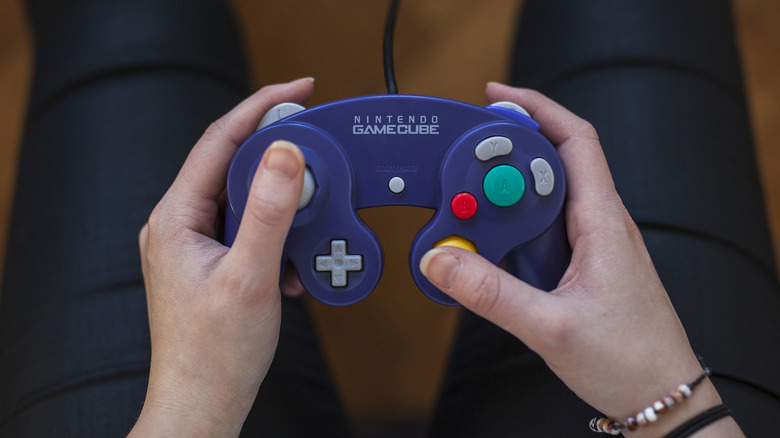
    Hands holding a purple Nintendo GameCube controller while pressing the analog stick and buttons.
    Luza Studios/Getty Images

    Most recent GameCube-style controllers, such as the Switch 2 model or third-party options, can work as plug-and-play devices through a USB cable. The original controller, however, is a little different. To use it on a PC, you first need an adapter, since it cannot connect directly to a computer. The most common options are the official adapter released for the Wii U or Mayflash models, both of which are gadgets that make retro gaming feel modern and usually have a switch to alternate between different use modes.

    The correct mode depends on what you plan to play. GameCube emulated games on PC should ideally be played with the adapter in Wii U or Switch mode, because that is how the emulator natively recognizes the controller and its button layout, since Nintendo’s button layout is different from Xbox’s. After that, connect the accessory to the PC and install the driver. Then open Dolphin’s controller settings and select the GameCube Controller Adapter option

    Do GameCube controllers work on Steam?
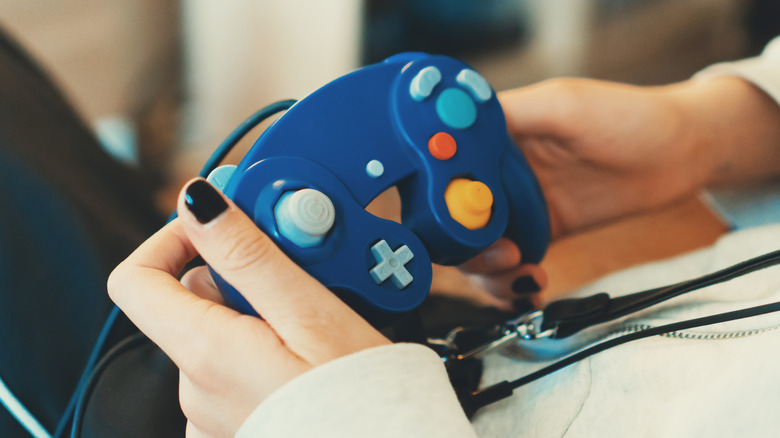
    Hands holding a blue Nintendo GameCube controller with its cable resting across their lap.
    M-production/Getty Images

    Since late 2025, Steam has natively recognized GameCube controllers and even offered rumble support, cementing its place as an essential app for retro gamers on PC. This applies both to original options that use an adapter in Wii U mode on Windows and to third-party options that use the GameCube controller layout but connect

    The GameCube controller made for the Switch 2 is also recognized by Steam, since around that time, the Steam client received an update to support Nintendo’s newest controllers. So, if you’re using an adapter in the correct mode, plug in the USB controller, and make sure Steam itself is updated before opening the game. You can still make some adjustments to commands with Steam Input to ensure the experience fits your needs

    However, it is worth remembering that although the GameCube controller is more traditional than the Nintendo 64 controller, such as having two analog sticks, it is not recommended for every title. It works best for games designed for it, like “Super Smash Bros.” itself or similar GameCube-era titles, while modern games may not deliver the best possible experience, even with external software such as reWASD

    controller GameCube Heres your
    Share. Facebook Twitter
    Previous ArticleTwelfth parades are ‘a privilege carrying on the traditions of our forefathers’, the Grand Master or the Orange Order has said
    Next Article Matt Damon says Christopher Nolan looked ‘like a drowned rat’ while filming intense scene for “The” “Odyssey”
    James

    Related Posts

    PlayStation Store Refunds Being Issued for Canceled PS4 Game

    July 15, 2026

    Truth Scrapper Is A Cheerful, Messy, and Breezily Queer Mystery I Can’t Wait To Piece Together

    July 15, 2026

    Xbox layoffs: What’s next for the video game giant?

    July 15, 2026

    19 unmissable PS5 games still releasing in 2026

    July 14, 2026
    Leave A Reply Cancel Reply

    Our Picks

    ‘Bachelorette’ star reveals brain tumor diagnosis after routine health scan

    July 15, 2026

    PlayStation Store Refunds Being Issued for Canceled PS4 Game

    July 15, 2026

    Limited Run Games bringing physical editions and exclusive covers to San Diego Comic

    July 15, 2026

    Aliens: Fireteam Elite 2 Announces San Diego Comic

    July 15, 2026
    • Facebook
    • Twitter
    • Instagram
    • YouTube
    • TikTok
    • Telegram
    Don't Miss
    Creator Economy & Fan-Driven Platforms

    Former Priceline executive debuts Plannin, a booking platform that uses travel influencers to help plan trips

    By JamesMay 30, 20240

    Hotelsbycity.com co-founders and former Priceline executives Andrew Loewen and Randy Schartner have announced their latest…

    Twitch DJs must pay music labels to play their songs on live streams

    June 6, 2024

    Patreon introduces gifting features and more creator tools

    June 25, 2024

    Stripe’s seemingly easy acquisition, why is Twitch still in the red?

    July 30, 2024

    Subscribe to Updates

    Get the latest creative news from SmartMag about art & design.

    About Us
    About Us

    Comic Vibe is a pop-culture destination created for fans who live and breathe comics, movies, anime, TV shows, gaming, tech, cosplay, and collectibles.

    Our mission is to deliver engaging news, reviews, features, guides, and opinions that celebrate geek culture in all its forms. From the latest comic releases and blockbuster films to anime trends, gaming updates, cutting-edge tech, and collector culture, Comic Vibe brings everything together in one vibrant hub.

    Our Picks

    ‘Bachelorette’ star reveals brain tumor diagnosis after routine health scan

    July 15, 2026

    PlayStation Store Refunds Being Issued for Canceled PS4 Game

    July 15, 2026

    Limited Run Games bringing physical editions and exclusive covers to San Diego Comic

    July 15, 2026

    Subscribe to Updates

    Get the latest comics, anime, movies, TV, gaming, cosplay, and pop culture news delivered directly to your inbox. No spam—just the stories every fan should know.

    Facebook X (Twitter) Instagram YouTube TikTok
    • Home
    • Contact Us
    • Terms & Conditions
    • Advertise With Us
    • DMCA Policy
    • Privacy Policy
    • About Us
    © 2026 Comic Vibe. Designed by Comic Vibe.

    Type above and press Enter to search. Press Esc to cancel.