
Close Menu

    Subscribe to Updates

    Get the latest creative news from FooBar about art, design and business.

    What's Hot

    Miles Morales: Spider-Man #2 Preview: Sins of the Father Return

    September 19, 2026

    Maybe No More Monster

    September 19, 2026

    PS5’s free new offering is a Stardew Valley-like that swaps a peaceful farm for the zombie apocalypse

    September 19, 2026
    Facebook X (Twitter) Instagram
    Facebook X (Twitter) Instagram YouTube TikTok
    Comic Vibe
    Saturday, September 19
    • Home
    • Comics
      • Comic Vibe News
    • Gaming
    • Movies
    • TV
    • Anime
    • Toys & Collectibles
    • Cosplay
    • Tech
    • Digital Culture
      • Creators & Fan Culture
      • Creator Economy & Fan-Driven Platforms
      • Digital Fandom & Online Communities
      • Metaverse & Virtual Worlds
      • NFTs & Digital Collectibles
      • Virtual Events & Online Conventions
      • Virtual Identity & Avatars
    • Shop
    Comic Vibe
    • Home
    • Contact Us
    • Terms & Conditions
    • Advertise With Us
    • DMCA Policy
    • Privacy Policy
    • About Us
    Home»Gaming»Users allege Windows 11 secretly runs AI to slow PCs when gaming and streaming, but our tests debunk it
    Gaming

    Users allege Windows 11 secretly runs AI to slow PCs when gaming and streaming, but our tests debunk it

    JamesBy JamesAugust 30, 2026No Comments6 Mins Read
    Facebook Twitter
    Users allege Windows 11 secretly runs AI to slow PCs when gaming and streaming, but our tests debunk it
    Share
    Facebook Twitter

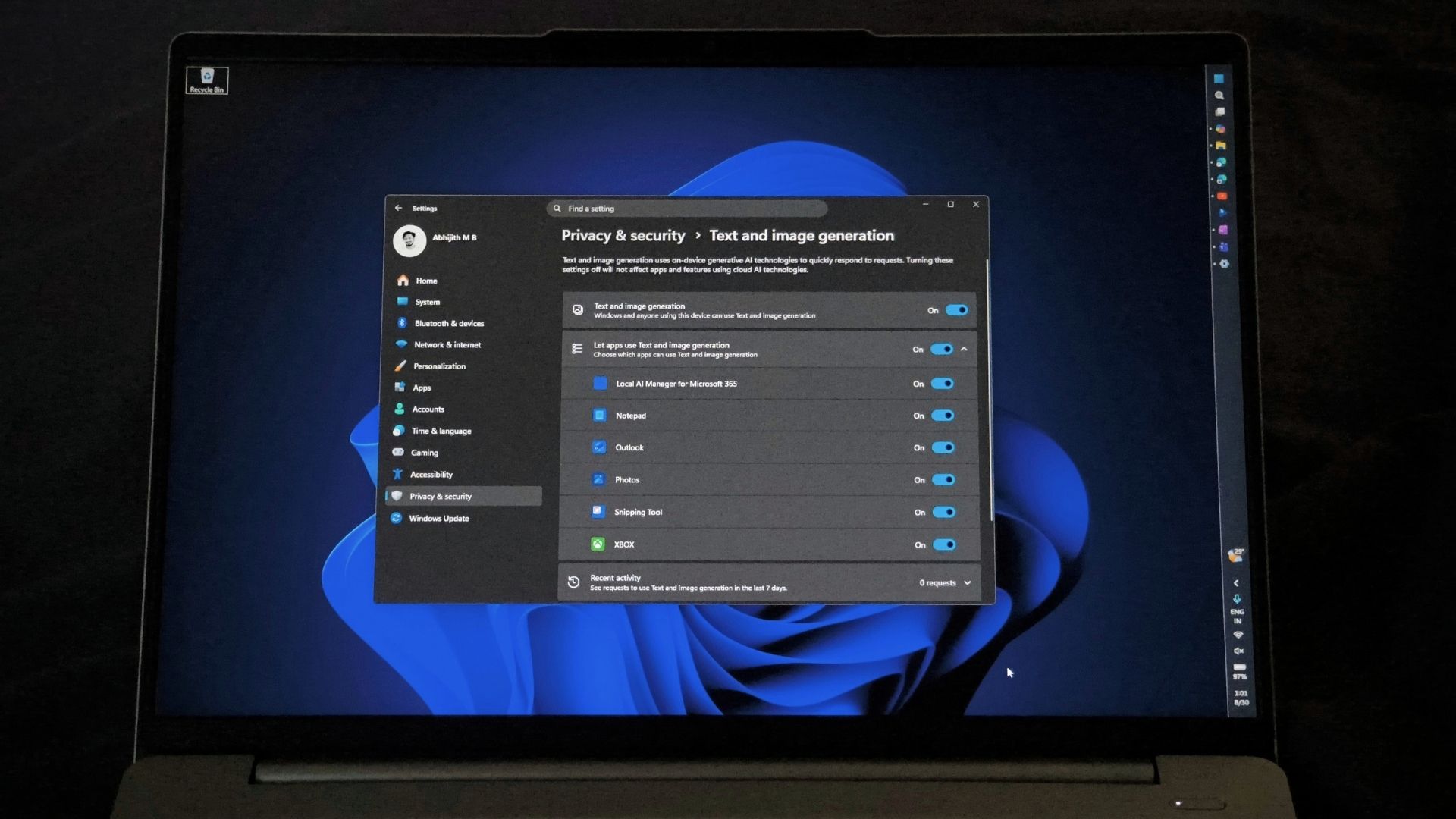
    Windows 11’s Text and image generation privacy page showing apps with AI permissions is misleading users. Credit: Windows Latest

    A screenshot of Windows 11’s Settings > Privacy & security > Text and image generation page has gone viral, racking up millions of views. It lists Notepad, Photos, Snipping Tool, Outlook, and more apps under a setting for on-device AI, and users are misinterpreting that as “proof” Windows secretly runs AI in the background and eats up system re

    Some posts have used the opportunity to sell their Windows tweaking service, while claiming Microsoft is hurting gaming performance by running AI without your permission.
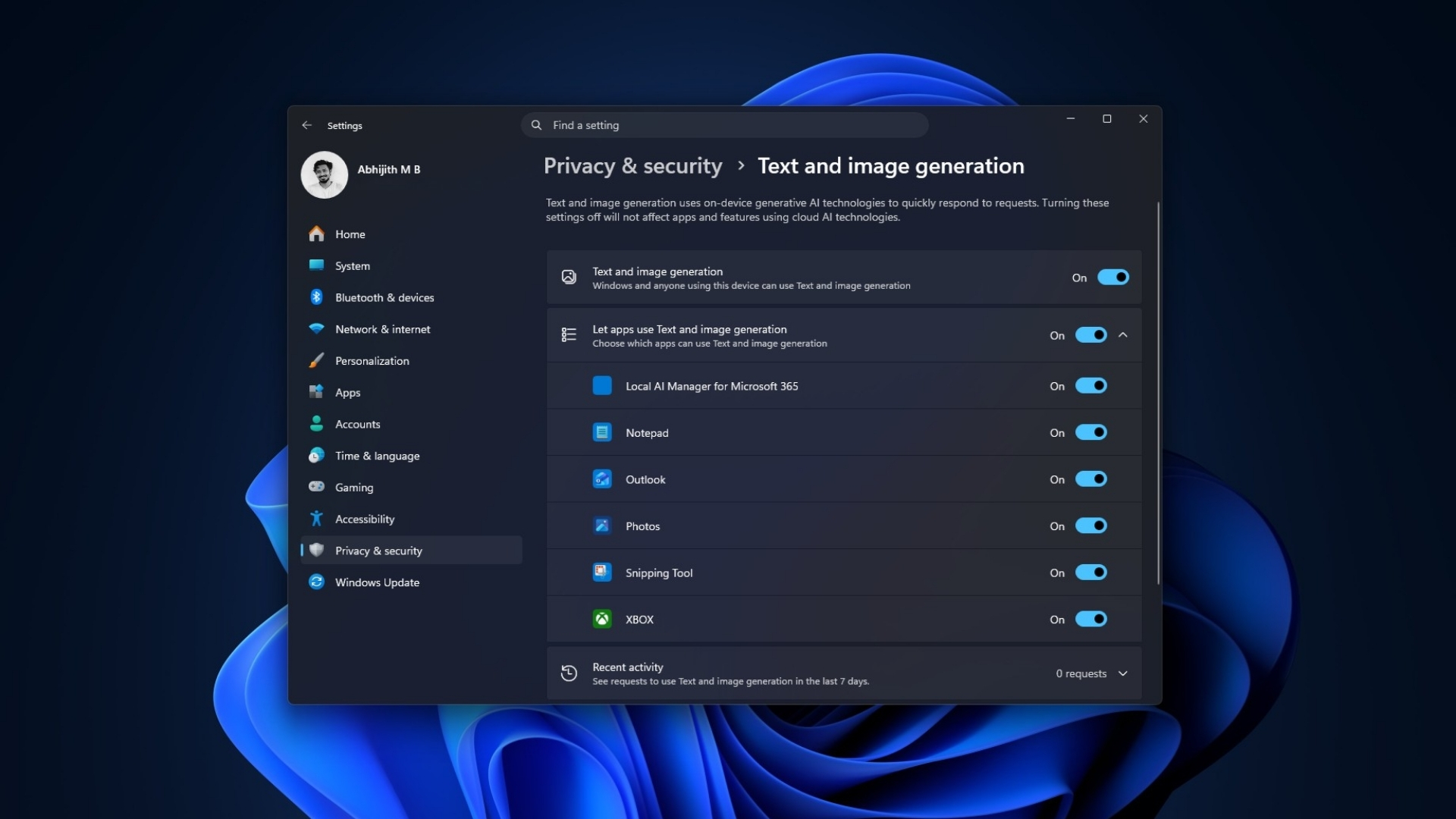
    Microsoft's Privacy Settings has a page for Text and image generation turned on by default
    Microsoft’s Privacy Settings has a page for Text and image generation turned on by default. Credit: Windows Latest

    Funnily enough, the scaremongering screenshots that started the panic also show that there is nothing to worry about. All you need to do is scroll down to Recent activity, and it literally shows “zero” requests. So, if Text generation shows 0 requests, how could it possibly consume these users’ RAM?
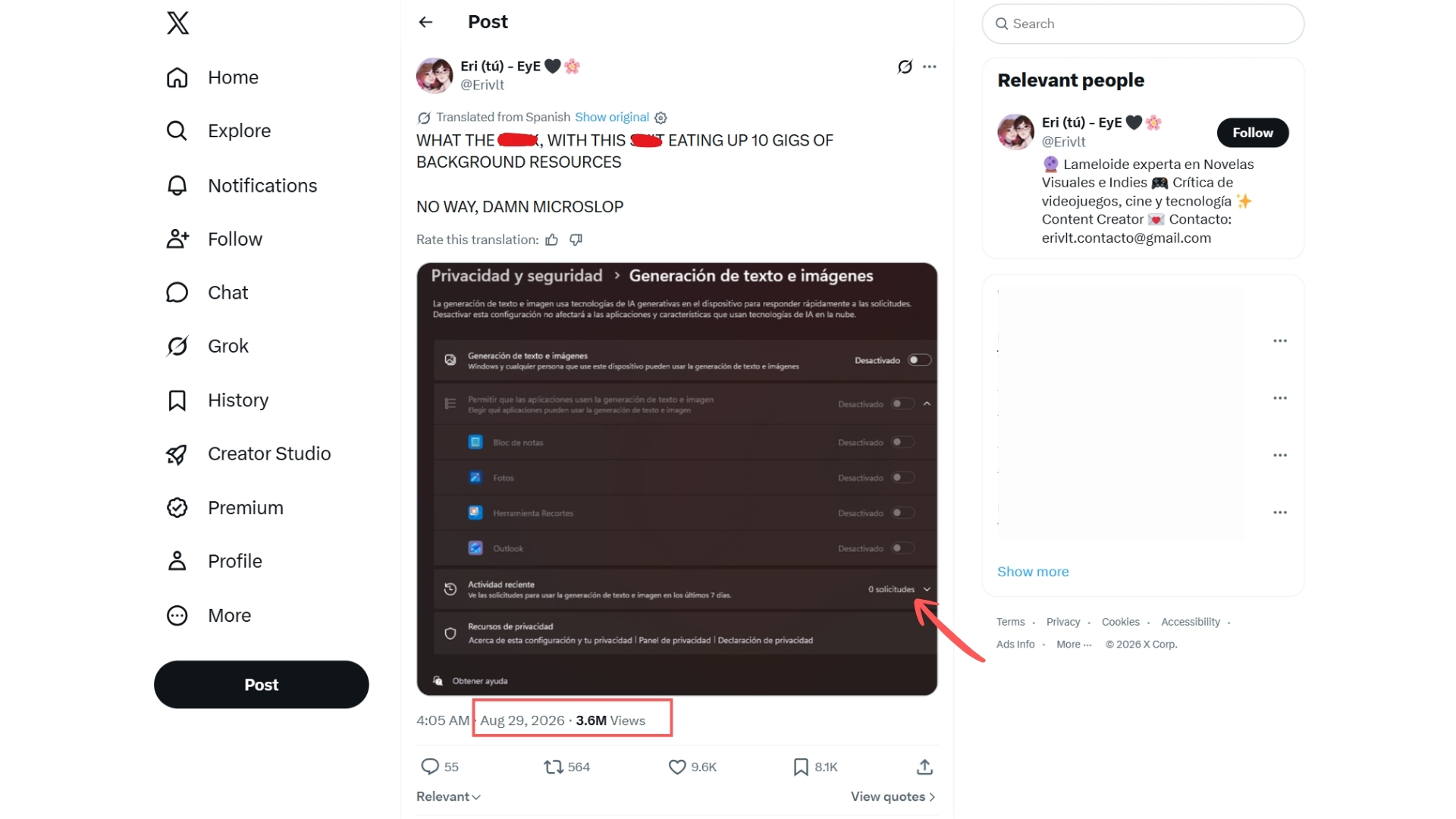
    Misleading X posts that says a toggle for Text and image generation service uses background resources
    Misleading X post claiming a toggle for the Text and image generation service uses background resources. Source: X post

    Windows 11’s Text and image generation setting does not mean AI is running

    Microsoft added this page to track which apps have used its on-device generative AI models, and to let you control which ones can. Nothing more.

    Official documentation says the page “displays the apps that have recently used on-device generative AI models provided by Windows,” and lets users “choose which apps are permitted to use the generative AI technologies.”

    Microsoft's official documentation mentioning Text and Image Generation in Windows 11 Privacy settings
    Microsoft’s official documentation mentions Text and Image Generation in Windows 11 Privacy settings. Source: Microsoft

    A list of apps with permission is obviously not the same thing as a list of apps doing something. Every app on that page could just be there without making a request to use AI. But the page will still list them, because it is supposed to track activity by apps that are capable of AI text and image generation.

    And most importantly, it’s the “on-device” part that such posts are conveniently avoiding. Windows describes this as running on the NPU in a Copilot+ PC, a chip built for AI workloads that Microsoft requires to hit 40 or more TOPS.

    This means that such text or image generation (if it is even done) does not go through your CPU, GPU, or regular RAM. But not every Windows AI feature is locked to Copilot+ hardware anymore; Phi Silica now runs on some Nvidia and AMD GPUs too, but that is a story for another day. What this page shows is the built-in models Windows ships with.

    I do not have a Copilot+ PC. No NPU. I toggled the setting off and on and watched RAM usage. As expected, there is no change.

    If you zoom into these viral screenshots, you’ll see these ‘AI settings” make zero requests, meaning they didn’t even run an AI model.
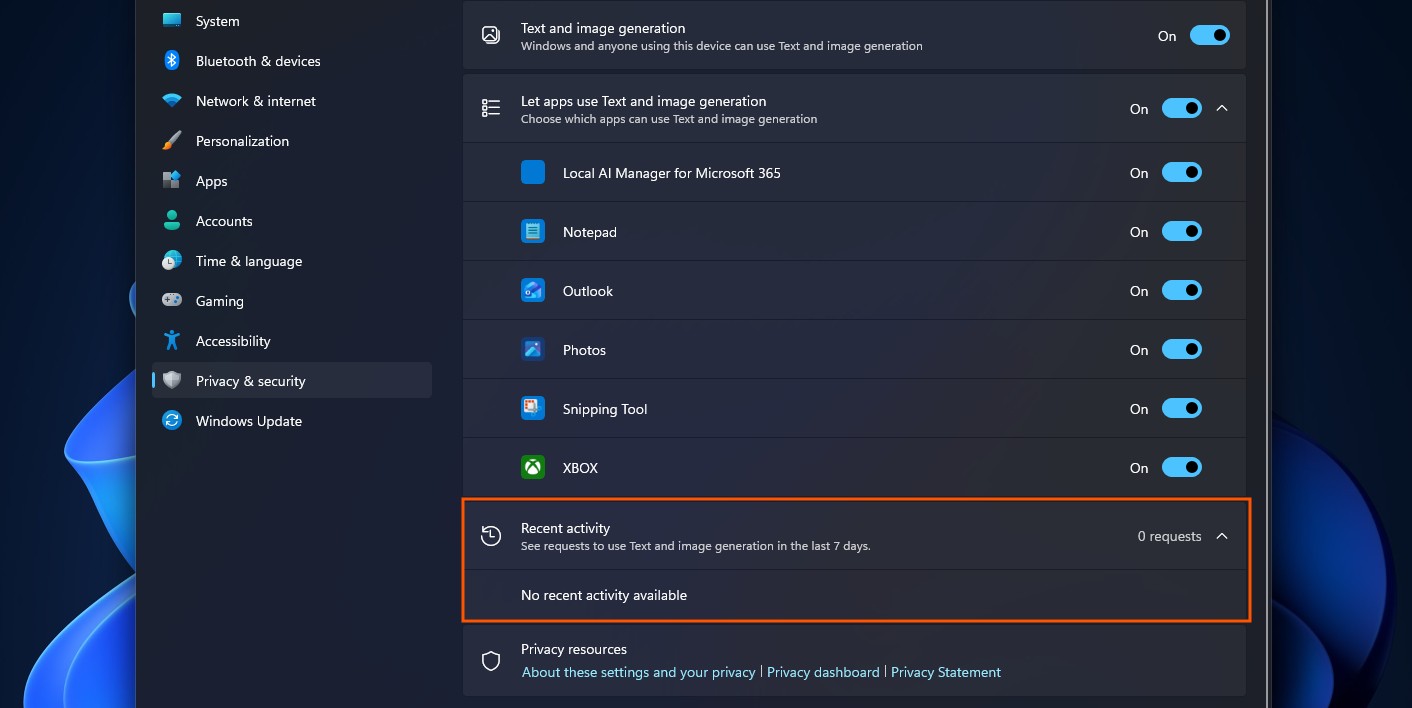
    Recent activity in the Text and image generation privacy page shows 0 requests
    Recent activity in the Text and image generation privacy page shows 0 requests. Credit: Windows Latest

    Running AI inference continuously would show up as continuous requests. “0 requests” directly contradicts the idea that something is chewing through re “Windows is using AI to decrease your PC Performance while Gaming and Streaming,” guiding people toward a paid tweaking tool to fix it

    Obviously, this is just them using the opportunity to sell their tweaking tool, which we don’t recommend in the first place.
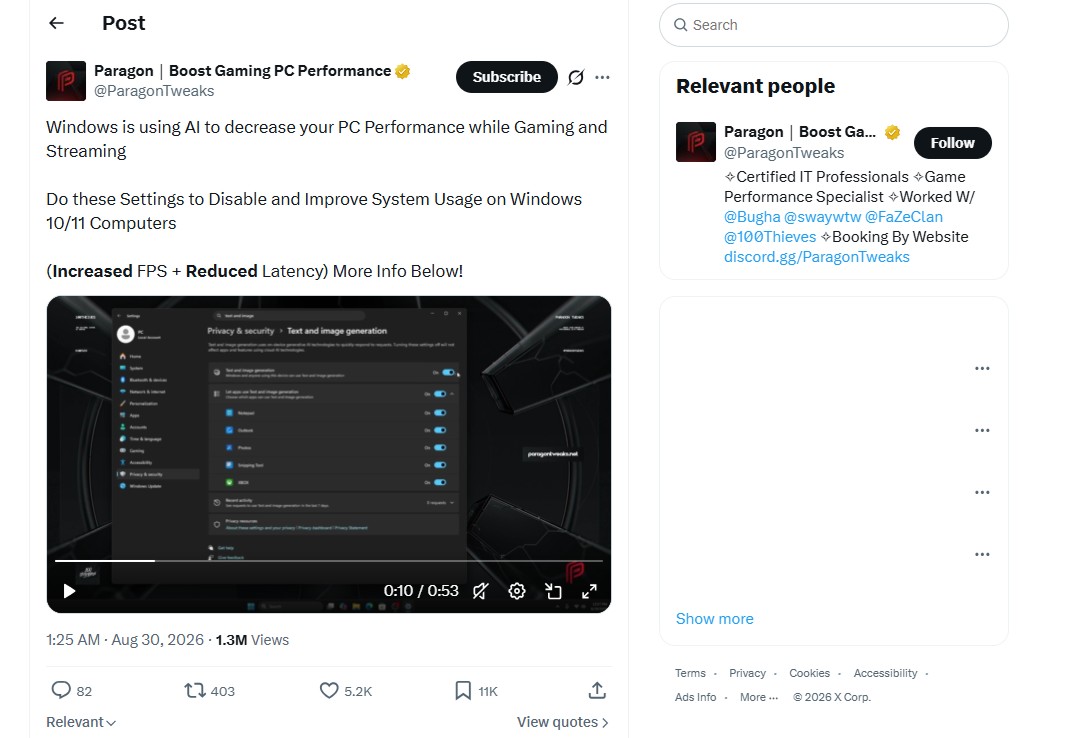
    Misleading X post claiming Windows 11 is using AI to decrease PC performance while gaming and streaming already got 1.3M views
    Misleading X post claiming Windows 11 is using AI to decrease PC performance while gaming already got 1.3M views. Source: X

    That said, if you still want to turn off Text and image generation in Windows 11, go to Settings > Privacy & security > Text and image generation and just turn off the main toggle.

    Microsoft built the setting for users to control on-device AI usage, but their reputation made this worse

    Of course, we are not denying that Microsoft has given people plenty of legitimate reasons to distrust what Windows does in the background. However, a viral screenshot showing zero AI requests is not one of them. Also, this now viral screenshot isn’t even new:
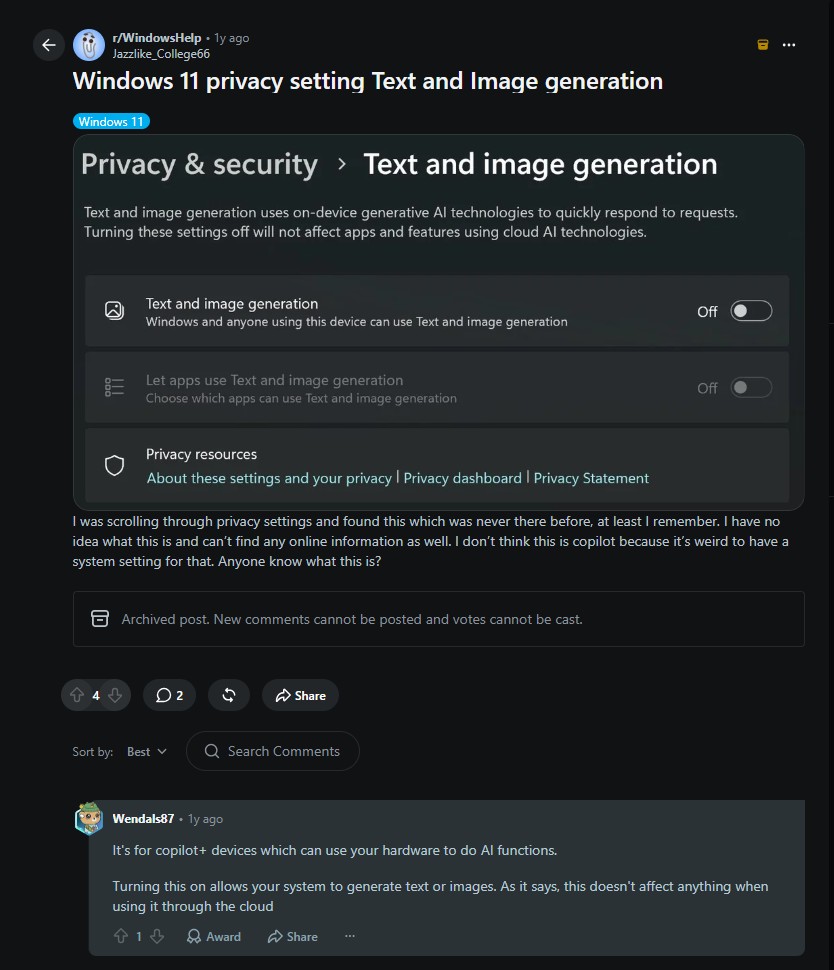
    Reddit post from one year ago mentioning Text and Image generation
    Reddit post from one year ago mentioning Text and Image generation. Source: Reddit

    The issue starts with the wording used in the OS. It’s called “Text and image generation,” which sounds like Windows is generating text and images across your system. It lists apps you already know: Notepad, Photos, Outlook, so it is an easy jump to assume they are actively doing something.

    The page does not make clear, at a glance, that this is a permissions list connected to a hardware feature most PCs cannot even use. Recent activity, the one section that answers the question, is collapsed at the bottom by default.
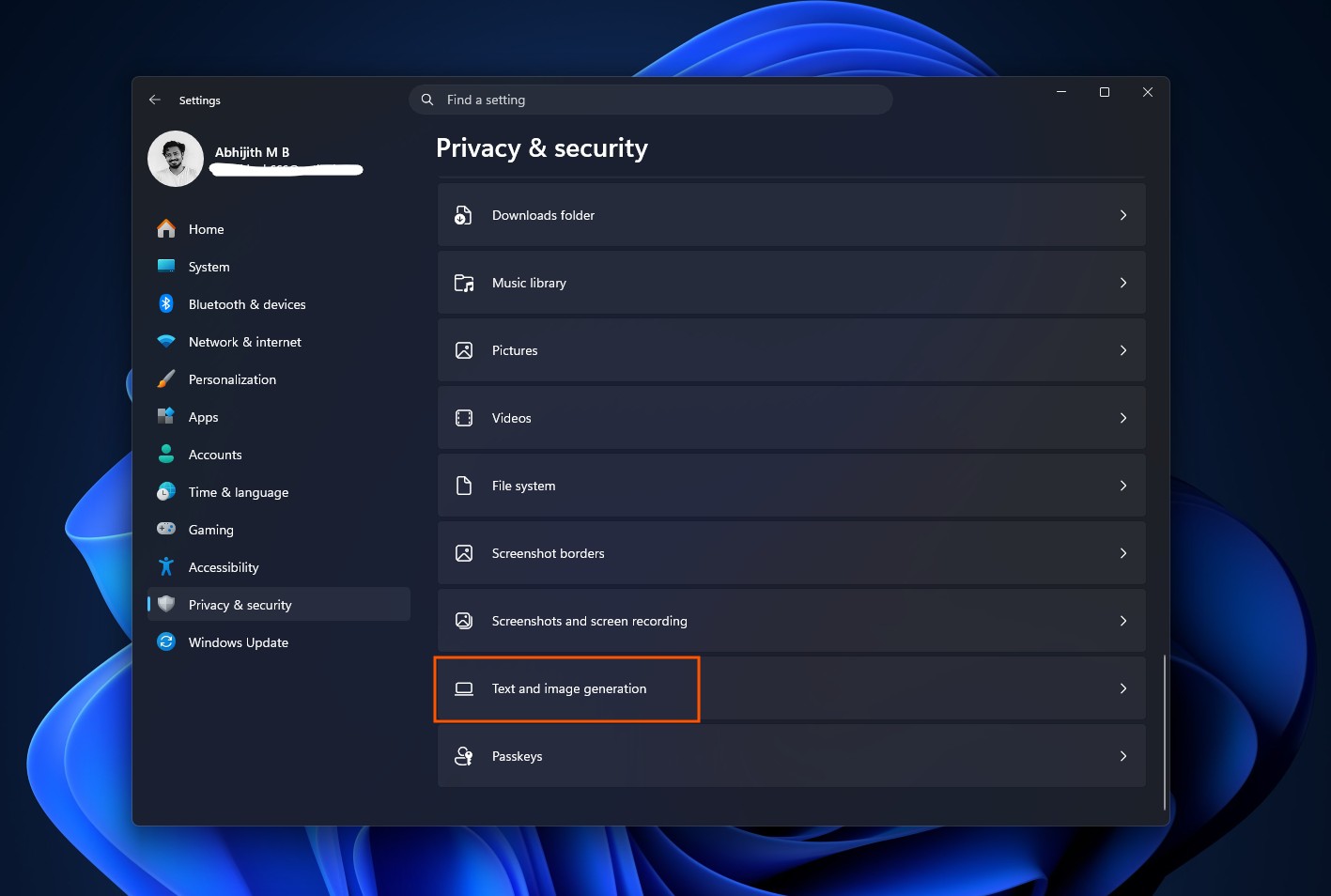
    Text and Image generation setting in Privacy
    Text and Image generation setting in Privacy. Credit: Windows Latest

    And it doesn’t help the fact that the entire setting was turned on by default instead of Windows asking a prompt when an app would ask permission to use Text and Image generation for the first time, like how we get a prompt when an app first tries to access the Microphone.
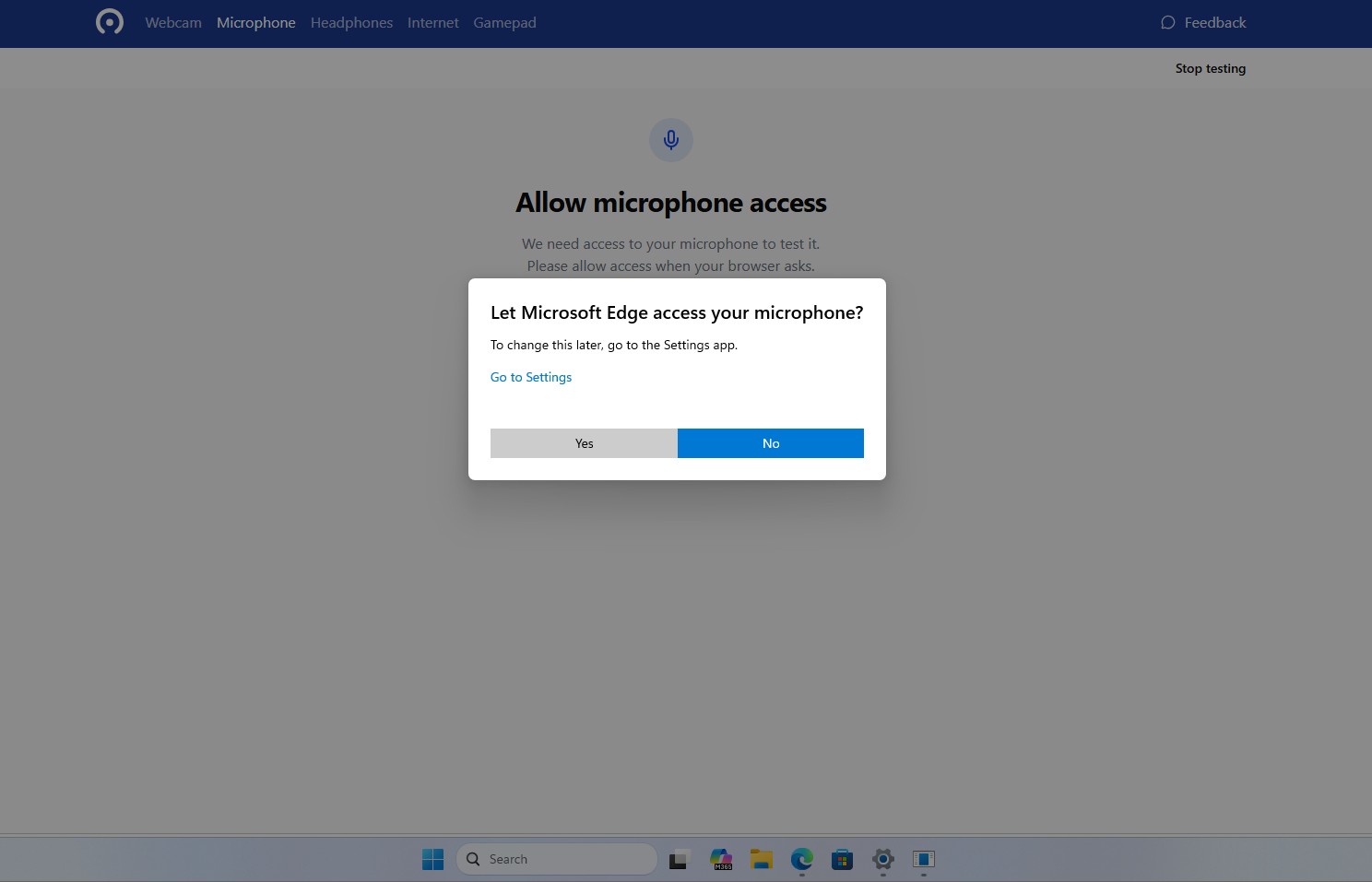
    The new centered permission dialog asking for microphone access, for a desktop app.
    The new centered permission dialog asking for microphone access, for a desktop app. Credit: Windows Latest

    Redmond has earned this kind of suspicion before, even recently. We first covered how Windows force-installed an AI-powered OneDrive Photos app on enterprise PCs, then admitted the rollout went further than intended.

    Copilot buttons have shown up across Notepad, Paint, and File Explorer with little explanation, to the point that Windows Latest put together a guide for turning off 13 separate AI features users didn’t ask to have. When a company keeps adding things quietly and turning them on by default, people stop giving it the benefit of the doubt, even when a specific claim about it turns out to be wrong.

    The viral claim is misleading. Windows is not proven to be running AI in the background to hurt your FPS. That said, the software giant must first do their part correctly. Microsoft should not be shipping AI permission toggles switched on by default in the first place, and it should make the difference between “can use” and “is using” obvious the moment you open the page.

    allege Runs secretly Users Windows
    Share. Facebook Twitter
    Previous ArticleSuperman: The Stranger #1 Preview: Can Superman Beat Inequality?
    Next Article Jimi Hendrix’s final words to roadie revealed after violent Hells Angels clash
    James

    Related Posts

    PS5’s free new offering is a Stardew Valley-like that swaps a peaceful farm for the zombie apocalypse

    September 19, 2026

    5 Worst Sega Genesis Games Of All Time, Ranked

    September 19, 2026

    Monster Hunter Wilds framerate, resolution and performance settings detailed

    September 19, 2026

    High school football video wrap

    September 19, 2026
    Leave A Reply Cancel Reply

    Our Picks

    Miles Morales: Spider-Man #2 Preview: Sins of the Father Return

    September 19, 2026

    Maybe No More Monster

    September 19, 2026

    PS5’s free new offering is a Stardew Valley-like that swaps a peaceful farm for the zombie apocalypse

    September 19, 2026

    Review: Rebel Wilson’s ‘Girl Group’ is one of the worst movies ever made

    September 19, 2026
    • Facebook
    • Twitter
    • Instagram
    • YouTube
    • TikTok
    • Telegram
    Don't Miss
    TV

    Disney Reportedly Considering a Free Version of Disney+

    By JamesJuly 12, 20260

    Disney may be getting ready to offer Disney+ without a price tag at all. According to a new report from Business Insider, Disney executives have been discussing the idea of launching a completely free, ad-supported version of Disney+ as the company looks to grow its streaming audience and keep pace with the rise of no-cost…

    A New Level: VR and gaming add a kick to taekwondo

    July 12, 2026

    New Solo Leveling Movie Confirms Its Place in the Anime’s Timeline

    July 12, 2026

    Nintendo Switch 2 eShop charts – July 12, 2026 – Moonlight Peaks rises to the top, Digimon and Granblue Fantasy debut

    July 12, 2026

    Subscribe to Updates

    Get the latest creative news from SmartMag about art & design.

    About Us
    About Us

    Comic Vibe is a pop-culture destination created for fans who live and breathe comics, movies, anime, TV shows, gaming, tech, cosplay, and collectibles.

    Our mission is to deliver engaging news, reviews, features, guides, and opinions that celebrate geek culture in all its forms. From the latest comic releases and blockbuster films to anime trends, gaming updates, cutting-edge tech, and collector culture, Comic Vibe brings everything together in one vibrant hub.

    Our Picks

    Miles Morales: Spider-Man #2 Preview: Sins of the Father Return

    September 19, 2026

    Maybe No More Monster

    September 19, 2026

    PS5’s free new offering is a Stardew Valley-like that swaps a peaceful farm for the zombie apocalypse

    September 19, 2026

    Subscribe to Updates

    Get the latest comics, anime, movies, TV, gaming, cosplay, and pop culture news delivered directly to your inbox. No spam—just the stories every fan should know.

    Facebook X (Twitter) Instagram YouTube TikTok
    • Home
    • Contact Us
    • Terms & Conditions
    • Advertise With Us
    • DMCA Policy
    • Privacy Policy
    • About Us
    © 2026 Comic Vibe. Designed by Comic Vibe.

    Type above and press Enter to search. Press Esc to cancel.