

Without dating myself too accurately, I’ve been playing video games of all kinds for several decades, and in my younger days, I enjoyed anything and everything that used a flightstick (or flight stick, if you prefer). I’m talking about old-school games like much older versions of “Microsoft Flight Simulator,” but also titles like “Star Wars: X-Wing,” “Jane’s F-15,” and “Red Barron,” to name a few. Back then, I was limited to flight sticks that had few buttons to work with, as they weren’t particularly advanced.
At some point, I switched over to standard gamepads while playing flying games, which is why I was so excited to test out Turtle Beach’s newest hands-on throttle-and-stick (HOTAS) combination, the VelocityOne HOTAS, dual throttle and flightstick II system designed for the Xbox and PC to maximizes gamer immersion with flight-centric games aplenty.
I tore into the box and pulled out the most advanced flightstick system I’ve ever gotten my gamer hands on, and it didn’t take long to check it out on various flying games, including “Ace Combat 7,” “Microsoft Flight Simulator 2024,” and “Star Wars: Squadrons.”
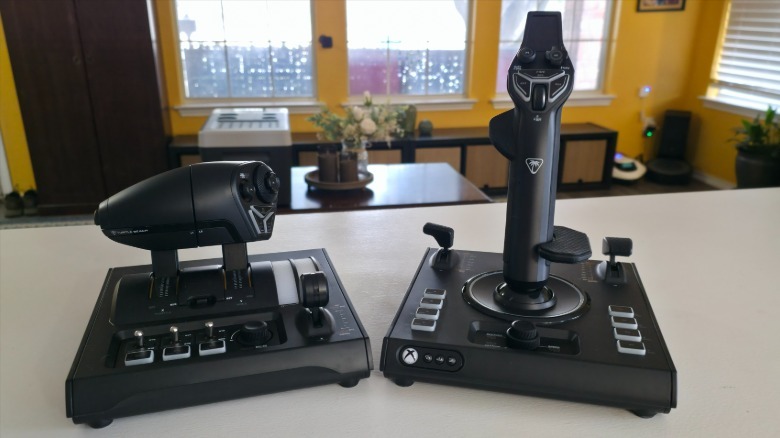
This system centers on an ambidextrous stick that’s fine for righties and lefties and is loaded with impressive features, including an interactive flight management display and more axes than I knew could be engineered into anything that wasn’t made for something like the F-35 Lightning II. I spent a solid week testing out this high-end, $279.99 system, and here’s what I learned playing with the VelocityOne HOTAS from Turtle Beach.
The system’s overall look and feel
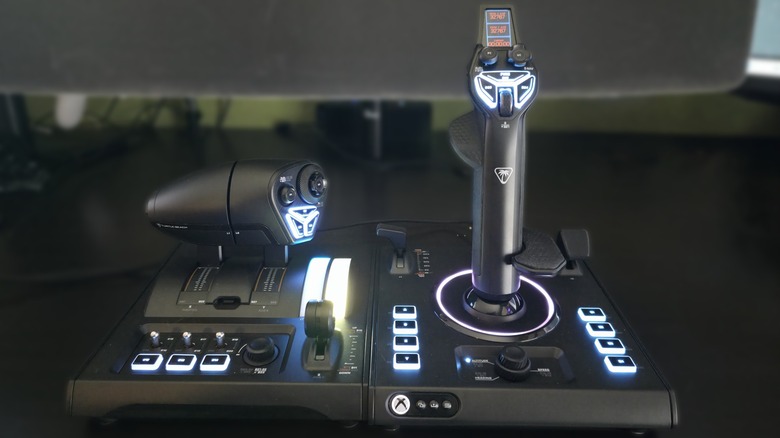
Turtle Beach’s new system was released in September 2026 as a package bundle that includes the VelocityOne Flight Stick II and VelocityOne Dual Throttle. The company also sells its Universal Sim Mount, which is a $59.99 accessory you can use to mount the system firmly to a surface like a desktop. Lacking this, I placed the two units side-by-side on my desktop for PC gameplay, and I placed them in front of me while playing on my Xbox Series X.
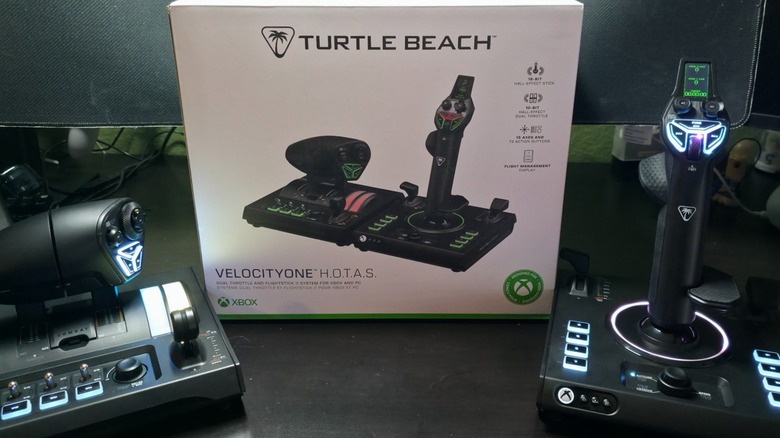
Once you take the components out of the box, you immediately notice how well it’s made, approaching military-grade ruggedness and functionality. Every detail, from the LEDs behind the buttons to the screen and movement of each component, was engineered with extraordinary care, and it feels great in my hands. It’s no wonder that Turtle Beach markets this system as an expert-level device, as it’s not for the casual gamer who might enjoy playing a flight or combat sim every once in a while.
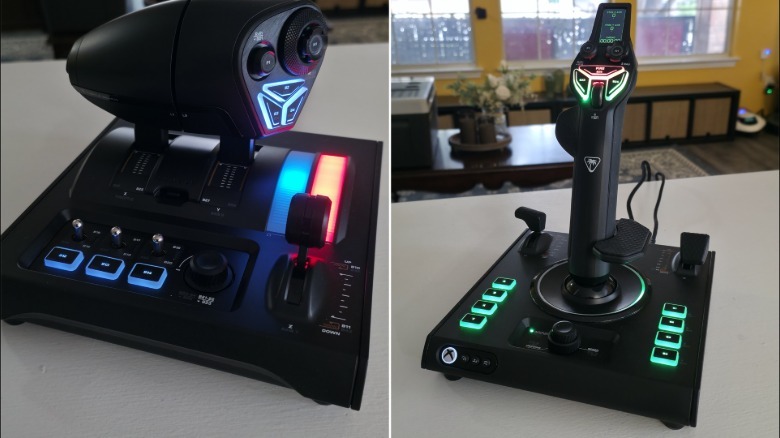
This is the type of hardware you can use to play “Microsoft Flight Simulator” for hours on end, believing all the while that you’re legitimately in an airplane’s cockpit. Every button press, lever push, and audible click has a strong feel, indicating the expertise of its design, while the system lights up to show the immediate input reaction. You can customize the colors of each of the buttons, which I’ll get into when discussing the software, but just looking at this HOTAS, you can tell that it’s made from quality components for serious gamers.
One Of The Most Advanced Flight Systems On The Market
While Turtle Beach is best known for its impressive line of headsets, the company has been producing advanced driving and flight simulation systems for some time, and the VelocityOne HOTAS is the latest innovation. The bundle comes with a newly designed Flightstick II, which has a few alterations over its predecessor. These are primarily related to button placement, overall look and feel, and design, as there are several notable differences.
Additionally, when compared to what the competition offers, it’s clear that Turtle Beach’s HOTAS is significantly more advanced. Turtle Beach’s primary competition from companies producing high-end HOTAS systems include Logitech and Thrustmaster, which produced the Xbox One’s first “official” flightstick, and many offer similar functions. Looking at different systems like the Logitech G X52 Pro HOTAS and the Thrustmaster TCA Captain Pack, the Turtle Beach VelocityOne HOTAS has several advantages, including significantly more buttons.
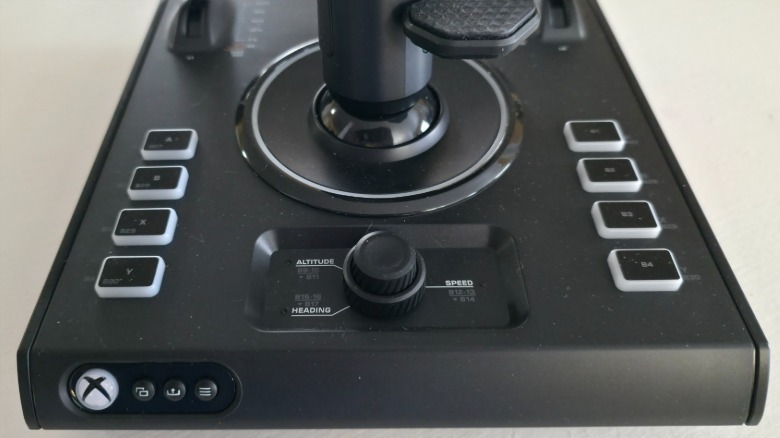
Thrustmaster’s system features a total of 45 buttons and a single hat/POV, while Turtle Beach’s has 73 buttons and five hat/POVs built into the two devices. That alone sets them apart, but there’s more in Turtle Beach’s favor than the other companies. Almost every function on the VelocityOne HOTAS is adjustable, whereas stick and throttle tension remain fixed on the competition’s HOTAS. Cost is, of course, a factor, as Turtle Beach’s system is on the expensive side, but in this case, you’re paying a little extra for a lot more performance and functionality over what the competition offers.
Customization And Default Compatibility
Jonathan H. Kantor/SlashGear/Microsoft
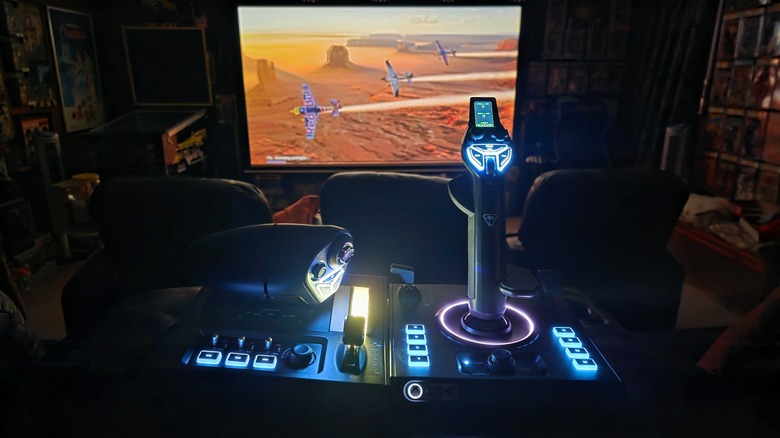
Calling the VelocityOne HOTAS an expert-level device isn’t an exaggeration. The system wasn’t made for casual fans, so if that’s you, playing flight sim games with a gamepad is probably perfectly fine. That said, for more serious gamers, the level of customization of the HOTAS’ many inputs are ideal. Turtle Beach maintains a compatibility guide, indicating which games are out-of-the-box compatible, while also providing instructions and guides on necessary configurations to play a handful of games that lack such compatibility.
The list details which games work on each system, so while “Ace Combat 7” works on PCs, it doesn’t on Xbox because the game was designed with a gamepad in mind. If you want to take things a step further for PC gameplay, Turtle Beach offers easy instructions to access pre-made profiles. Other PC games like “Everspace 2,” “Star Wars: Squadrons,” and “Elite Dangerous” require custom profiles, which Turtle Beach’s guide helps you create. It’s important to know this going in, or you’ll find it difficult to use the HOTAS right out of the box.
Jonathan H. Kantor/SlashGear/Turtle Beach
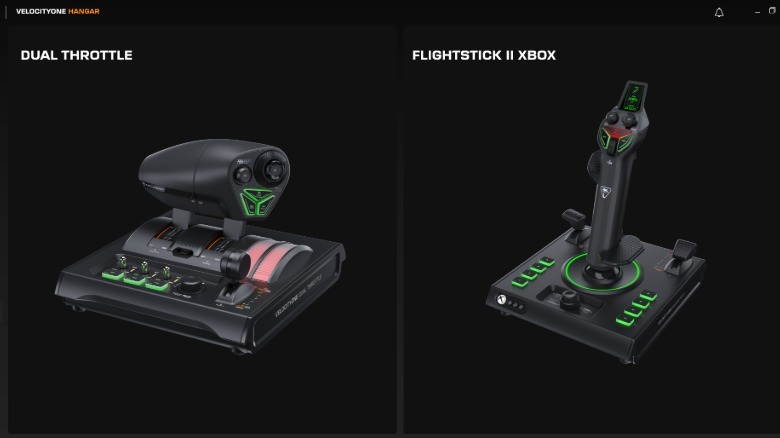
When you sit down to create custom profiles, Turtle Beach’s “VelocityOne Hangar” app (pictured above) is easy to use and includes every mappable input, of which there are dozens. Some of the pre-loaded options include switching from Combat to Commercial and Space, where each one utilizes different functions for gameplay, while showing different color schemes in the FMD configuration screen at the top of the VelocityOne Flightstick II.
Gameplay And Special Features
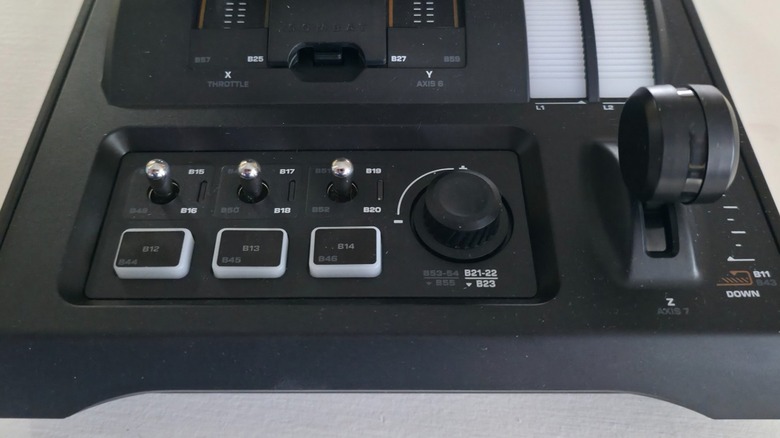
Given the effort Turtle Beach went into making its VelocityOne HOTAS as close to the real deal as possible, gameplay feels extremely solid. I say almost because you need to know your button maps and layout during flight, or you’re likely to slam into a mountain. The Dual Throttle has 10-bit axis resolution, a Hall effect, and it can be locked or separated. It features numerous buttons, switches, light bars, levers, a rotary dial, and so much more, including customizable throttle detents to adjust the tactile response of the levers.
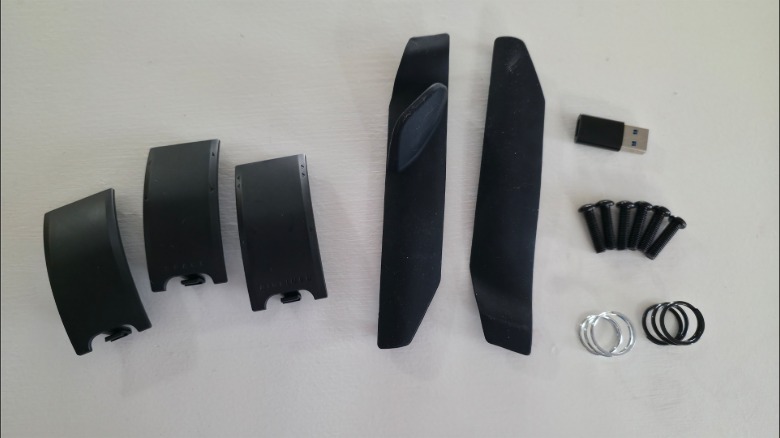
The Flightstick II features multiple stick buttons, a scroll wheel, a Hall effect with 16-bit input axes, a cockpit dial, menu buttons, and an ambidextrous grip, as you can see in the above image. I’m actually ambidextrous, so I gave the left-handed configuration a try, and it was easy to get into, though you should keep it on the right-hand configuration if that’s your preference. Overall, the HOTAS features 15 high-resolution axes, 73 controls, a 16-bit Hall-Effect axis on the stick, an autopilot dial, haptic feedback in the stick, and much more, including a full-color heads-up display.
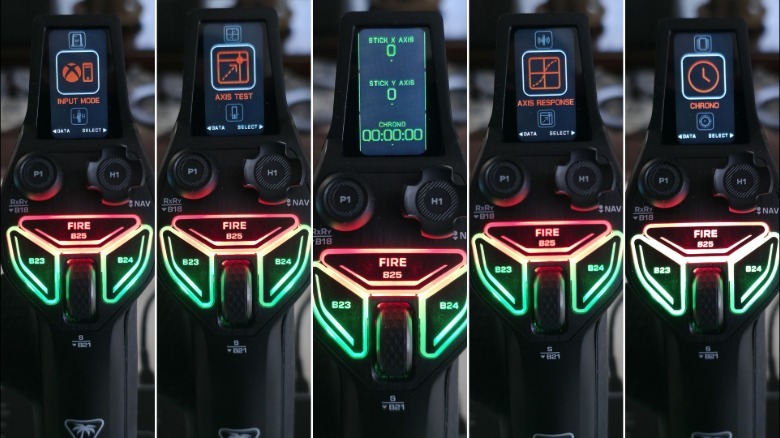
The Flightstick II’s screen is one of the system’s best and most stand-out features, as it lets you configure the stick to your preference without having to use a PC or app. This makes it ideal for Xbox, and you can easily switch between PC and the console. Its menu includes settings for Chrono, Pro Aim, Thumb Wheel, Axis Response, Dead Zones, Lightning, Orientation, and Platform, so it’s packed with options that are literally in your hand at the push of a button.
My verdict on the Turtle Beach VelocityOne HOTAS
Jonathan H. Kantor/SlashGear/Microsoft
When I receive any new hardware to test, I test it under every set of conditions I have available — every game and realistic set of circumstances. For the VelocityOne HOTAS, that meant multiple games on the PC and Xbox Series X. I got a feel for how it works with different flying games like those previously mentioned.
I found that the VelocityOne HOTAS is an exceptionally well-made system that’s not for casual players, and I say this because I’m a casual player when it comes to using a HOTAS… at least, I used to be. Now, I can’t imagine using anything less than this system while playing all my flight sims — which speaks to its quality.
The ability to adjust every nuanced feature of the device shows how well it was designed, as every player has their own preferences in how to use a HOTAS. Still, I cannot stress enough that the VelocityOne HOTAS isn’t for your casual, 1-2 hours per week playing type of gamer. It’s meant for people who either know how to fly a real plane or are seriously interested in learning how to do so on a home system.
That said, it’s not a replacement for flying lessons, so don’t jump into a cockpit just because you’ve mastered Turtle Beach’s HOTAS.
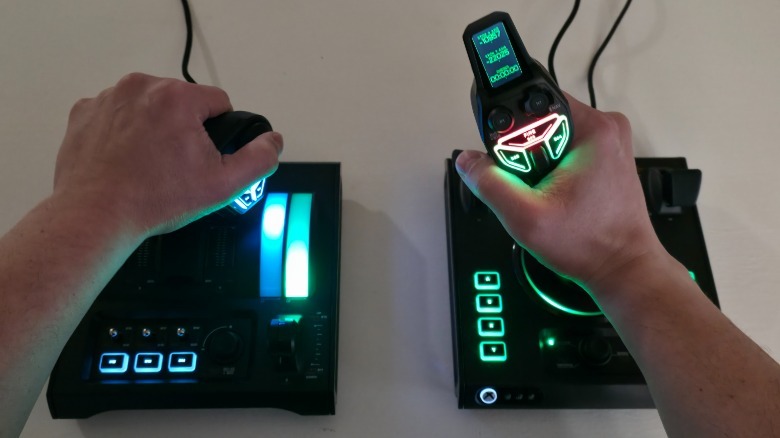
Given the system’s overall quality, its impressive design, and customizable options, I can say without hesitation that the Turtle Beach VelocityOne HOTAS is the best flight simulation control system we’ve tested as of this writing. It works in conjunction with Turtle Beach’s VelocityOne Rudder, which is meant for super-enthusiast expert gamers, but without it, you’re still left with one of the most advanced and best HOTAS system on the market.
You can order your own VelocityOne HOTAS from the Turtle Beach website for $279.99
