
Close Menu

    Subscribe to Updates

    Get the latest creative news from FooBar about art, design and business.

    What's Hot

    TVB actress Kelly Cheung confirms Ron Ng is pursuing her

    November 23, 2026

    Tom Jackson Has Died, Colleague Brands Passing as ‘Unexpected’

    November 23, 2026

    How AI and Data Analytics Reshape the Entertainment Industry in 2026

    November 23, 2026
    Facebook X (Twitter) Instagram
    Facebook X (Twitter) Instagram YouTube TikTok
    Comic Vibe
    Monday, November 23
    • Home
    • Comics
      • Comic Vibe News
    • Gaming
    • Movies
    • TV
    • Anime
    • Toys & Collectibles
    • Cosplay
    • Tech
    • Digital Culture
      • Creators & Fan Culture
      • Creator Economy & Fan-Driven Platforms
      • Digital Fandom & Online Communities
      • Metaverse & Virtual Worlds
      • NFTs & Digital Collectibles
      • Virtual Events & Online Conventions
      • Virtual Identity & Avatars
    • Shop
    Comic Vibe
    • Home
    • Contact Us
    • Terms & Conditions
    • Advertise With Us
    • DMCA Policy
    • Privacy Policy
    • About Us
    Home»Gaming»The best methods I used to burn through my video game backlog
    Gaming

    The best methods I used to burn through my video game backlog

    JamesBy JamesNovember 23, 20265 Comments5 Mins Read
    Facebook Twitter
    Share
    Facebook Twitter

    The backlog. It’s every gamer’s worst nightmare. Dozens upon dozens of games sitting unplayed in your library, gathering virtual dust for years on end.

    You promise you’ll “get around to it” eventually, but it just ends up sitting there in your games list, and before you know it, the urge to play has faded.

    It’s something I experienced pretty regularly, where I’d find that my Steam library had climbed to an impossibly high number that I couldn’t beat every single game I owned.

    How to beat the video game backlog fatigue

    Currently, I have a total of 2,717 games in my library, with around 700 of them in my “completed” category.

    Admittedly, many of these games are ones I picked up for dirt cheap, or were included in a bundle. Some were games I picked up just from being a games journalist for over ten years.

    But still, I have around 500 more games that remain unplayed in my library that I still want to get to. As difficult as that sounds, these are some tips I’ve picked up over the years which help with choice paralysis and have got me playing more games than I ever did before.

    1. Be comfortable with dropping something you’re not enjoying

    One of the biggest blockers to beating the video game backlog is this idea that you haveto beat a game in order to consider it burned in the backlog.

    I’m here to say – no you don’t have to do that. There are lots of games out there, and if you’re not enjoying something, don’t force yourself through it just to see the credits so you can tick it off. You’ve turned the backlog into a game itself, and you’re going to lose and burnout quickly if you persist with something you don’t find enjoyable.

    2. Use something physical to pick your next game

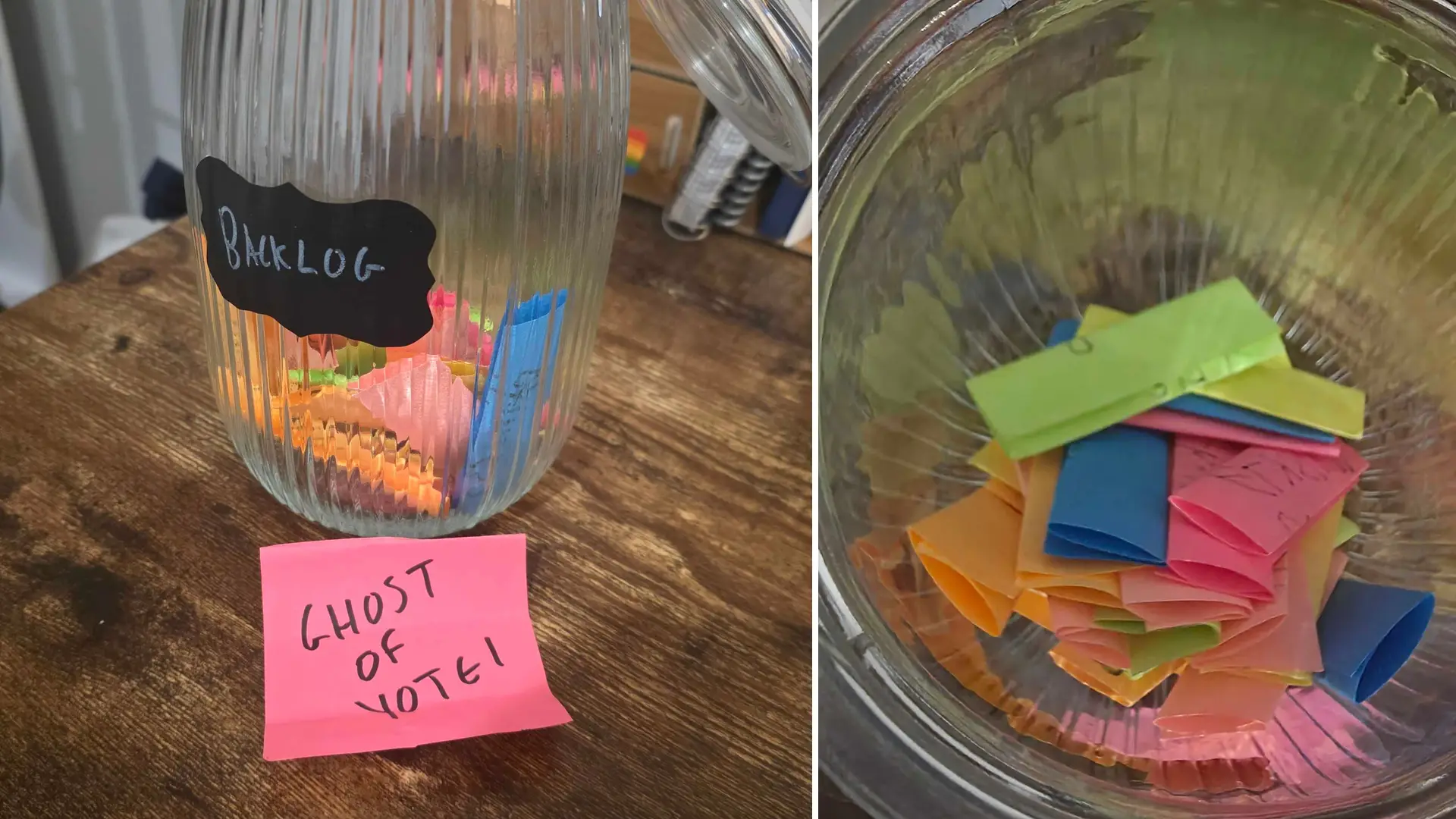
    If you’re stuck with deciding what your next game should be, using something tangible in the real world to help you pick something is a great idea of landing on something fun and unexpected.

    I’ve got a jar full of post-it notes, each one has a game written on it. When I’m ready to tackle a new game, I take a post-it out of the jar and choose that as my next game to play.
    3. Keep a diary to track your progress

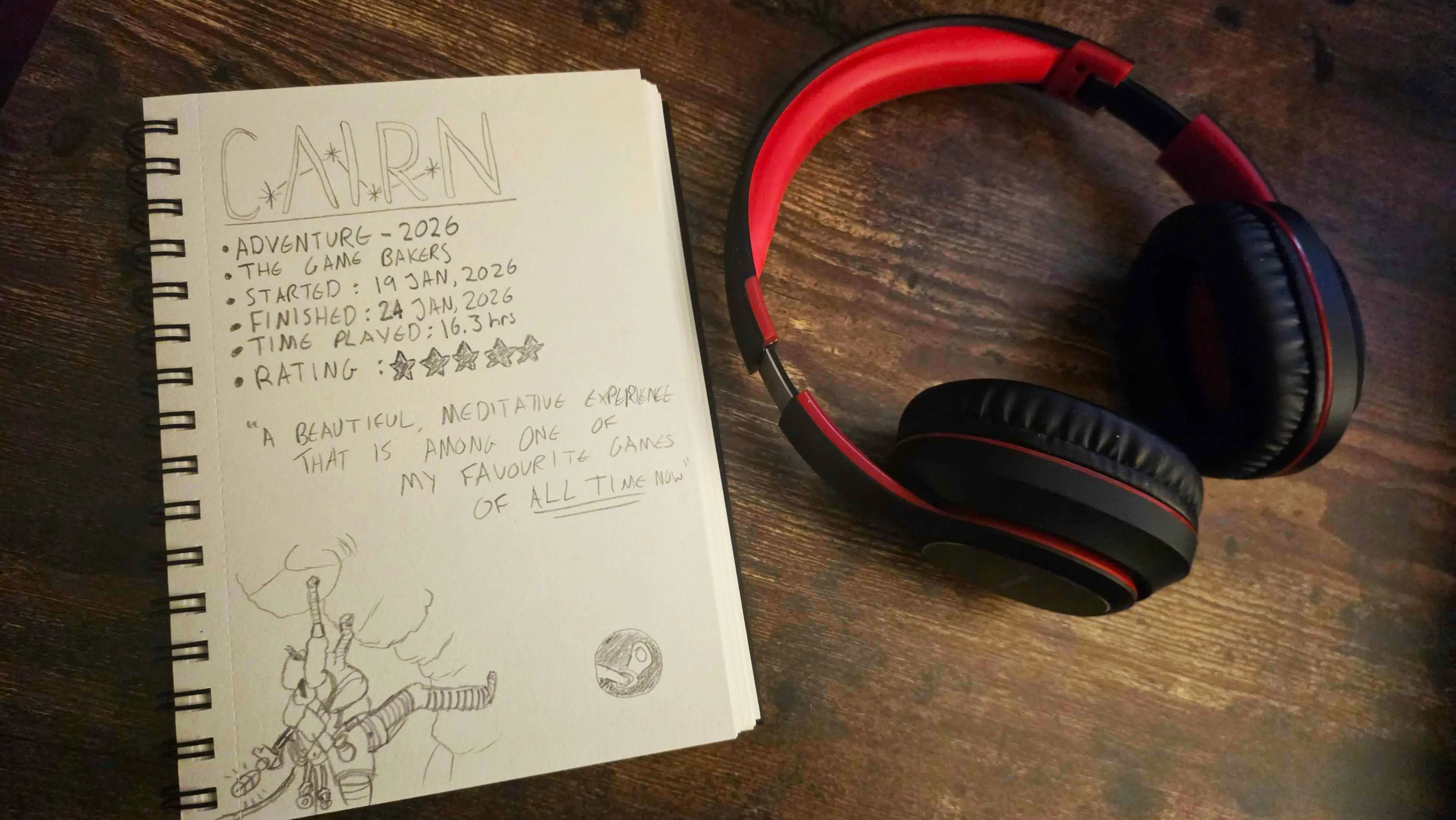
    On the flip side, using a diary or tracker for your progress upon finishing a game can also be a great way of turning your backlog into something that feels more real. I used an online spreadsheet for a while which tracked each game I played, as well as some other information such as my progress made in the game and my overall thoughts on it.

    I eventually changed this to a physical diary in a notebook, where I could add little doodles and drawings alongside a nicer-looking layout of my thoughts on the games I was playing. Every time I was ready to consider myself ‘done’ with a game, I was excited about adding it to the diary.
    4. Mix up the genre variety

    You may be a fan of only one kind of genre, and that’s fine. But if you enjoy multiple kinds of games, be sure to mix it up every so often. If you’ve got the entire Final Fantasy or Yakuza series on your backlog, do not try to beat it all in one go. You will burn out, and you will become sick of it. I did this when I did an Assassin’s Creed marathon in 2016, and really burned out on the series once I got to Black Flag. It’s no an ideal way to play these games.

    Instead, mix things up. Play Yakuza 0, then switch to a shorter roguelike experience or strategy game. Come back to play the next Yakuza game on your list a little later. Having large gaps between experiences that are pretty similar will keep things fresh, and ensures that you don’t get bored.
    5. Don’t buy a new game unless you plan to actually play it in the next few months

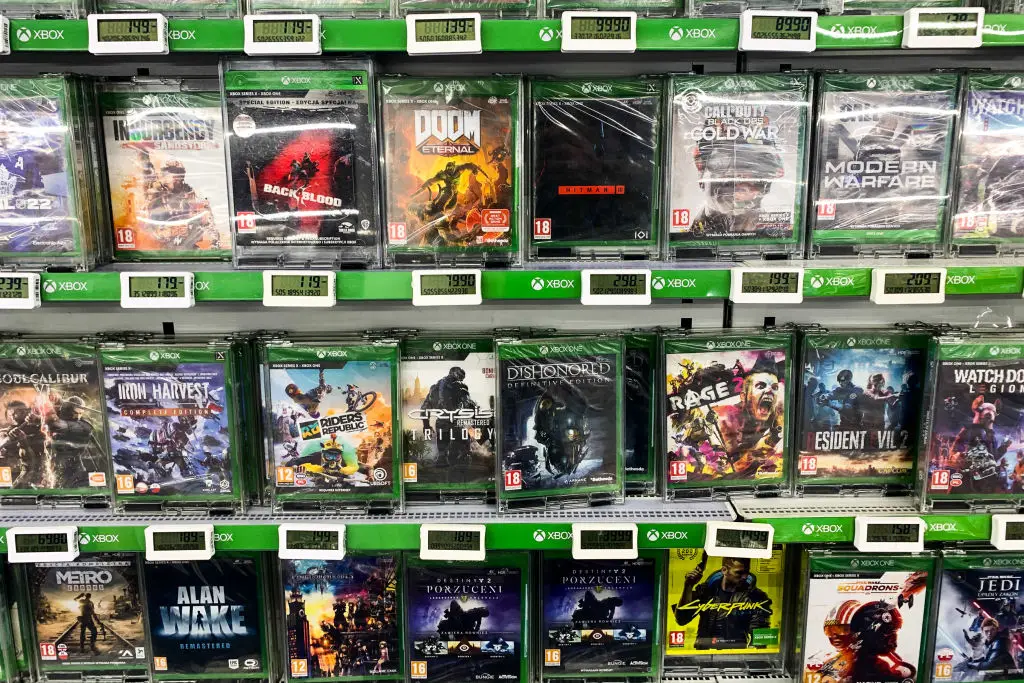
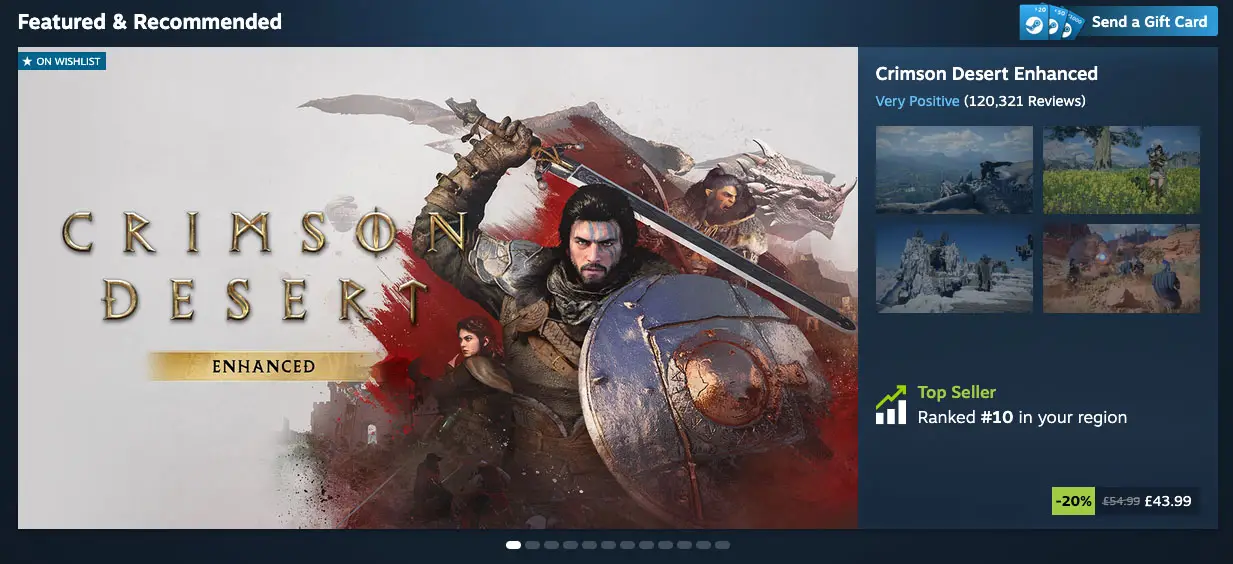
    A very important tip. Make sure that if you’re buying a new game that you actually intend to play it pretty soon. It can be tempting if you see a game go on sale for 50% off to pick it up. The sales are usually temporary, after all, so the urge to buy is right there when the original price is coming back in just a few days.

    However, if you don’t plan on playing it within the next six months or so, leave it. By the time that rolls around, the game will likely be on sale again, and may even have a bigger discount than what was there originally. Not only will this save you money in the long run, but your backlog will also not get bigger.
    Source: Steam

    Best Burn Methods through Used
    Share. Facebook Twitter
    Previous Article5 Femme Fatales That Made Superheroes’ Lives a Living Hell (Including One of DC’s Most Famous Characters)
    Next Article Marvel Is Bringing Back One of the X-Men’s Most Dangerous Villains to Face Its Most Dysfunctional Team
    James

    Related Posts

    Infamous Atari Game’s Creator Warns That AI Might Crash Industry

    November 23, 2026

    Sugardew Island receiving a Nintendo Switch 2 Edition

    November 23, 2026

    Forget the Lighthouse, GTA 6’s Best Minigame Is a Full-Blown Zombie Shooter That Will Take You Hours To Beat

    November 23, 2026

    20 Best International Series To Stream Across Netflix, Prime Video, Apple TV & JioHotstar

    November 23, 2026

    5 Comments

    1. Pingback: Remaster of Entire PS1 Trilogy Now Available for $2.54 - Comic Vibe

    2. Pingback: Abby’s Angle: It's not a GTA VI problem, it's a boyfriend problem - Comic Vibe

    3. Pingback: The Marvel Art of Peach Momoko Offers an Exclusive First - Comic Vibe

    4. Pingback: Naruto: Every Hidden Cloud Raikage, Ranked by Raw Strength - Comic Vibe

    5. Pingback: Fire performer falls off stage during Usher and Chris Brown concert - Comic Vibe

    Leave A Reply Cancel Reply

    Our Picks

    TVB actress Kelly Cheung confirms Ron Ng is pursuing her

    November 23, 2026

    Tom Jackson Has Died, Colleague Brands Passing as ‘Unexpected’

    November 23, 2026

    How AI and Data Analytics Reshape the Entertainment Industry in 2026

    November 23, 2026

    Death Game Anime ‘Shiboyugi’ Sequel Announced: Even Odds at 99 Games Need Over 99 Percent Survival

    November 23, 2026
    • Facebook
    • Twitter
    • Instagram
    • YouTube
    • TikTok
    • Telegram
    Don't Miss
    Tech

    Xbox Backward Compatibility Comes to PC and Handhelds at Last, Reviving Conker and BLiNX With 4x Upscaling

    By JamesJuly 22, 20260

    Xbox Backward Compatibility has long been the benchmark for backward compatibility on consoles, and rumors of it coming to PC rightly made more than a few players excited at the prospect of playing classic Xbox games which never received an official PC port. Today, Xbox Backward Compatibility was officially launched on PC with the first…

    Nirvanna the Band the Show and Movie will finally be available to stream via Hulu on July 24

    July 22, 2026

    Wayback Whensday: The Censored Nancy Reproduced

    July 22, 2026

    ‘Preview Night’ Arrives For Comic-Con, Along With Blood Drive, Downtown Events

    July 22, 2026

    Subscribe to Updates

    Get the latest creative news from SmartMag about art & design.

    About Us
    About Us

    Comic Vibe is a pop-culture destination created for fans who live and breathe comics, movies, anime, TV shows, gaming, tech, cosplay, and collectibles.

    Our mission is to deliver engaging news, reviews, features, guides, and opinions that celebrate geek culture in all its forms. From the latest comic releases and blockbuster films to anime trends, gaming updates, cutting-edge tech, and collector culture, Comic Vibe brings everything together in one vibrant hub.

    Our Picks

    TVB actress Kelly Cheung confirms Ron Ng is pursuing her

    November 23, 2026

    Tom Jackson Has Died, Colleague Brands Passing as ‘Unexpected’

    November 23, 2026

    How AI and Data Analytics Reshape the Entertainment Industry in 2026

    November 23, 2026

    Subscribe to Updates

    Get the latest comics, anime, movies, TV, gaming, cosplay, and pop culture news delivered directly to your inbox. No spam—just the stories every fan should know.

    Facebook X (Twitter) Instagram YouTube TikTok
    • Home
    • Contact Us
    • Terms & Conditions
    • Advertise With Us
    • DMCA Policy
    • Privacy Policy
    • About Us
    © 2026 Comic Vibe. Designed by Comic Vibe.

    Type above and press Enter to search. Press Esc to cancel.