
Close Menu

    Subscribe to Updates

    Get the latest creative news from FooBar about art, design and business.

    What's Hot

    Priyanka Chopra hosts star-studded Diwali party at LA home; Winnie Harlow, Lilly Singh join celebrations

    October 31, 2026

    PUBG Live-Action Series in Development at Netflix With Donald Glover Directing and Starring

    October 31, 2026

    LUCCA: Frank Miller Announces A New Comic Book With Peach Momoko

    October 31, 2026
    Facebook X (Twitter) Instagram
    Facebook X (Twitter) Instagram YouTube TikTok
    Comic Vibe
    Saturday, October 31
    • Home
    • Comics
      • Comic Vibe News
    • Gaming
    • Movies
    • TV
    • Anime
    • Toys & Collectibles
    • Cosplay
    • Tech
    • Digital Culture
      • Creators & Fan Culture
      • Creator Economy & Fan-Driven Platforms
      • Digital Fandom & Online Communities
      • Metaverse & Virtual Worlds
      • NFTs & Digital Collectibles
      • Virtual Events & Online Conventions
      • Virtual Identity & Avatars
    • Shop
    Comic Vibe
    • Home
    • Contact Us
    • Terms & Conditions
    • Advertise With Us
    • DMCA Policy
    • Privacy Policy
    • About Us
    Home»Gaming»New PC app lets you play your PS5 games without the need for a console
    Gaming

    New PC app lets you play your PS5 games without the need for a console

    JamesBy JamesAugust 11, 2026No Comments3 Mins Read
    Facebook Twitter
    New PC app lets you play your PS5 games without the need for a console
    Share
    Facebook Twitter

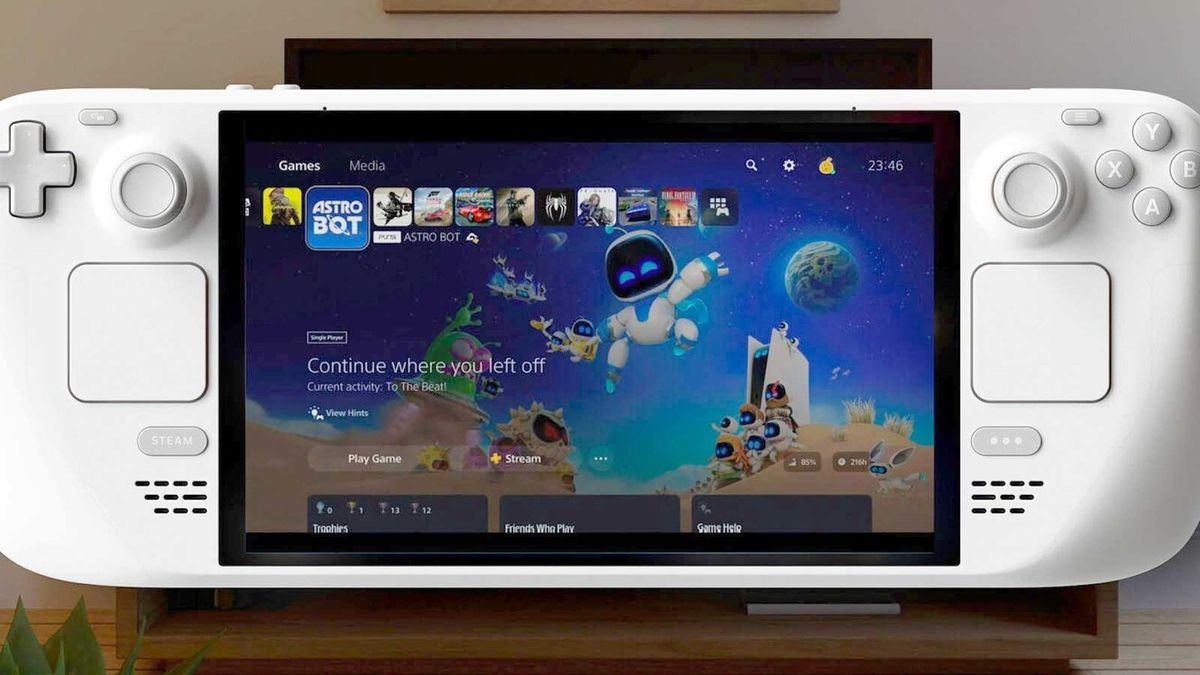
    A brand new release on Steam has effectively made owning a PlayStation console optional, as this new app allows PC gamers to play their owned PS5 games without the need for a console.

    Asobi: Remote Play is a new app launching soon on PC, which allows users to stream their PlayStation games on their Steam devices, like the Steam Deck and Steam Machine.

    Although it has not hit a full release just yet, the app is currently in beta testing, and you can request access to be part of the playtest.

    Asobi is designed for players who want a flexible way to stream their own PlayStation games, whether that’s games streamed

    It supports being able to connect to your PS4 or PS5 console, streaming your games from the console with support for 1080p and 60fps quality (depending on whether you opt for the free version or the paid route), while also syncing settings and compatibility across different devices.

    However, the app also allows for remote streaming for select games, meaning you can stream some PS4 and PS5 games directly from the internet without using a remote play option.

    This feature is largely used by the PlayStation Portal to stream games while away from home when you can’t remote play from your own console, but it’ll now mean you can play them from your Steam Deck or Steam Machine device.
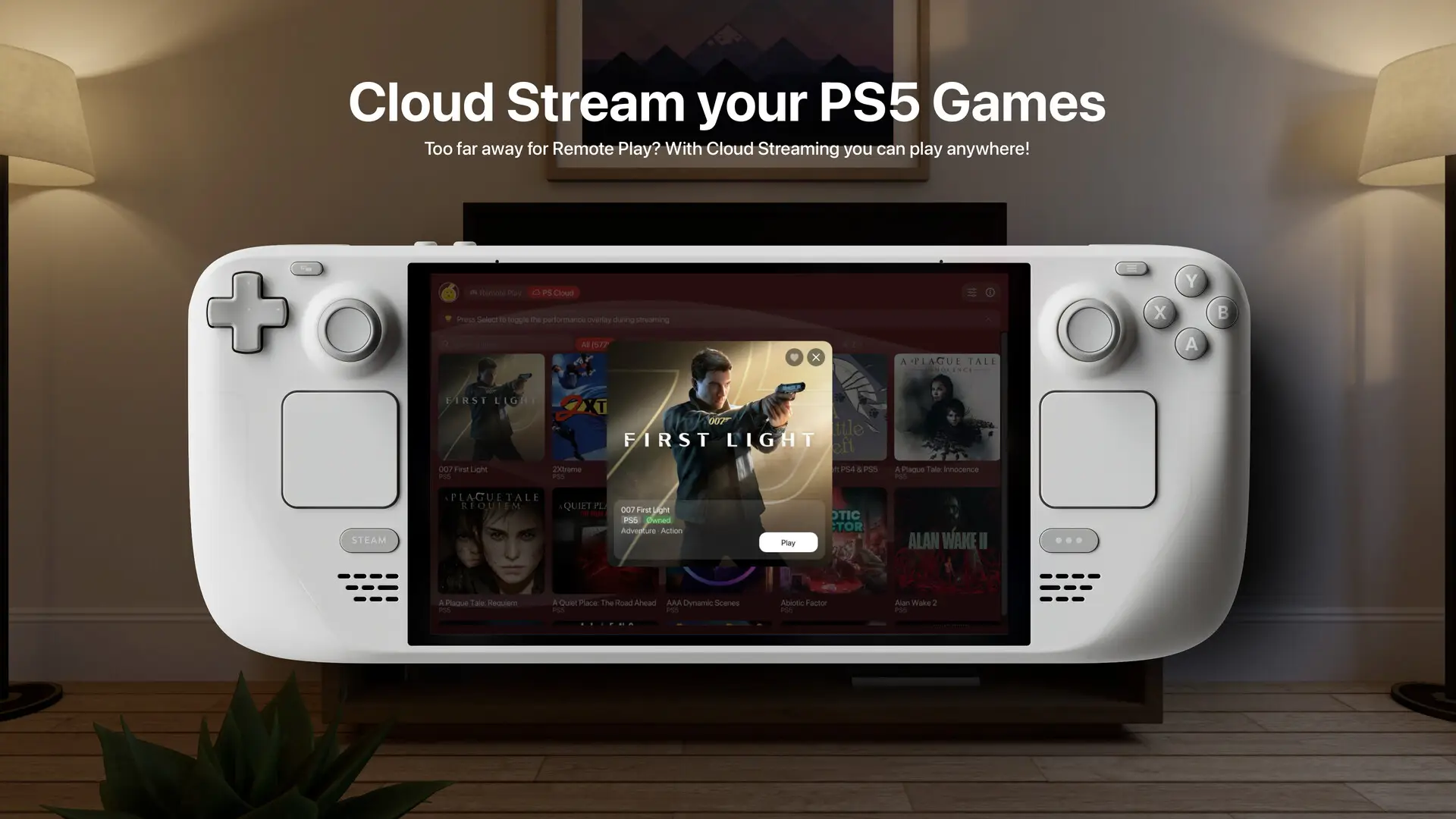
    In terms of what games are supported, you should be able to play games that are available on PlayStation Plus, but it also includes some games that are owned in the user’s library.

    The main caveat here is that you need to be an active PlayStation Plus Premium member to be able to stream the games, even if you’re just opting for the games that you own.

    Asobi will let you stream games like Saros and Astro Bot on your Steam Deck or Steam Machine

    The list of games you can stream is actually pretty extensive, so we won’t list them all here. However, some standout titles you can stream which aren’t available on PC include Demon’s Souls, Astro Bot, and Saros. Unfortunately, there’s no Bloodborne available, I’m afraid.

    Essentially, since Sony has backtracked on its PC strategy earlier this year, this may be the most cost-effective way for PC gamers to play these exclusive titles without dropping money on a console.

    There are two options for Asobi: Remote Play, a free version and a paid version requiring a one-time app purchase.

    With the free version, you’ll be able to stream your game library and PlayStation Plus games at no additional charge. However, you’ll only be able to stream at 1080p and 30fps.

    Meanwhile, the paid version looks to be the way to go, with support for HDR video streaming at 1080p and 60fps. There’s also upscaling up to 4K on supported displays, and 120fps on supported monitors.

    The paid version of Asobi also includes manual bitrate control, experimental FEC mode for unstable Wi-Fi networks, and low-latency modes to give you just a bit more control over your experience.

    There’s no word yet on when the app will be fully released, but you can sign up to test the Asobi beta on Steam now.

    Featured Image Credit: Inside Internet

    Games lets Play Without your
    Share. Facebook Twitter
    Previous ArticleRoblox shares plummet by 70% after the company reports persistent decline in player numbers, and of course…
    Next Article Ken Royson on ‘Mannaru’: Directing music videos is liberating
    James

    Related Posts

    Avatar Legends: The Fighting Game Enters the Avatar State

    October 31, 2026

    Arkade is a PC Peripheral That Transforms Every Modern Shooter Into a Light Gun Game

    October 31, 2026

    Why is PC gaming outpacing consoles? “PC players have a bit more choice,” analyst says

    October 31, 2026

    This DIY PlayStation 2 Handheld Gives a Foldable Phone Screen a New Job

    October 31, 2026

    Comments are closed.

    Our Picks

    Priyanka Chopra hosts star-studded Diwali party at LA home; Winnie Harlow, Lilly Singh join celebrations

    October 31, 2026

    PUBG Live-Action Series in Development at Netflix With Donald Glover Directing and Starring

    October 31, 2026

    LUCCA: Frank Miller Announces A New Comic Book With Peach Momoko

    October 31, 2026

    Avatar Legends: The Fighting Game Enters the Avatar State

    October 31, 2026
    • Facebook
    • Twitter
    • Instagram
    • YouTube
    • TikTok
    • Telegram
    Don't Miss
    TV

    Netflix’s ‘Little House on the Prairie’ Reboot Majorly Improves 1 Character From the Original Series

    By JamesJuly 19, 20260

    Despite all the comments made about “reimagining” the material, Netflix’s Little House on the Prairiehas been surprisingly good. While there are some things that die-hard fans of the original series (and lovers of Laura Ingalls Wilder’s novels) may not adore about the new reboot, there’s one element that we simply cannot get enough of. Mr.…

    HEAT Winter Arts Festival returns to warm up Cape Town with 10 days of culture

    July 19, 2026

    Xbox Game Pass cosy hidden gem is a chill indie I keep sliding back to

    July 19, 2026

    Katrina Kaif shares heartfelt family moments, calls son Vihaan her biggest blessing

    July 19, 2026

    Subscribe to Updates

    Get the latest creative news from SmartMag about art & design.

    About Us
    About Us

    Comic Vibe is a pop-culture destination created for fans who live and breathe comics, movies, anime, TV shows, gaming, tech, cosplay, and collectibles.

    Our mission is to deliver engaging news, reviews, features, guides, and opinions that celebrate geek culture in all its forms. From the latest comic releases and blockbuster films to anime trends, gaming updates, cutting-edge tech, and collector culture, Comic Vibe brings everything together in one vibrant hub.

    Our Picks

    Priyanka Chopra hosts star-studded Diwali party at LA home; Winnie Harlow, Lilly Singh join celebrations

    October 31, 2026

    PUBG Live-Action Series in Development at Netflix With Donald Glover Directing and Starring

    October 31, 2026

    LUCCA: Frank Miller Announces A New Comic Book With Peach Momoko

    October 31, 2026

    Subscribe to Updates

    Get the latest comics, anime, movies, TV, gaming, cosplay, and pop culture news delivered directly to your inbox. No spam—just the stories every fan should know.

    Facebook X (Twitter) Instagram YouTube TikTok
    • Home
    • Contact Us
    • Terms & Conditions
    • Advertise With Us
    • DMCA Policy
    • Privacy Policy
    • About Us
    © 2026 Comic Vibe. Designed by Comic Vibe.

    Type above and press Enter to search. Press Esc to cancel.