
Close Menu

    Subscribe to Updates

    Get the latest creative news from FooBar about art, design and business.

    What's Hot

    White Sky #7 Preview: The Day Everything Went Wrong

    November 21, 2026

    ‘The Remarried Empress’ Holds Firm at No. 1 Globally, Tops Charts in 45 Countries

    November 21, 2026

    Gaming Industry Seminar Addresses Transgender Voices

    November 21, 2026
    Facebook X (Twitter) Instagram
    Facebook X (Twitter) Instagram YouTube TikTok
    Comic Vibe
    Saturday, November 21
    • Home
    • Comics
      • Comic Vibe News
    • Gaming
    • Movies
    • TV
    • Anime
    • Toys & Collectibles
    • Cosplay
    • Tech
    • Digital Culture
      • Creators & Fan Culture
      • Creator Economy & Fan-Driven Platforms
      • Digital Fandom & Online Communities
      • Metaverse & Virtual Worlds
      • NFTs & Digital Collectibles
      • Virtual Events & Online Conventions
      • Virtual Identity & Avatars
    • Shop
    Comic Vibe
    • Home
    • Contact Us
    • Terms & Conditions
    • Advertise With Us
    • DMCA Policy
    • Privacy Policy
    • About Us
    Home»Gaming»How to stream GTA 6 on your iPhone, iPad or Mac
    Gaming

    How to stream GTA 6 on your iPhone, iPad or Mac

    JamesBy JamesNovember 21, 2026No Comments4 Mins Read
    Facebook Twitter
    Share
    Facebook Twitter

    Because there’s no such thing as too much Vice City.

    After an excruciatingly long wait of 13 years, Grand Theft Auto 6 is finally available to play on the PlayStation 5 and Xbox Series X/S. If you’re taking your time to enjoy the new title, it can take a while to reveal GTA 6’s full map. People have taken time off work just to spend more time exploring Leonida, and if you’re that excited about the game, chances are you’ll want to keep playing it when you’re away from your console. Well, both Sony and Microsoft offer remote play functionality on their consoles, allowing you to stream GTA 6 on your phone, tablet or computer.

    Unlike cloud gaming that utilizes remote servers and often requires a subscription, remote play harnesses the power of your own console. It streams its video and audio feed to another device, which in this case can be an iPhone, iPad, Mac, Android phone or Windows PC. Sony offers the PS Remote Play app that you can install on your device, while Xbox lets you play remotely through the browser itself.

    To get started, you’ll of course need either a PlayStation 5 or Xbox Series X/S console with a copy of GTA 6 purchased and downloaded. Though on-screen controls may be available, a compatible gamepad, like the DualSense or Xbox controller, will make the experience considerably better, especially for a game as detailed and immersive as GTA 6. 

    You don’t need to be connected to the same network to stream GTA 6 on your phone or computer, but a fast and stable internet connection on both ends is required to minimize input lag and connectivity issues during gameplay. Sony recommends a connection speed of 15 Mbps and Xbox suggests using a 5GHz Wi-Fi network with a speed of at least 7 – 10 Mbps.

    Using the PS Remote Play app to stream GTA 6
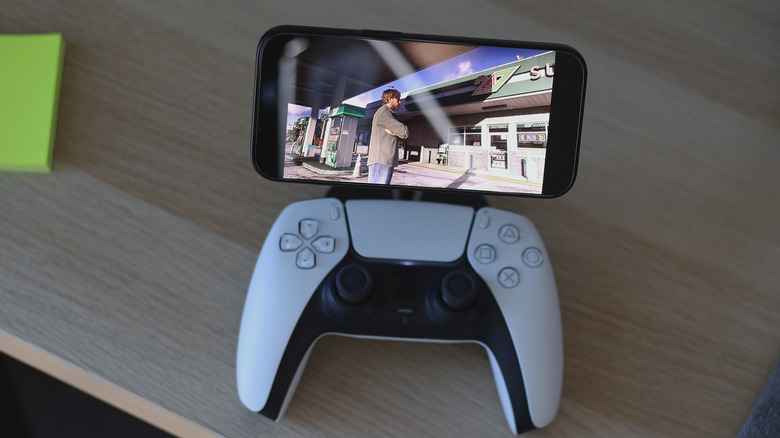
    GTA 6 streaming on an iPhone.

    You’ll first need to configure your PS5 to work with remote play. Turn on your console, navigate to Settings > System > Remote Play and turn on the Enable Remote Play option. Head back to Settings and navigate to Power Saving > Features Available in Rest Mode. Here, turn the Stay Connected to the Internet and Enable Turning on PS5 from Network options on. These will allow you to wake your console from Rest Mode remotely so that you don’t need to keep it running all the time.

    Now, download the PS Remote Play app on your Android, iOS, macOS or Windows device. Once installed, launch the app and sign into the same PlayStation account you use on your console. Your PS5 should show up in the list of available consoles. Select it and give the app a moment to establish a remote play session with your console.

    You can now interact with your PS5’s interface using your phone, tablet or computer. Navigate to your game library and launch GTA 6. In our testing, the game works beautifully on both Android and iPhone with remote play on the same network. Input lag wasn’t noticeable, although the DualSense controller’s haptics and adaptive triggers didn’t seem to kick in — these features did work on Mac and Windows with a wired connection.

    To connect your DualSense controller, you’ll need to put it in pairing mode first. You can do this by pressing and holding both the PS and Create buttons simultaneously until the controller starts flashing blue. Head to Bluetooth settings on your device and look for DualSense Wireless Controller in the list of available devices.

    How to stream GTA 6 if you’re using an Xbox
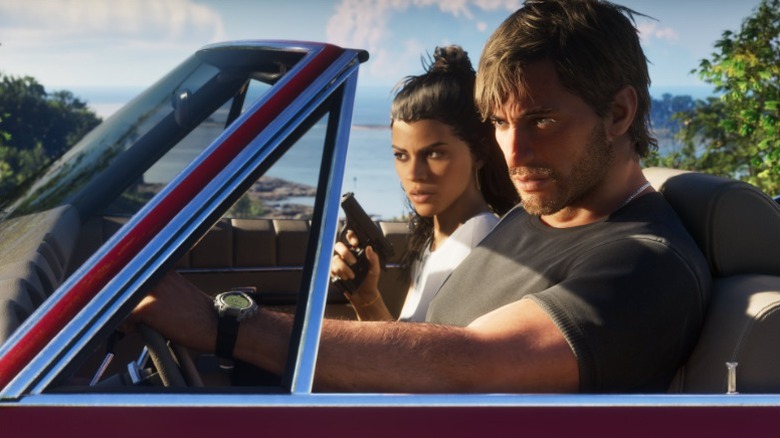
    Jason and Lucia in a car.

    If you’re an Xbox user, the steps to play GTA 6 remotely on your phone or computer are very similar. First, turn your Xbox console on and navigate to Profile & system > Settings > Devices & connections > Remote features. Turn the Enable remote features toggle on and under the Power options setting, select Sleep. You have now configured your Xbox Series X/S to support remote play.

    Open the browser on your smartphone, tablet or computer and head to the Xbox remote play website. Sign into your Microsoft account, select your Xbox console and tap or click on the Remote play on this device button. Once again, pairing an Xbox controller with the device you’re streaming GTA 6 on will allow for much better controls. You can enter pairing mode on your Xbox controller by holding down the Pair button for three seconds. Then, head to your device’s Bluetooth settings to add the controller.

    Although Grand Theft Auto 6 is only available natively on current-gen consoles from Sony and Microsoft, Xbox One users can enjoy the game through Xbox Cloud Gaming. You still need to buy the game digitally and will likely spend a bit more to get additional cloud gaming hours, seeing as how the Game Pass Ultimate tier now only includes 15 hours of cloud playtime per month.

    iPad iPhone stream your
    Share. Facebook Twitter
    Previous ArticleDiplo opens up about his ‘gay experiences,’ says he ‘wouldn’t rule … out’ dating men: ‘I’ve loved men too’
    Next Article Gaming Industry Seminar Addresses Transgender Voices
    James

    Related Posts

    Rockstar’s Marc Chambers Says the PS5 Pro CPU Is ‘Not Powerful Enough’ for Grand Theft Auto VI’s Complex Simulation at 60 FPS, Squashing Performance Mode Hopes

    November 21, 2026

    Multiplying your Switch 2’s storage costs less than usual right now

    November 21, 2026

    5 Best New Movies And Shows To Stream This Weekend On Netflix, HBO Max, Paramount Plus, And More (Nov. 20-22)

    November 21, 2026

    The Nintendo Switch 2 Will Get A Rare Discount This Black Friday

    November 21, 2026
    Leave A Reply Cancel Reply

    Our Picks

    White Sky #7 Preview: The Day Everything Went Wrong

    November 21, 2026

    ‘The Remarried Empress’ Holds Firm at No. 1 Globally, Tops Charts in 45 Countries

    November 21, 2026

    Gaming Industry Seminar Addresses Transgender Voices

    November 21, 2026

    How to stream GTA 6 on your iPhone, iPad or Mac

    November 21, 2026
    • Facebook
    • Twitter
    • Instagram
    • YouTube
    • TikTok
    • Telegram
    Don't Miss
    TV

    This Titanium Apple Watch Series 11 cell model just hit one of its best prices ever at $169 off

    By JamesJuly 22, 20260

    Joining the $100 price drops on the most popular Apple Watch Series 11 modelsstarting from $299, we just spotted a notable and likely fleeting chance to land the Apple Watch Series 11 GPS + Cell with the Natural Titanium Case at $169 off the list price. 

    One Piece Chapter 1189 Spoilers & Manga Plot Leaks

    July 22, 2026

    Comic-Con goes to the dogs at pet cosplay competition

    July 22, 2026

    Zombie Island codes July 2026

    July 22, 2026

    Subscribe to Updates

    Get the latest creative news from SmartMag about art & design.

    About Us
    About Us

    Comic Vibe is a pop-culture destination created for fans who live and breathe comics, movies, anime, TV shows, gaming, tech, cosplay, and collectibles.

    Our mission is to deliver engaging news, reviews, features, guides, and opinions that celebrate geek culture in all its forms. From the latest comic releases and blockbuster films to anime trends, gaming updates, cutting-edge tech, and collector culture, Comic Vibe brings everything together in one vibrant hub.

    Our Picks

    White Sky #7 Preview: The Day Everything Went Wrong

    November 21, 2026

    ‘The Remarried Empress’ Holds Firm at No. 1 Globally, Tops Charts in 45 Countries

    November 21, 2026

    Gaming Industry Seminar Addresses Transgender Voices

    November 21, 2026

    Subscribe to Updates

    Get the latest comics, anime, movies, TV, gaming, cosplay, and pop culture news delivered directly to your inbox. No spam—just the stories every fan should know.

    Facebook X (Twitter) Instagram YouTube TikTok
    • Home
    • Contact Us
    • Terms & Conditions
    • Advertise With Us
    • DMCA Policy
    • Privacy Policy
    • About Us
    © 2026 Comic Vibe. Designed by Comic Vibe.

    Type above and press Enter to search. Press Esc to cancel.