
Close Menu

    Subscribe to Updates

    Get the latest creative news from FooBar about art, design and business.

    What's Hot

    How to clear the cache on your Xbox Series X

    November 15, 2026

    Fantastic Four #19 Preview: Family Stargazing Goes Horribly Wrong

    November 15, 2026

    Florida State vs. Pitt in Week 11: How to watch, series history, injuries, odds, and more

    November 15, 2026
    Facebook X (Twitter) Instagram
    Facebook X (Twitter) Instagram YouTube TikTok
    Comic Vibe
    Sunday, November 15
    • Home
    • Comics
      • Comic Vibe News
    • Gaming
    • Movies
    • TV
    • Anime
    • Toys & Collectibles
    • Cosplay
    • Tech
    • Digital Culture
      • Creators & Fan Culture
      • Creator Economy & Fan-Driven Platforms
      • Digital Fandom & Online Communities
      • Metaverse & Virtual Worlds
      • NFTs & Digital Collectibles
      • Virtual Events & Online Conventions
      • Virtual Identity & Avatars
    • Shop
    Comic Vibe
    • Home
    • Contact Us
    • Terms & Conditions
    • Advertise With Us
    • DMCA Policy
    • Privacy Policy
    • About Us
    Home»Gaming»How to clear the cache on your Xbox Series X
    Gaming

    How to clear the cache on your Xbox Series X

    JamesBy JamesNovember 15, 2026No Comments4 Mins Read
    Facebook Twitter
    Share
    Facebook Twitter

    Keep your Xbox Series X feeling like new by keeping your cache clear, and if that doesn’t help, a reset is in order.

    If you secured your Xbox Series X years before the RAM crisis made consumer tech prices skyrocket (in case you were wondering why RAM prices are so high right now), chances are it’s not as lag-free as it once was. Over time, temporary files can build up in the system, leading to slowdowns and glitches. When the classic restart option doesn’t suffice, consider clearing the console’s cache.

    Just like clearing the cache on a phone or web browser, doing so on your Xbox once in a while can help its performance while navigating between menus. Clear the cache by turning off and unplugging your Xbox Series X for two minutes, then pressing the power button multiple times before reconnecting its power cord to power-cycle the console. Power it back on, and you should be good to go.

    Clearing your cache is a trick worth trying when you run into excessive loading errors or connectivity issues in your games. For instance, Epic Games notes directly on its support site that clearing the cache on an Xbox Series X can help with load failure errors in its game Rocket League.

    What to expect after clearing your Xbox Series X’s cache
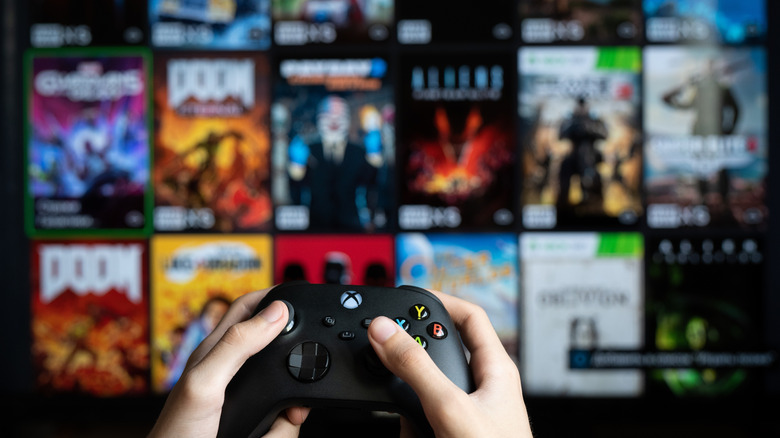
    Person holding Xbox controller in front of menu of games.

    Clearing your cache can help resolve issues if a simple restart doesn’t, since this action removes files stored on the console that may have been corrupted. Other ways to help reach the expected lifespan of your Xbox Series X are to routinely clean its vents for efficient heat management and keep the console in an open area so the fan can do its job.

    The console’s cache is supposed to store data over time to make common routines faster by reducing the need to repeatedly load the same elements. So while it’s a design choice that’s supposed to help, files can still build up over months and years, clogging things up. Rest assured that clearing your cache won’t affect your games or save data.

    One sign that you cleared your cache correctly is when you spot the Xbox logo on the screen and the full boot process occurs. However, a Reddit user wrote that clearing the cache could temporarily increase loading times in Microsoft Flight Simulator. Then again, a user also reported quicker boot times after clearing the cache, so your experience may vary.

    Consider resetting your console if issues persist
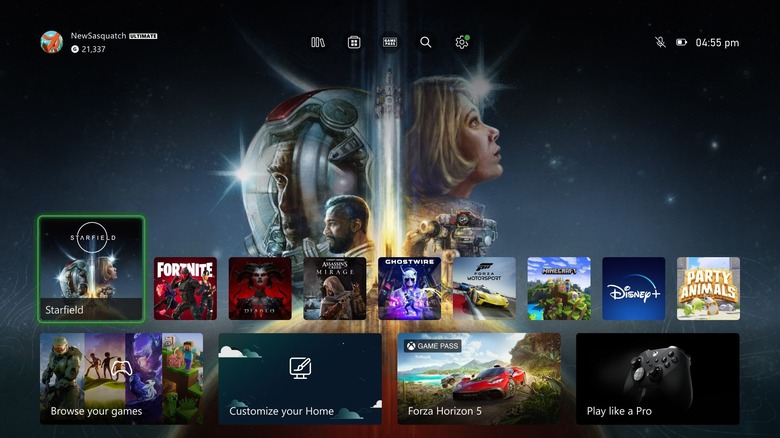
    Xbox home screen showing games.

    While it’s a good practice to clear your console’s cache once in a while, there’s no specific schedule you need to maintain. Simply doing so whenever your Xbox Series X feels sluggish should do the trick. 

    If your current experience is abysmal, you may even want to perform a reset. Before resetting, connect your console to the internet and let your save data sync to the Xbox network. To reset the console, go to Settings > System > Console info > Reset console. You can also select the option Reset and keep my games & apps to save yourself the hassle of redownloading everything, though you’ll still need to sign back into your accounts afterward.

    If your console still doesn’t feel as snappy as you’d like or if your games don’t run as expected after wiping its cache, consider a factory reset by choosing the option Reset and remove everything in the settings. While starting fresh with a factory reset can feel like a chore since it wipes everything on the console with all unsynced data lost (considering the wait time to redownload everything, along with the other drawbacks you should know before buying an Xbox Series X), it could get your games to run smoothly so you can once again enjoy your Xbox couch sessions.

    Cache Clear Series Xbox your
    Share. Facebook Twitter
    Previous ArticleFantastic Four #19 Preview: Family Stargazing Goes Horribly Wrong
    James

    Related Posts

    This Sony patent would add a credit card reader to your PlayStation controller

    November 15, 2026

    Shooter reportedly hits XBOX’s inXile studio building, but none were harmed

    November 15, 2026

    PlayStation Officially Drops 5 New Free Downloads You Don’t Need PS Plus For (November 14)

    November 15, 2026

    One cable mistake could be killing your desktop PC’s gaming performance

    November 14, 2026
    Leave A Reply Cancel Reply

    Our Picks

    How to clear the cache on your Xbox Series X

    November 15, 2026

    Fantastic Four #19 Preview: Family Stargazing Goes Horribly Wrong

    November 15, 2026

    Florida State vs. Pitt in Week 11: How to watch, series history, injuries, odds, and more

    November 15, 2026

    MrBeast turns his YouTube channel into a real-life Hunger Games arena with magnetic weapons and a $250,000 prize

    November 15, 2026
    • Facebook
    • Twitter
    • Instagram
    • YouTube
    • TikTok
    • Telegram
    Don't Miss
    TV

    Bruins Young Forward Is Big Player To Watch Next Season

    By JamesJuly 21, 20260

    At the 2026 NHL trade deadline, the Boston Bruins acquired Lukas Reichel from the Vancouver Canucks in exchange for a 2026 sixth-round pick. With this move, the Bruins brought in a former first-round pick who was in need of a change of scenery in a big way. 

    Kingdom release schedule (updated July 2026): When the next chapter of the sweeping historical epic is coming out

    July 21, 2026

    Ryan Reynolds Says Another ‘Deadpool’ Movie Is Coming: “There’s Stuff Upcoming”

    July 21, 2026

    No Comic-Con badge? Here are some standout off

    July 21, 2026

    Subscribe to Updates

    Get the latest creative news from SmartMag about art & design.

    About Us
    About Us

    Comic Vibe is a pop-culture destination created for fans who live and breathe comics, movies, anime, TV shows, gaming, tech, cosplay, and collectibles.

    Our mission is to deliver engaging news, reviews, features, guides, and opinions that celebrate geek culture in all its forms. From the latest comic releases and blockbuster films to anime trends, gaming updates, cutting-edge tech, and collector culture, Comic Vibe brings everything together in one vibrant hub.

    Our Picks

    How to clear the cache on your Xbox Series X

    November 15, 2026

    Fantastic Four #19 Preview: Family Stargazing Goes Horribly Wrong

    November 15, 2026

    Florida State vs. Pitt in Week 11: How to watch, series history, injuries, odds, and more

    November 15, 2026

    Subscribe to Updates

    Get the latest comics, anime, movies, TV, gaming, cosplay, and pop culture news delivered directly to your inbox. No spam—just the stories every fan should know.

    Facebook X (Twitter) Instagram YouTube TikTok
    • Home
    • Contact Us
    • Terms & Conditions
    • Advertise With Us
    • DMCA Policy
    • Privacy Policy
    • About Us
    © 2026 Comic Vibe. Designed by Comic Vibe.

    Type above and press Enter to search. Press Esc to cancel.