
Close Menu

    Subscribe to Updates

    Get the latest creative news from FooBar about art, design and business.

    What's Hot

    The Deadman #4 Preview: Escalator to a Very Weird Heaven

    August 30, 2026

    10 classic TV shows everyone pretends to remember, but nobody actually watched

    August 30, 2026

    Fortnite Chapter 7 Season 4 Guide: All Bosses Spawn Locations

    August 30, 2026
    Facebook X (Twitter) Instagram
    Facebook X (Twitter) Instagram YouTube TikTok
    Comic Vibe
    Sunday, August 30
    • Home
    • Comics
      • Comic Vibe News
    • Gaming
    • Movies
    • TV
    • Anime
    • Toys & Collectibles
    • Cosplay
    • Tech
    • Digital Culture
      • Creators & Fan Culture
      • Creator Economy & Fan-Driven Platforms
      • Digital Fandom & Online Communities
      • Metaverse & Virtual Worlds
      • NFTs & Digital Collectibles
      • Virtual Events & Online Conventions
      • Virtual Identity & Avatars
    • Shop
    Comic Vibe
    • Home
    • Contact Us
    • Terms & Conditions
    • Advertise With Us
    • DMCA Policy
    • Privacy Policy
    • About Us
    Home»Digital Culture»Metaverse & Virtual Worlds»Fortnite Guide: How to Get the Crash Bandicoot Skin
    Metaverse & Virtual Worlds

    Fortnite Guide: How to Get the Crash Bandicoot Skin

    JamesBy JamesAugust 30, 2026No Comments3 Mins Read
    Facebook Twitter
    Fortnite Guide: How to Get the Crash Bandicoot Skin
    Share
    Facebook Twitter

    Crash Bandicoot has finally made it to Fortnite, and the collab is bigger than just one skin. Epic dropped the Crash Bandicoot & Spyro the Dragon bundle on August 28, 2026, as part of the Gaming Legends season in Chapter 7 Season 4. You have until September 11 to grab everything, so here’s exactly what’s available and how to get it.

    How do you get the Crash Bandicoot skin in Fortnite?

    The skin is a straight Item Shop purchase. There’s no tournament requirement or quest chain attached to this one. Follow these steps to pick it up:

    1. Launch Fortnite and open the Item Shop tab.
    2. Search for or scroll to the “Crash Bandicoot & Spyro the Dragon” section.
    3. Select either the full bundle or individual items depending on what you want.
    4. Hold the Purchase button to confirm your transaction.
    5. Your new cosmetics will appear in your Locker immediately.

    tip
    Buying the full bundle at 3,000 V-Bucks saves you money compared to purchasing every item separately, which would cost 5,400 V-Bucks total.
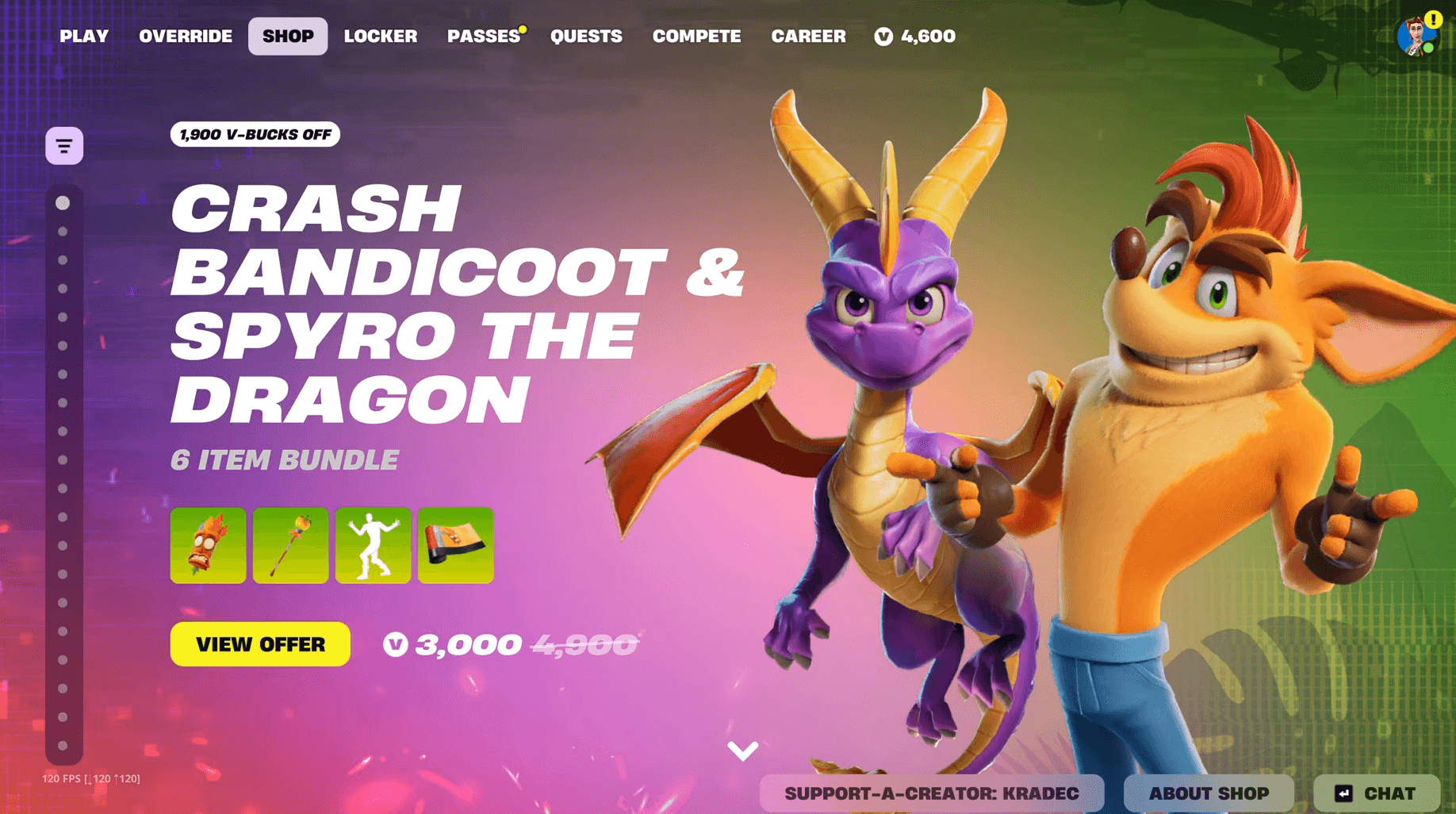
    image.png

    Fortnite Guide: How to Get the Crash Bandicoot Skin

    What does the Crash Bandicoot bundle include?

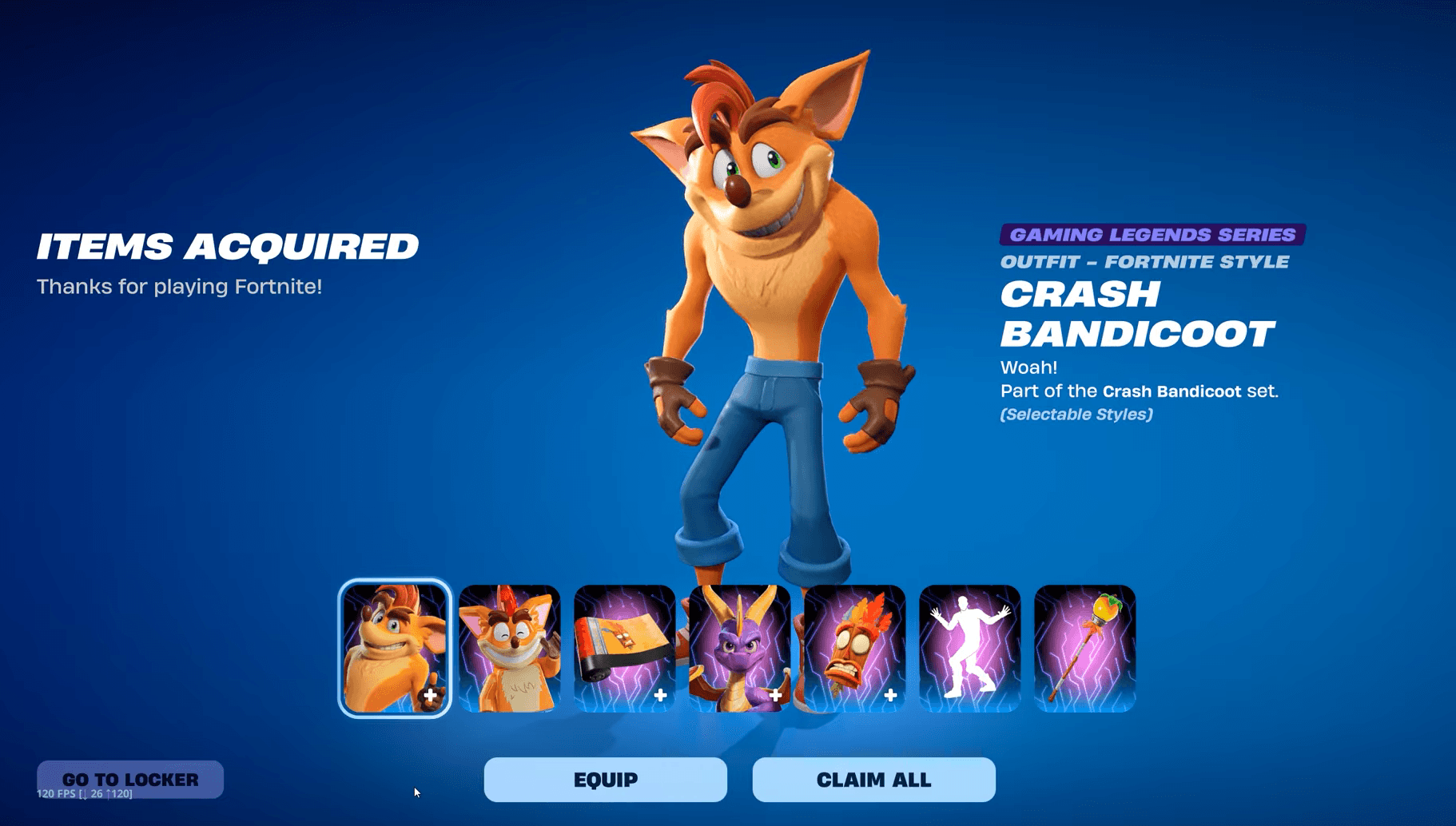
    The collab covers more than just the character skin. There are six cosmetics in total, ranging from a pickaxe to a wrap and a victory emote. Here’s the full breakdown:

    Loading table…

    The Aku Aku Back Bling is worth calling out specifically. Aku Aku is one of the most iconic symbols from the original Crash Bandicoot games, and having him float behind your character is a nice touch for anyone who grew up with the PS1 trilogy.

    warning
    The entire Crash Bandicoot collab leaves the Item Shop on September 11, 2026, at 8 PM ET. After that reset, there’s no confirmed return date.
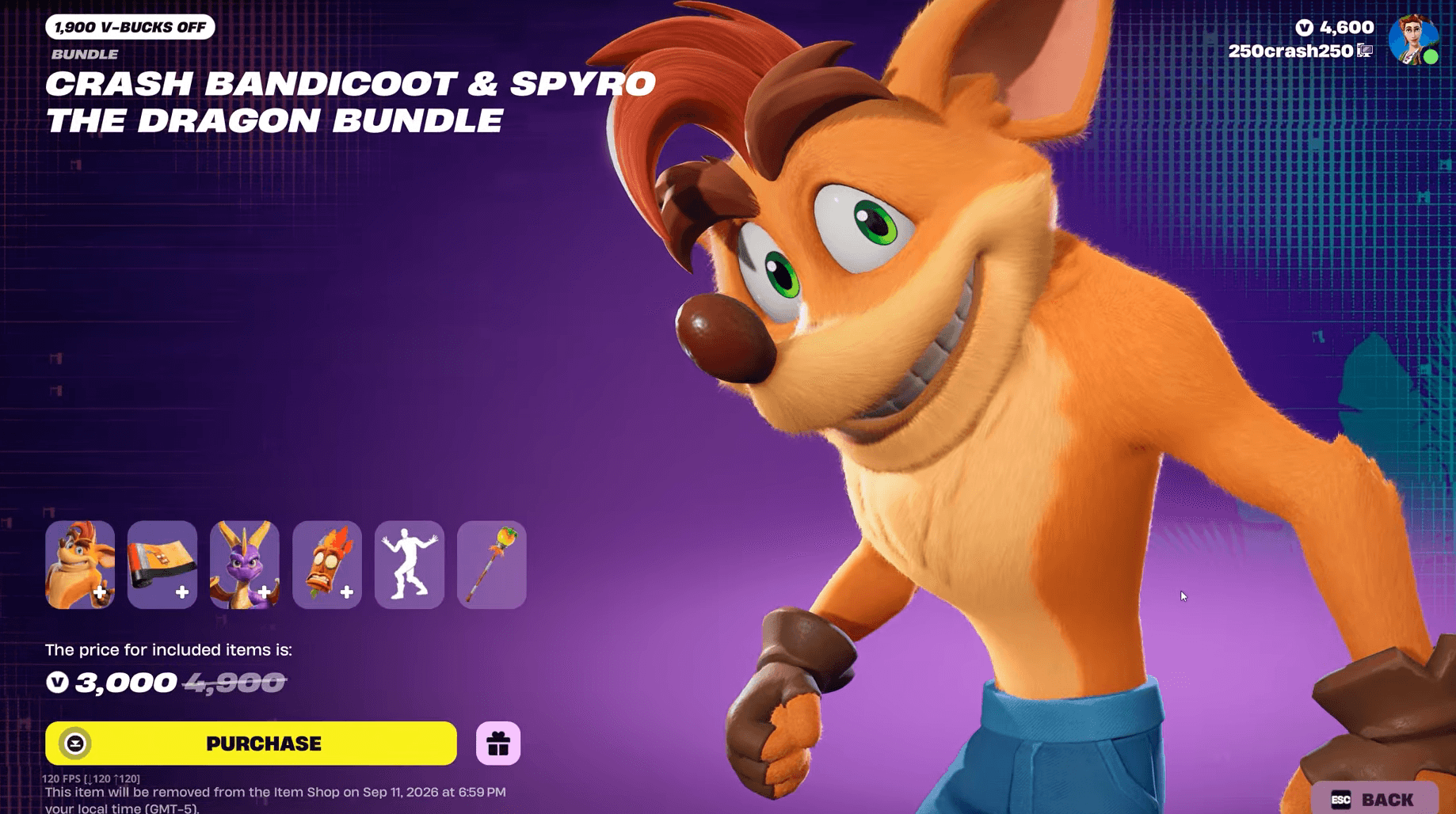
    image.png

    Fortnite Guide: How to Get the Crash Bandicoot Skin

    When does the Crash Bandicoot skin leave Fortnite?

    All items tied to this collab rotate out on September 11, 2026, at 8 PM ET. That gives you roughly two weeks from the August 28 release to make your decision. If you need V-Bucks and don’t have enough saved up, now is the time to sort that out rather than waiting until the last day.

    The Chapter 7 Season 4 Battle Pass is worth considering too if you want broader value from your V-Bucks spend rather than putting everything into one collab.

    Is the Crash Bandicoot skin free?

    No. Unlike some limited-time free skins in Fortnite, Crash Bandicoot is a paid Item Shop exclusive. There was no Crash Bandicoot Cup or tournament path attached to this collab. The only way to get the skin is through a direct V-Bucks purchase in the Item Shop.

    If you’re looking for free cosmetics to add to your collection while you save up, check out the Panda Team Jr Sidekick guide (claimable through quests with no V-Bucks required) or the KATS Turntable Back Bling earned through Twitch drops.

    What other Gaming Legends collabs are available right now?

    Chapter 7 Season 4’s Gaming Legends theme means Crash Bandicoot isn’t the only retro gaming icon showing up. Other recent additions include the Dr. Eggman skin and the Kernel Hearts Fernet skin. For a full rundown of what’s in the shop and what’s coming, the Fortnite guides collection has everything broken down by skin and acquisition method.

    Bandicoot Crash Fortnite Guide Skin
    Share. Facebook Twitter
    Previous ArticleDandadan Creator Returns With New Look At Beloved Characters Ahead of Season 3
    Next Article 10 Most Underrated TV Shows Streaming On Paramount Plus
    James

    Related Posts

    Fortnite Chapter 7 Season 4 Guide: All Bosses Spawn Locations

    August 30, 2026

    Fortnite Override Gizmos Guide: All Items & How to Get Them

    August 30, 2026

    Turtle Beach Unveils Fortnite Kevin the Cube Switch 2 Controller

    August 30, 2026

    Phasmophobia Replaced Its Whole VR Character Rig, and Half the VR Fixes Are Doors

    August 30, 2026
    Leave A Reply Cancel Reply

    Our Picks

    The Deadman #4 Preview: Escalator to a Very Weird Heaven

    August 30, 2026

    10 classic TV shows everyone pretends to remember, but nobody actually watched

    August 30, 2026

    Fortnite Chapter 7 Season 4 Guide: All Bosses Spawn Locations

    August 30, 2026

    It’s Official, Baki Is Getting Its Own Isekai Anime in 2027

    August 30, 2026
    • Facebook
    • Twitter
    • Instagram
    • YouTube
    • TikTok
    • Telegram
    Don't Miss
    Metaverse & Virtual Worlds

    Epic Games Raises an Epic Amount to Build the Metaverse

    By JamesJuly 9, 20260

    Epic Games, the company behind the wildly popular game Fortnite, is betting big on the metaverse. The studio raised $1 billion each from Sony and LEGO, with both investors trusting Epic Games to sprinkle some of its development magic dust on their metaverse plans.

    Nintendo Classics Roundup: April, May, and June 2026

    July 9, 2026

    What’s new to streaming this week? (July 10, 2026)

    July 9, 2026

    Christopher Nolan faces growing backlash over ‘Odyssey’ casting, historical accuracy as screenings canceled

    July 9, 2026

    Subscribe to Updates

    Get the latest creative news from SmartMag about art & design.

    About Us
    About Us

    Comic Vibe is a pop-culture destination created for fans who live and breathe comics, movies, anime, TV shows, gaming, tech, cosplay, and collectibles.

    Our mission is to deliver engaging news, reviews, features, guides, and opinions that celebrate geek culture in all its forms. From the latest comic releases and blockbuster films to anime trends, gaming updates, cutting-edge tech, and collector culture, Comic Vibe brings everything together in one vibrant hub.

    Our Picks

    The Deadman #4 Preview: Escalator to a Very Weird Heaven

    August 30, 2026

    10 classic TV shows everyone pretends to remember, but nobody actually watched

    August 30, 2026

    Fortnite Chapter 7 Season 4 Guide: All Bosses Spawn Locations

    August 30, 2026

    Subscribe to Updates

    Get the latest comics, anime, movies, TV, gaming, cosplay, and pop culture news delivered directly to your inbox. No spam—just the stories every fan should know.

    Facebook X (Twitter) Instagram YouTube TikTok
    • Home
    • Contact Us
    • Terms & Conditions
    • Advertise With Us
    • DMCA Policy
    • Privacy Policy
    • About Us
    © 2026 Comic Vibe. Designed by Comic Vibe.

    Type above and press Enter to search. Press Esc to cancel.