
Close Menu

    Subscribe to Updates

    Get the latest creative news from FooBar about art, design and business.

    What's Hot

    Sony’s new PlayStation Portal gets more storage for mysterious future features, but still no OLED

    November 9, 2026

    What Flutter Entertainment (FLUT) Said on Its Q3 Earnings Call

    November 9, 2026

    Roblox Removes Fart Game With 12 Million Visits as Similar Games Disappear

    November 9, 2026
    Facebook X (Twitter) Instagram
    Facebook X (Twitter) Instagram YouTube TikTok
    Comic Vibe
    Monday, November 9
    • Home
    • Comics
      • Comic Vibe News
    • Gaming
    • Movies
    • TV
    • Anime
    • Toys & Collectibles
    • Cosplay
    • Tech
    • Digital Culture
      • Creators & Fan Culture
      • Creator Economy & Fan-Driven Platforms
      • Digital Fandom & Online Communities
      • Metaverse & Virtual Worlds
      • NFTs & Digital Collectibles
      • Virtual Events & Online Conventions
      • Virtual Identity & Avatars
    • Shop
    Comic Vibe
    • Home
    • Contact Us
    • Terms & Conditions
    • Advertise With Us
    • DMCA Policy
    • Privacy Policy
    • About Us
    Home»Digital Culture»Metaverse & Virtual Worlds»Build an ASMR Tower codes (July 2026)
    Metaverse & Virtual Worlds

    Build an ASMR Tower codes (July 2026)

    JamesBy JamesJuly 31, 2026No Comments2 Mins Read
    Facebook Twitter
    Build an ASMR Tower codes (July 2026)
    Share
    Facebook Twitter

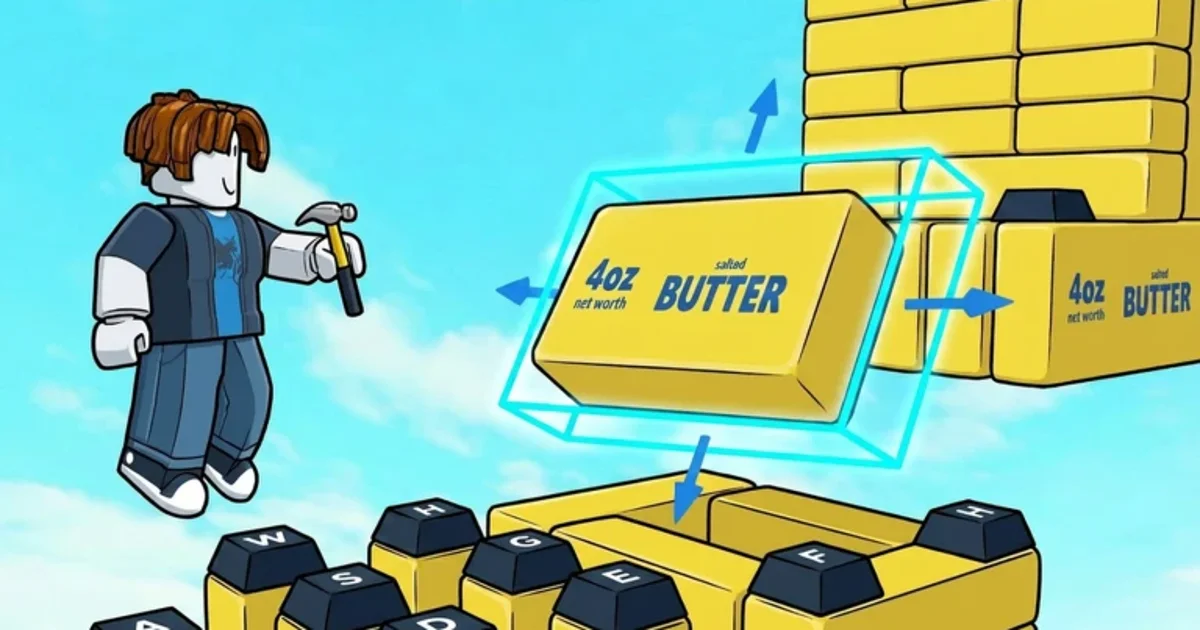
    Build an ASMR Tower is a Roblox tycoon game that puts you in charge of building your own ASMR-filled obby. You’ll buy blocks like keycaps, stress balls, and bubble wrap, build an obby on your plot, and watch as the cash rolls in.

    Need some extra Gems to boost your ASMR obby game? You can get a few free ones by redeeming Build an ASMR Tower codes. The team behind Build an ASMR Tower usually shares these codes in the game’s official Discord server, but we’ve gone ahead and done all the hard work for you by putting together this handy list of Build an ASMR Tower codes so you can get right back to the obby-building grind!

    All new Build an ASMR Tower codes

    • QUESTUPDATE – 10 Gems NEW
    • VERSION7 – 15 Gems NEW

    Expired Build an ASMR Tower codes

    • Version5
    • TradeUpdate

    How to redeem Build an ASMR Tower codes

    1. Launch Build an ASMR Tower in Roblox.
    2. Make sure you’ve played for 30 minutes or longer – you won’t be able to redeem codes without completing this step.
    3. Click the codes button in the top right corner of your screen.
    4. Type your code into the field that pops up and hit ‘Redeem Code.’

    Looking for more Roblox codes? We’ve got you covered with our codes guides for Catch a Monster, Be a Fish Bait, Restaurant Tycoon 3, Roll to Defend, and Mini War.

    ASMR Build codes July Tower
    Share. Facebook Twitter
    Previous ArticleFUTURAMA Cast and Creators Tease New Season at Comic
    Next Article USA’s #1 Board Game Convention Is Foodie Valhalla
    James

    Related Posts

    Roblox Removes Fart Game With 12 Million Visits as Similar Games Disappear

    November 9, 2026

    Who is Aishah Sofey, the Bop House co-founder who retired from social media to become a Roblox developer?

    November 9, 2026

    Roll A Fisherman Codes (November 2026)

    November 9, 2026

    Epic Reveals Drop Rate for Fortnite’s Pirate Token Following Pressure From Fans

    November 9, 2026

    Comments are closed.

    Our Picks

    Sony’s new PlayStation Portal gets more storage for mysterious future features, but still no OLED

    November 9, 2026

    What Flutter Entertainment (FLUT) Said on Its Q3 Earnings Call

    November 9, 2026

    Roblox Removes Fart Game With 12 Million Visits as Similar Games Disappear

    November 9, 2026

    Galaxy Watch 8 series gets stable One UI 9 Watch (Wear OS 7) update

    November 9, 2026
    • Facebook
    • Twitter
    • Instagram
    • YouTube
    • TikTok
    • Telegram
    Don't Miss
    Gaming

    Call of Duty: Modern Warfare 4 announces open beta for Nintendo Switch 2

    By JamesJuly 20, 20260

    Rhythm Heaven Groove review for Nintendo SwitchThe Nintendo Switch 2 Pro Controller is worth buying – here’s why you should get it[Let’s Talk] Do you prefer Mario Kart World or Mario Kart 8 Deluxe?A look at Mario Kart Tour’s lasting impact on the Mario Kart seriesDisgaea Mayhem review for Nintendo Switch 2 and SwitchDenshattack review…

    CJP protest: Swara Bhasker reacts after husband Fahad Ahmad arrested in Mumbai

    July 20, 2026

    NSFW Exclusive Preview: Roberta Gregory’s BITCHY! cuts to the chase

    July 20, 2026

    Christian Ward Signs Deal with Oni Press for Three New Creator

    July 20, 2026

    Subscribe to Updates

    Get the latest creative news from SmartMag about art & design.

    About Us
    About Us

    Comic Vibe is a pop-culture destination created for fans who live and breathe comics, movies, anime, TV shows, gaming, tech, cosplay, and collectibles.

    Our mission is to deliver engaging news, reviews, features, guides, and opinions that celebrate geek culture in all its forms. From the latest comic releases and blockbuster films to anime trends, gaming updates, cutting-edge tech, and collector culture, Comic Vibe brings everything together in one vibrant hub.

    Our Picks

    Sony’s new PlayStation Portal gets more storage for mysterious future features, but still no OLED

    November 9, 2026

    What Flutter Entertainment (FLUT) Said on Its Q3 Earnings Call

    November 9, 2026

    Roblox Removes Fart Game With 12 Million Visits as Similar Games Disappear

    November 9, 2026

    Subscribe to Updates

    Get the latest comics, anime, movies, TV, gaming, cosplay, and pop culture news delivered directly to your inbox. No spam—just the stories every fan should know.

    Facebook X (Twitter) Instagram YouTube TikTok
    • Home
    • Contact Us
    • Terms & Conditions
    • Advertise With Us
    • DMCA Policy
    • Privacy Policy
    • About Us
    © 2026 Comic Vibe. Designed by Comic Vibe.

    Type above and press Enter to search. Press Esc to cancel.