
Close Menu

    Subscribe to Updates

    Get the latest creative news from FooBar about art, design and business.

    What's Hot

    Valve’s Steam Frame Makes Its Case on Compatibility, Not Hardware

    July 14, 2026

    Wonder Woman #35 Preview: Steve Mansplains Diana’s Origin

    July 14, 2026

    Xbox Players Are Furious Call of Duty Black Ops 2 Runs Better on PS5

    July 14, 2026
    Facebook X (Twitter) Instagram
    Facebook X (Twitter) Instagram YouTube TikTok
    Comic Vibe
    Tuesday, July 14
    • Home
    • Comics
      • Comic Vibe News
    • Gaming
    • Movies
    • TV
    • Anime
    • Toys & Collectibles
    • Cosplay
    • Tech
    • Digital Culture
      • Creators & Fan Culture
      • Creator Economy & Fan-Driven Platforms
      • Digital Fandom & Online Communities
      • Metaverse & Virtual Worlds
      • NFTs & Digital Collectibles
      • Virtual Events & Online Conventions
      • Virtual Identity & Avatars
    • Shop
    Comic Vibe
    • Home
    • Contact Us
    • Terms & Conditions
    • Advertise With Us
    • DMCA Policy
    • Privacy Policy
    • About Us
    Home»Digital Culture»Metaverse & Virtual Worlds»‘Roblox Anime Destiny’ Codes July 2026: Defend Your Base Using Your Strongest Anime Army
    Metaverse & Virtual Worlds

    ‘Roblox Anime Destiny’ Codes July 2026: Defend Your Base Using Your Strongest Anime Army

    JamesBy JamesJuly 14, 2026No Comments3 Mins Read
    Facebook Twitter
    ‘Roblox Anime Destiny’ Codes July 2026: Defend Your Base Using Your Strongest Anime Army
    Share
    Facebook Twitter

    There’s a different kind of thrill when you defend your base with strategy and increasing difficulty

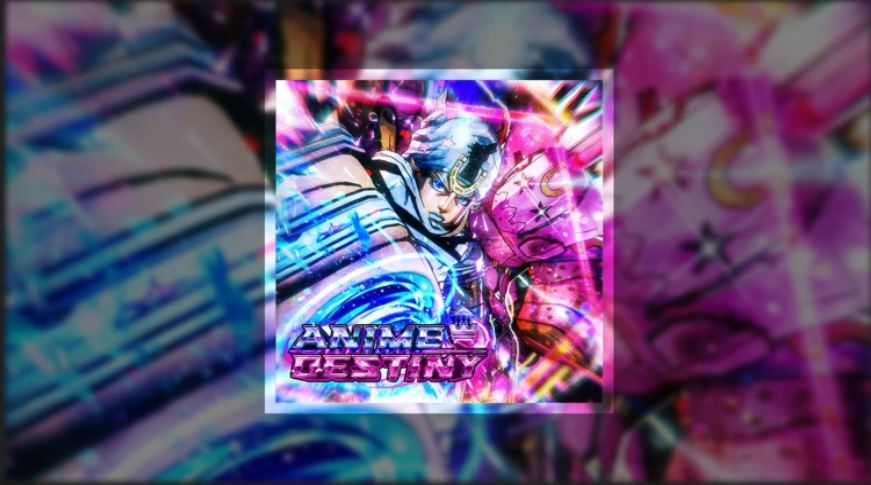
    Inspired by popular anime series, “Anime Destiny” is one of “Roblox‘s” fastest-growing tower defense games. Players can recruit legendary heroes like Itachi, Goku, and many other iconic characters to defend against waves of increasingly difficult enemies

    Building a powerful team requires plenty of reevelopers regularly release redeemable codes that reward players with free in-game items, making it easier to summon stronger units and upgrade existing ones

    All Working ‘Anime Destiny’ Codes

    ‘Roblox Anime Destiny’ Codes July 2026

    Anime Destiny [AD]

    Redeem these working “Anime Destiny” codes to claim free rewards:

    • SBR! – 25 RR, 25 Cubes, 25 Malice, and 1,500 Gems (Requires Level 15)
    • 23rdPresident! – 25 RR and 1,000 Gems (Requires Level 5)
    • Jojos! – 15 RR and 1,000 Gems (Requires Level 15)
    • SorryForBugs! – Free Rewards (Requires Level 5)
    • JusticeForAD – 25 RR, 25 Cubes, 25 Malice, and 1,000 Gems (Requires Level 15)
    • CursedAwakening – 15 RR, 5 Capsules, and 500 Gems (Requires Level 5)
    • DomainExpansion – 10 RR, 5,000 Talismans, and 500 Gems (Requires Level 5)
    • ILoveAnimeDestiny! – 1,500 Gems, 15 Shards, 15 Cubes, and 15 Malice
    • 3KCCU! – 2,000 Gems, 5,000 Frost Lotus, 25 Shards, 35 Cubes, and 35 Malice
    • SorryForDelay – 500 Gems, 5 Cubes, 5 Shards, and 5 Malice
    • Release! – 1,500 Gems and 15 Shards

    Because “Roblox” codes can expire without warning, it’s recommended to redeem them as soon as possible

    Expired ‘Anime Destiny’ Codes

    The following “Anime Destiny” codes are no longer active:

    • ReleaseEA!
    • PATCHES!
    • BugHOTFIX!

    If you attempt to redeem one of these codes, you’ll receive an error message indicating that it has expired

    How to Redeem Anime Destiny Codes

    Redeeming codes in “Anime Destiny” only takes a few moments. Follow these simple steps from Beebom:

    1. Launch “Anime Destiny” on “Roblox.”
    2. Click the Codes button located on the right side of the screen.
    3. Enter a working code into the Enter Code box.
    4. Press Redeem to instantly claim your free rewards.

    If the code is valid and you’ve met any required level restrictions, the rewards will be added directly to your account

    Why ‘Anime Destiny’ Codes Aren’t Working

    There are several reasons an “Anime Destiny” code may not be redeemable

    The most common reason is that the code has expired. Developers often remove older codes without advance notice, so rewards are only available for a limited time

    Some codes also require players to reach a specific level before they can be redeemed. Be sure to check the listed requirements before entering a code

    Typing mistakes are another frequent issue. Since Roblox codes are case-sensitive, copying and pasting them exactly as shown is the best way to avoid errors

    Finally, if a newly released code doesn’t work immediately, your game server may not have updated yet. Rejoining a newer server or waiting for the latest update to roll out usually resolves the problem

    Where to Find New ‘Anime Destiny’ Codes

    The “Anime Destiny” developers frequently release new codes during major updates, milestone celebrations, bug fixes, and special events

    While the officialAnime Destiny Discord server is the primarydated code guides to avoid searching through lengthy Discord channels or social media posts

    For more “Roblox” games, check “Gakuran” and “My Dino Park.”

    Anime codes Destiny July Roblox
    Share. Facebook Twitter
    Previous Article10 Amazing Spider
    Next Article Razer dressed its gaming earbuds for PS5 and Xbox, then priced them surprisingly well
    James

    Related Posts

    Crunchyroll’s Most Magical Anime Creator Already Has an Ending in Mind

    July 14, 2026

    South Dakota reaches $15 million settlement with Roblox to strengthen online child protections

    July 14, 2026

    Blue Box Manga Concludes Its Five-Year Run in July 2026

    July 14, 2026

    Sneak peeks of new anime figures at Anime Expo 2026

    July 14, 2026
    Leave A Reply Cancel Reply

    Our Picks

    Valve’s Steam Frame Makes Its Case on Compatibility, Not Hardware

    July 14, 2026

    Wonder Woman #35 Preview: Steve Mansplains Diana’s Origin

    July 14, 2026

    Xbox Players Are Furious Call of Duty Black Ops 2 Runs Better on PS5

    July 14, 2026

    First Look at ‘Spaceballs: The New One’ Teaser Ahead of Comic

    July 14, 2026
    • Facebook
    • Twitter
    • Instagram
    • YouTube
    • TikTok
    • Telegram
    Don't Miss
    Creator Economy & Fan-Driven Platforms

    Former Priceline executive debuts Plannin, a booking platform that uses travel influencers to help plan trips

    By JamesMay 30, 20240

    Hotelsbycity.com co-founders and former Priceline executives Andrew Loewen and Randy Schartner have announced their latest…

    Twitch DJs must pay music labels to play their songs on live streams

    June 6, 2024

    Patreon introduces gifting features and more creator tools

    June 25, 2024

    Stripe’s seemingly easy acquisition, why is Twitch still in the red?

    July 30, 2024

    Subscribe to Updates

    Get the latest creative news from SmartMag about art & design.

    About Us
    About Us

    Comic Vibe is a pop-culture destination created for fans who live and breathe comics, movies, anime, TV shows, gaming, tech, cosplay, and collectibles.

    Our mission is to deliver engaging news, reviews, features, guides, and opinions that celebrate geek culture in all its forms. From the latest comic releases and blockbuster films to anime trends, gaming updates, cutting-edge tech, and collector culture, Comic Vibe brings everything together in one vibrant hub.

    Our Picks

    Valve’s Steam Frame Makes Its Case on Compatibility, Not Hardware

    July 14, 2026

    Wonder Woman #35 Preview: Steve Mansplains Diana’s Origin

    July 14, 2026

    Xbox Players Are Furious Call of Duty Black Ops 2 Runs Better on PS5

    July 14, 2026

    Subscribe to Updates

    Get the latest comics, anime, movies, TV, gaming, cosplay, and pop culture news delivered directly to your inbox. No spam—just the stories every fan should know.

    Facebook X (Twitter) Instagram YouTube TikTok
    • Home
    • Contact Us
    • Terms & Conditions
    • Advertise With Us
    • DMCA Policy
    • Privacy Policy
    • About Us
    © 2026 Comic Vibe. Designed by Comic Vibe.

    Type above and press Enter to search. Press Esc to cancel.