

We may receive a commission on purchases made from links.
Gaming is a multi-sensory experience. You have the tactile feedback of a gaming controller or keyboard beneath your fingertips, the game’s visuals on your monitor or TV, and game audio on your speakers or headphones. If you take sound seriously, especially in games, plenty of products can increase your immersion in a game by bolstering your auditory experience. That, in turn, is meant to enhance your overall enjoyment.
Video game audio has evolved and become more dynamic over time, with directional and spatial audio being vastly improved. This software-level feature lets you hear sounds in the virtual distance whose general in-game location you can identify based on volume and direction. Sound effects have become more detailed and dynamic, spoken dialogue has become a standard over text-based dialogue, and video game soundtracks have also evolved from catchy but simple chiptunes to full-blown orchestral movements.
All the sonic elements in games can still be appreciated on basic headphones or TV speakers, but they can take on a whole new dimension with more sophisticated equipment. Updating your audio gear can be among the least expensive ways to upgrade your gaming setup, be it on PC or console, and getting it done is often as easy as making a single purchase.
A high-quality gaming headset
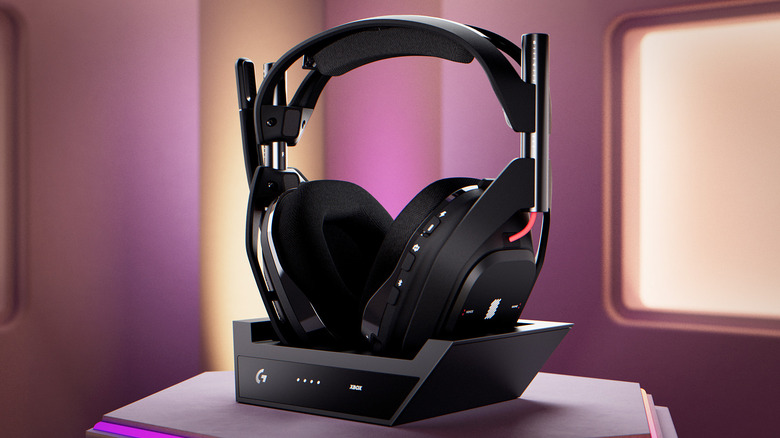
A high-quality headset can make a night-and-day difference when it comes to game audio. Cheap ones work just fine if your primary concern is hearing the game and communicating with others, but much like regular headphones, fidelity scales up with price. With gaming headsets, both sound and microphone quality tend to improve as you move up the price range. Even a midrange headset can make for a significant improvement in your experience.
There are plenty of excellent gaming headsets on the market. Some examples include the Rig 900 Max HX, the SteelSeries Arctis Nova 7, and the Logitech G Astro A50. These headsets share many of the same features, including the ability to work on multiple platforms, Bluetooth functionality for pairing with your phone, and improved sound quality compared to lower-end models. That means they work best for people who have, say, both an Xbox and a gaming PC, or both a PlayStation and a Nintendo Switch 2. Having one headset that works on any platform you own is worth its weight in gold.
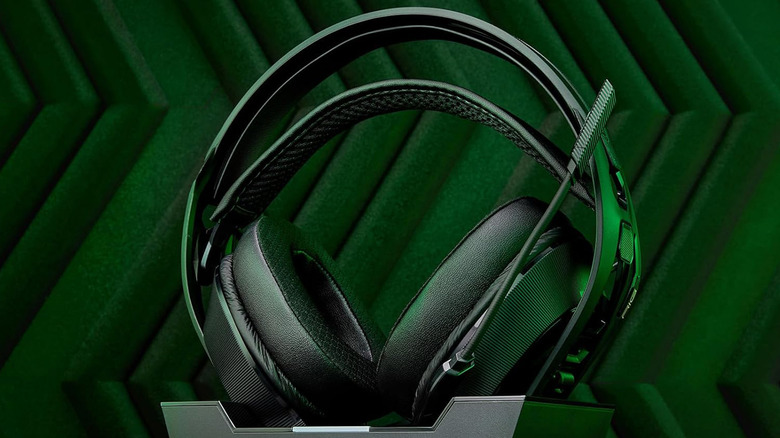
The good news for budget-minded folks is that midrange headsets are better than they’ve ever been. I’m a big fan of my Rig 800 Pro HX headset, which has multi-platform support and good sound quality, but lacks some top-end features such as dual Bluetooth connectivity. I’ve used it on my PC, PlayStation 5, and Xbox Series X multiple times a week for several years now, so I can verify that it’s worth the upgrade.
Fresh ear pads for your gaming headset
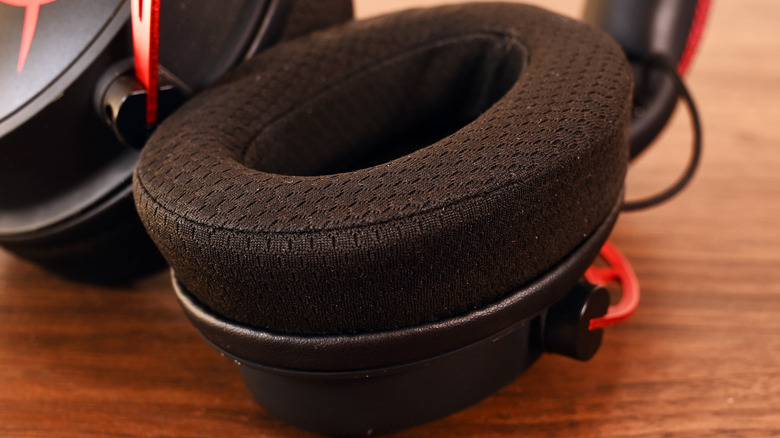
Whether you buy a new headset or opt to keep your old one, it’s worth considering replacing your ear pads. I own the HyperX Cloud Alpha headset, but I was not a big fan of the ear pads it came with. They’re pleather, get hot over long gaming sessions, and are thin enough that I could sometimes feel the driver enclosure on my ears. I replaced them with a thicker velour ear pad by <a href="https://r.bttn.io?btn_ref=org-225e4e0aac880b8f&btn_url=https%3A%2F%2Fwww.amazon.com%2FGeekria-Replacement-Revolver-Headphones-Cushions%2Fdp%2FB09KXXXFHJ%3Ftag%3Dstaticmedia-bgr-custom-20&btn_pub_ref=2326604-in_text-3″ rel=”nofollow noopener” target=”_blank”>Geekria, and I haven’t had a comfort problem ever since, even when wearing them for hours at a time.
This upgrade can impact sound quality, but not by much. The main win is added comfort: Worn ear pads are flatter, hold to your head less efficiently, and can introduce discomfort. New ear pads can give your headset that “new headset” feel without you having to spend “new headset” money. Plus, if you’re like me and dislike pleather material, an upgrade to velour pads or cooling gel-infused ear pads can make your headset usable for hours at a time before discomfort sets in.
Companies like Brainwavz and Wicked Cushions make ear cup replacements for many popular brands. Availability depends on which headset you’re looking to mod, but when it comes to physically replacing your ear pads, the process is usually pretty easy. Many of today’s gaming headsets feature grooves or other mechanisms that let you pop off old pads and attach new ones in just a few minutes.
A pair of quality PC speakers
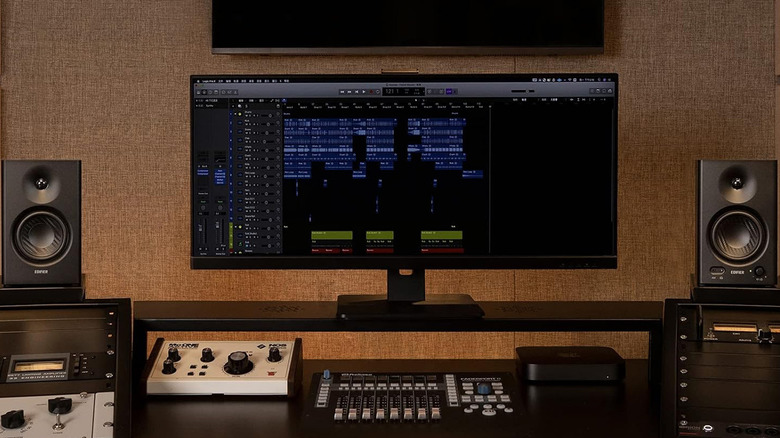
In the world of PC audio, built-in monitor speakers are almost universally awful. A high-quality pair of external speakers can make your game audio pop and significantly improve your overall enjoyment of video games, as well as other media. There are loads of worthwhile PC speakers out there, some of which are small enough to fit under your monitor. And while some of them do punch above their price point (like the Creative Pebble V3 or the Logitech Z207), you’ll get better results if you go slightly up in price.
How far you want to go depends on your budget. Going just over $100 unlocks PC speakers like the Edifier MR4, which I know from experience reproduces sound more accurately than the Logitech Z207 speakers I replaced. The cables are also long enough to get around an ultrawide monitor, which is why I bought them in the first place. A step above that would be the <a href="https://r.bttn.io?btn_ref=org-225e4e0aac880b8f&btn_url=https%3A%2F%2Fwww.amazon.com%2FEdifier-R1280DBs-Bluetooth-Bookshelf-Speakers%2Fdp%2FB08869TSQ4%3Ftag%3Dstaticmedia-bgr-custom-20&btn_pub_ref=2326604-in_text-4″ rel=”nofollow noopener” target=”_blank”>Edifier R1280DB, which includes support for a subwoofer and Bluetooth.
This particular segment is a slippery slope, since you can connect virtually any competent bookshelf speaker setup to your PC, and those speakers can cost hundreds of dollars; like the Polk Audio R200, which are $569 for a pair. You probably don’t need something that high-end, but these types of speakers work great for music, movies, and TV, as well as gaming.
A soundbar to upgrade your TV audio
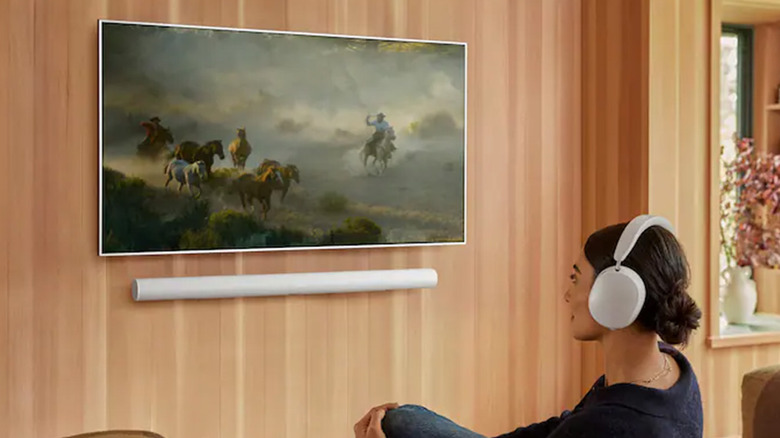
Console gamers don’t have to be left out in the dark. There are plenty of bookshelf speakers that can be hooked up to TVs as part of a better TV surround sound system. However, a simpler and often cheaper solution is just getting a soundbar. TV speakers are a lot like PC monitor speakers in that they’re functional enough for daily use, but not ideal when you want to actually enjoy your audio. The good news is that while there are a lot of truly great soundbars on the market, you can honestly buy just about any soundbar, and it’ll probably be better than the bottom-firing speakers on your TV.
The one you should choose depends on your budget. There are super high-end systems out there like the Samsung Q990F, which starts just north of $800 these days and includes a dedicated game mode, along with two supplementary rear speakers and a subwoofer. Bose sells one of the most popular soundbars for $279, but you can often get it for under $200. Either of these will present a massive improvement over your TV’s built-in speakers.
The only downside is that some soundbars, especially ones in the lower price categories, may not do directional and spatial audio very well. So, competitive gamers are probably better off with a dedicated headset for gaming even if they’re on a console, and not on PC. For everyone else, a soundbar is a worth looking into.
A dedicated microphone
Wireless headsets tend to sound worse than wired headsets do, and dedicated microphones often sound better than the built-in microphones on any headset; wired or not. For one, small microphones can’t capture sound as completely as larger ones can. Wireless headsets are also limited by having to decode audio wirelessly from your mediablems is getting a dedicated microphone
This may sound like a PC upgrade, but console gamers can also use external mics. PlayStation 4 and PS5 owners can use pretty much any USB microphone on the market with their systems. It’s a little more difficult for Xbox owners, since Xbox requires that microphones be licensed to be compatible with them, but there are several third-party Xbox microphones on the market.
In terms of real-world performance, the difference a high-end microphone makes is stark. My friends can easily hear the quality difference between my external mic versus the mic on my wireless headset. There are loads of excellent microphone options, whether they’re marketed as podcasting microphones or gaming microphones. The good old Logitech Blue Yeti is a good place to start for USB microphones. There are more expensive options like the SteelSeries Alias Pro and the Elgato Wave 3 as well. If properly taken care of, these microphones can last you a long time; my own setup is 12 years old and still going strong.
A pair of audiophile headphones
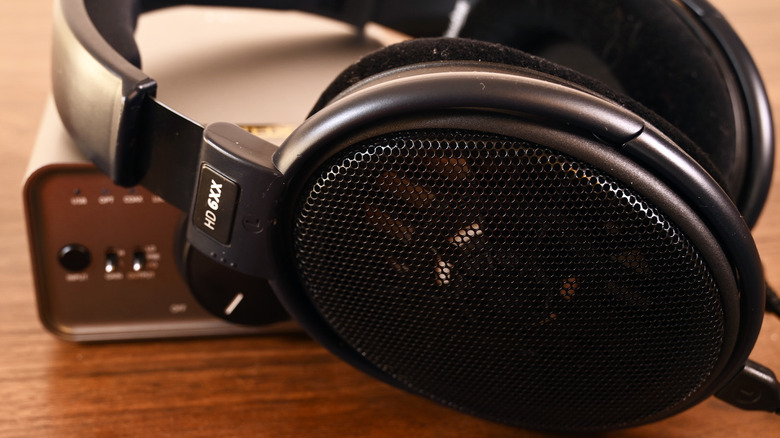
Audiophile headphones are a good investment for gaming under two specific conditions. The first is if you buy a dedicated microphone and you want headphones, instead of a headset, to accompany them. The other is if you don’t play online multiplayer games at all, and don’t need a microphone to enjoy your games. The audiophile headset market is vast and features products that have been around for decades. My poison is the Sennheiser HD6xx paired with a FiiO K7 headphone amplifier.
The big benefit here is how audiophile headphones are tuned. Gaming headsets are often tuned for gaming noises, like explosions, gunfire, swords clanking together, and footsteps. This doesn’t make them automatically bad for other stuff, but it is often not the most optimal tuning for things like soundtracks or voice acting. This is where audiophile headphones excel, by giving soundtrack, voiceovers, and even sound effects ample depth and detail. Plus, if you go with an open-back headphone, you’ll usually get an improved soundstage over closed back gaming headsets. Soundstage is what makes audio sound like it’s happening around you rather than “in your head.”
The only downside is that many audiophile headphones may require a headphone amplifier and dedicated DAC to function at their best. This is an extra expense that you should expect if you go this route. So, if you get a good audiophile headphone like the Sennheiser HD650, the Focal Bathys MG, or the Beyerdynamic DT 770 Pro X, expect to look into amps and DACs, too.
A ModMic for your existing headphones
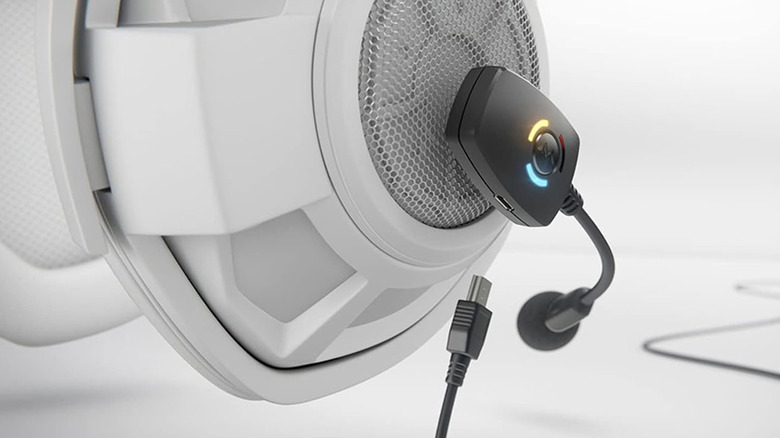
It is entirely possible to turn a regular pair of headphones into a gaming headset. This is done by buying a microphone that is about the same size as a headset microphone, attaching it to your existing headphones, and then connecting it to your computer or game console. Then, when you’re done, you can disconnect the microphone and go back to using your headphones as regular headphones. This is also a common suggestion on social media for people who already own audiophile headphones and want to use them for gaming.
There are several options in this space, but the undisputed master is the ModMic. Antlion Audio has three main variants, including a microphone with a 3.5mm cable, a microphone with a USB connector, and one with a wireless connector. You can buy whichever one fits best with your setup. These microphones attach to your headphones and let you talk to people conveniently. It also uses a magnetic clasp system that lets you completely remove the microphone and its cable from your headphones to let you use them as regular headphones.
This makes the ModMic a great idea if you already have nice headphones and want to avoid searching for and buying a high-end gaming headset. The only caveat is that the USB and wireless models don’t work on Xbox, so you’ll need the 3.5mm version and a headset adapter like this one to connect the mic and headphones to your controller.
A dedicated gaming amplifier or DAC
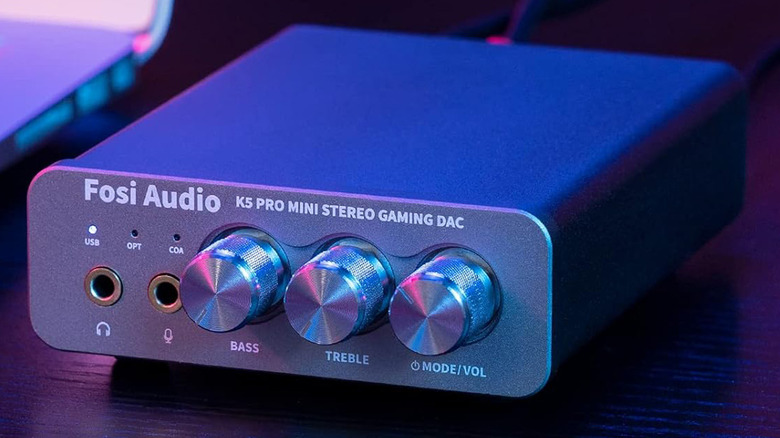
A dedicated headphone amplifier or DAC for gaming is a bit of a niche product, but it can do a lot for your auditory enjoyment during gaming sessions. Many audiophile headphones require external power, which is provided by a product like this, and if you go with the 3.5mm ModMic shown above, then you’ll need to plug it in. A gaming amp and DAC can handle this problem for you, while also providing enough power and volume to make your headphones really sing.
Two notable examples are the Fosi Audio K5 and the Schiit Fulla. Both DACs work mostly in the same way: They handle both a 3.5mm microphone and headphone connection, and then use a variety of connections in the back to connect to your PC or console. The Fosi Audio K5 even has a USB-C port that supports smartphones if you really want to enjoy game audio from your phone. Most products in this segment support PC, PlayStation 4 and PS5, Nintendo Switch, and anything else that supports USB connected audio.
The average gamer probably doesn’t need an external DAC unless the internal DAC in their PC or console of choice is messed up. The benefit with something like that is that it handles both your headphones and microphone, provides additional power to your audiophile headphones, and handles the connections with a single USB connection to your PC or console.
How we chose these gaming audio upgrades
The products recommended in this list for improving your game audio experience are based on my personal experience as a tech writer of 15 years — and gamer of over 30 years. All individual products mentioned herein are made by well-known, respected audio brands, such as SteelSeries, Sennheiser, Rig, and Logitech.
Each product also has hundreds, if not thousands, of positive reviews across online retailers, YouTube, social media, and other corners of the internet, with no product’s overall Amazon review rating falling under 4.0 stars.
