

Any modern gaming console, regardless of which one you own, receives occasional software updates that introduce new features, enhance current ones, fix bugs, and basically improve the overall user experience. The same is the case with the PlayStation 5. Usually, downloading the update as it becomes available is normal, but what happens when you skip it? Skipping a PlayStation 5 software update may seem harmless, but leaving your console on outdated firmware for a long time can result in some consequences.
Sony regularly introduces new features, security patches, and system improvements through these updates. Certain games and services may require newer software to function. While it is definitely possible to keep a PlayStation 5 running without immediately installing the update, it is important to do so when you are done with your session so you don’t miss out on any features. You can even set up your PlayStation 5 to auto-update. But just how long can you go without updating your PlayStation 5? There is no definitive answer, as it mainly depends on what you use your console for and which games or services you want to access.
What happens if you keep delaying PlayStation 5 updates?
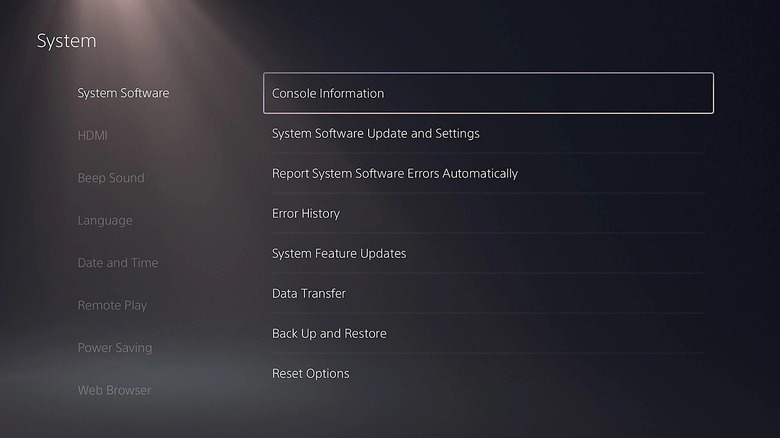
Updates don’t generally include just minor stability improvements; some introduce features that change how you interact with the console. These aren’t necessarily going to be major changes to the UI, but they could be some important, requested features. For example, in the September 2024 update, Sony introduced the Welcome Hub, Party Share, personalized 3D audio profiles, and adaptive controller charging on supported hardware. Similarly, in the April 2025 update, Sony introduced Audio Focus, which amplifies quieter sounds through compatible headphones. Sony also introduced the return of its classic UI customizations with this update.
Delaying updates would also mean missing security patches. If you deliberately delay a PlayStation 5 update, you can keep your console running on older security protections. However, this doesn’t mean that an outdated PlayStation 5 is always vulnerable to an attack. It simply means that the particular console may not have the latest security improvements by Sony.
Delaying updates can also become inconvenient, as you may encounter compatibility problems with newer games. Upon delaying an update, you may not be able to use some applications or content. However, this is not true for every single game, as this mostly tends to happen with a newer game. For example, reports from PlayStation Store backend tracking suggest that “GTA 6” may require PlayStation 5 software version 14.22.00 or newer to run.
Can you delay PlayStation 5 updates forever?
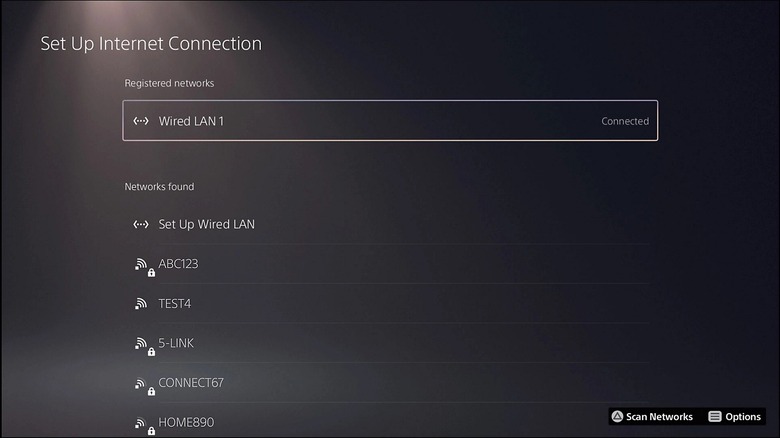
Technically, you can delay PS5 updates indefinitely, but that would mean using the console offline and limiting it to old features. Staying offline won’t let you access online services. Some newly purchased games may also require an initial network connection to verify their licenses. That said, if you want to delay the updates forever, you can still play compatible games that are already installed on your console. Compatible discs that don’t require the newer software version may also work fine. That said, newer games likely won’t work, as inserting a game disc requiring the latest software version can trigger an update notification.
Also, there is no established rule that Sony would ban a player who delays a PlayStation 5 update. While it is safe to delay the update in this regard, it is recommended to update your PlayStation whenever you have the chance. In case you have been putting off your PlayStation 5 software for months, you don’t necessarily have to manually install every single missed update. Sony allows players to manually check for the latest system update. This means that you won’t have to install every single missed update, as you can simply download the latest one, which contains everything.
Alternatively, if someone can’t download the update directly from their PlayStation 5, they can do so in Safe Mode. This procedure requires downloading the required system update directly or installing it using a USB drive and a PC or a Mac.
