

Gaming is one of the most popular enthusiast industries in the world, with gamers all over the globe spending ungodly amounts of hours playing, streaming, and engaging with games media in some capacity. However, it has also become one of the most expensive hobbies around. Consoles are more expensive than ever, games are pushing even closer to the $100 per title mark, accessories and peripherals don’t come cheap either, and, if you’re wanting to really dive into the deep end of the gaming enthusiast pool, a PC rig will cost you a small fortune.
Everyone is looking for a budget option or a way to get more bang for their buck from their existing devices. That’s why we want to highlight something that might allow you to break into the gaming scene without buying a console or a fancy gaming PC. Your humble android tablet, like the RedMagic Astra 2, could be your gateway to gaming bliss.
The Astra 2 is a traditional tablet with the capacity for high-end AAA gaming performance, meaning you can get the best of both worlds. With a dedicated console mode, and a powerful processor and gaming chip, you have everything you need to turn your tablet into a gaming PC.
How to turn your tablet into a gaming PC
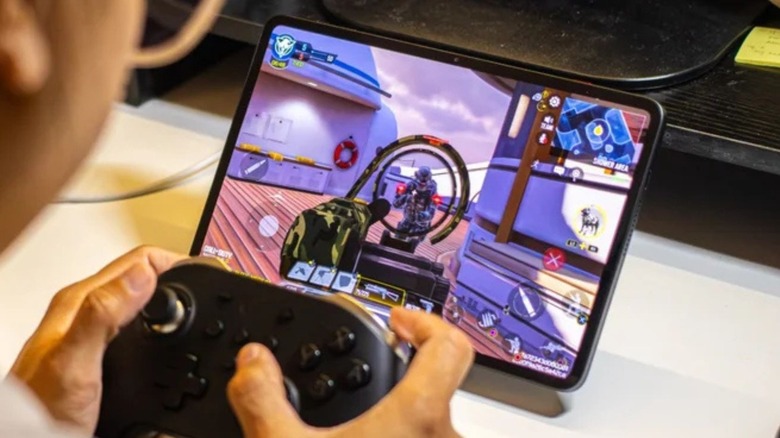
Here’s how the RedMagic Astra 2 manages to offer a seamless gaming experience, while also moonlighting as a solid traditional tablet. Firstly, users need to dock the tablet, which will also charge the device, negating any worries about battery drain. Then, users will want to hook the console up to a larger monitor or TV, connect keyboards, controllers, or a mouse using the tablet’s USB-C ports, and this will allow you to project what is directly on the tablet screen. Then, the next step is flicking a switch on the device, allowing you to jump to Console Mode.
This allows you to access a full desktop-style UI, while also allowing you to use the tablet’s touch-screen interface independently. This effectively allows you to make use of a traditional tablet while it acts as a gaming PC on the larger screen. In theory, a big ask for a tablet, but because of the Snapdragon 8 Elite Gen 5 and an internal liquid cooling system, this device can handle high quality PC game emulation, native android gaming, and much more.
The top options for emulation would be the likes of GameHub, Dolphin, or GameNative depending on what you’re aiming to emulate. However, you could also opt for cloud gaminge apps on the Google Play Store
Get you a tablet that can do both
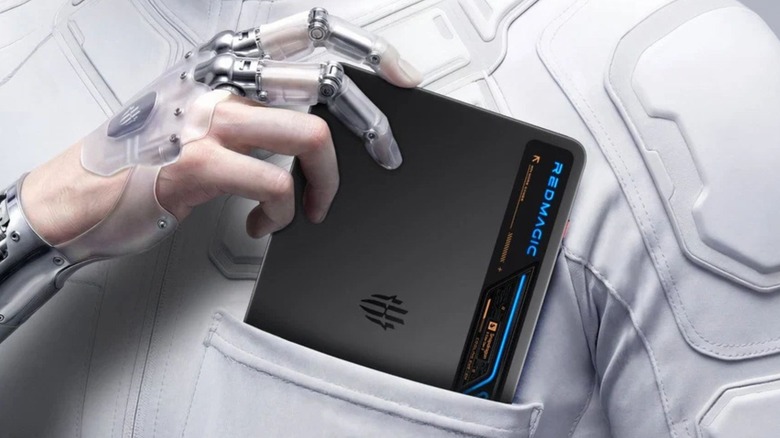
Tablets are very useful things to have around the home, as they serve as much more portable, yet still powerful alternatives to laptops. However, where they usually pale in comparison to gaming laptops and PCs is their ability to run mainstream AAA gaming experiences. That’s where the RedMagic Astra 2 comes in: Not only serving as a functional and versatile android tablet, the compact design, classy OLED display, and solid battery life doubles as gaming hardware.
With a Snapdragon 8 Elite Gen 5 processor and a RedCore R4 Gaming Chip powering this tablet, this portable piece of tech is capable of running top-end games burning the battery before your gaming session gets going. The only caveat would be that some accessories are near-essential for a seamless gaming experience with this tablet
Primarily, external storage is a must if you intend to emulate and run high-end AAA games. Unless you want to be constantly deleting and reinstalling games to work within the parameters of the tablet’s 512GB internal storage. This 512GB figure is also allocated to the tablet’s OS, apps, and other features, so even if you think 512GB is enough, you aren’t getting that full amount; making even more of a solid case for external storage. Good options for this include the Adata SD810, the Crucial X9, or the WD My Passport Portable.
