
Close Menu

    Subscribe to Updates

    Get the latest creative news from FooBar about art, design and business.

    What's Hot

    Schomburg & the 1946 Fight for Democracy, Black Terror #16 at Auction

    September 20, 2026

    Stargate SG-1 Featured A Major Star Trek: The Next Generation Actor As A Recurring Villain

    September 20, 2026

    How To Improve Xbox Series X’s Audio Quality

    September 20, 2026
    Facebook X (Twitter) Instagram
    Facebook X (Twitter) Instagram YouTube TikTok
    Comic Vibe
    Sunday, September 20
    • Home
    • Comics
      • Comic Vibe News
    • Gaming
    • Movies
    • TV
    • Anime
    • Toys & Collectibles
    • Cosplay
    • Tech
    • Digital Culture
      • Creators & Fan Culture
      • Creator Economy & Fan-Driven Platforms
      • Digital Fandom & Online Communities
      • Metaverse & Virtual Worlds
      • NFTs & Digital Collectibles
      • Virtual Events & Online Conventions
      • Virtual Identity & Avatars
    • Shop
    Comic Vibe
    • Home
    • Contact Us
    • Terms & Conditions
    • Advertise With Us
    • DMCA Policy
    • Privacy Policy
    • About Us
    Home»Gaming»How To Improve Xbox Series X’s Audio Quality
    Gaming

    How To Improve Xbox Series X’s Audio Quality

    JamesBy JamesSeptember 20, 2026No Comments4 Mins Read
    Facebook Twitter
    Share
    Facebook Twitter

    We may receive a commission on purchases made from links.

    The Xbox Series X (and, by extension, the Series S) is a solid, robust console. What it lacks in exclusive titles, the Series X more than makes up for with backward compatibility and a smaller footprint on your entertainment center. However, like any console, the out-of-the-box experience might not be ideal for your specific setup.

    The Xbox Series X comes standard with many audio settings. Open the Settings menu (the gear at the top of the screen), then go to General and select Volume & audio output. Under the Speaker audio and Headset audio dropdown menus, you can pick several options. Audio starts as Stereo uncompressed, but you can pick alternatives such as 5.1 uncompressed and Dolby Digital for speakers and Dolby Atmos for Headphones and DTS Headphone:X for headsets.

    If you don’t know which speaker settings to use, select Audio setup in the Advanced column. The console will run different audio formats through your speakers. Highlight the one you want to test, listen to the results, and pick the format you think sounds best. You can also select Audio testing & details to see which formats your setup supports. But for the most part, you are on your own if you want to get the most out of your console.

    Soundbars and subscriptions sold separately
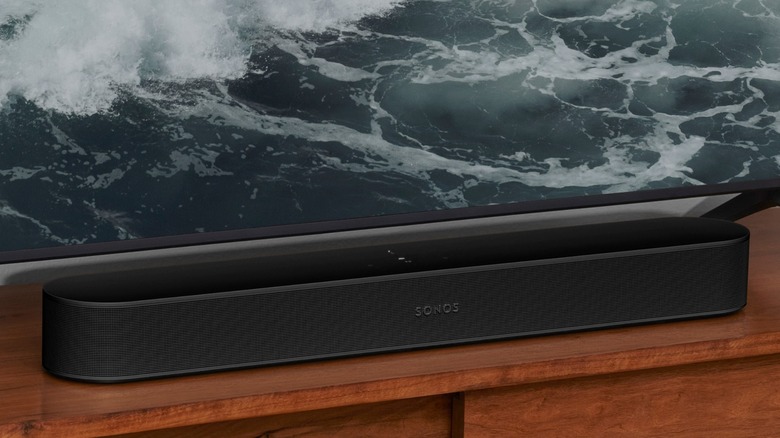
    Sonos Beam Gen 2 soundbar in front of TV on wooden stand

    While the Xbox Series X/Series S has plenty of potential to transform into an audio powerhouse, it’s up to you, the user, to realize that potential. You need the tools to unlock the full scope of these settings, which is just capitalism jargon for “buy the right peripherals.”

    Even though the Xbox Series X can output sound using Dolby Digital and Dolby Atmos, your console will refuse to activate the setting unless it detects speakers that are compatible with these formats. This usually means buying soundbars and surround sound systems — Dolby Atmos specifically requires a home theater setup. Soundbars are less expensive and take up less space, but if you want a true 3D audio environment that puts you in the middle of the action, you will need a surround sound setup. Also, make sure your sound system is plugged into the right port (and that you’re using an HDMI 2.1 cable or later) to get the most out of the audio settings.

    Headphones, meanwhile, are even more complicated. First, you need to buy the right one. Unless a headset is built for the Xbox Series X/S, you can only use it via a wired connection (which isn’t a dealbreaker, since plenty of wired headsets provide delicious audio). But even then, you are limited to uncompressed stereo and Windows Sonic unless you buy a license for Dolby Atmos for Headphones or a DTS Headphone:X subscription. So that’s an extra, potentially recurring, expenditure on top of the headphones, especially if you want 3D audio.

    Proper communication is vital to a successful match
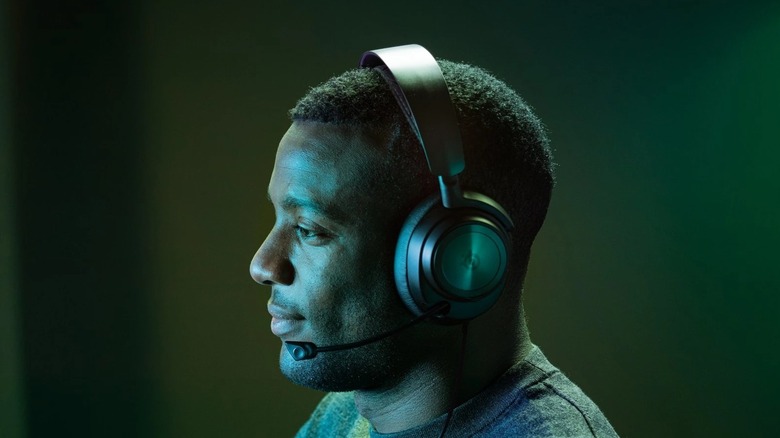
    Man wearing black Arctis Nova Pro headset for Xbox

    Gaming headsets let you play games without disturbing anyone else in the room or the house. Unless you play “Elden Ring” and scream in frustration because Malenia killed you for the 25th time, but that’s on you. More importantly, headsets often include built-in microphones that let you chat with allies. Assuming you can actually hear one another.

    If you are a competitive multiplayer aficionado, you need to tweak your Xbox Series X’s chat settings, which are located in the Additional options tab under Advanced in Volume & audio output. The first option, Chat mixer, lets you adjust the volume of all other sounds so you can hear your squadmates more clearly. While you can mute the game entirely during chats, this setting isn’t ideal for titles that provide audio cues to locate enemies. You can also use Party chat output to change where party chat audio comes from, including your headset, speakers, or both.

    Many high-end headsets include dials and buttons that let you tweak settings such as chat/audio mixing, so don’t solely rely on the Xbox’s audio options. Also, some settings don’t cooperate well with others. For instance, if you want to route all audio through the headset, you need to activate the Mute speaker audio when headset attached option in the Additional options menu. But if you do that, toggling Speakers as your Party chat output will effectively mute your teammates, rendering proper communication impossible. Be prepared for some trial and error to find your perfect audio settings.

    Audio Improve Quality Series Xbox
    Share. Facebook Twitter
    Previous ArticleSharon Stone claims ex-husband signed her up for brain surgery without her consent after stroke
    Next Article Stargate SG-1 Featured A Major Star Trek: The Next Generation Actor As A Recurring Villain
    James

    Related Posts

    10 Reasons You Might Regret Buying An OLED Monitor

    September 20, 2026

    Maono Launches The New G3 Audio Mixer For Content Creators

    September 20, 2026

    5 Best Video Games Like Star Wars Jedi

    September 20, 2026

    Marvel’s Wolverine Reportedly Sold Very Well on PlayStation 5 Despite Internet Criticism and Mockery, But Is It a Commercial Success or Failure?

    September 20, 2026
    Leave A Reply Cancel Reply

    Our Picks

    Schomburg & the 1946 Fight for Democracy, Black Terror #16 at Auction

    September 20, 2026

    Stargate SG-1 Featured A Major Star Trek: The Next Generation Actor As A Recurring Villain

    September 20, 2026

    How To Improve Xbox Series X’s Audio Quality

    September 20, 2026

    Sharon Stone claims ex-husband signed her up for brain surgery without her consent after stroke

    September 20, 2026
    • Facebook
    • Twitter
    • Instagram
    • YouTube
    • TikTok
    • Telegram
    Don't Miss
    TV

    Disney Reportedly Considering a Free Version of Disney+

    By JamesJuly 12, 20260

    Disney may be getting ready to offer Disney+ without a price tag at all. According to a new report from Business Insider, Disney executives have been discussing the idea of launching a completely free, ad-supported version of Disney+ as the company looks to grow its streaming audience and keep pace with the rise of no-cost…

    A New Level: VR and gaming add a kick to taekwondo

    July 12, 2026

    New Solo Leveling Movie Confirms Its Place in the Anime’s Timeline

    July 12, 2026

    Nintendo Switch 2 eShop charts – July 12, 2026 – Moonlight Peaks rises to the top, Digimon and Granblue Fantasy debut

    July 12, 2026

    Subscribe to Updates

    Get the latest creative news from SmartMag about art & design.

    About Us
    About Us

    Comic Vibe is a pop-culture destination created for fans who live and breathe comics, movies, anime, TV shows, gaming, tech, cosplay, and collectibles.

    Our mission is to deliver engaging news, reviews, features, guides, and opinions that celebrate geek culture in all its forms. From the latest comic releases and blockbuster films to anime trends, gaming updates, cutting-edge tech, and collector culture, Comic Vibe brings everything together in one vibrant hub.

    Our Picks

    Schomburg & the 1946 Fight for Democracy, Black Terror #16 at Auction

    September 20, 2026

    Stargate SG-1 Featured A Major Star Trek: The Next Generation Actor As A Recurring Villain

    September 20, 2026

    How To Improve Xbox Series X’s Audio Quality

    September 20, 2026

    Subscribe to Updates

    Get the latest comics, anime, movies, TV, gaming, cosplay, and pop culture news delivered directly to your inbox. No spam—just the stories every fan should know.

    Facebook X (Twitter) Instagram YouTube TikTok
    • Home
    • Contact Us
    • Terms & Conditions
    • Advertise With Us
    • DMCA Policy
    • Privacy Policy
    • About Us
    © 2026 Comic Vibe. Designed by Comic Vibe.

    Type above and press Enter to search. Press Esc to cancel.