

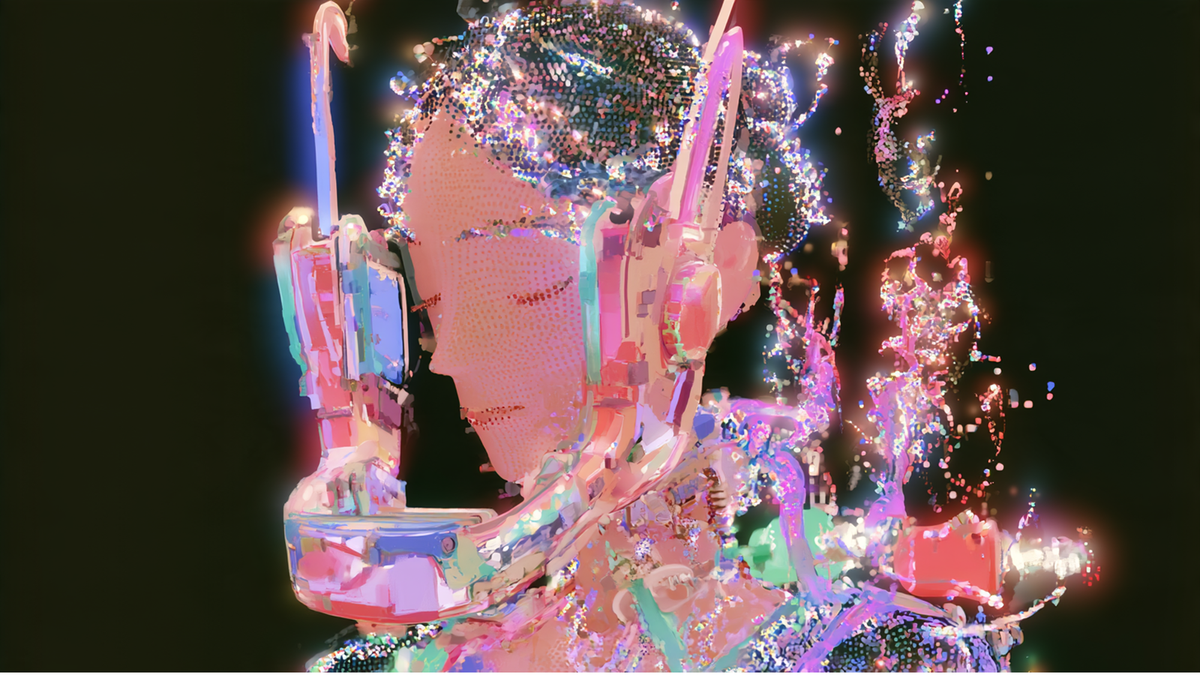
The best open-the same Character, recognizable through every style, scene, and page a story asks for
So we made our own. The CAI-Image family is our line of image models, post-trained versions of the open-
CAI-Image draws the recently launched (c.ai) Comics and powers image generation across the app, on surfaces like Imagine and Imagine Message.
Character.ai is an entertainment platform built on fandom: Characters that people create, chat with, carry into comics, and soon into video. Through all of it, the Character has to stay recognizable, at a speed and cost that scales to millions of users.
No general-purpose model delivers that combination, so we post-train open models around how people create here, the same approach we take across our stack, including chat.
It gives us three things closed APIs can’t: generation in seconds, a fraction of the cost, and control over every stage from training data to serving – a (nearly) impossible trinity in the AI industry.
What We Tuned For
New image generation papers land every week. Many start with a technique and look for an application.
We work in the other direction: the user storytelling need comes first, and the research follows.
Millions of people create Characters, scenes, and stories here every day, and most of it is one touch: a user taps, the app assembles the prompt from their chat, pulls in the Characters involved, and generates. The model has to get identity, style, and composition right in a single pass.
Watching that workflow at scale shows us exactly where general models fall short. That knowledge set the four capabilities we trained for:
- Style range and transfer
- Multi-Character scenes and pose control
- Cinematic camera control
- Manga and comics generation
We benchmarked each against the strongest closed and open models on the market. The side-by-side results are throughout this post.
Style Range and Transfer
The aesthetics came first: nothing downstream matters if the base image doesn’t look good.
Beyond just matching style and creating a nice image, Characters need to reference the style properly and merge into the end result naturally – this is an obvious gap with many of the closed models.
The model ships with a multitude of art styles tuned for Character.ai image generation, from ink wash to pixel art, and renders the same Character, action, and environment in any of them by name. Color palettes work the same way, as direct instructions separate from style and content.
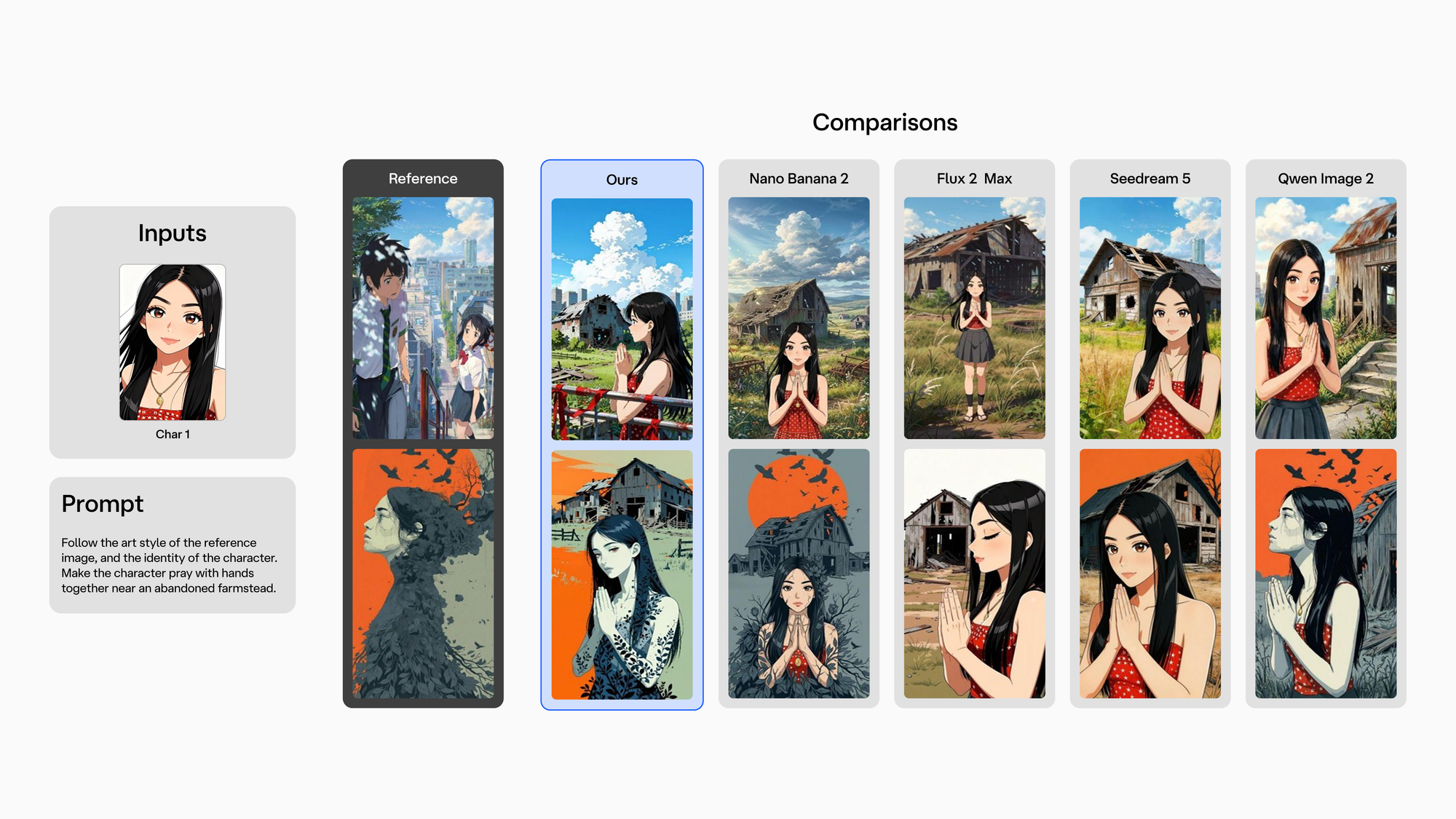
Styles can also come from an image instead of a name. Give the model a style reference and a Character image, and it follows the aesthetic of the first and the identity of the second, while the prompt sets the action and environment.
This works even when the reference shows a completely different subject, and even when the Character comes in a clashing look, like photoreal against chibi. The model separates style from identity instead of falling back on one default.
Multi-Character Scenes and Pose Control
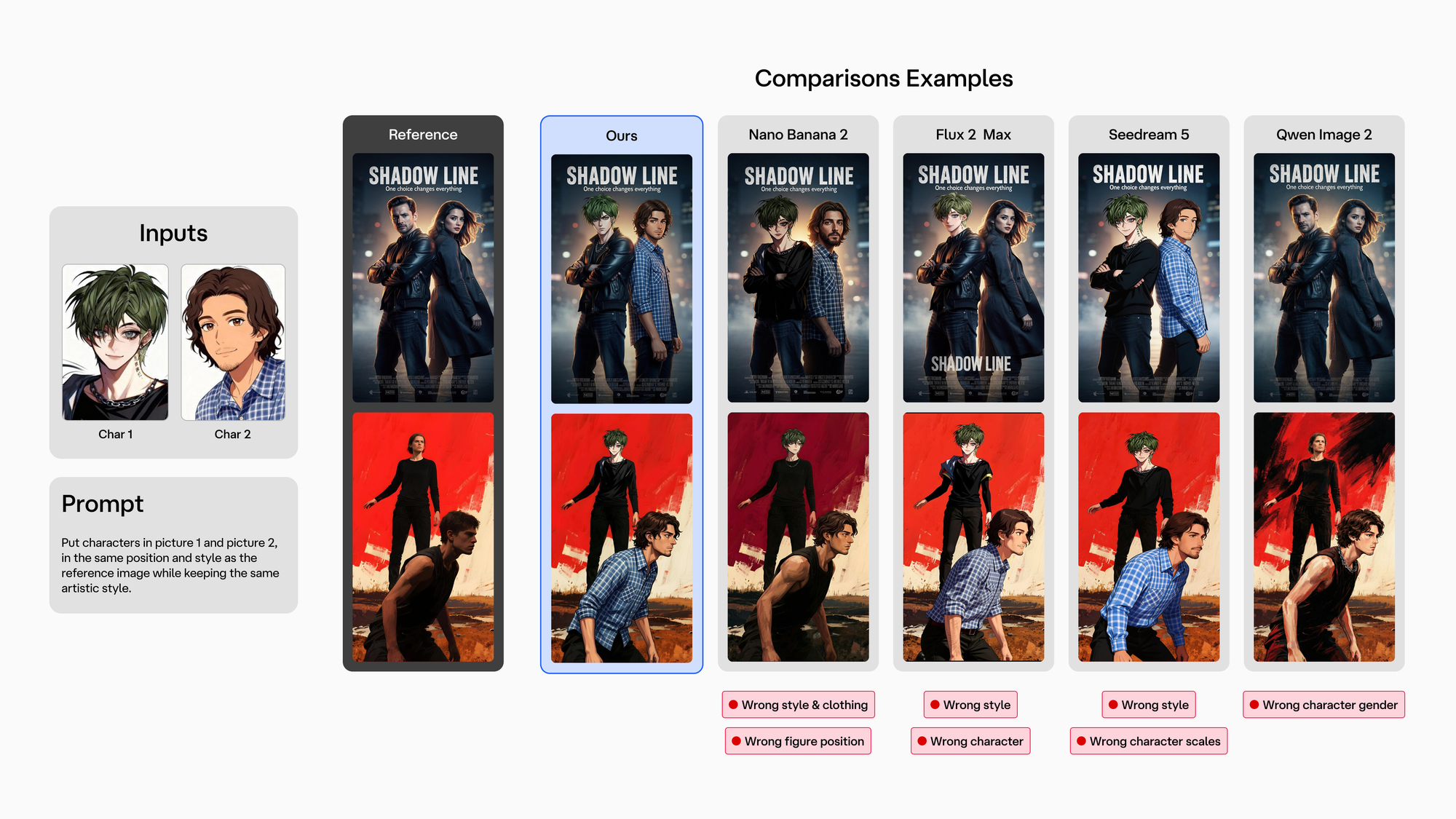
Many scenes on Character.ai have more than one Character in them, and they often come from different places: one anime, another photorealistic, a third from a different fandom entirely.
The model puts them in one scene, in one style, following the user’s premise. A single generation can take multiple Character images, a pose reference, a style reference, and location images, and satisfy all of them together.
Cinematic Camera Control
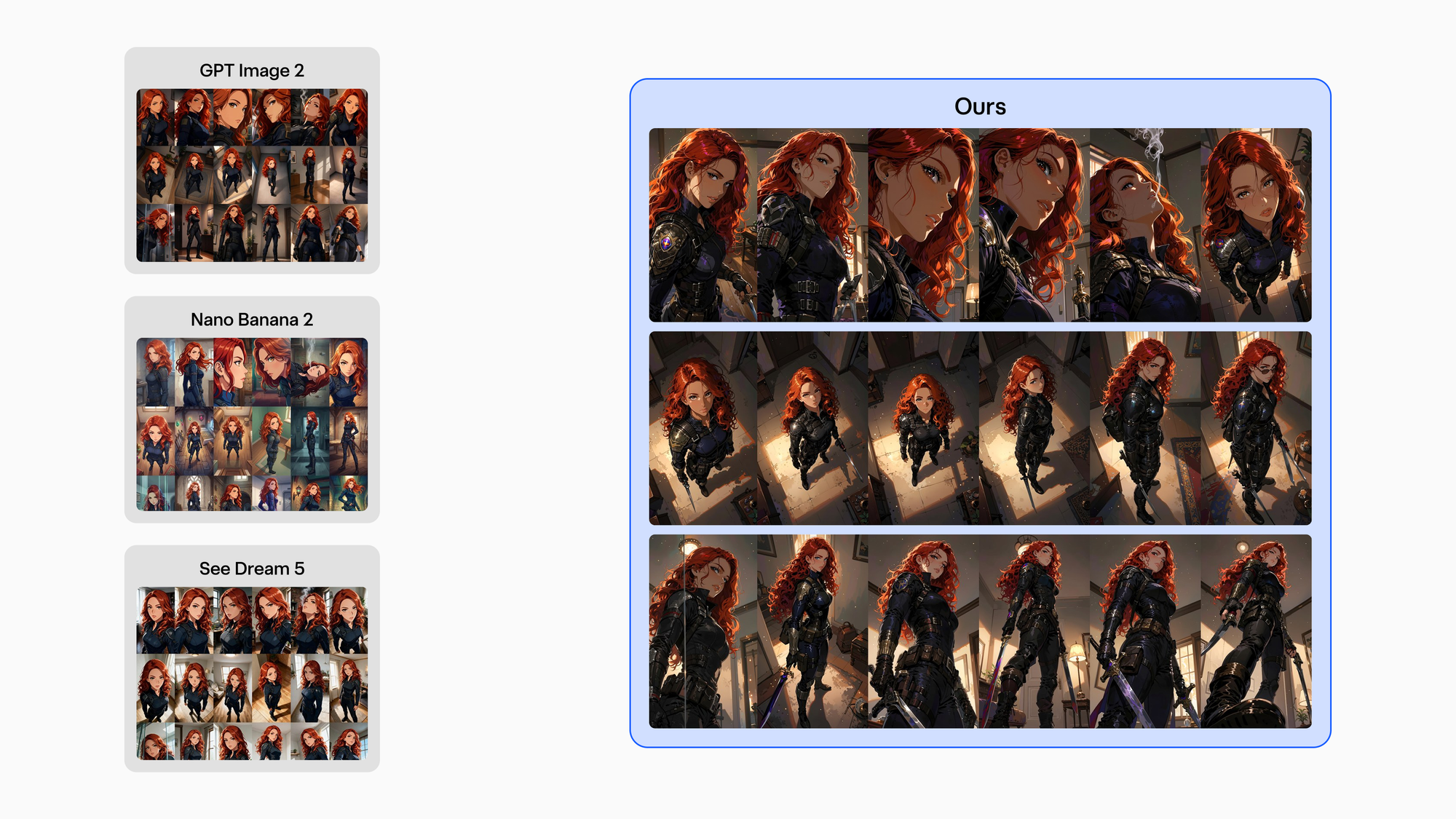
Camera control is what turns a portrait into a scene: a low angle makes a Character imposing, a close-up carries emotion.
The model understands 245 distinct camera positions in natural language, five distances by seven horizontal by seven vertical angles.
It can also take camera, composition, and style from a single reference image, with the Character still consistent.
Manga and Comics
Comics are the hardest case, because a single page demands every capability above: panel structure, accurate text, camera variation, clear emotion, and continuity from one frame to the next.
So manga gets its own model in the family, trained specifically for pages.
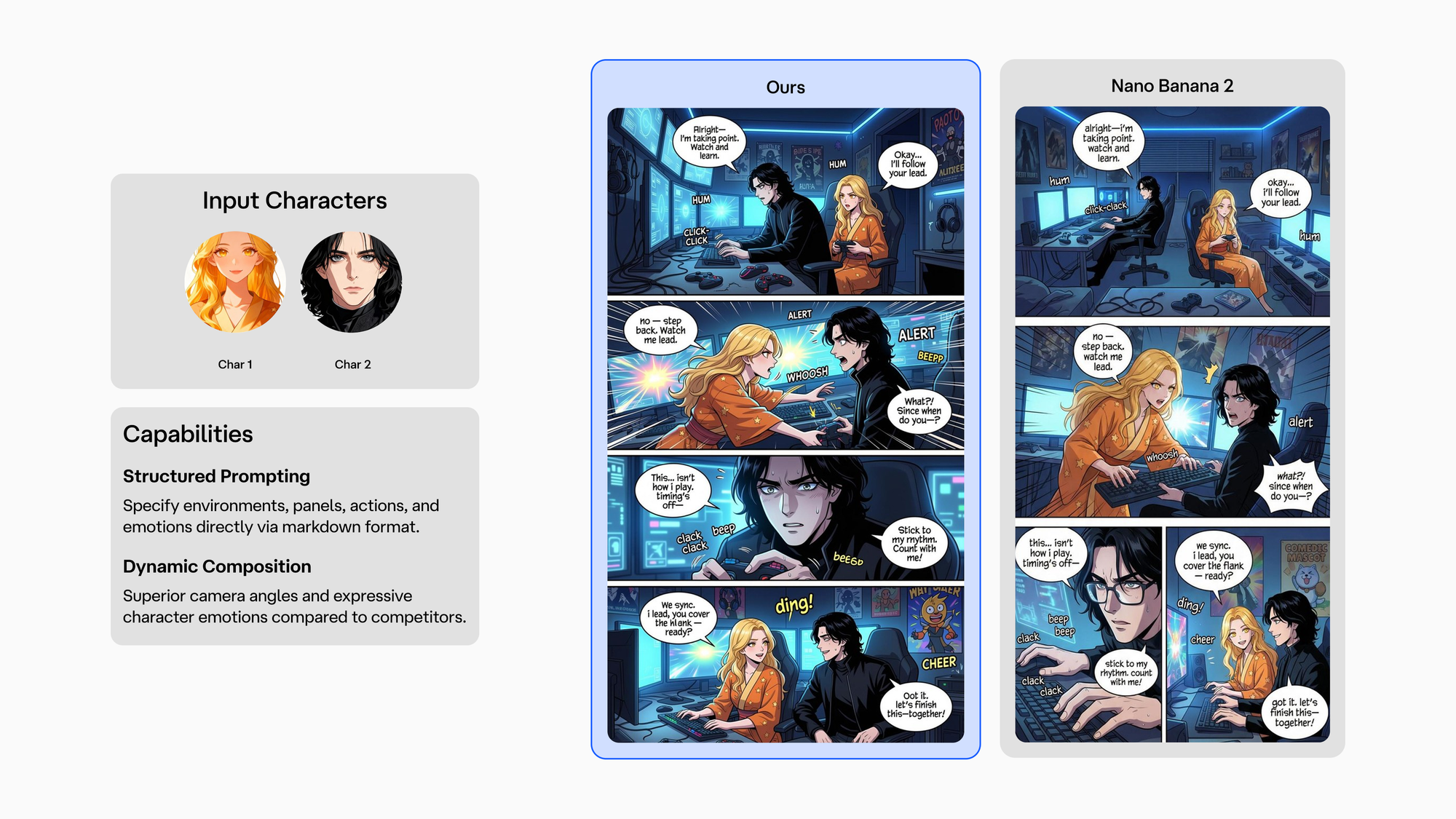
When a fan turns a Last Summer chat into a comic, CAI-Image keeps the cast recognizable from the first panel to the last and renders dialogue accurately inside the bubbles.
The page comes from a structured prompt specifying environments, panels, actions, and emotions, and the app assembles it straight from the chat or a premise, so the user never has to.
Some community creators already push the format way past 100 pages, andPro Mode is on the way for them, with deeper Character and scene design tools to allow them to continue their story.
The Infrastructure Underneath
Every model in the family runs on CAI-MM-Studio, our full-stack multimodal infrastructure: data collection and cleaning pipelines, multi-node training, automated evaluation with purpose-built scoring models, and an optimized serving stack.
Owning every stage is why a new capability takes weeks rather than quarters, and why inference stays fast and cost-effective at our scale.
What Comes Next
CAI-Image V2 focuses on the world around the Character: environments that stay consistent as the camera moves, finer-grained emotion between Characters sharing a frame, and smarter manga pages with better layouts and text.
Consistent Characters, scenes, and worlds are the prerequisites for making great videos, where we already produce our own Microdramas with (c.ai) series.Pushing the medium further involves building in this direction, as well as focusing on minute details like Character emotion and scene layouts.
Animate Comics is the first step toward creators making short story-driven videos starring the same Characters they chat with and turn into comics, and the agentic workflows in development will keep a Character and a story consistent across the many generations a video requires.
We’ll be sharing more about our anime agent design and workflows in an upcoming post.
Try It
The CAI-Image family is live today in the app, Comicsand the Imagine features
