
Close Menu

    Subscribe to Updates

    Get the latest creative news from FooBar about art, design and business.

    What's Hot

    The X-Men Became Marvel Legends by Borrowing a Winning Formula From DC, Just Not the One You Think

    November 22, 2026

    Former NCIS Star Pauley Perrette Had A Recurring Role On An Acclaimed ’90s Legal Drama

    November 22, 2026

    5 Classic NES Games That Are Unplayable Today

    November 22, 2026
    Facebook X (Twitter) Instagram
    Facebook X (Twitter) Instagram YouTube TikTok
    Comic Vibe
    Sunday, November 22
    • Home
    • Comics
      • Comic Vibe News
    • Gaming
    • Movies
    • TV
    • Anime
    • Toys & Collectibles
    • Cosplay
    • Tech
    • Digital Culture
      • Creators & Fan Culture
      • Creator Economy & Fan-Driven Platforms
      • Digital Fandom & Online Communities
      • Metaverse & Virtual Worlds
      • NFTs & Digital Collectibles
      • Virtual Events & Online Conventions
      • Virtual Identity & Avatars
    • Shop
    Comic Vibe
    • Home
    • Contact Us
    • Terms & Conditions
    • Advertise With Us
    • DMCA Policy
    • Privacy Policy
    • About Us
    Home»Gaming»How to cancel your Nintendo Switch Online subscription
    Gaming

    How to cancel your Nintendo Switch Online subscription

    JamesBy JamesNovember 22, 2026No Comments3 Mins Read
    Facebook Twitter
    How to cancel your Nintendo Switch Online subscription
    Share
    Facebook Twitter

    You’ll have to switch off auto-renewal to cancel, and it’s pretty easy to do so.

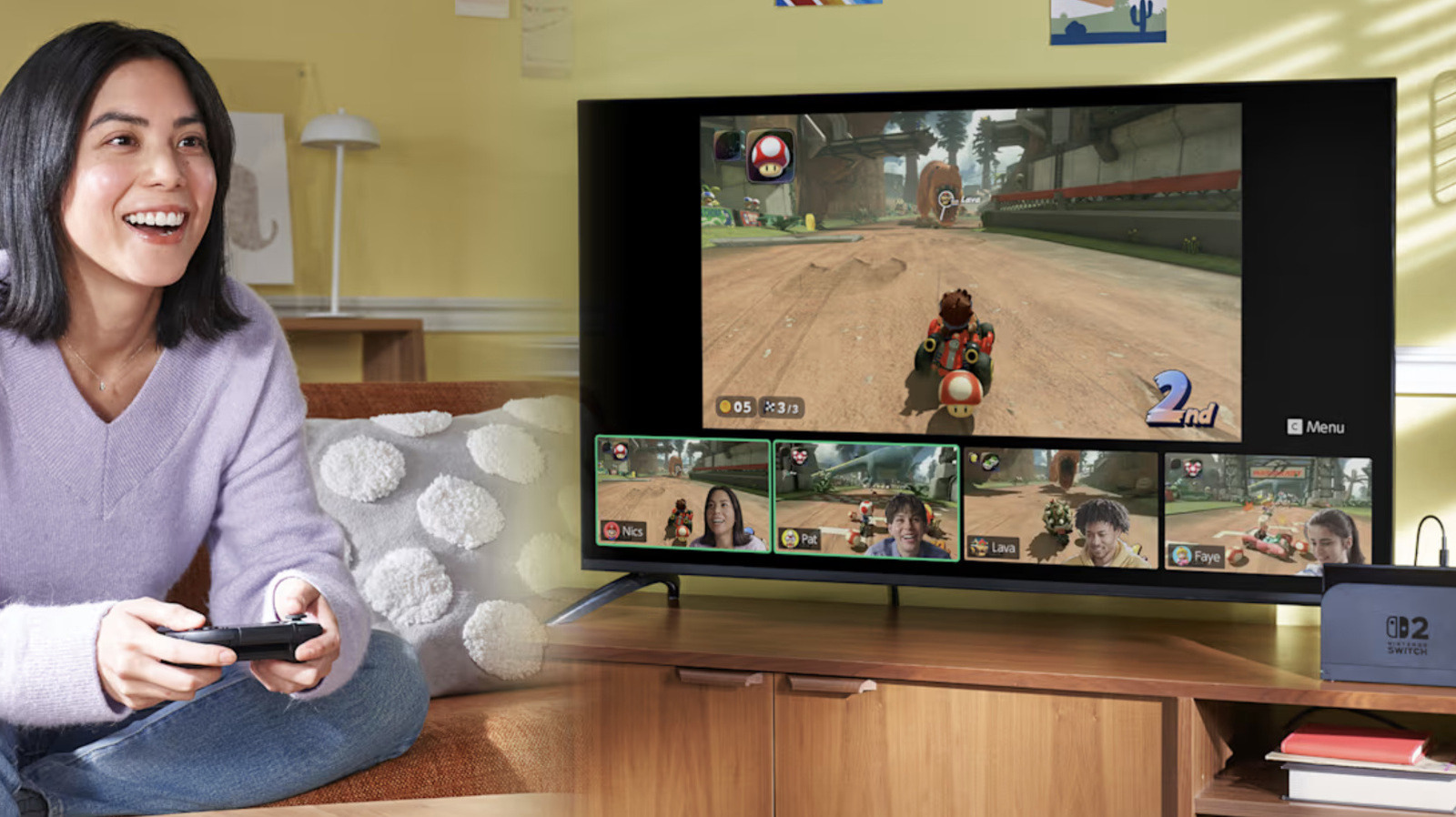
    Nintendo Switch Online gives you access to features that could make gaming more enjoyable, like playing online with friends even if they’re halfway around the world, for supported games like Mario Kart World and Animal Crossing: New Horizons. The service also lets you play retro games originally released for Nintendo’s old consoles, including the Game Boy and the NES, on your Switch. If you have a Switch 2 and pay for the service’s Expansion Pack, you can even play games made for the GameCube. In addition, it gives you access to exclusive games and cloud save, and you’ll be able to talk to your friends via a feature called GameChat on the Switch 2. 

    But what if, upon looking at it closely, you’ve decided that paying for Switch Online is no longer worth it? Maybe you don’t use its features as much and won’t miss them if you stop paying for the service. Maybe you’re cutting down on subscriptions, and Switch Online has to go. 

    The good news is that canceling your membership is fairly easy. Just take note that you can’t get a refund for unused days if you cancel in the middle of your subscription term. For example, if you paid $20 for a full year, you can’t get $10 back because you canceled six months in.

    For Nintendo Switch Online, you have to switch off auto-renewal, which is supposed to kick in by the end of your current membership period, to cancel a subscription. When you switch off auto-renewal, you can prevent Nintendo from charging your payment method when your current term expires. One important thing to note, however, is that you must turn off auto-renewal at least 48 hours before your membership is set to end. If you’re unsure about keeping your subscription, we suggest switching it off early on. You won’t be losing access the service’s features anyway and can still enjoy its benefits, as long as the subscription term you’ve already paid for hasn’t ended yet.

    How to switch off auto-renewal

    You can change your auto-renewal settings on a computer or your Switch console. On a Switch, go to the eShop, select the account that pays for the membership plan and then click on the icon on the upper-right corner to access its Account Information. Click the Nintendo Switch Online section on the left menu and then the Cancel Your Subscription by Turning Off Automatic Renewal button. On a Switch 2, you’ll find the Cancel Your Subscription by Turning Off Automatic Renewal option within your Account Information page. Clicking the button will show you a notice that says you can still continue using the service until your pass expires at a certain date. 

    On a phone or a computer, go to the Nintendo accounts portal and sign into the account that purchased the membership plan. Select Nintendo Switch Online and then find Cancel Your Pass by Turning Off Auto-Renewal in the Active Plan section. Choose Confirm. While you’re in there, you may want to change your log-in method too: Nintendo is ending Google and Apple account sign-ins in early 2027. 

    If you have a family subscription, auto-renewal will be turned off for all members of the group. Take note that once your turn auto-renewal off, you can’t turn it on again. If you want to continue your membership after all, you’ll just have to purchase a new subscription pass for the service. 

    Cancel Nintendo Online Switch your
    Share. Facebook Twitter
    Previous ArticleAmazon Black Friday Big Deals On Toys! Save On Transformers And More!
    Next Article Netflix December 2026 New Releases: Here’s complete list of movies, TV series, documentaries, reality shows, live sports and Netflix Originals
    James

    Related Posts

    5 Classic NES Games That Are Unplayable Today

    November 22, 2026

    ‘Grand Theft Auto VI’ sets record with $3.79B in first-day retail sales, Rockstar Games reports

    November 22, 2026

    Polymega’s $229 USB drive lets a Windows PC play PlayStation and Saturn discs

    November 22, 2026

    Oh No, I Can’t Stop Watching People Play ‘GTA VI’

    November 22, 2026
    Leave A Reply Cancel Reply

    Our Picks

    The X-Men Became Marvel Legends by Borrowing a Winning Formula From DC, Just Not the One You Think

    November 22, 2026

    Former NCIS Star Pauley Perrette Had A Recurring Role On An Acclaimed ’90s Legal Drama

    November 22, 2026

    5 Classic NES Games That Are Unplayable Today

    November 22, 2026

    General Mills Releases New Protein Options To Close Out 2026

    November 22, 2026
    • Facebook
    • Twitter
    • Instagram
    • YouTube
    • TikTok
    • Telegram
    Don't Miss
    Tech

    Xbox Backward Compatibility Comes to PC and Handhelds at Last, Reviving Conker and BLiNX With 4x Upscaling

    By JamesJuly 22, 20260

    Xbox Backward Compatibility has long been the benchmark for backward compatibility on consoles, and rumors of it coming to PC rightly made more than a few players excited at the prospect of playing classic Xbox games which never received an official PC port. Today, Xbox Backward Compatibility was officially launched on PC with the first…

    Nirvanna the Band the Show and Movie will finally be available to stream via Hulu on July 24

    July 22, 2026

    Wayback Whensday: The Censored Nancy Reproduced

    July 22, 2026

    ‘Preview Night’ Arrives For Comic-Con, Along With Blood Drive, Downtown Events

    July 22, 2026

    Subscribe to Updates

    Get the latest creative news from SmartMag about art & design.

    About Us
    About Us

    Comic Vibe is a pop-culture destination created for fans who live and breathe comics, movies, anime, TV shows, gaming, tech, cosplay, and collectibles.

    Our mission is to deliver engaging news, reviews, features, guides, and opinions that celebrate geek culture in all its forms. From the latest comic releases and blockbuster films to anime trends, gaming updates, cutting-edge tech, and collector culture, Comic Vibe brings everything together in one vibrant hub.

    Our Picks

    The X-Men Became Marvel Legends by Borrowing a Winning Formula From DC, Just Not the One You Think

    November 22, 2026

    Former NCIS Star Pauley Perrette Had A Recurring Role On An Acclaimed ’90s Legal Drama

    November 22, 2026

    5 Classic NES Games That Are Unplayable Today

    November 22, 2026

    Subscribe to Updates

    Get the latest comics, anime, movies, TV, gaming, cosplay, and pop culture news delivered directly to your inbox. No spam—just the stories every fan should know.

    Facebook X (Twitter) Instagram YouTube TikTok
    • Home
    • Contact Us
    • Terms & Conditions
    • Advertise With Us
    • DMCA Policy
    • Privacy Policy
    • About Us
    © 2026 Comic Vibe. Designed by Comic Vibe.

    Type above and press Enter to search. Press Esc to cancel.